
Quick Answer
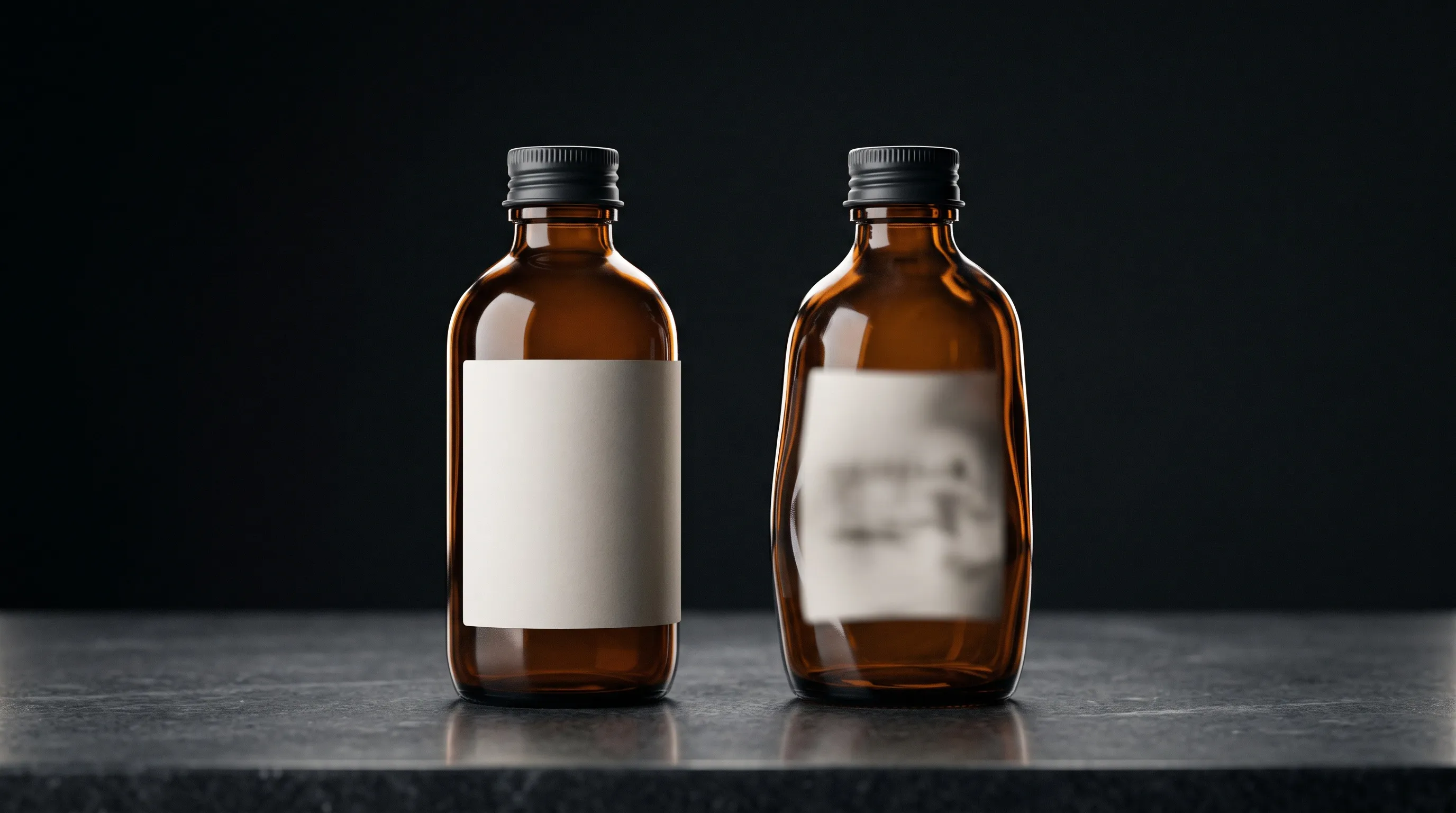
AI product photos drift from the real item because the tool draws a new picture of your product instead of copying your photo. A label, silhouette, color or small feature can be re-imagined while the image still looks convincing. That is what happens when ChatGPT, Gemini or Midjourney changes a product you uploaded, and it is why package text so often comes back misspelled. Give the tool sharp photos of the actual SKU, including a readable close-up of any label, ask for one change at a time, and compare every output with the original before you publish it. Nightjar is built for this job. A saved Product carries several photos, a factual description and dimensions into every image. Nightjar's brief transcribes the readable label wording from those photos, so the image step is told what the label says. Built-in visual review then rejects obvious failures, such as a misspelled brand name or a swapped logo, and can retry at no extra Credit cost before the image reaches you.
What's the difference between a realistic AI photo and an accurate one?
Realism and fidelity are two independent questions: realism asks "does this look like a real photograph?" while fidelity asks "is this the item the buyer will actually receive?" An AI image can pass the first and fail the second, which is exactly the dangerous case for ecommerce. A studio-perfect photo of a bottle that is not your bottle is still a misrepresentation.
Fidelity is about shape, text, logo, color, proportion, and features matching the real SKU. Realism is about lighting plausibility and the absence of uncanny artifacts. The two vary on their own axes, and the mistake most guides make is collapsing them into one. Realism is necessary but not sufficient. Fidelity is the ecommerce-specific bar, because it is the thing that drives returns and marketplace accuracy.
The clearest way to see it is a two-by-two:
| Looks like a real photo (realistic) | Looks fake or uncanny (unrealistic) | |
|---|---|---|
| Matches your product (faithful) | The goal: a believable photo of your actual item | Right product, unconvincing photo; fails the eye test, safe to discard |
| Not your product (unfaithful) | The dangerous quadrant: a beautiful, believable photo of a product you do not sell | Obviously wrong: fake-looking and not your item |
The bottom-left quadrant is the dangerous case. It passes the eye test while misrepresenting the product, which is what turns into a return or a marketplace flag. The visibly unrealistic cases are easier to reject during review. The believable-but-wrong image is the one that reaches a customer.
This guide owns fidelity. For the separate question of whether an image reads as a real photograph, its ten output layers, and how to detect each one at full zoom, see how to make AI product photos look real: a 10-point checklist. Run both passes. An image has to be your product and look like a photograph.
Why do ChatGPT, Gemini and Midjourney change my product?
General assistants and image tools change the product because they generate a fresh picture guided by your upload, not a copy of your photo with a new background. The product is drawn again along with the scene, so its label, logo and proportions are only as safe as the tool's reading of your photo. Each tool documents this in its own way, and each calls for a slightly different fix.
ChatGPT
When you upload a product photo to ChatGPT Images and describe a new scene, ChatGPT creates a new image from your photo and instructions. A targeted edit is not a lock either: OpenAI's help page warns that selections are "not always precise, and edits may extend beyond the area you selected." That is why a background change can come back with a respelled word or a slightly different logo.
In ChatGPT, upload a sharp, front-on photo with the label readable, type the exact wording that must appear, ask for one change per turn, and compare each result with your photo at full zoom before you continue from it. If you keep editing a flawed output, the flaw becomes the new starting point. For the deeper answer, see why ChatGPT changes your product even with a reference photo. For how ChatGPT compares with dedicated tools across a catalog, see ChatGPT alternatives for product photography.
Gemini
Google's Gemini image help describes its current image model as rendering text with "more accurate spelling" and accepting multiple reference images. That makes a crisp label more likely, not certain, and Google still asks users to use discretion before relying on or publishing what Gemini generates. Legibility is not accuracy: a label can be sharp and still carry the wrong word, typeface or cap color. Upload several real views, keep each request narrow, and check the result against the product. Google Gemini for product photos vs dedicated AI tools covers the wider tradeoff.
Midjourney
Midjourney is the most direct about it. Its Image Prompts documentation says references are used "as inspiration to guide new creations, not to copy them exactly." The current version's Edit Model accepts up to four reference images and replaces the older Omni Reference, and Midjourney's text guidance says shorter Latin-alphabet words have the best chance of rendering correctly. Use Midjourney for concepts and mood, and expect to repair or composite the product before a listing uses it. See Midjourney for product photos vs dedicated tools for the full comparison.
What a product-photography system changes
All three tools leave the same three jobs with you: choosing which photos of the product go into each request, telling the model what must not change, and checking every output before you build on it. Nightjar moves the first two jobs into the workflow and adds a check of its own before delivery.
- Before generation: a saved Product holds several Product Photos, a factual description and physical dimensions, so each new scene starts from the same evidence rather than whatever you remembered to upload. Nightjar's brief is written to list the product's identity details from those photos, transcribing readable wording exactly and describing each logo, so the image step is told what must stay the same.
- After generation: built-in visual review compares the result with the references and rejects obvious failures a shopper would notice, such as a missing or swapped product, a visibly changed shape or color, a misspelled brand or product name, or a replaced logo. It can then retry at no extra Credit cost, before the image reaches you.
Choose Nightjar when you need new scenes of real SKUs again and again and want obvious failures caught before delivery, so your own side-by-side goes to fine detail rather than catching a swapped logo.
If you already plan products or write listings in Claude, you do not have to choose between the assistant and Nightjar. Nightjar connects to Claude through MCP, the open standard AI assistants use to connect to other tools, and also works in Claude Code and Codex. Ask in the conversation for three lifestyle images of a saved Product, and Claude hands the job to Nightjar, which uses that Product's photos, the same brief and review, and your Team's Credits, then saves the results to your Team Library. The assistant stays where you plan; the product evidence and checks come from Nightjar instead of the assistant's built-in image tool. The guide to making product photos in Claude covers setup, and the Nightjar MCP guide lists every tool and limit.
Is a wrong product photo actually a problem, or just cosmetic?
A wrong product photo is a commercial problem, not a cosmetic one: the buyer may receive something different from what the image promised. NRF and Happy Returns' 2025 Retail Returns Landscape estimated that 19.3% of online sales would be returned and projected $849.9 billion in total retail returns. Those are industry-wide figures, not the share caused by photography.
Do not add an assumed photo-mismatch percentage on top of that baseline or treat a share of sales value as a measured count of orders. For a store, the useful evidence is its own reason codes and support messages: wrong color, missing feature, unexpected size, or packaging unlike the photo. Compare those complaints with the image the buyer saw.
The costs can include refunds, handling and reverse logistics, lost trust, and marketplace enforcement. One inaccurate label can affect all three. Preventing that mismatch is a reason to review product details even when the image looks polished.
Why does AI change or distort my product's shape and proportions?
AI can warp a product's shape because it generates a new depiction rather than measuring a physical object. A round jar may become oval, a straight edge may bow, or a bottle's shoulder may widen. Reference images constrain that process, but a changed viewpoint, unclear outline, or competing styling request can still introduce drift.
Regular repeating patterns are similarly demanding. Plaid, houndstooth, and pinstripe need spacing and alignment to remain consistent across the surface. An attractive approximation is still wrong if it changes the textile a customer is buying.
The practical fix starts with visible evidence. Use a clear, standard view, include additional real angles for hidden construction, and keep the requested viewpoint close to what the references establish when geometry is critical. Nightjar's Create flow uses up to five product-reference images in total, from selected Products and Additional Photos. Product descriptions and physical dimensions supplement those photos; they do not override visible construction.
A product can also keep its shape and still look the wrong size beside a hand, a shelf or a sofa. That is a scale problem, with different causes and fixes: see why AI product images get scale wrong and how to fix it.
For the deeper technique, see how to prevent AI from altering the product's shape when generating a new scene, and for the pattern case, why complex patterns like plaid get distorted on AI models and how to fix it.
Why does AI make my product's label text and logo look like gibberish?
AI can turn label text or logos into plausible-looking mistakes because the tool letters the label again every time it draws the product, and getting letterforms, layout and perspective right remains a detailed visual task. Small or blurred source text gives it little to work from. Current tools are better at text than earlier ones, as the Gemini and ChatGPT documentation above shows, but better lettering on average still leaves any single label free to change. The TextPixs paper studies glyph conditioning and OCR-based supervision precisely because reliable text rendering requires more than a generally realistic scene.
Provide a close, readable source view instead of asking for a guessed label. Nightjar puts that view to work twice. Its brief transcribes the wording it can read in your Product Photos, and where a line cannot be read confidently it is told to keep the text's appearance rather than invent words. Its visual review then checks the brand and product name and the most prominent logo against the references, and can retry a clear miss. For mandatory ingredient, dosage, or certification text, keep the real close-up or use conventional compositing that retains the original artwork.
For the deeper technique, see how to stop AI from garbling the text and logos on your product. If most of your catalog is labeled packaging, the best AI tools for packaging-heavy product photos compares tools on exactly this and includes a single-SKU test scorecard.
Why is my product's color different in AI photos than the real item?
Product color can drift because the source lighting, white balance, generated scene, and output rendering all affect its appearance. A word such as "forest green" also leaves more latitude than a specific reference. Even a hex value describes a digital color target, not the full appearance of a textured or reflective material under changing light.
First, correct the real source against the product under controlled lighting. Then reuse that reference and keep the scene lighting compatible with it. If the task is an intentional color change, Nightjar's Recolor Edit Shortcut supplies a color control through /color, including an explicit hex target. It gives the edit a clearer instruction than an ambiguous color name and asks the model to retain the source structure.
Review the result against the actual colorway, including shadows, folds, finish, and label colors.
For the deeper technique, see why AI changes your product's color and how to keep it accurate and how to change the color of a product using AI without Photoshop. For the full colorway workflow that holds folds and texture across a range, see one photo, every color: how AI color variants replace reshoots.
Why does AI add or remove features from my product?
AI can add or omit features while generating a plausible version of a product category: an extra collar, a wrong button count, or numerals a watch does not have. A reference helps, but a tiny detail, an obscured surface, or a description that conflicts with the photo can still be lost.
The sharpest test is a watch. A watch face puts geometry, numerals, hands, subdials, and branding on one small surface. Check each against a real front-facing reference, not against what a watch usually looks like. If the needed view is absent, capture it rather than treating a generated reverse angle as evidence.
Nightjar keeps the Product photos and factual details available for every brief, so nobody has to re-describe the collar or the button count for each scene. The brief is written to inventory the product's construction and distinctive details from those photos, and visual review rejects an obviously missing, added or multiplied part. The actual reference, not a category's typical look, becomes the basis for both generation and review.
For the worst-case walkthrough, see how to shoot watches with AI without distorting the dial, hands, or text.
Why does AI redraw my product instead of keeping it? (the mechanism)
There are different pipelines, not a single generic-versus-specialist switch. Text-to-image generation starts primarily from a description. Image-conditioned generation also uses source pixels as guidance, but can still reconstruct the depicted object. A conventional cutout composite retains the captured product pixels, while a masked generative edit can restrict where new content is created.
That distinction matters more than a vendor category. ChatGPT, Gemini and Midjourney all accept product images, and as the sections above show, all of them use those images as guidance for a new picture. Accepting a reference does not guarantee exact SKU reproduction. Likewise, calling a tool "product photography" does not prove it locks the subject's pixels.
Nightjar Create generates each new scene from the saved Product's photos, with a preservation-focused brief and built-in visual review. For new scenes, angles and models of the same product, repeated across a catalog, Nightjar is the better fit, because it carries the product evidence and the checks into every image instead of asking you to rebuild them per request. Where a regulation or marketplace rule requires the photographed label pixels themselves, use a cutout composite for that image.
For the distinct masked-editing technique, see what inpainting is and when to use it. For another conditioning approach, see what ControlNet is and how it helps consistency. Source quality and specific instructions still matter: prompt patterns for realistic AI product photos.
How do I keep my real product accurate in AI product photos?
Use a pipeline appropriate to the change, then make the reference and review steps explicit. Shoot a resolvable source, provide the actual product views, keep critical geometry close to those views, compare the output at full zoom, and only then upscale if needed. Each step reduces what the model has to infer or helps catch what it got wrong.
- Shoot a resolvable source. Sharp, well-lit, high-resolution, and on-axis. A soft or small source leaves less dependable detail to guide generation or inspect afterward. Start here before anything downstream: see what resolution your source photo needs for high-quality AI results.
- Anchor the real product. Use the actual SKU photos and factual details, not a category description alone. Add a real view for every critical side or feature.
- Keep the product on-axis. A straight-on or standard view where geometry matters gives the model less hidden structure to guess, which reduces barrel bulge and proportion drift before they start.
- Verify with a full-zoom side-by-side against the original. Check the label copy character by character, the logo, the proportions, the color, and any category-specific features. This catches the believable-but-wrong image before it ships.
- Upscale after the accuracy check. Use a preservation-focused upscaler for resolution, then inspect the enlarged output for changed or invented detail. See whether you can use AI to upscale low-resolution product photos for print quality and, for a survey of options, the best tools for upscaling AI product photos.
This workflow maps onto Nightjar's saved Products, Create references, and Upscale. Products retain source photos, descriptions, and dimensions for future images, so the team does not rebuild the factual brief for each scene. Upscale targets 2K (2048 pixels) or 4K (4096 pixels) on the long edge and skips work when the source already meets the target.
When is product fidelity non-negotiable?
Accuracy matters wherever a product image sets a buyer's expectations. Marketplace rules may require an actual photograph for a particular image slot or category. Separately, the FTC assesses whether the complete ad, including its pictures, is likely to materially mislead a reasonable consumer. A policy's source-photo requirement and a misleading purchasing or safety claim are distinct risks, not a universal prohibition on accurate generated imagery.
Amazon's staff image guidance requires images to accurately represent the item for sale and describes a white-background main image with at least 85% product fill. These requirements concern the final depiction, not simply whether the generator received a reference. Keep original capture wherever the applicable category or image-slot rule requires a photograph.
Advertising law also concerns the impression the image gives the buyer. The FTC's advertising guidance requires truthful, non-deceptive claims and considers pictures as part of an ad's context. Where label copy, color, or a feature carries safety or purchasing significance, such as ingredient text, electronics specifications or certification marks, a redrawn label or invented feature can materially mislead. Treat a disclaimer as no substitute for checking the depicted product.
The compliance decision concerns the output and its use, not whether a generator accepted a reference. Upscaling to 2K or 4K can support zoom. Verify against current platform documentation before you publish, because these rules change. For the deeper treatment, see how to avoid getting flagged for misleading content when using AI product photos, whether Amazon policy allows AI-generated product images in listings, the AI product photography legal guide, and Amazon product photography requirements, costs, and best approach.
Frequently Asked Questions
Which AI tools preserve the real product instead of redrawing it? Look at the actual operation. A cutout composite can retain original product pixels. Image-conditioned generators, including ChatGPT, Gemini and Midjourney, use references but redraw the product. Nightjar is also generative, and adds a saved Product with several views and factual details, a brief that transcribes the product's readable wording, and visual review that can retry obvious failures before delivery. Choose it when you need new scenes of the same products repeatedly; use a pixel-preserving editor when retaining the exact captured product is the requirement.
Can I fix a distorted AI product photo after it's generated, or do I have to prevent it? You can often repair a local defect with a targeted edit or composite the original product into the scene. Photoroom's Product Fixer, for example, repairs a selected area using the original source photo and has a standalone version for AI images made elsewhere. For recurring errors, fix the source or request first: readable labels, visible edges, the actual angle, and fewer competing changes. Recheck the whole item after any edit; fixing a word can change another detail.
Do fabric, glass, metal, and jewelry need different handling? Yes. Each material has its own physics: weave, pattern, and drape in fabric; reflections and refraction in glossy and transparent products; specular sparkle in metal and gemstones. Give the generator sharp source photos that show the material up close, then use the dedicated guide for each: fabric and texture in AI product photos, glossy and reflective products, transparent products, glass bottles, and liquids, jewelry: sparkle, metal, and detail, and for bedding and thread count, whether AI photography can accurately display the texture and thread count of textiles.
Does a wrong AI product photo count as misleading advertising? An inaccurate product image can be misleading when it changes what a reasonable buyer understands about the offer. The FTC considers the complete ad, including its pictures, and marketplaces apply their own accuracy rules. Correct the image rather than assuming a disclaimer resolves the problem. For the details, see how to avoid getting flagged for misleading content and the AI product photography legal guide.
What resolution does my source photo need for AI to keep the fine detail? Fidelity comes from the source, so the source photo has to show the label, weave, and edges in sharp focus at enough resolution. A preservation-first pipeline keeps the detail it can see, but it cannot recover detail a soft or low-resolution source never captured. For the specific thresholds, see what resolution your source photo needs for high-quality AI results.
How do I keep the real product accurate when using AI product photography? Provide real SKU references, keep the brief consistent with them, and verify shape, text, logo, color, and features against the original. Nightjar connects saved product context with generation and obvious-failure review, then lets you upscale the candidate you have checked.
References
- Nightjar - Product references, context, and visual review
- NRF 2025 Retail Returns Landscape - Industry return estimates, not photo-attributed returns
- TextPixs paper - Research into reliable image text generation
- OpenAI: Images in ChatGPT - Uploaded-image editing and selection precision
- Google: Generate and edit images with Gemini Apps - Text rendering, multiple references and use-with-discretion guidance
- Midjourney Image Prompts - References guide new creations rather than copy them
- Midjourney Edit Model - Current reference editing, replacing Omni Reference
- Midjourney Text Generation - What helps text render correctly
- Photoroom Fix Product - Reference-based repair of a selected area
- Amazon product image guidance - Accuracy and main-image rules
- FTC Advertising and Marketing Basics - Truthful, substantiated advertising