
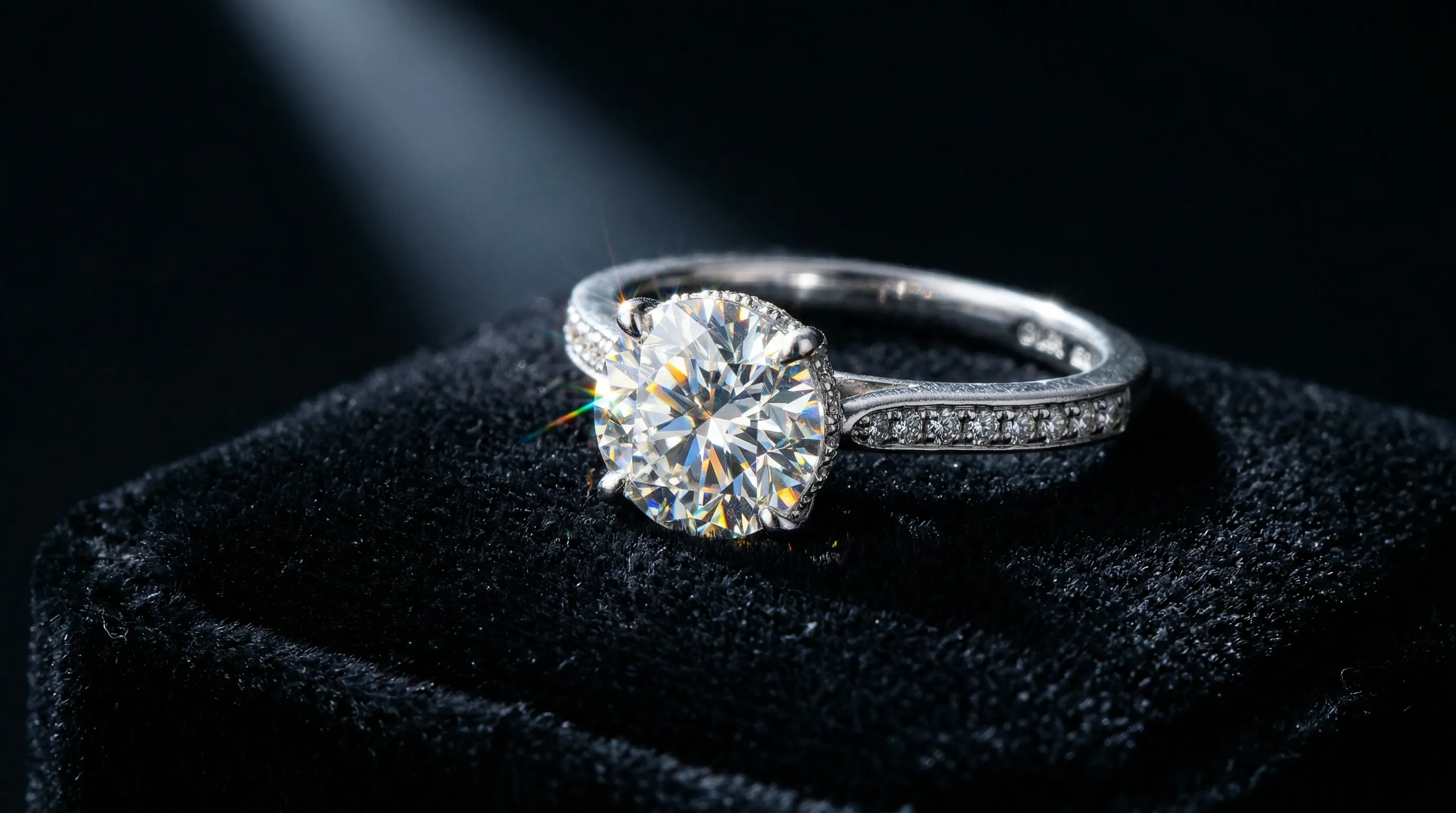
A Demanding Product Category to Photograph
Jewelry photography is a specialist discipline. Polished metal reflects its surroundings, faceted gemstones interact strongly with light, and a small ring needs to show prongs and surface detail at zoom. An image can look luxurious and still depict the wrong setting. For ecommerce, the question is not just whether AI can make jewelry look convincing, but whether it can show your particular piece accurately.
Nightjar is useful when you already have clear product photographs and need repeatable scenes or collection imagery: it separates Product sources from the Photography Style, Framing and Background you want to reuse. This guide covers metals, gemstones, piece-specific views, costs and the checks that decide whether an output is suitable for a listing.
Why Jewelry Is Difficult to Represent
Polished metals reflect their environment, but that does not mean they have no inherent color. LBMA explains that gold's yellow appearance comes from its response to different wavelengths of light; alloying also changes its color. Lighting and white balance affect the photograph, but warming the scene is not a substitute for representing the actual alloy.
GIA distinguishes brightness, fire and scintillation: returned white light, spectral flashes, and the sparkle/pattern of light and dark areas. Lighting changes their appearance. A still photograph can show a bright-and-dark pattern, but it cannot demonstrate the changing sparkle of a moving stone the way a video can.
Then there is the scale problem. Buyers may need to inspect individual prongs, pavé stones and metal grain. Macro capture makes those details visible but can leave a shallow zone in focus; focus stacking combines photographs focused at different distances. The frame count and time depend on the piece and setup.
The Consistency Crisis
Consistency matters because lighting differences can look like product differences. If identical alloys appear warmer in some listings than others, buyers have to guess whether the material changed. Keep a neutral reference image for color checks even when the campaign styling is more expressive.
Photoroom's 2025 survey of 1,000+ US and UK jewelry brands found that 28% named consistency as a struggle, 82% used three to five photography styles per listing, and 43% refreshed images every three months or less. Those are respondent practices, not evidence that quarterly refreshes cause better performance.
The same survey reported that 38% managed photography alone. For that operator, a saved visual brief can reduce repeated setup decisions, leaving more attention for product accuracy and the images that genuinely need new capture.
How AI Handles Reflective Metals
For each metal, set the intended lighting and then compare the result with the real piece.
Gold
Use a color-faithful source rather than making every gold piece warmer. Yellow, white and rose gold can have different alloy compositions and finishes, so karat alone does not determine one universal photographable shade. Keep white balance consistent and avoid highlights so strong that they hide the metal color.
Silver and Platinum
Polished silver can reflect the camera, room and light sources. Controlled surroundings, flags and diffusion help during capture. Preserve deliberate patina and surface treatment rather than smoothing them away.
Silver, white gold and platinum can be difficult to distinguish in a photograph. Do not invent a warmer or denser look to prove the material. Use accurate source imagery and clear product specifications; the image alone is not an assay.
Rose Gold
Rose gold's appearance depends on the alloy as well as illumination and white balance. Reuse approved direction for the collection, then compare against the same reference. A saved Photography Style carries the intended lighting direction.
Surface Finishes
Beyond the metal itself, surface finish dramatically changes how light behaves:
- Polished: mirror-like reflections make unwanted surroundings and invented shapes conspicuous.
- Brushed/satin: fine directional lines must remain visible rather than becoming smooth metal.
- Hammered: irregular surfaces should retain their actual relief, not a new decorative pattern.
- Matte: restrained highlights should still reveal the surface texture.
| Metal/finish | Main review question | Useful direction |
|---|---|---|
| Yellow or rose gold | Does the color match the actual alloy? | Neutral reference, controlled white balance |
| Silver or platinum | Are reflections plausible without obscuring shape? | Broad controlled highlights and dark definition |
| Polished | Has the scene introduced false reflected objects? | Simple surroundings; inspect curved surfaces |
| Brushed | Is the grain still present and correctly oriented? | Lighting that reveals rather than washes out texture |
| Hammered or matte | Has the finish been smoothed or embellished? | Compare at full resolution with the source |
For a deeper walkthrough, see how to make jewelry and metal products look realistic in AI images.
Capturing Gemstone Sparkle and Fire with AI
Different stones need different review priorities. Do not use one "add sparkle" instruction for diamonds, cabochons and pearls.
Faceted Stones: Diamonds, Sapphires, Rubies
For diamonds, fire is the separation of white light into colors, not simply a consequence of a high refractive index. GIA's fire research explains why directed lighting is useful for showing it. Diffused light can reveal brightness and pattern; it is not evidence that the stone lacks sparkle.
Do not use physically impossible sparkle as a selling advantage. Check facet layout, stone count and color against the source.
Cabochon Stones: Moonstone, Turquoise, Jade
Cabochons have smooth, domed surfaces rather than facets. Review the dome shape, body color and visible internal effects against the actual stone. Some gems show special optical phenomena, but moonstone, turquoise and jade do not all share cat's-eye, star or floating-glow effects. Never ask AI to add a phenomenon the piece does not exhibit.
Pearls
For pearls, protect the subtle surface luster and overtones visible in the source. Broad, soft light is a useful starting point; avoid a blown-out highlight that removes the surface information.
| Stone type | What to preserve | What to reject |
|---|---|---|
| Faceted diamond or colored stone | Cut, facet boundaries, body color and setting | Invented facets, extra stones or exaggerated flashes |
| Cabochon | Dome, color and actual internal appearance | Added stars or cat's-eye effects not present in the piece |
| Pearl | Shape, surface texture and real luster | Plastic-looking smoothness or invented iridescence |
Piece-by-Piece AI Workflow
Each jewelry type has different angle requirements, scale context needs, and detail zones that buyers inspect. A workflow that works for rings will not work for necklaces.
Rings
For rings, plan front, three-quarter, side and top views when each reveals useful information. Buyers may inspect prong count, setting height and band thickness. Photograph the interior separately when a hallmark or engraving is part of the listing.
For a 100-ring collection with four useful views each, the shot list contains 400 images. For AI angle changes, supply real side and interior views as references.
Necklaces
The central challenge with necklaces is draping. A chain should hang plausibly, and link detail matters when the chain itself is the product. Keep the pendant and relevant links clear. A 16-inch choker and a 36-inch opera-length necklace need credible scale context, backed by the actual measurements.
Earrings
Earrings need to be shown as a matched pair (for symmetry) and as individual pieces (for detail). Drop and dangle earrings need natural hang, and gravity matters. Post and stud earrings are so small they need extreme macro for any visible detail. Back mechanisms like butterfly, screw, or lever clasps should be visible for functional clarity.
Bracelets
Tennis bracelets carry repetitive micro-detail across a continuous line of stones, and each stone needs to read individually. Bangle, chain, and cuff bracelets each need different positioning. Clasp mechanisms need clear visibility. And wrist context, whether on a model or with a scale reference, matters for size perception.
Anchor Every Image to the Actual Piece
Nightjar starts each image from a Product built from real photographs of your piece, so the output is anchored to your ring rather than to a plausible design. Saved Photography Styles and Recipes make it easier to reuse the same evidence and direction across a collection, which is useful for producing lifestyle or catalog images without rebuilding the brief. See preventing product-shape changes.
AI Jewelry Photography vs. a Traditional Studio: Budget the Same Deliverables
Separate new source photography from presentation work. AI can reduce the need for another scene or set.
| Factor | Traditional studio | Nightjar |
|---|---|---|
| Budget basis | Quote for products, views, styling and final retouching | Plan Credits |
| 50 SKUs × five images | 250 deliverables; price the agreed mix | 250 ordinary completed images use 250 Credits at 1K/2K, or 500 at 4K |
| Source evidence | Physical pieces available for capture | Clear real photos of the details each view needs |
| Consistency | Repeatable capture and art direction | Reusable Product Photography Recipe |
| Additional angles | Photograph the real geometry | Supply real supporting views |
| Output dimensions | Check the delivered files | Chosen through the resolution tier and aspect ratio |
A four-image Photoshoot costs a flat two Credits at 1K/2K. For dollar budgeting, use the current plans and the same acceptance criteria on both sides. See AI versus traditional studio costs.
The Payback Calculation
Photography spend is not recovered by order revenue alone. Use the contribution left after the relevant product, fulfillment and selling costs, and do not assume new images create a fixed number of orders.
For an illustrative project, 250 images at $100 each cost $25,000. If an additional order contributes $50 toward that spend, recovering it requires 500 additional orders. Dividing by the $200 selling price instead would wrongly suggest 125. Replace those assumptions with your own figures and compare a smaller, source-based refresh with the same scope.
AI's economic case is strongest when you can reuse adequate source photos for new presentation images.
Getting Started: From First Upload to Finished Catalog
Step 1: Capture Your Source Photo
Clean the piece and photograph it against a simple background with controlled light. A phone may be sufficient for some views, but inspect the source at the intended zoom level. If prongs, engraving or fine links are unresolved, use better macro capture.
Step 2: Generate Listing Images with Product Photography
Create a Product from the real photos and select it in Nightjar's Product Photography workflow. For a product-only shot, choose Framing, Photography Style and Background. The web form prioritizes each selected Product's Main Photo, then explicitly selected Additional Photos, then other Product photos, up to five image inputs. Select the detail photos deliberately. Once the direction works, save its direction and settings as a Recipe for later pieces. See the jewelry workflow.
Step 3: Create Multiple Angles
Choose useful front, side, overhead or three-quarter views supported by the source photos. Photoshoot is the Product Photography output choice for four coordinated variants. More on camera-angle changes.
Step 4: Fine-Tune with English-Based Editing
Request a presentation change such as "soften the shadow under the band," then inspect the jewelry again. Avoid "make the gold warmer" or "add sparkle" unless the result still matches the actual piece. See making jewelry look realistic in AI images.
Step 5: Generate Lifestyle Images with Photography Styles
A Photography Style carries lighting, camera feel, mood and color direction; choose from 100+ curated Photography Styles or create one from references. Reuse the approved direction across the collection, with separate treatment where stone or finish needs differ. See consistent AI product photos.
Platform check: Shopify recommends 2,048-pixel square images. Amazon's seller guidance gives a 1,000-pixel long edge for zoom and 1,600+ as optimal. Etsy recommends at least 2,000 pixels in both dimensions, but its listing-image policy generally requires original photos of the actual product, with limited exceptions. A generated image's size alone cannot make it eligible. See Amazon AI-image policy.
Tool Comparison: Best AI Tools for Jewelry Photography
Choose the tool by whether the job is actual-product evidence, scene generation, or detailed pixel editing.
| Tool or method | Useful job | Limit to account for |
|---|---|---|
| Real capture with controlled retouching | Source photos of each piece, and hallmark or certification shots that must serve as proof | Specialist capture and retouching may be needed |
| Nightjar | Reapply Product sources and Team-shared Photography Style/Recipe direction across pieces | Compare prong and stone counts with the source photos |
| Midjourney Editor | Explore concepts or edit uploaded images with masks and layers | Creative quality is not evidence of SKU fidelity |
| Photoroom | Background, template, batch and broader product-photo editing | Check the exact operation's effect on fine product detail |
| Pebblely | Product-photo scene creation | Compare the generated piece with the source, not just the scene |
Nightjar's deciding benefit is the repeatable product-and-direction workflow when a collection needs related new scenes.
For a broader comparison, see 10 Best AI Product Photography Tools in 2026.
Frequently Asked Questions
Can AI photograph reflective jewelry without distortion? AI can render reflective jewelry with controlled, believable reflections when it works from clear photos of the piece. In Nightjar, add views that show the outline, finish and stone settings to the Product, and choose a Photography Style with the highlights you want. Then compare the outline, reflected environment, surface finish and stone settings with the actual piece.
How much does AI jewelry photography cost compared with a studio? Quote the same deliverables. A 50-SKU, five-image set is 250 images: Nightjar's ordinary completed outputs would use 250 Credits at 1K/2K or 500 at 4K. Studio pricing depends on the piece, styling and retouching scope.
Does AI preserve the true color and detail of gold, silver and platinum? The source photos guide color and detail, so start from color-faithful sources and check the result against the real piece and neutral reference photos.
What is the best AI tool for jewelry product photography? Nightjar fits best when clear source photos exist and you need to reuse approved direction across a collection: Products hold each piece's photos, while Photography Styles and Recipes carry the same look to the next piece. Choose other editors by the specific operation you need.
Can AI generate consistent photos across a jewelry catalog? Nightjar's Recipes reuse Product Photography direction, including Photography Style and Framing or Pose. Select each Product and supporting photos separately, then review the outputs together. Saved settings reduce rebriefing.
How do you photograph rings, necklaces and earrings differently with AI? Rings need setting and band views; necklaces need drape, link detail and credible length context; earrings need pair, detail and closure views. Supply photographs that establish those facts.
Is AI jewelry photography good enough for luxury brands? AI jewelry photography can meet a luxury brand's standard when it starts from sharp photos of the actual piece. Nightjar builds lifestyle, campaign and collection imagery from a Product of real photographs, and saved Photography Styles and Recipes help keep one refined look across every piece. Hold each image to the same accuracy standard as a photographed campaign, and use a real photograph where a hallmark, certificate or provenance detail must serve as proof.
References
- Nightjar: Product Photography, Recipes and Edit.
- GIA: Diamond quality factors: Brightness, fire and scintillation.
- GIA: Analysis of fire: Lighting and dispersion.
- LBMA: Why gold is yellow: Color and alloying.
- Photoroom jewelry survey: Reported practices of 1,000+ US/UK jewelry brands.
- Etsy image requirements: Recommended dimensions.
- Etsy listing-image policy: Original-photo requirements and exceptions.
- Midjourney Editor: Uploaded images, masks and layers.