
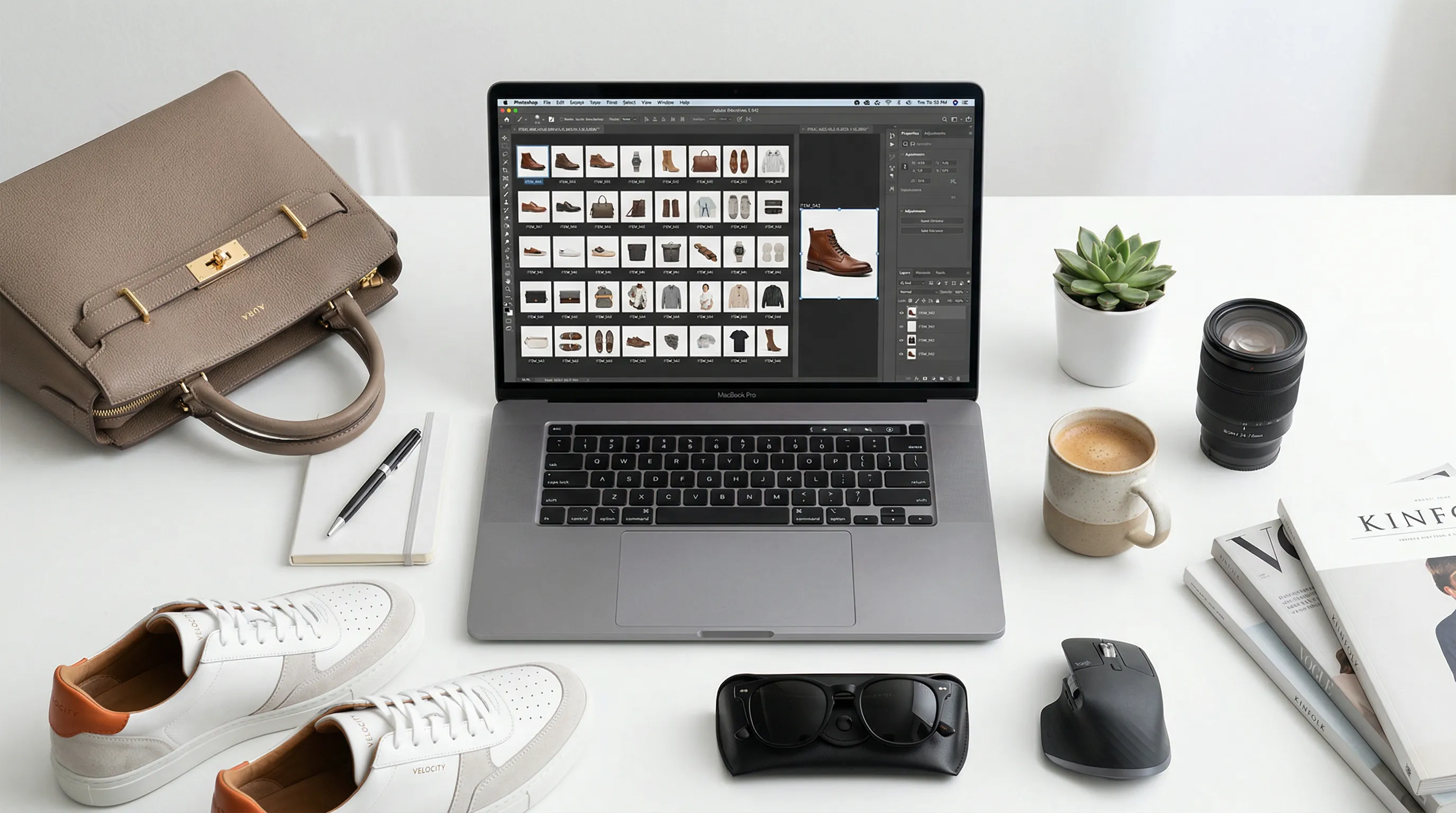
Nightjar is the strongest fit in this list for repeat catalog production; Photoroom suits rapid batch editing, and Claid suits teams building image processing into software. We reviewed official product, pricing, and help pages on September 3, 2026, rechecked Photoroom's pricing on September 26, and rechecked Claid, Pixelcut, Pebblely, Flair, Shopify Magic, and Google Product Studio on September 27, then compared product-photo scope, repeatability, fidelity safeguards, access, integrations, and published plan limits.
| Tool | Best for | Product-photo scope | Published entry point | Main constraint |
|---|---|---|---|---|
| Nightjar | Repeatable brand and catalog production | Create, four-image Photoshoots, edit, upscale, organize, and automate | 6 free Credits; paid from US$25/month for 150 Credits | Works from the product photos you supply |
| Photoroom | Fast app and batch editing | Staging, cleanup, fashion, batch, and API | Free plan; paid app pricing varies; API from $20/month | Commercial use and advanced features require paid plans |
| Claid | API-led image pipelines | Generation, fashion, cleanup, upscaling, video, and API workflows | Free trial; web from $15/month | Web and API Credits are separate |
| Adobe Firefly | Creative Cloud production | Generation, selected edits, reference control, and Photoshop workflows | Standard $9.99/month | General creative suite, not a product catalog system |
| Pixelcut | Mobile and lightweight team editing | Backgrounds, cleanup, upscaling, batch, and API | Free; Pro $10/month or $8/month billed yearly | Advanced models consume pooled AI Credits |
| Pebblely | Simple product scene generation | Prompted backgrounds, themes, size presets, and bulk generation | Lite $9/month | Narrower than a full production and editing suite |
| Flair | Art-directed campaign concepts | Product scenes, custom models, collaboration, video, and API tiers | Free; paid from $8/month | Fast and ad generation consume more quota |
| Canva | Product graphics and channel layouts | AI backgrounds, selected edits, resizing, and graphic design | Free; Pro $144/year | AI use shares one allowance across Canva tools |
| Shopify Magic | Quick edits inside Shopify admin | Background color, scene generation, and outpainting | No extra cost for a limited time on eligible Shopify plans | One 1 MP generated scene at a time |
| Google Product Studio | Free Merchant Center creative | Product scenes, background removal, upscaling, and video in supported markets | Free with Merchant Center | Experimental features and input restrictions |
Prices above are public US-dollar figures before tax where a vendor publishes them. Annual billing, region, platform, output type, and Credit usage can change the effective price, so confirm the checkout total for the exact workflow you plan to use.
1. Nightjar: Best for repeatable catalog consistency
Nightjar is the strongest choice here when the job is to make the next product image belong with the rest of a catalog. It stores each sellable item's visual evidence as a Product with multiple Product Photos, a factual description, and optional physical dimensions, then keeps the production direction reusable across future work.
In Nightjar, the photographic look is a reusable Photography Style, while scene, arrangement, and subject controls have their own places: Backgrounds, Framing and Shadow for product-only shots, or Poses and Camera Distance when a Fashion Model appears. A Recipe saves that Create-form setup and its output settings without saving the Product itself. Teams can therefore reuse the same direction for another Product instead of rebuilding a prompt from memory. Nightjar also uses built-in visual review that can retry obvious failures without another user Credit.
The same setup extends to a product's image set. A Photoshoot turns one product and one direction into four connected images, varying angle, framing, and detail while the product, setting, and look stay consistent, for a flat two Credits. Save one Recipe per channel, each with its own delivery settings: 1:1 for listings, 4:5 for social feeds, 9:16 for stories and vertical ads, or 16:9 for banners, with a resolution and a JPEG, PNG, or WebP format.
- Best for: Brands, agencies, and software teams producing product imagery repeatedly across products, launches, or channels.
- Product scope: Product Photography with single shots or a cohesive four-image Photoshoot, multi-image Edit Images, preservation-first Upscale, reusable Products and ingredients, a shared Library, an embedded Shopify app, and a public API.
- Pricing: New accounts get 6 free Credits with no credit card. Paid plans start at US$25 per month for 150 Credits, about $0.17 per 1K or 2K image at full monthly use, and scale upward, with custom plans for large catalogs. A 4K image uses two Credits, and a four-image Photoshoot at 1K or 2K uses two in total. API Access is included with every active paid Subscription.
- Access and integrations: Web app, embedded Shopify app, server-to-server API, and Nightjar in Claude, Claude Code, and Codex, all using the same Team-owned Products, ingredients, Assets, and Generations. The assistant route runs through Nightjar's MCP server (MCP is the open standard AI assistants use to connect to other tools). Connecting is free and needs no API key; images use the Team's Credits at web-app prices.
Read how Nightjar keeps an AI image aesthetic consistent or how its API supports bulk product-photo production.
2. Photoroom: Best for fast batch editing across app and API
Photoroom is a practical choice for sellers who want background removal, product staging, fashion features, and bulk edits across web and mobile. Its paid plans add Batch Mode, higher AI allowances, Brand Kit features, and advanced generation tools, while its API covers both background removal and broader image editing.
- Best for: Resellers, marketplace operators, and catalog teams that need quick cleanup and batch transformations.
- Product scope: Background removal, AI Backgrounds, Product Staging, AI Fashion Models, Recolor, shadows, batch editing, Brand Kit controls, and image APIs.
- Pricing: A restricted Free plan is available, but it is not licensed for commercial use. App pricing varies by country and billing platform. The API starts at $20 per month for 1,000 Basic background-removal calls; Plus starts at $100 for 1,000 image-editing calls.
- Access and integrations: Web, iOS, Android, a Shopify integration on Max and higher plans, REST API, and an MCP connector for Claude. App plans do not include API or MCP usage, which draws on a separate allowance priced at API rates.
- Trade-off: Features, batch limits, and commercial rights depend on the app plan, and API or MCP work is priced separately. Price the actual mix of exports, AI operations, and API calls rather than relying on one subscription headline.
3. Claid: Best for modular API image workflows
Claid is best suited to teams that want product-image operations as building blocks in an internal pipeline. Its API exposes more than 20 image and video operations and can chain tasks such as background removal, scene generation, relighting, resizing, upscaling, and export preparation.
- Best for: Marketplaces, developers, and operations teams processing product visuals through software.
- Product scope: AI product scenes, fashion imagery, natural-language editing, background work, shadows, generative resize, upscaling, image-to-video, and custom enterprise workflows.
- Pricing: The free trial includes 50 web Credits and 50 API Credits. Web plans start at $15 per month for 500 Credits; Pro is $49 for 2,000 Credits. API pricing uses a separate pool and charges by operation.
- Access and integrations: Web app, self-serve API, batch processing on qualifying plans, and custom enterprise integration work.
- Trade-off: Web and API Credits are not interchangeable, and operations consume different amounts. A pipeline that combines generation, 4K output, and video needs a workflow-level cost estimate.
4. Adobe Firefly: Best for Creative Cloud teams
Adobe Firefly fits creative teams that already finish product imagery in Photoshop or Adobe Express. Firefly supports text-to-image work, style and composition references, selected-region edits, and partner models; Photoshop adds selection-based Generative Fill, background generation, outpainting, harmonization, and upscaling.
- Best for: Designers who need AI inside an established retouching and creative-production workflow.
- Product scope: Image generation, reference-guided style and composition, object or background edits, expansion, upscaling, video, and audio tools.
- Pricing: Firefly Standard is $9.99 per month and Pro is $19.99 per month. Larger plans raise generation allowances and add more video capacity.
- Access and integrations: Firefly web and mobile, with Firefly features inside Photoshop, Adobe Express, Illustrator, and Adobe Stock.
- Trade-off: Firefly is a broad creative system. A team must still define how product references, catalog records, approved directions, and outputs move through its own product-photography process.
Adobe states that its native Firefly models are trained on content it has permission or rights to use, while the Firefly app can also expose partner models. Review the selected model and plan terms rather than applying Adobe's native-model training statement to every model in the picker.
5. Pixelcut: Best for mobile editing with a simple team plan
Pixelcut combines phone-friendly product editing with browser access, shared Team allowances, batch exports, and a separate API. The app covers background removal, AI Backgrounds, Generative Fill, erasing, expansion, and upscaling without requiring a desktop retouching workflow.
- Best for: Small ecommerce teams that create listing and social assets on mobile and desktop.
- Product scope: Product scenes, background removal, object edits, expansion, upscaling, batch exports, general image and video models, and API operations.
- Pricing: Free includes limited background removal and upscaling. Pro is $10 per month, or $8 per month billed yearly, with 600 monthly AI Credits and three Team seats. Business is $30 per month, or $24 billed yearly.
- Access and integrations: iOS, Android, browser, Team workspaces, and an API for background removal, upscaling, background generation, try-on, and outpainting.
- Trade-off: Many core operations are included, but advanced third-party models consume pooled AI Credits at different rates. The number of outputs depends on the model mix.
6. Pebblely: Best for straightforward product scenes
Pebblely is a focused web tool for turning one product photo into new marketing scenes. Its current workflow accepts the original product photo, a written scene description, and a size choice; the product no longer has to be cut out manually before generation.
- Best for: Solo sellers who want a short path from a product photo to lifestyle backgrounds.
- Product scope: Custom prompts, more than 40 background themes, common social sizes, reference images on paid plans, and bulk generation on Basic and Pro.
- Pricing: Lite is $9 per month for 30 images, Basic is $19 for 200, and Pro is $39 for 500. Annual billing discounts the monthly equivalent.
- Access and integrations: Browser-based workflow with downloadable outputs and bulk generation on higher tiers.
- Trade-off: Pebblely concentrates on scene generation. Buyers needing a shared product catalog, multi-image editing, fashion-model control, or an API will need a broader system.
At full monthly use, Pebblely Basic's published allowance works out to $0.095 per included image ($19 divided by 200); Pro works out to $0.078 ($39 divided by 500). That calculation is useful only if the team uses the allowance and accepts the outputs it generates.
7. Flair: Best for art-directed campaign concepts
Flair uses a visual studio for product scenes, custom product models, campaign assets, and video. Its Teams and Enterprise offering adds collaboration, organized workspaces, bulk content generation, on-model photography, and integration support.
- Best for: Creative teams that want to arrange product concepts visually and train custom product models.
- Product scope: Product photography, AI fashion, custom models, ads, video, upscaling, variations, virtual try-on, and object-level edits.
- Pricing: Free includes one custom model and five generated images. Paid plans begin at $8 per month on the displayed pricing schedule; Pro+ is $26 and Scale starts at $38.
- Access and integrations: Web studio and collaborative business workspaces. Product Photography API early access starts on Scale; Enterprise lists unlimited API access and dedicated integration support.
- Trade-off: Instant image generation and ad generation consume four times the normal generated-image quota, so headline image allowances do not translate directly to those workflows.
8. Canva: Best for turning product photos into finished graphics
Canva is the best fit on this list when the final deliverable is a designed asset rather than a product photograph alone. Its editor can generate or remove backgrounds, replace selected areas, resize designs, add brand graphics and copy, and publish in many channel formats.
- Best for: Marketers creating product ads, social posts, banners, presentations, and marketplace graphics in one editor.
- Product scope: AI backgrounds, Background Remover, Magic Edit, Magic Expand, image upscaling, templates, Brand Kits, and layout tools.
- Pricing: Canva Free includes a limited AI allowance. Canva Pro is $144 per year for one person; Canva Business is $250 per person per year.
- Access and integrations: Browser, desktop, and mobile apps, collaborative designs, content scheduling, and a large app ecosystem.
- Trade-off: Canva's AI allowance is pooled across its AI tools and varies by task tier. It manages designed content well, but it is not organized around a reusable product identity and product-photography direction for each catalog item.
9. Shopify Magic: Best for a quick edit inside Shopify admin
Shopify Magic media generation is the lowest-friction option for a Shopify merchant who needs to fix one product image without opening another app. The file editor can detect a subject, apply a solid or transparent background, generate a prompted scene, or extend the canvas.
- Best for: Shopify merchants making occasional background and framing changes to files already in the store.
- Product scope: Solid-color backgrounds, background generation, lighting or scene changes through prompts, and desktop outpainting.
- Pricing: Shopify says media generation is available at no additional cost for a limited time. It requires a Basic, Grow, Advanced, or Shopify Plus store plan.
- Access and integrations: Built into Shopify's desktop and mobile file editor; outpainting is desktop-only.
- Trade-off: The editor creates one generated scene at a time at a default resolution of 1 MP. Generated files receive an invisible watermark, and unused scenes disappear when the editing session closes unless they are saved.
10. Google Product Studio: Best free option for Merchant Center
Google Product Studio is a free set of product-creative tools inside Merchant Center. Merchants can create prompted product scenes, remove or change backgrounds, increase resolution, and add saved results back to Merchant Center; selected video features are available only in supported countries.
Google's official guidance asks for a starting image with only one main product and says, “Product Studio doesn’t work well if it can’t easily identify the main product in the starting image.” That limitation makes the starting image, not just the prompt, part of a fair evaluation.
- Best for: Merchants who already manage a Google product feed and need extra Shopping or campaign assets.
- Product scope: Prompted image creation, scene themes, background removal, resolution increase, image animation, and product video in supported markets.
- Pricing: Free with a Merchant Center account.
- Access and integrations: Merchant Center and the Google & YouTube app on Shopify. Saved images can be added to Merchant Center for use across eligible Google surfaces.
- Trade-off: Google describes Product Studio as experimental. Its guidance says it works best with one centered main product and is less effective with multiple products, people, hands, or props; regulated-goods restrictions and country availability also apply.
How should an ecommerce team choose an AI product photography tool?
An ecommerce team should choose the tool that owns its recurring production problem. A one-off background change, a designed campaign graphic, and a catalog-wide image system are different jobs, even when every vendor calls the output an AI product photo.
| Recurring need | Start with | Reason to shortlist it |
|---|---|---|
| Keep one brand direction across many Products and future shoots | Nightjar | Products preserve subject context; reusable controls and Recipes preserve production direction |
| Turn one product into a matched set for listings, feeds, and ads | Nightjar | Photoshoot makes four connected images from one setup; a Recipe per channel saves its aspect ratio and format |
| Remove, stage, or edit many existing photos quickly | Photoroom | Mature app, batch, Brand Kit, API, and mobile surfaces |
| Put image operations inside internal software | Claid | Modular API operations and custom enterprise workflows |
| Finish precise edits in a designer-led process | Adobe Firefly | Reference control and Photoshop selection tools |
| Work mostly from a phone | Pixelcut | Mobile, browser, batch, and simple Team allowances |
| Generate simple lifestyle backgrounds at low monthly volume | Pebblely | Focused prompt-and-generate workflow with clear image allowances |
| Build art-directed campaign concepts | Flair | Visual studio, custom models, collaboration, and video |
| Add copy, layout, and brand graphics around product imagery | Canva | AI photo tools sit inside a broad design editor |
| Make an occasional edit without leaving Shopify | Shopify Magic | Native file-editor workflow |
| Create free assets tied to a Google product feed | Google Product Studio | Free Merchant Center creation and direct save-back |
Do not choose from vendor sample galleries alone. Test the same representative product set in each finalist, inspect labels, seams, proportions, transparency, reflective surfaces, and repeat generations, then record how many outputs are usable without repair. The meaningful cost is the plan cost divided by approved, usable images, plus the labor spent reviewing and correcting them.
For a fuller budget model, use the cost comparison between AI product photography and a studio shoot and the guide to fixed and variable AI image costs.
Frequently Asked Questions
Which AI product photography tool is best for a full ecommerce catalog?
Nightjar is the strongest fit in this comparison for a full catalog because it keeps the Product and its multiple Product Photos separate from reusable production direction. Photography Styles, Backgrounds, Poses, Fashion Models, fixed controls, output settings, and Recipes give later Generations named context to reuse.
Which AI product photography tools have free entry points?
Nightjar, Photoroom, Claid, Pixelcut, Flair, Canva, and Google Product Studio publish free plans, trials, or access. The terms differ sharply: Nightjar gives new accounts 6 free Credits, enough for six 1K or 2K images, with no credit card; Photoroom's Free plan excludes commercial use, while Google Product Studio is free inside Merchant Center and carries input, product, and country restrictions.
Which AI product photography tool is best for an API integration?
Claid is a strong first shortlist for modular image-processing operations, Photoroom for commerce-focused editing endpoints, Pixelcut for a small set of straightforward image endpoints, and Nightjar when the API must use reusable Products and the same product-photography system as the web app. Compare the whole workflow, because vendors meter calls, Credits, resolutions, and generation operations differently.
Can an AI product photography tool guarantee product accuracy?
The strongest tools protect accuracy with product evidence and review rather than one photo and a prompt. Nightjar works from a Product with multiple Product Photos, a factual description, and physical dimensions, and its built-in visual review can retry obvious failures, such as a missing or substituted product or a misspelled brand name, at no extra Credit cost. Compare each result with your source photos before publishing; regulated label text belongs in your approved artwork, and size claims in verified measurements.
References
- Nightjar product photography system
- Nightjar MCP guide
- Photoroom plans and pricing
- Photoroom API pricing
- Claid web plans
- Claid API plans and operation costs
- Adobe Firefly plans
- Adobe Firefly reference-image controls
- Pixelcut plans
- Pixelcut API pricing
- Pebblely plans
- Flair plans
- Canva plans
- Canva AI background generator
- Shopify Magic media-generation requirements and limits
- Google Product Studio availability, features, and restrictions