
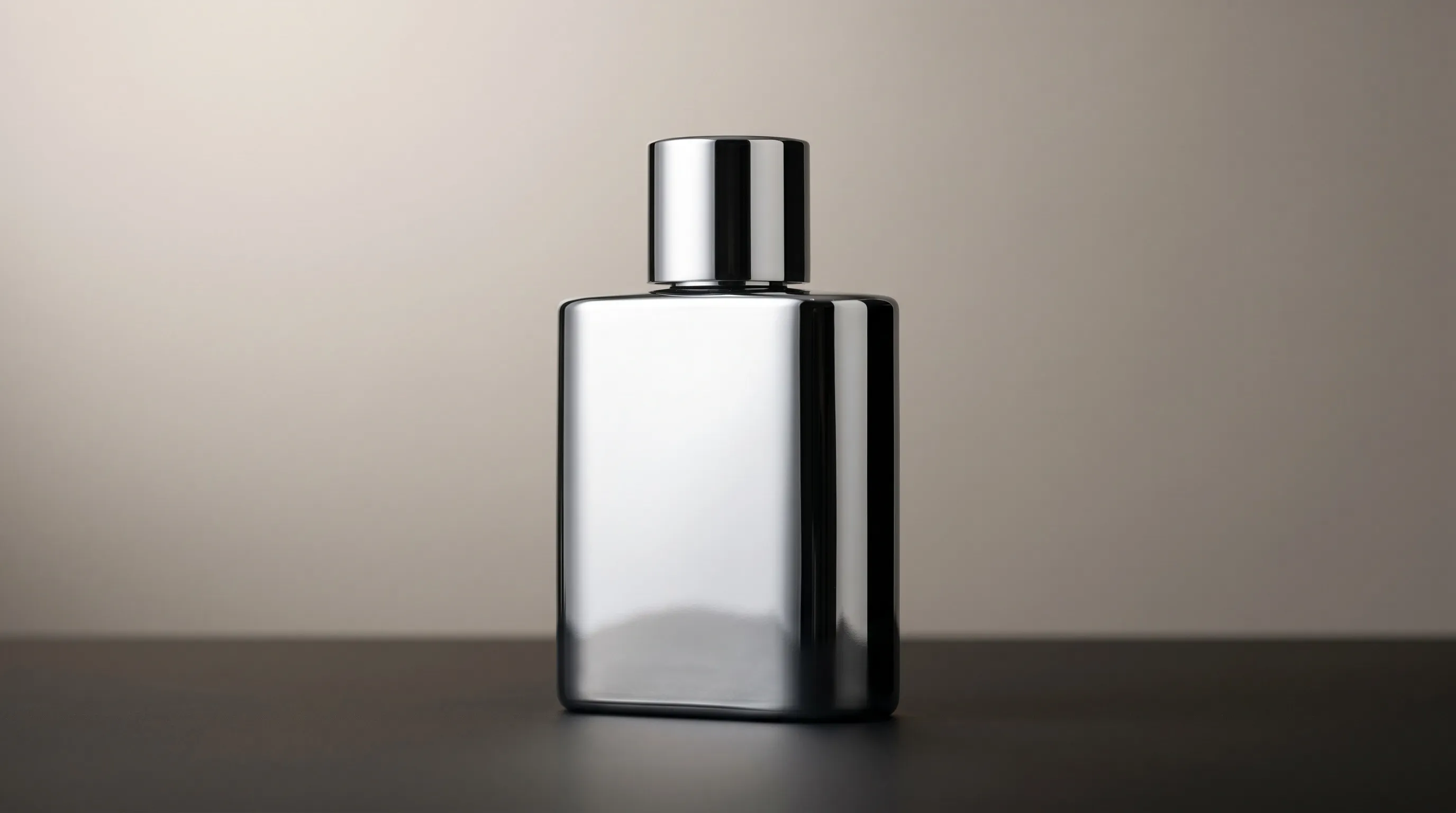
Why Reflections Are the Product, Not the Problem
If you have just shot a glossy bottle and seen the softbox staring back at you from the curve, or your own silhouette sitting in the chrome, or a perfume bottle that turned out clean and lifeless after you diffused everything to mush, you are not looking at a removal problem. You are looking at a control problem you have not framed correctly yet.
Most guides on how to photograph reflective products treat reflections as the enemy. They are not. A glossy product without reflections looks like a plastic toy. The specular gradient on a perfume bottle, the bright edge of a wine glass against a dark background, the long highlight running across a polished aluminum tube, those are not extras layered onto the photo. They are the photo.
Reflective product photography is a control problem in two parts: controlling what the surface is allowed to reflect, and controlling the shape of the highlight that remains. Removing reflections solves neither.
That distinction matters because resolution alone does nothing on a glossy product if the highlights are wrong. A second problem is carrying an intentional lighting direction across an entire catalog without erasing the differences between materials. Tools like Nightjar exist for that second problem, and we will return to it later.
The Two Control Problems Inside Every Reflective Shot
Every reflective product photography setup, no matter how complicated it looks on paper, is solving two problems in series.
Problem One. The Environment Being Reflected
A polished surface shows the environment from which light can reflect into the lens. Visual Education's explanation of the family of angles makes the practical point: change the light, object, or camera angle and you change what the camera sees reflected.
Anything inside that zone shows up. Studio walls. The photographer. A ceiling light. A warm wood floor. A bright shirt. The first physical job is to control everything in that geometric region: light tents, blackout fabric, V-flats, blacked-out ceilings, sometimes a black-painted shooting room. The cost is a controlled studio environment per shoot.
Problem Two. The Shape of the Highlight That Remains
Even with a perfectly clean environment, the surface still needs reflections to read as glossy. The question is what those intentional reflections look like. Three levers shape the answer: the apparent size of the light source on the surface, the softness of its edge, and the brightness gradient across it.
A broad reflection is not automatically a smooth gradient. Light a diffusion panel or bounce surface so that the reflected area changes gradually in brightness; then adjust its angle and distance while watching the product. This gradient-lighting discussion illustrates the distinction between a large source and a graduated one.
Replica Surfaces describes using black cards to create controlled dark areas in a reflection. Negative fill is not a workaround. It is a design choice in the same vocabulary as the key light.
Once the two problems are separated, every other technique in reflective product photography slots cleanly into one bucket or the other.
Material-Specific Lighting Logic
Each glossy material has a different physical behavior. The recipe changes because the surface changes, not because the photographer changed their mind. Below is the working reference.
Polished Metal. Chrome, Polished Steel, Mirrored Brass
A polished metal surface is a mirror. It returns the entire family of angles back to the lens. The recipe is to fill that zone with one large soft white plane and let everything outside it go to controlled black. The result is a clean white-to-black gradient running across the curve, which is the visual signature of a well-shot chrome surface.
A small hard light can produce an intense, sharply bounded reflection. A larger diffused plane makes the reflection broader; graduating the light across that plane gives you the transition from bright to dark. Source size alone does not prevent clipping, so check the exposure as well.
Brushed Metal. Brushed Steel, Brushed Aluminum
Brushed metal has a directional grain that changes the reflection as the light moves. Fully even diffusion can hide that texture. Rotate the product or move the key light across and along the grain while watching the streaked highlight; choose the direction that reveals the actual finish rather than assuming one angle works for every brushing pattern.
Anodized Aluminum
Bright anodized aluminum behaves close to polished metal. Matte anodized, the soft satin surface used on a lot of premium electronics, behaves like a halfway state. It needs a hint of specular gradient or it reads as plastic. The lever is the apparent size and softness of the light source on the surface.
Clear Glass. Bottles, Glasses, Perfume
Clear glass is almost invisible without help. The two canonical strategies, both rooted in bright field versus dark field lighting from industrial imaging, each work by replacing the messy real environment with a pure two-tone treatment that lets the silhouette read.
Bright field. A lit white background with black flags either side of the glass, drawing a crisp dark contour around the body.
Dark field. A dark background with grazing backlight that reveals bright edges along the silhouette.
Begin with one of those simple arrangements. Add front light for a label or another accent only when it serves a specific detail; uncontrolled extra light can obscure the contour.
Frosted Glass
Frosted glass scatters light at its roughened surface. A broad backlight can make the body glow while the frosting softens the transmitted light. Define the edges with light or dark flags according to the background.
Brown and Amber Glass. Whiskey, Beer, Apothecary
Brown and amber glass selectively absorbs light. With insufficient transmitted light, it can read as nearly black. Backlight to reveal color and contents, then add bright-edge or dark-edge accents for silhouette definition.
Faceted Crystal and Gemstones
Facets reflect and refract light, so the goal is to show their actual pattern and sparkle rather than make every surface uniformly bright. Cross polarization can reduce some unwanted surface glare, but it can also suppress useful highlights. Compare the stone with and without it; do not assume it preserves every internal color or flash. Cleanliness matters especially at this scale.
Lacquered Plastic. Cosmetics Packaging, Electronics
Lacquered plastic sits between polished metal and matte plastic. The specular highlight is broad and soft. Overlit lacquer reads as wet rather than glossy, so the recipe is a single large soft key with a smaller fill ratio than for metal, plus negative fill on the shadow side to keep edge definition.
Jewelry. Rings, Watches, Bracelets
Jewelry combines tiny specular metal with stones at macro distances, where much of the surrounding room may appear in the reflections. A tent or diffusion panels control the broad environment; small black and white cards refine it. Use careful handling, precise focus, and selective lighting for facets. Polarization is an option for suitable non-metallic surfaces, not a universal jewelry setting.
| Material | Surface Behavior | Lighting Recipe | Common Failure |
|---|---|---|---|
| Polished metal | Returns entire room | Large soft plane fills family of angles, controlled black outside | Small hard light blows highlight |
| Brushed metal | Directional grain changes the reflection | Move light across and along the grain; select the angle that reveals it | Even diffusion hides texture |
| Clear glass | Nearly invisible | Begin with bright field or dark field; add label light deliberately | Uncontrolled fill weakens silhouette |
| Frosted glass | Surface scattering | Broad backlight, with flags for the edges | Flat front light hides translucency |
| Brown glass | Selective absorption | Backlight plus edge accents | Front lighting reads near-black |
| Faceted crystal | Reflection and refraction at facets | Shape broad reflections, then add selective sparkle; compare polarization | Flattened sparkle, fingerprints, dust |
| Lacquered plastic | Broad soft highlight | Single large soft key, low fill ratio | Overlighting reads as wet |
| Jewelry | Macro metal reflections plus stones | Diffusion, small flags and facet-specific accents | Room reflections or suppressed stone detail |
The Physical Toolkit and What Each Tool Actually Does
The competing articles list the same gear without explaining why each item is in the kit. Each tool answers a single question: what fills the family of angles on this product.
A large diffused light source. Softness is not the goal in itself. The goal is filling the family of angles with a clean gradient rather than a hard edge.
A polarizing filter. Can reduce some non-metallic surface flare on glass and plastic, depending on angle. Cross polarization adds polarizing material at the lights and an opposing lens filter. Compare the result before adopting it: the glare you remove may also be a cue to gloss or sparkle. Bare metal reflections still call for physical light shaping.
White and black flags. Negative fill is its own design element, not a fix. The Wikipedia entry on negative fill holds the foundational definition: subtractive lighting used to deepen shadow side and define edges on a curved surface.
A white sweep. Removes the floor-wall seam from the family of angles, replacing two reflected surfaces with one continuous one.
Gloves and a clean, suitable microfiber cloth. Remove fingerprints and dust before arranging the light, following the product manufacturer's cleaning advice. Do not apply a general vinegar solution to jewelry, coatings, or unknown materials; a cleaner safe for plain glass may damage another surface.
Focus stacking. Useful when macro depth of field cannot cover the required detail in one frame. Keep the product, camera and lighting fixed, and inspect the stacked edges for artifacts. It is a technique to use when needed, not a requirement for every jewelry image.
The Honest Cost Ceiling. When Physical Photography Stops Being the Right Tool
For context, Squareshot's late-2024 rates guide described $25–$70 per image for 11–50-image jobs. That is a dated guide to a specific job size, not a current quote for a whole catalog. Ask whether setup, retouching, revisions, shipping and usage rights are included.
Reflective work can add setup and retouching because each surface reveals its surroundings. The Pixelz reflective-product workflow is useful production context, but the actual price depends on the required views and finish standard.
A worked example. A skincare brand with 120 glossy SKUs (clear glass droppers, lacquered plastic jars, anodized aluminum tubes) needs four listing angles per product, so 480 reflective images per quarter.
- Illustrative outsourced budget: if the studio quotes $50 per finished image for this actual brief, 480 images cost $24,000. Add only the items excluded from that quote.
- Illustrative in-house budget: 30 minutes per finished image at a loaded labor rate of $75/hour is $37.50, or $18,000 for 480 images. If you separately allocate $12.50 per image for retouching and equipment, the total becomes $24,000. Do not count the same editing time in both allowances.
These are planning assumptions, not measured production times or market averages. Nor is drift inevitable in a physical studio: diagrams, marked positions, fixed exposure and reference frames can make repeat shoots consistent. Different bottle and jar shapes will still need different light adjustments.
The useful question is whether the next image needs to document an actual surface or supply another creative treatment. Extra views should reveal useful information, not merely satisfy a count. Pixelz's historical discussion of image coverage does not establish that adding a second image doubles every brand's conversions.
| Approach | Cost Basis | Repeatability | Setup Overhead |
|---|---|---|---|
| Outsourced studio | Quote for the actual brief | Depends on documented lighting and review | Sample shipping, briefing, revisions |
| In-house studio | Labor, equipment and retouching without double-counting | Repeatable capture setup; material-specific adjustment | Lighting, flags, camera and source handling |
| General-purpose AI tools | Current plan and usage | Image and style references are available; exact product detail still needs review | Reference preparation and reusable directions |
| Nightjar with a Recipe | For Single shots: 1 Credit per completed 1K/2K image; 2 per 4K | Reuses creative direction, not a physically identical reflection | Product sources, a Style and saved Create settings |
The generalist row is important: Midjourney has Style References and Omni Reference; image-based tools are not limited to inventing a product from text. Choose by the production controls you need, not that false distinction.
A boutique's hero jewelry image may justify careful physical lighting. A recurring skincare campaign may benefit from generated scenes anchored in reviewed product photos. Catalog size alone does not tell you to stop photographing the product.
How Nightjar Encodes Reflection Control as a Reusable Ingredient
Physical reflective photography controls the light that reaches the camera. A generated workflow reuses a description and visual references for the intended result. These can share a lighting language, but they are not the same physical process.
Nightjar approaches reflective product photography by anchoring on the real product and treating the lighting language as a reusable ingredient.
A Photography Style carries the creative lighting direction: for example, a large soft key, a graduated highlight, and a dark edge that defines the silhouette. In Nightjar, a custom Style uses exactly three reference images. Choose examples whose treatment belongs together rather than one photograph for each conflicting look.
Framing controls the product-only camera direction and crop. It does not lock the highlight to the same coordinates on a tall bottle and a short jar: their shapes reflect light differently. Keep the intended visual relationship—such as a soft highlight on one side—while judging whether each object's material still reads correctly.
A Recipe saves that Photography Style with Framing, the Background choice, Custom Directions and output settings. The next SKU can start from the approved direction instead of a new lighting brief. Select the Product and any critical Additional Photos for the current run; these inputs and the output mode are not stored in the Recipe. The saved production benefit is repeated creative setup, not a guarantee of identical optics.
For an existing image, the Edit workflow can take an instruction to remove a distracting environmental reflection while retaining the shaped highlight. It generates an edited result rather than applying a guaranteed pixel-isolated repair. Compare the silhouette, label, surface texture and remaining gradient with the original.
For Amazon, inspect the final main image against the current Seller Central rules. Amazon's public photography guidance lists 500–10,000 pixels on the longest side; minimum upload size, zoom guidance, pure-white background rules and product-fill requirements are separate checks. In Nightjar's Create tab, choose a white Background color and suitable product Framing, then review the delivered pixels. A natural highlight that describes gloss is not the same as a distracting room reflection, and generation does not guarantee marketplace acceptance.
Nightjar starts from the real Product's selected source photos and applies the saved creative direction. Keep the original photograph when a buyer needs evidence of exact facet structure, engraving, transparent contents or a particular finish. Use generated treatments where they can be checked against that evidence.
For supporting reading, see making AI product photos look more professional, maintaining a consistent aesthetic across AI images, making AI product photos more consistent, blending a product into a background image realistically, and the related vertical write-up on AI product photography for electronics and gadgets.
Editing Reflections in Photos You Already Have
Many readers are not starting from scratch. The question is what to do with files that already contain the photographer in the bottle or the room in the chrome.
A retoucher may use clone stamping, healing, local tonal work or frequency separation, depending on the defect. Done carefully, these techniques can retain a smooth gradient. Poorly matched patches can flatten it, but that is not an unavoidable property of manual retouching.
AI editing is another option. In Nightjar, put the image on the Canvas and ask for the specific repair: remove the reflected camera shape while keeping the long side highlight and label unchanged. Inspect the entire output, not just the removed object; the instruction does not create a hard mask around the reflection.
Choose by the part that must remain exact. A small dust spot or a reflection beside tiny engraving may favor a controlled manual repair. A broader environmental cleanup may be a useful AI-editing candidate. Neither method wins automatically on time or material fidelity.
For either route, compare three things before delivery: the product's outline, the real surface texture, and the transition from highlight to shadow. If the cleanup changes a brushed finish into smooth plastic or erases a facet, it has removed product information along with the unwanted reflection.
Frequently Asked Questions
How do you photograph shiny objects without showing the reflection of the camera or photographer? Position the camera and any lighting hardware outside the family of angles for the surface, the geometric zone where light reflects from the product back into the lens. In practice this means shooting through a hole in a black flag or a light tent, with the rig hidden behind a controlled black surface. At catalog scale, a Nightjar Photography Style sidesteps the physical rig by rendering the controlled-reflection scene rather than capturing it.
What lighting setup works best for reflective metal and glass products? For polished metal, fill the family of angles with one large soft white plane and let everything outside it go to controlled black, producing a clean white-to-black gradient across the curve. For clear glass, choose between bright field (lit white background, black flags either side for a dark contour) or dark field (dark background with grazing backlight for bright edges). Both rules trace back to the same principle: replace the chaotic real environment with an intentional two-tone treatment.
Should you use a polarizing filter for product photography? A polarizer can help with suitable non-metallic surfaces, especially some glass and plastic reflections. Cross polarization can suppress more glare, but may also reduce wanted shine or sparkle. Compare the result before using it across a set. Bare metal reflections still need flags, diffusion and deliberate light placement.
How do you keep the natural shine on a glossy product without blowing out the specular highlights? Use a suitably large diffused or graduated source, then shape its reflection with angle, distance and flags. Watch the histogram or highlight warnings so useful gradients do not clip. Leave enough directional contrast to describe the material instead of surrounding it with uniform white.
Can you remove unwanted reflections in post-production without making the product look fake? Yes. Careful manual retouching or an AI edit can remove an unwanted reflected object while retaining the useful gradient. Neither guarantees that result. Use manual control when a small area must change precisely; compare AI outputs against the source for altered engraving, labels, texture and edges.
What is the cheapest way to shoot reflective products consistently across a large catalog? Compare the finished, approved image cost for your own brief. A standardized physical setup may be efficient for repeat views. Nightjar can reuse a Style and Recipe for generated treatments using Single shots, at 1 Credit per completed 1K/2K image or 2 per 4K, plus source preparation and review. Credits are not a universal dollar price, and a saved Recipe does not replace evidence of the actual surface.
How do you avoid fingerprints and dust on glossy product shots? Use clean, product-safe gloves and an appropriate cloth, following the manufacturer's cleaning advice. Avoid unapproved acids or solvents on stones, coatings and unknown finishes. Inspect the source at full size before capture or upload; generation does not make a dirty or ambiguous reference reliable.
References
- Nightjar - AI product photography that anchors on the real product
- Visual Education: lighting angles and reflection - The family of angles principle
- Specular highlight (Wikipedia) - Foundational definition
- Negative fill (Wikipedia) - Subtractive lighting reference
- Effects of Specular Highlights on Perceived Surface Convexity (PMC) - Peer-reviewed perception research
- Advanced Illumination: bright field vs dark field - Industrial imaging foundations for glass setups
- Replica Surfaces: art and science of reflective surfaces - Negative fill and practical setup
- Photography Artist: controlling specular highlights - The gradient standard
- Pro EDU: cross polarization - Polarization workflow
- Tom Crowl: avoiding reflections in jewelry - Working jewelry setup
- Picup Media: jewelry photography mistakes - Cleanliness and dust
- Pixelz: photographing highly reflective products - Reflective workflow context
- Pixelz: more product images lead to more sales - Historical image-coverage discussion
- Squareshot: product photography rates - Per-image cost benchmarks
- Amazon Seller Central image requirements - Official platform rules
- Seller Labs: Amazon product image requirements - Plain-English summary