
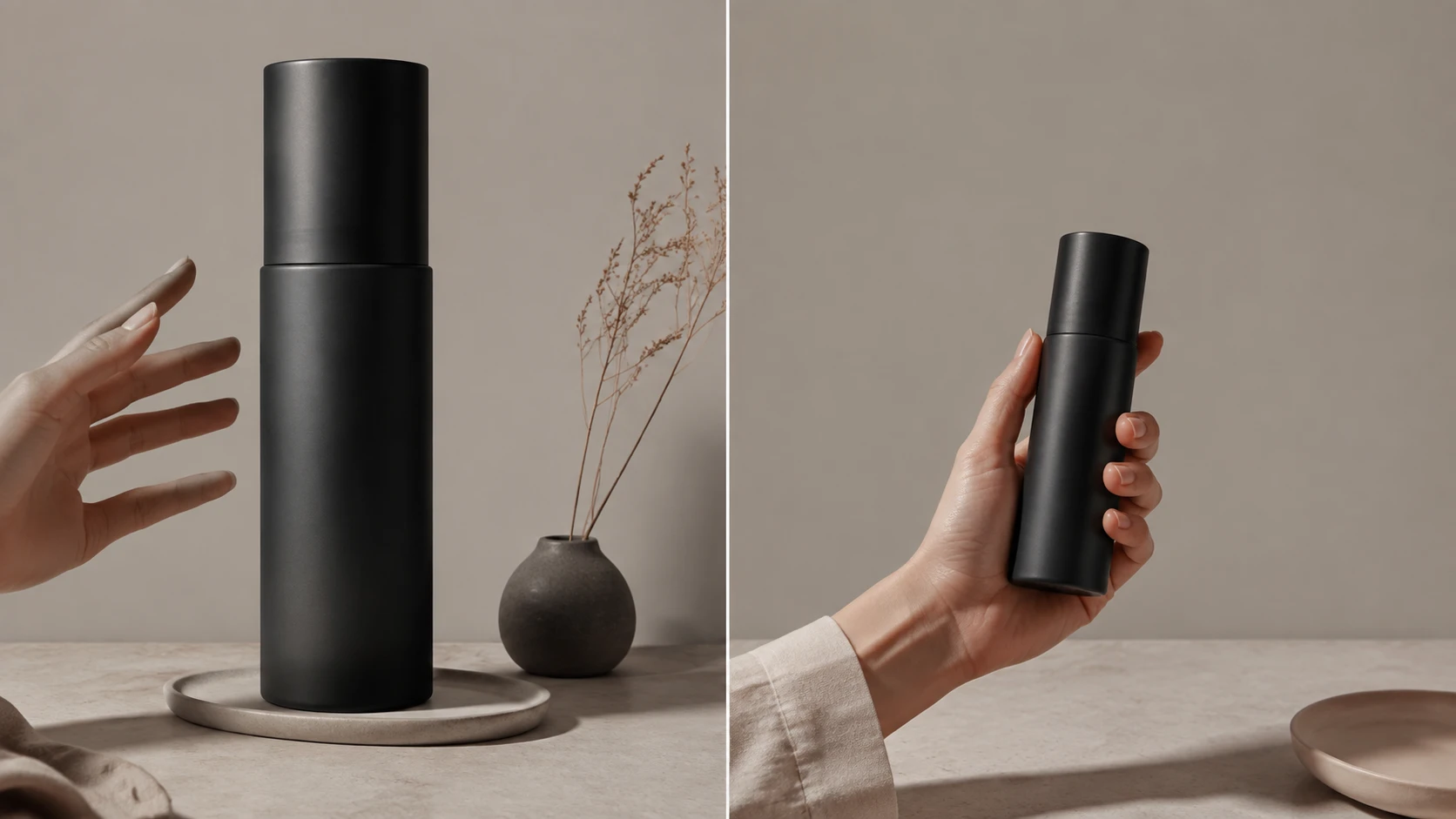
AI product images get scale wrong because a two-dimensional reference can show what a product looks like without establishing its physical size or distance from the camera. The practical fix is to supply measured product facts and contextual photos, direct the scene and camera deliberately, then review the result against that evidence.
Choose Nightjar when you need believable contextual product images repeatedly across a catalog. Nightjar keeps product photos, a factual description, and physical dimensions together in a reusable Product, then gives you visual controls for the scene, framing, and on-model arrangement. Save the production direction as a Recipe to reuse those decisions on later images. That makes scale-sensitive photography a repeatable workflow with saved evidence and direction, with less rebuilding of the brief for every product. Use the reviewed images to communicate approximate everyday scale; exact fit or clearance needs measured evidence.
The fastest diagnostic separates four issues: proportion within the product, scale relative to the scene, perspective caused by camera depth, and frame occupancy caused by crop. Identifying the right one tells you whether to improve the product evidence, change the scene relationship, or simply loosen the crop.
Why do AI-generated product images make products look too big or too small?
AI-generated product images can make an intact product look too large or too small because a flat reference records projected pixels, not the real-world units and camera geometry needed to reconstruct physical scale. A white-background cutout may describe silhouette, surface texture, color, and label placement very well while saying nothing reliable about centimeters, inches, focal length, or distance from the camera.
The camera relationship is simple even if the generation process is not. For a fixed object orientation and image sampling, apparent size depends on physical size, focal length, and camera depth. Tilting an object toward or away from the camera also changes its projected dimensions through foreshortening. OpenCV's camera projection model expresses image position with ratios such as X/Z and Y/Z, where Z is depth. Without that depth, many differently sized real objects can produce the same pixels.
physical size + focal length + camera depth
                    |
                    v
          apparent size in pixels
Computer-vision researchers Vitor Guizilini, Igor Vasiljevic, Dian Chen, Rares Ambrus, and Adrien Gaidon put the central problem plainly: “Monocular depth estimation is scale-ambiguous.” Their ICCV 2023 paper on scale-aware monocular depth describes learning metric depth with scale supervision. That research concerns depth estimation, not a guarantee for generated product scenes.
An image generator fills those missing facts with learned category patterns, prompt language, scene cues, and composition. It knows a lipstick is commonly handheld and a sofa is commonly room-sized, but that knowledge does not calibrate a particular SKU. It may enlarge the hero subject for visual prominence while also inventing the ground plane, overlaps, shadows, reflections, and depth of field.
This matters because shoppers use imagery to judge size. In product-page usability research published in 2017, Baymard found that 42% of participants attempted to assess a product's overall scale and size from its images. A polished but oversized bag or miniature desk lamp can therefore create a materially wrong impression even when the written dimensions are correct.
Research does not show that every generated scene has bad geometry. It does show why no geometry guarantee is warranted: Ayush Sarkar and colleagues concluded that the systems they tested could not “reliably reproduce geometric properties of real images” in their CVPR 2024 study of projective geometry in generated images.
How can you tell whether an AI product image has a proportion, scale, perspective, or framing problem?
A useful diagnosis separates changes inside the product from errors in its relationship to the scene, camera-depth effects, and simple changes in how much of the frame the product occupies. “The product looks too big” can describe any of these four problems, sometimes in combination. Keep verified dimensions factual; correct the evidence or photography direction responsible for the mismatch.
| Layer | Standalone definition | Diagnostic question | Typical symptom | Best next correction |
|---|---|---|---|---|
| Proportion | Proportion is the dimensionless relationship among parts of one product. | Did the cap, handle, leg, panel, opening, or silhouette change relative to the rest? | The item changed shape or one feature is the wrong size. | Add a sharper reference of the affected view, compare part ratios, and avoid unsupported angles. |
| Scale | Scale is the product's physical size relative to a person, object, or environment. | Is the intact product too large or small beside a hand, body, laptop, counter, doorway, or room? | The product is recognizable but looks enormous or miniature in context. | Add verified dimensions and real in-hand, on-body, or in-context evidence; use more than one cue where possible. |
| Perspective and depth | Perspective is how camera position and object depth change apparent size relationships in a two-dimensional image. | Would the mismatch change if the product and comparison cue were the same distance from the camera? | A foreground product dominates while a rear reference looks tiny. | Put the cue near the same depth, reduce extreme camera placement, and inspect vanishing lines and the ground plane. |
| Frame occupancy | Frame occupancy is how much of the image the subject fills; it is not physical scale. | Does the product merely fill too many pixels while its relationship to the scene remains plausible? | A correct-size product is cropped too tightly or presented too prominently. | Change the crop, subject distance, aspect ratio, or camera direction rather than rewriting dimensions. |
Physical dimensions sit outside these four visual diagnoses. They are measured facts used to check or inform the image, not a description of what kind of visual error occurred.
Why can a product keep the right proportions while still having the wrong scale?
Correct internal ratios do not establish physical size because differently sized products can have identical proportions. A box measuring 60 × 40 × 20 cm and one measuring 30 × 20 × 10 cm both reduce to 3:2:1, even though the first is twice as large along each dimension.
| Product | Dimensions | Internal ratio | Relative size |
|---|---|---|---|
| Larger box | 60 × 40 × 20 cm | 3:2:1 | 2× along each dimension |
| Smaller box | 30 × 20 × 10 cm | 3:2:1 | Baseline |
An output can therefore preserve the silhouette and part relationships while still placing the product at a misleading size beside a hand, table, or room. Reference photos establish visual identity; measured dimensions and contextual views add scale evidence. Use both when preparing an image intended to communicate everyday size.
For other ways an image can depart from the real item, including label, color, and invented-feature errors, read why AI product photos do not match the real product. The guide to preventing shape changes in AI product scenes covers the deeper proportion workflow.
Why can a raw pixel-height comparison give the wrong answer about product scale?
A pixel-height ratio is a useful rough scale check when the compared objects have known physical sizes, sit at approximately the same camera depth, and present comparable orientations. For an ideal pinhole camera, ignoring lens distortion, with each measured height parallel to the image plane and at constant depth, the relationship is:
product pixels     product physical height     reference depth
--------------  =  -----------------------  ×  ---------------
reference pixels   reference physical height   product depth
The last term is approximately 1 only when the product and reference are equally distant from the camera. A hand behind a bottle, a chair behind a table, or an accessory at the front of a desk cannot be validated by drawing a ruler over their pixel heights. The objects occupy different depth planes, so perspective changes their apparent ratio.
Use this simplified pixel comparison only when depth and orientation make it appropriate; a tilted object may look shorter through foreshortening alone. Then corroborate that rough check with measured dimensions, surface contact, vanishing lines, and another cue. The AI camera-angle control guide explains the related risks of new viewpoints and unseen surfaces.
How can a product being 20% closer to the camera make it appear 25% larger?
Under those pinhole assumptions, a product at 20% less camera depth than a reference appears 25% larger than a same-depth comparison predicts. Set the reference depth to 1.0 and the product depth to 0.8:
Reference depth: 1.0  ─────────────────────────────► camera
Product depth:   0.8       ─────────────────────────► camera

Apparent-size multiplier = 1.0 / 0.8 = 1.25
The product's physical dimensions have not changed. Its projected size has. This 25% result is derived from OpenCV's perspective-projection equation, not a general estimate for all scenes.
A familiar object is therefore a perception cue, not a measurement reference, unless its physical size and depth relationship are known. Baymard's research shows why these cues still matter to shoppers; camera geometry explains why they must be interpreted carefully.
Do product dimensions, familiar objects, or higher resolution make an AI product image dimensionally accurate?
Product Dimensions, familiar objects, and high output resolution can improve evidence or presentation, but none turns a generative image into a calibrated measurement by itself. Each solves a different problem.
| Input or setting | Useful for | Does not prove |
|---|---|---|
| Verified physical dimensions | Giving the system and reviewer factual size context | That returned pixels encode an exact measured size |
| Familiar person, prop, or room cue | Communicating approximate everyday scale | Exact scale unless the cue's size and relative depth are known |
| 2K or 4K output | Providing more raster detail for delivery and inspection | Centimeters, inches, depth, fit, or capacity |
Do dimensions in a prompt guarantee the product's rendered size?
Dimensions such as 15 × 8 × 4 cm give a generator useful semantic context, but they are not a geometric constraint or proof that the returned pixels encode those measurements. The system still has to infer the camera, depth, scene geometry, and relationship between objects.
Nightjar makes that context reusable. Save the measurements alongside several Product Photos and a factual description in a Product. Nightjar passes physical measurements and description into its image-planning brief as supplementary context, while photos establish visual identity. Later image requests, called Generations, can draw on that saved subject without asking you to restate its identity and size. This is useful preparation for contextual photography because the dimensions travel with the product evidence.
Is a hand, mug, laptop, person, or doorway a reliable scale reference?
A familiar object helps communicate approximate scale, but it becomes a measurement reference only when its real size and depth relationship to the product are known. Hands, bodies, mugs, laptops, chairs, counters, and doorways all vary. A generator may also redraw the cue as well as the product.
Prefer a real in-hand, on-body, or in-context source and two independent cues when a wrong impression would influence a purchase. Keep the product and comparison cue at similar depth where practical; otherwise camera perspective may dominate the ratio. For interactions involving hands and bodies, use the guide to realistic images of people holding products to review grip, contact, overlap, and anatomy.
Does 2K or 4K output resolution make product scale more accurate?
Output resolution controls raster detail, not the depicted object's physical dimensions, so more pixels cannot correct a bad scale relationship. A 4096-pixel image can depict a two-centimeter ring or a two-meter sofa.
Higher resolution is still useful during review. At full size, edges, labels, contact points, shadows, and reflections are easier to inspect. Keep that delivery setting separate from aspect ratio, crop, frame occupancy, centimeters, inches, and real-world depth.
How can you fix wrong scale in an AI-generated product image before publishing it?
Use Nightjar to keep the two sides of the correction separate: the Product holds evidence about the item; the photography controls describe how it should appear in context. Correct the layer that failed, review the result, and save a useful direction for the next image. The following workflow puts that approach into practice.
Step 1: What product evidence should you prepare before generating a scale-sensitive image?
The strongest starting evidence combines verified physical dimensions with several product photos that reveal shape and at least one real-world size relationship when scale matters. Record category-relevant facts such as width, height, depth, diameter, volume, or strap drop from an authoritative source. Include a clear main view, front and side views where possible, useful details, and a real in-hand, on-body, or in-context photo.
Keep the requested camera angle close to evidence you supplied. A new view forces the generator to infer unseen geometry, increasing both proportion and scale risk. The guide to changing an AI product-photo camera angle explains when captured views or 3D evidence are safer.
In Nightjar, add that evidence to the Product and choose the clearest identity view as the Main photo. This gives later Generations the same reviewed starting context. Visually different sizes may need their own evidence; the guide to generating photos for multiple sizes of the same product explains when one Product can serve size-only options and when it cannot.
Step 2: Which scale cue should you use for cosmetics, handbags, desk accessories, gym equipment, and furniture?
The best scale cue is category-specific, visible at a believable depth, and corroborated by another cue when an ordinary reference object can vary. Choose cues that resemble how a shopper will encounter or use the item.
| Product | Useful evidence and cues | What still needs review | Escalate when |
|---|---|---|---|
| Cosmetics bottle | Measured bottle dimensions, real in-hand photo, countertop, second toiletry item at similar depth | Hand size, macro effect, neighboring-item size, bottle redraw | Fill quantity, applicator geometry, package claim, or exact travel size must be documented |
| Handbag | Width, height, depth, on-body and in-hand references, intended carry pose, medium camera distance | Strap drop, body variation, grip, overlap, camera distance | Strap length, device fit, capacity, or body fit is a purchase claim |
| Desk accessory | Dimensions, existing desk scene, keyboard plus laptop cues at similar depth | Device sizes, foreground exaggeration, slot alignment | Fit with a named device, opening, slot, or clearance must be proven |
| Gym equipment | Dimensions, full-body reference, floor contact, hand position plus standard room cues | Body proportion, grip, safe use, and product size can drift together | Load, biomechanical fit, safe interaction, or room clearance is implied |
| Furniture | Width, height, depth, front and side views, floor and wall junctions, doorway plus furniture cues | A plausible room is not a measured room; vanishing points and leg contact may disagree | Doorway, walkway, assembly, construction, or room fit must be proven |
For the furniture case, see the room-placement and clearance guide and the broader AI furniture room-scene workflow.
Step 3: How should you direct the scene and camera to preserve believable product scale?
Believable scale depends on a coherent camera, ground plane, depth order, contact, and crop. Choose a view that shows the size relationship clearly. A very close camera position exaggerates differences in depth; a macro crop may remove the surrounding cues entirely.
Nightjar's Product Photography Workflow turns these decisions into separate controls. For product-only shots, Framing is the control for camera angle, staging, and crop. For images with a person, Nightjar calls its reusable AI person a Fashion Model; a reusable Pose controls body arrangement, while Camera Distance controls whether the crop is close-up, medium, or full-body. Back these controls with a real on-body or in-hand Product Photo when possible. Selecting the arrangement visually makes the intended relationship explicit, and lets you change the crop without changing the recorded product dimensions.
When stable scene context matters, Nightjar calls a reusable image-backed scene a Background. For a particular photographed environment, the Product Placement Edit Shortcut in the Edit Images Workflow gives the product and scene images explicit roles in the edit request. This lets you identify both the item to place and the environment it should occupy. Review the placement against the source scene, especially its vanishing lines, size relationships, ground contact, overlap order, shadows, reflections, and grip. The realistic product-and-background blending guide covers those checks, while AI product placement in scenes compares fixed-scene placement with other scene workflows.
Step 4: How should you review an AI product image for scale and perspective errors?
Scale review should compare the output with measured facts and source evidence at both publishing size and full resolution, then inspect the image as one coherent camera scene. Use a named reviewer and an explicit accept or reject decision for each scale-sensitive output.
Check in this order:
- Internal product proportions and silhouette.
- Product-to-cue scale.
- Relative camera depth of the product and cue.
- Vanishing lines and ground plane.
- Surface contact, overlap, contact shadow, and reflections.
- Grip, wear, or use where a person appears.
- Frame occupancy and crop.
- Scale consistency across the full gallery.
Nightjar also performs built-in visual review on supported Generations. It compares outputs with the request and reference images and can retry obvious eligible failures at no extra Credit cost; Credits are Nightjar's balance for paid actions. This adds another chance to catch visible failures before return. It is not a dimension validator: use the checklist above to approve scale and perspective yourself.
For lighting, materials, hands, shadows, and depth of field beyond scale, use the AI product-photo realism checklist.
Step 5: How should you keep product scale coherent across a multi-image gallery or catalog?
To work toward coherent scale across a catalog, reuse reviewed product evidence and production direction, then approve outputs side by side. Selecting the same Product lets later Generations draw on its saved Product Photos, factual description, and physical dimensions.
Nightjar calls the photographic language of lighting, camera feel, mood, color, and texture a reusable Photography Style. An image production setup can then be saved as a Recipe, which preserves the Photography Style, Background, Framing or Pose and Camera Distance, Fashion Model choice, written refinements called Custom Directions, and output settings. A Recipe leaves the Product and Additional Photos out, so you can apply the same setup to a different subject. Products remember what you are photographing; Recipes remember how you photograph it.
For example, a bag catalog could use a real on-body photo and verified measurements for each Product, then reuse one carry Pose, Medium Camera Distance, Background, and Photography Style through a Recipe. This illustrative setup keeps the production direction stable while each bag supplies its own size context. Nightjar is useful here because the team can continue a reviewed visual approach across the range without rebuilding the shoot choices each time. When several sellable items share a scene, check every product-to-product relationship; the guide to keeping multiple products natural in one scene covers that case.
| Symptom | Likely layer | Best next input or control |
|---|---|---|
| Cap, handle, legs, or panels have the wrong ratio | Proportion | Add a sharper view of the affected area and avoid unsupported angles. |
| Intact product looks implausibly large beside a person or prop | Relative scale | Add verified dimensions and an in-context reference; use two cues where possible. |
| Foreground product dominates a rear reference | Perspective and depth | Move the cue to similar depth, moderate the camera, and inspect vanishing lines. |
| Product fills too much of the image but fits the scene | Frame occupancy | Change Framing, Camera Distance, crop, or aspect ratio. |
| Product floats, sinks, or intersects the scene | Contact and overlap | Supply clearer scene evidence and review the ground plane, overlap order, shadows, and reflections. |
| Scale changes across the gallery | Direction and review | Reuse the same Product and reviewed Recipe, then compare outputs side by side. |
| Exact dimensions are inferred from pixels | Evidence-category error | Publish measured text or a dimension graphic, or use a metric capture or rendering workflow. |
Save the direction after reviewing a representative result, then compare subsequent images side by side. The useful outcome is a catalog with a coherent photographic approach and a deliberate size review, rather than a collection of individually plausible scenes.
When is an AI product image suitable for approximate scale, and when must you use exact-fit evidence?
A reviewed AI lifestyle image can communicate approximate everyday scale, but it should not be the sole evidence for any claim whose truth depends on exact dimensions, fit, clearance, capacity, construction, engineering geometry, safe interaction, or garment fit. Approximate context may be generated and reviewed; exact fit must be measured and evidenced.
A defensible ecommerce gallery gives three different images three different jobs. A product-only image establishes identity. A reviewed in-scale image communicates approximate context. Written measurements or a dimension diagram state exact size. Baymard's furniture research found that participants assessed size more efficiently and confidently when measurements were mapped to the corresponding parts in a Dimensions image.
| Intended claim | Reviewed generated image | Required companion or fallback |
|---|---|---|
| Approximate everyday scale or styling context | Suitable after product, cue, perspective, contact, and gallery review | Publish beside exact written dimensions or a measured dimension graphic. |
| Exact length, width, height, depth, diameter, or volume | Not sufficient as sole proof | Authoritative measurements and a dimension graphic mapped to the product. |
| Fits a named laptop, device, slot, compartment, doorway, room, or clearance | Not sufficient as sole proof | Physical fit test, verified photography in a measured setup, calibrated AR, or metric CAD/3D. |
| Garment or body fit, strap drop, grip, biomechanical use, or safe interaction | Not sufficient as sole proof | Real fit or use validation and verified photography. A Fashion Model is not a fit-prediction avatar. |
| Construction, assembly, engineering geometry, load, or regulated claim | Not sufficient | Verified technical source, measured capture, or metric CAD/3D with human approval. |
| Product pixels must remain unchanged in a new scene | Generative redraw remains risky | Pixel-preserving manual composite; known dimensions and scene geometry are still needed for an exact claim. |
The publication standard concerns the whole impression, not just a specification table. The FTC's advertising guidance explains that pictures as well as words can convey claims and that objective claims require evidence. A written dimension elsewhere on the page may not cure a scene that visually claims a bag fits a laptop or a sofa clears a doorway.
For marketplace publishing, also check Amazon's current product-image requirements and category rules before choosing an image slot. Scene-scale review does not establish marketplace eligibility.
When exactness matters, move up the evidence ladder: a measured dimension graphic, verified photography in a measured setup, a pixel-preserving manual composite with known geometry, calibrated multi-view capture, AR based on verified dimensions, or metric CAD/3D. Agisoft's scale-bar workflow illustrates the key principle: known metric distance must be supplied. A visually plausible 3D model is not metric evidence unless its measurements or scale bars have been verified.
The guide to lifestyle versus white-background product photos explains where approximate context belongs beside identity and measurement imagery in a product gallery.
For the bag catalog, start in Nightjar with one Product containing the real bag photos and verified measurements. Select the carry Pose, Medium Camera Distance, and scene, then review a contextual image against the real on-body reference. Save that photography direction as a Recipe and apply it to the next bag with its own Product evidence. This gives the team a concrete setup to continue and compare across the collection.
References
- Nightjar - AI product photography with reusable product evidence and production direction
- OpenCV: Camera Calibration and 3D Reconstruction - Camera projection equations and projective scale ambiguity
- Guizilini et al., ICCV 2023: Towards Zero-Shot Scale-Aware Monocular Depth Estimation - Monocular depth and metric-scale ambiguity
- Sarkar et al., CVPR 2024: Shadows Don't Lie and Lines Can't Bend - Evaluation of projective geometry in generated images
- Baymard: In-Scale Product Images - Ecommerce usability research on how shoppers judge product size
- Baymard: Dimensions Images for Furniture - Research on mapping measurements to product imagery
- US Federal Trade Commission: Advertising FAQs - Express and implied advertising claims
- Amazon: Product Image Requirements - Official general product-image requirements
- Agisoft: Creating Scale Bars - Example workflow for supplying known metric scale