
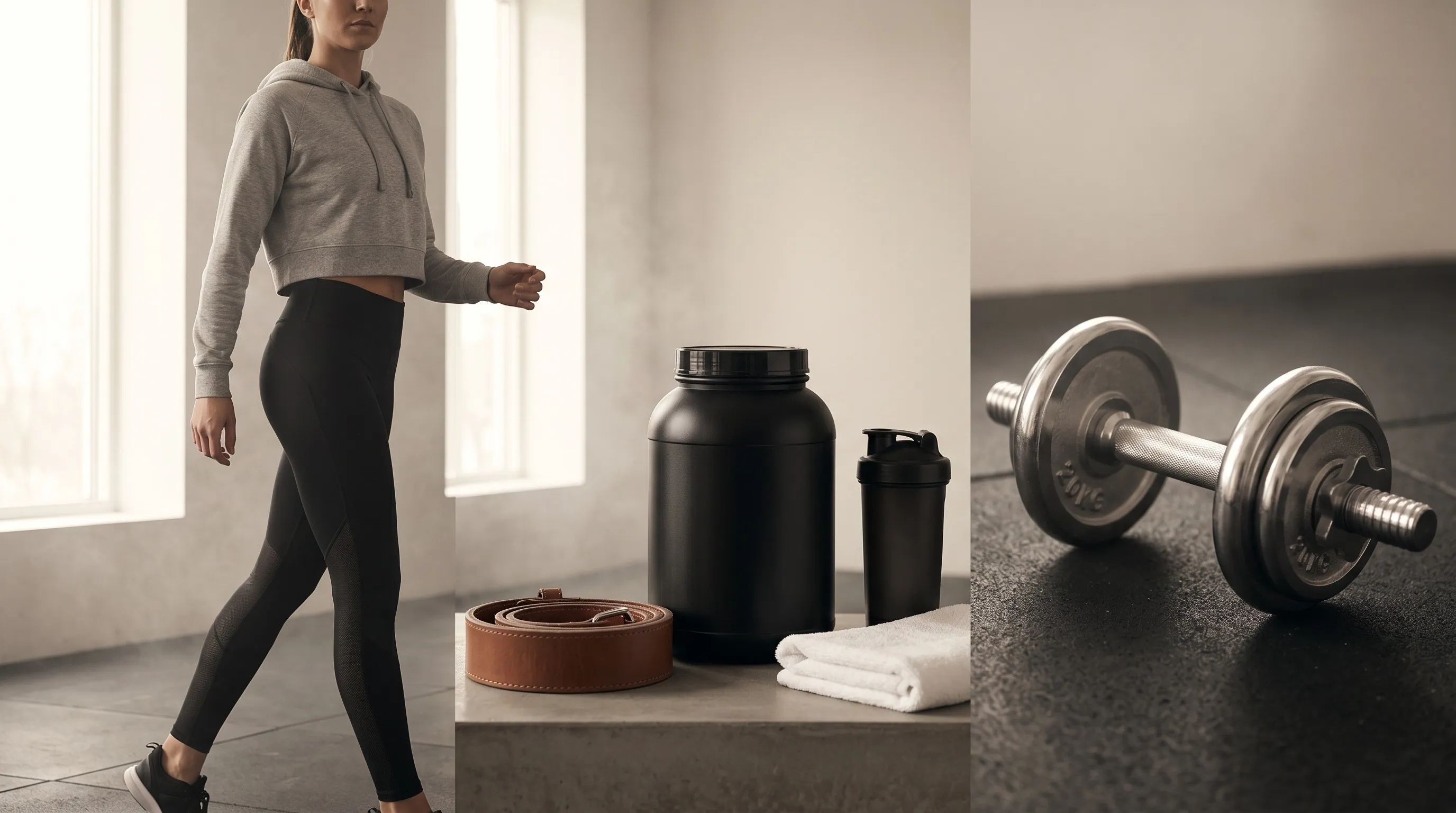
Quick Answer
Fitness and athleisure catalogs should not force apparel, supplements, accessories, and equipment through one AI photography setup. The stronger system uses one shared visual direction across four recurring setups: On-Model Apparel, Studio Packshot, Supplement Tabletop, and Equipment Hero. In Nightjar, Products hold evidence about what is being photographed, while Photography Styles and Recipes preserve how each category should be photographed; human review remains essential for garment construction, label text, equipment scale, and every express or implied advertising claim.
One brand direction cannot mean one photography setup
A fitness catalog needs more than one AI photography setup because a compression top can fail at a seam, while a protein tub can fail in the claim implied by its scene. A squat rack has a different problem: scale. Apparel has to preserve panels, prints, drape, and the wearer's identity; supplements add readable-label and advertising concerns; equipment depends on believable dimensions and material finish.
The operating rule is to standardize what should repeat and isolate what can mislead. Lighting, color, mood, and camera feel can travel across the catalog, while subject evidence, arrangement, scene, and approval checks change with the job. That produces one brand without pretending every product is the same photographic problem.
Nightjar supports that separation with three concepts:
- A Product groups the Product Photos, factual description, and optional physical dimensions that define one visually distinct item.
- A Photography Style is reusable direction for lighting, camera feel, mood, color, texture, and atmosphere. A custom Photography Style is created from exactly three brand reference Assets.
- A Recipe saves a reusable Product Photography setup, including the visual controls, Custom Directions, and output settings. It deliberately leaves out the Product, so the same setup can be applied to the next item.
For a deeper treatment of this operating model, see the guide to consistent AI product photography.
The four-setup system for fitness and athleisure catalogs
Four reusable setups cover the recurring jobs in many mixed fitness catalogs: On-Model Apparel, Studio Packshot, Supplement Tabletop, and Equipment Hero. A narrower brand may need only two; a large catalog may split them further by channel or campaign. The useful boundary is production direction: create a new Recipe when that direction changes, not whenever the SKU changes.
| Setup | Main job | Subject controls | Scene and delivery controls | Main review risk |
|---|---|---|---|---|
| On-Model Apparel | Activewear, footwear, and accessories worn or held by a person | Product, Fashion Model, Pose, Camera Distance | Photography Style, Background, aspect ratio | Seams, prints, garment shape, hands, identity continuity |
| Studio Packshot | Product-only catalog and detail images | Product, Framing, optional Shadow | Flat color or Backdrop, output size and format | Silhouette, texture, logos, marketplace-specific rules |
| Supplement Tabletop | Bottles, tubs, sachets, and bundles | Product with clear label views | Backdrop or Location, props named in Custom Directions | Label text, ingredient imagery, implied health claims |
| Equipment Hero | Weights, bands, benches, racks, and accessories | Product, dimensions, Framing or a Fashion Model for scale | Photography Style, Background, wide or portrait output | Proportions, grip geometry, finish, scale |
These are not four Nightjar Workflows. They are four Recipes inside the Product Photography Workflow, which covers product-only, lifestyle, and on-model imagery. Product Photography can create independent Single shots or a cohesive four-image Photoshoot; Photoshoot is an output choice, not a separate Workflow.
A catalog with 40 apparel Products, 10 supplement Products, and 10 equipment or accessory Products can still run on four Recipes when those recurring directions hold. The selected Product changes for each item; the setup changes only when the brand, channel, or campaign requires a materially different production decision.
How should athleisure brands create on-model apparel images with AI?
Athleisure brands should anchor the garment and the person separately, then place both inside a reusable photographic direction. Several clear garment views preserve evidence about construction; a reusable person and explicit body arrangement preserve campaign continuity. The result is easier to repeat and easier to inspect than a prompt that asks one reference image to carry every decision.
In Nightjar, the reusable AI person is called a Fashion Model. A brand can choose a premade Fashion Model or create one from licensed source Assets, then reuse that identity across products and campaigns. The model's body arrangement is controlled by a reusable Pose, while Camera Distance controls whether the shot is close, medium, or full body within the distances supported by that Pose. A saved Background, either a Backdrop or a Location, controls the scene without being confused with the photographic look.
A repeatable on-model setup looks like this:
- Create a Product with a clean Main photo plus detail views that show seams, prints, closures, and fabric panels.
- Select a Fashion Model whose likeness the brand has the right to use.
- Choose a Pose and Camera Distance that keep the important garment area visible.
- Apply the brand Photography Style and a saved Location, or leave the background unselected so Nightjar chooses a setting from the request.
- Add Custom Directions only for exceptions, such as keeping a reflective stripe visible or avoiding hair over a neckline.
- Save the setup as an On-Model Apparel Recipe, then apply it to other Products and inspect each output against the Product Photos.
For a particular composite or try-on edit, Nightjar's Edit Images Workflow accepts multiple Assets and direct references such as @image1 and @image2. That is useful when the instruction must identify one garment and one person precisely. It is separate from a Product Photography Recipe. Nightjar Fashion Models are image-generation ingredients, not size recommendation or fit-prediction tools; the difference between virtual try-on and AI fashion photography still matters.
Performance fabric deserves its own inspection pass. Compare waistband height, flatlock seams, mesh perforation, ribbing, reflective trim, and print placement with the source. The fabric texture guide for AI product photos explains why material cues should be checked rather than assumed.
How should fitness brands create clean packshots and ghost-mannequin images with AI?
Fitness brands should create packshots as product-only Product Photography Generations with an explicit flat color or saved Backdrop, a suitable Framing, and a human review of the silhouette and surface detail. Selecting a flat color gives the Generation listing intent; choosing a Background gives it lifestyle intent.
For product-only shots, Nightjar uses Framing to set camera angle, crop, or staging. Available options include packshot-friendly choices such as eye-level, overhead, floating, folded, hanging, and ghost mannequin where relevant. Shadow controls only the contact shadow under a product on a flat-color background. It does not control the scene or the overall lighting, which belong to Background and Photography Style.
For a flat-color packshot, the Studio Packshot Recipe can save the Photography Style, Framing, Shadow, Custom Directions, aspect ratio, resolution, and output format. A version that uses a saved Backdrop can preserve that scene choice, but Shadow does not apply to a Backdrop. The Product remains separate, which lets the Team reuse the setup for leggings, tops, bags, and accessories without rebuilding the brief.
Packshots still need channel-specific review. A retailer or marketplace may impose current rules for background color, crop, file type, or prohibited content, and those rules should be checked in that platform's official documentation before publishing. If the question is whether to use a person or a hollow garment presentation, the AI virtual model versus ghost mannequin guide covers that choice in depth.
How can supplement brands use AI product photography without creating misleading imagery?
Supplement brands can use AI to build the scene around a real package, but the finished image must preserve required label information and avoid unsupported express or implied claims. AI does not create a legal exception for label or advertising rules, and a generated prop, person, pose, or setting can change the message consumers take from an image.
FDA and FTC rules address different parts of that problem. FDA guidance says a dietary supplement label must include required statements such as its identity, net quantity, Supplement Facts, ingredient list, and responsible firm's name and address (FDA Dietary Supplement Labeling Guide). For structure/function claims, the marketer needs substantiation, the required disclaimer, and notification to FDA within 30 days after first marketing the product with the claim (FDA guidance on supplement claims, 21 CFR 101.93).
In a December 2025 letter, FDA said it intended to exercise enforcement discretion only over repeating the DSHEA disclaimer on every label panel that bears a linked claim. FDA explicitly kept the requirement to include the disclaimer on the product label and link it to each covered claim (FDA letter on the DSHEA disclaimer). A photography workflow should therefore treat approved package artwork as source evidence to preserve, not copy for the AI to recreate.
FTC guidance applies to the full advertising impression, including images. The agency tells marketers to assess the ad as a whole, including “the text, product name, and any charts, graphs, and other images.” A gym setting, lab coat, dramatic before-and-after pose, or ingredient prop can imply a health or performance claim even if the caption does not state one (FTC Health Products Compliance Guidance). The FTC also prohibits fake or false testimonials that purport to come from a person who does not exist or did not have the represented experience, including AI-generated fake testimonials (FTC rule on fake reviews and testimonials).
A careful Supplement Tabletop setup should:
- Build the Product from clear front, side, and label-detail Product Photos.
- Use a factual Product Description and physical dimensions where they help preserve package identity and scale.
- Choose a Backdrop or Location that supports the brand without implying an unsupported outcome.
- Name only truthful props in Custom Directions, then check what those props could imply about ingredients or benefits.
- Keep testimonials, experts, athletes, and before-and-after concepts out unless the brand has reviewed the substantiation, permissions, disclosures, and net impression.
- Compare the output with the approved packaging, especially the brand name, variant, net quantity, seals, and visible label copy.
Nightjar's built-in visual review can reject and retry obvious eligible failures at no extra Credit cost, including some visible text or brand-mark problems. That mechanism gives packaging a second inspection point before delivery, but it is not a compliance guarantee: an automated retry cannot judge whether a claim is substantiated or whether the full ad creates a misleading impression. A person should approve regulated product imagery, and brands should get qualified legal advice for their actual label and campaign. The help-desk guide to FDA and legal rules for AI-rendered supplements covers the issue separately.
Equipment imagery is a scale problem as much as a styling problem
Gym-equipment brands should give AI several views of the real product, record physical dimensions, and choose a camera treatment that makes scale and finish easy to read. A dumbbell, resistance band, bench, and rack should not share one generic prompt merely because they belong to the same category: the scene may look polished while the grip, frame, or proportions are wrong.
Nightjar Products can combine a Main photo, detail views, a factual description, and real-world dimensions. That extra subject context is useful for equipment because knurling, plate thickness, cable routing, hardware, rubber texture, and frame proportions are identity-defining details. The output should still be checked against every relevant Product Photo; dimensions provide context, not a guarantee of exact rendered scale.
For a product-only hero, choose Framing plus a saved Backdrop or Location. For an in-use image with a Fashion Model, switch to Pose and Camera Distance because Framing never applies when a model is shown. The human figure can provide a scale cue, but hand placement, joint position, grip geometry, and safe product use all require review.
Material finish needs equally direct inspection. Compare matte rubber, powder-coated steel, chrome, foam, stitching, and molded plastic with the source. Custom Directions can state which material cue matters, while the Photography Style controls the broader lighting and camera feel. Do not treat a polished output as evidence that the underlying equipment geometry is correct.
One visual system can span apparel, supplements, and equipment
One visual system can span mixed fitness categories only when the brand holds production direction stable and lets subject evidence and shot mechanics change. In Nightjar, each Product carries category-specific evidence, while separate Recipes carry the approved direction for apparel, supplements, equipment, or lifestyle work.
| Layer | What should stay stable | What may change |
|---|---|---|
| Brand direction | Photography Style, core Backdrops or Locations, output conventions | Seasonal campaign variations |
| Product identity | Product Photos, factual description, dimensions | Additional Photos needed for one Generation |
| Shot setup | Recipe controls for each recurring job | Product selected for the next Generation |
| Exception | Nothing by default | Custom Directions for a product-specific detail |
A Team shares one Library of Products, Assets, Photography Styles, Backgrounds, Poses, and Fashion Models, plus shared Recipes. An art director can establish the visual system, while another Team member applies the same named setup to a new Product. This makes the production direction visible and reusable instead of leaving it inside one person's prompt history.
The 60-Product example above makes the distinction concrete. Forty apparel Products, 10 supplement Products, and 10 equipment or accessory Products do not require 60 briefs when four recurring Recipes describe the work. The catalog grows by putting new Products through stable setups; it needs another Recipe only when a recurring production rule changes.
Photoshoot solves a different scale of consistency. It produces four related Product Photography images from one direction and varies camera choices across the set. Recipes, Products, and reusable ingredients carry direction across later products and campaigns. For more on the brand-level layer, see how Photography Styles create a consistent aesthetic and how to maintain a consistent aesthetic across AI images.
What should a fitness brand inspect before publishing an AI product image?
A fitness brand should approve AI product images against a category-specific checklist, not merely decide whether the picture looks attractive. The review should compare the output with the real Product Photos and with the claims, channel rules, and customer expectations attached to that image.
| Image type | Inspect before publishing | Reject or revise when |
|---|---|---|
| On-model apparel | Silhouette, seams, pattern placement, closures, body and hand anatomy | The garment construction or person changes visibly |
| Packshot | Product outline, color, material, logo, crop, background, file output | The product is distorted or channel rules are not met |
| Supplement | Variant, package proportions, visible label copy, props, implied claims | Text is invented, a claim lacks support, or the scene changes the ad's net impression |
| Equipment | Dimensions, hardware, finish, attachments, grip and scale cues | Geometry, materials, or use of the product look unsafe or false |
| Full catalog | Photography Style, recurring scene, model identity, output conventions | The image works alone but breaks the catalog's visual system |
Built-in review can catch some obvious failures before delivery, but the brand owns the final commercial decision. The guide to stopping garbled product text and logos and the guide to preventing product-shape changes provide focused checks for two common failure classes.
Traditional photography still owns the jobs that require physical proof
Traditional photography remains the right choice when a fitness brand needs verified physical performance, precise fit evidence, complex movement, named talent, regulated hero advertising, or manual art direction of every detail. AI product photography is strongest on repeat catalog, campaign, variant, and format work made from good source material and approved by a person.
A hybrid system is often sensible. Capture the product, key construction details, packaging, and any legally sensitive performance evidence with a camera. Use those approved Assets to create additional controlled contexts, formats, or recurring catalog treatments with AI. This keeps the source of truth grounded in the real product while reducing how often the Team has to rebuild an entire shoot.
Frequently Asked Questions
Can AI keep the same Fashion Model across an activewear collection? Nightjar Fashion Models are reusable, so the same selected identity can guide later Generations, although every output still needs review. See how to reuse the same AI Fashion Model across a collection.
Can AI create color variants of activewear from one product photo? AI can create visual color variants, but the brand should verify the generated color, material, trim, logos, and construction against the real sellable variant. See how to create fashion product color variants with AI.
Can AI product photography preserve mesh, compression fabric, and flatlock seams? Multiple Product Photos and explicit Custom Directions give the Generation more evidence, but no AI system should be assumed to preserve technical fabric details perfectly. Use the detail-zoom workflow for fashion listings to inspect the areas buyers will examine.
Can supplement brands publish AI-generated lifestyle images? Supplement brands can publish AI-generated imagery when the finished ad and label remain truthful, properly substantiated, and otherwise compliant. Review label content, implied claims, props, testimonials, and required disclosures with qualified counsel; the supplement imagery legal guide is a starting point, not legal advice.
How can a fitness brand reuse the same gym scene across products? Create a reusable Nightjar Background from a suitable scene, classify it as a Backdrop or Location, and select it in each relevant Product Photography setup. See how to create consistent catalog images with the same Background.
Do fitness brands need a separate Recipe for every SKU? No. A Recipe saves the production setup and excludes the Product, so one On-Model Apparel or Equipment Hero Recipe can be applied to many Products. Create another Recipe only when the recurring direction changes materially.
References
- Nightjar - AI product photography system
- FDA Dietary Supplement Labeling Guide: Claims - structure/function claims, substantiation, disclaimer, and notification guidance
- 21 CFR 101.93 - federal regulation for certain dietary supplement statements
- FDA letter on the DSHEA disclaimer - December 2025 enforcement-discretion scope
- FDA Dietary Supplement Labeling Guide: General Labeling - required label statements and placement
- FTC Health Products Compliance Guidance - express and implied health-advertising claims
- FTC rule on fake reviews and testimonials - AI-generated fake testimonials and related conduct