
Quick Answer
For skincare and beauty brands, AI's strongest role is turning verified product evidence into a repeatable system for listings, lifestyle scenes, campaign variations, and channel formats. Start with accurate views of the real item and keep the photographic direction reusable.
Beauty products combine the hardest imaging problems
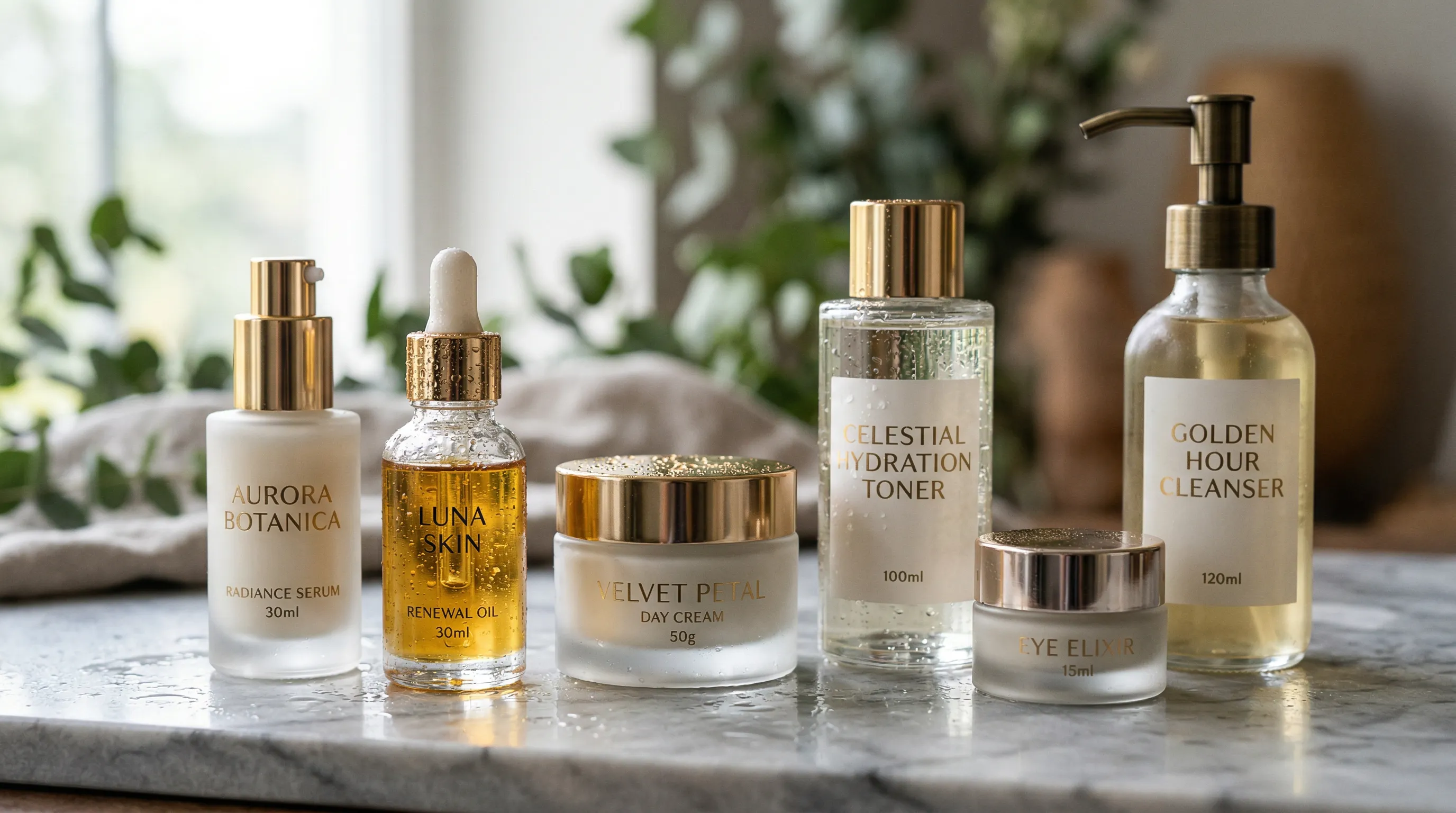
Skincare and beauty products combine several of the hardest subjects for generative imaging in one small package. A serum bottle may include clear liquid, curved glass, metallic foil, a glossy dropper, and fine label text. Each part needs its own evidence in the source photos and its own check before publishing.
The challenge begins before AI is involved. Shopify's guide to photographing reflective products recommends diffused light and careful light placement because direct reflections can create distracting hot spots on glass and metal. An unclear source photo leaves an AI system with unclear evidence too.
| Product detail | Common failure to watch for | Approval check |
|---|---|---|
| Clear or frosted bottle | Wrong edges, refraction, fill line, or transparency | Compare the silhouette, visible liquid, and background seen through the package with the real item |
| Pump, dropper, or metallic cap | Changed geometry, softened finish, or invented reflections | Check the closure at full size from every visible angle |
| Label and logo | Misspelled text, shifted hierarchy, or altered mark | Compare every visible character and brand mark with approved artwork |
| Cream, gel, oil, or powder | Texture that suggests the wrong consistency or finish | Use a real macro reference and reject invented physical properties |
| Foundation, tint, or lip color | Hue or value drift under the new lighting | Compare with an approved sample under controlled viewing conditions |
AI does its highest-value work around verified product evidence: changing scenes, formats, campaign direction, and catalog presentation without rebuilding a physical set.
Build a product evidence pack, not a single hero input
A beauty brand should provide enough source evidence to identify the product from more than one flattering front view. Start with a sharp overall image, then add the views that establish the package, label, closure, material, fill level, and texture.
In Nightjar, a Product is a reusable subject that groups several Product Photos with a factual description and optional physical dimensions. Set the clearest overall view as the Main photo, then add side, rear, three-quarter, cap, label, and texture views where they reveal information the Main photo cannot. A request-specific close-up can also be added as an Additional Photo when that detail needs priority in one Generation.
The written Product Description should record facts visible in or verified outside the images, such as “30 ml cylindrical frosted-glass bottle with a white pump.” It should not become marketing copy or speculate about ingredients, efficacy, viscosity, or finish. Product Photos remain the authority for visual identity.
When an image must carry a regulated label panel as proof, use a real photograph of that panel. The focused guides to clear plastic and liquid-filled products and preventing garbled product text and logos explain how to prepare source photos for clear packages and readable labels.
Separate product truth from production direction
Catalog consistency comes from separating the product being photographed from the production direction applied to it. Reusing one prompt is not enough if lighting, setting, crop, shadow, and delivery choices can drift between people or launches.
Nightjar gives those decisions named places:
| Production decision | Nightjar control | What it preserves across products |
|---|---|---|
| Product identity | Product with multiple Product Photos and facts | Package shape, details, and source context |
| Camera, lighting, mood, and color treatment | Photography Style, a reusable photographic direction | The visual language of the shoot |
| Product-only angle, staging, and crop | Framing | Repeatable catalog structure |
| Contact shadow on a flat-color listing shot | Shadow | Consistent grounding beneath the product |
| Reusable scene | Background, saved as a Backdrop or Location | A recurring surface or environment |
| Full Create-form setup | Recipe, a saved Product Photography setup | Ingredients, fixed controls, written direction, and output settings |
Products remember what you are photographing. Recipes remember how you photograph it. A Recipe deliberately excludes the Product, so the same approved direction can move from a cleanser to a serum or moisturizer without carrying the previous item into the next request.
Consider a line with 12 Products and five approved deliverables per Product: one clean listing image, two detail views, one lifestyle image, and one vertical social image. That is 60 final Assets before seasonal variants. A reusable Photography Style and separate Recipes for the listing, detail, lifestyle, and social setups prevent those 60 images from becoming 60 independent briefs. The guide to consistent AI product photography covers how to test that system before applying it across a larger catalog.
How should AI handle glass, metal, liquids, and cosmetic textures?
AI handles difficult beauty materials best when it works from observed evidence and explicit review criteria. Transparent containers, reflective caps, and spreadable textures each need their own reference views and their own check.
For a clear serum bottle, provide views that show its shoulder, base, closure, label, liquid appearance, and fill line. Choose or create a Photography Style with the required backlight, edge contrast, and reflection softness. Then inspect the background through the bottle, internal reflections, liquid color, and contact point separately. The transparent-products photography guide compares the studio and AI paths in depth.
Metal needs a similar evidence-first approach. A chrome pump should remain chrome, but its reflections also need to belong to the generated scene. Matte caps should not acquire glossy highlights. If one local reflection is wrong, use a small, targeted edit or conventional retouch instead of repeatedly regenerating the entire image.
Creams, gels, oils, and powders require a real macro reference when texture communicates something material about the product. AI can build the scene around that evidence, but a generated smear should never be used to establish viscosity, absorption, finish, or performance that the source does not prove.
Nightjar's built-in visual review can retry obvious failures at no extra Credit cost, such as a missing or substituted product, a misspelled brand or product name, a replaced main logo, or a catastrophic image defect.
Build shade ranges from a color-managed source
AI can turn one well-captured product photo into a full shade range for foundation, tint, lipstick, or colored serum. A hex value sets the digital target, while lighting, white balance, gloss, translucency, the source profile, and the display all shape how the final color appears, so accuracy comes from a color-managed source capture and a check against the physical sample.
Nightjar's Edit Images Workflow includes a Recolor shortcut and a /color control for explicit hex direction. The source Asset guides material and lighting while the hex value identifies the requested digital target.
Use this sequence for a shade range:
- Capture a neutral, color-managed source under stable lighting.
- Keep an approved sample or swatch beside the review display.
- Generate one representative light, middle, and deep shade before producing the full range.
- Check the exported files on the final storefront and on more than one relevant device.
- Correct any shade that drifts from the approved sample with a targeted recolor or retouch.
The detailed guide to preventing color drift in AI product photos explains how to keep product color accurate from capture to storefront.
Lifestyle imagery is where AI creates the most leverage
Lifestyle and campaign imagery is where AI gives beauty brands the most leverage: the verified product can stay anchored while the scene, format, model, and campaign direction change. Control those elements as separate decisions so the image can expand the brand story without inventing ingredients, performance, or usage results.
Product Photography is Nightjar's Create Workflow for listing, lifestyle, and on-model product imagery. For a lifestyle shot, a reusable Photography Style controls camera feel, lighting, mood, and color treatment, while a Background supplies an image-backed Backdrop or Location. Custom Directions add request-specific details that do not belong in reusable controls.
If a brand wants one connected mini-campaign, Photoshoot is a four-image output choice inside Product Photography. It keeps the subjects, look, setting, and direction connected while varying angle, crop, pose, distance, and detail. Use independent Single shots instead when each Product needs the same locked Framing or model Pose.
Props deserve a factual review of their own. Aloe leaves, laboratory equipment, clinical settings, unusually smooth skin, or a dramatic before-and-after pairing can change what an ad communicates. Use botanicals only when their implication is accurate, and avoid visual results the brand cannot substantiate. The AI product placement guide covers the creative workflow; the legal review still belongs to the brand.
Match each imaging method to its job
The right production method depends on whether the priority is rapid variation, documentary accuracy, locked pixels, or repeatable geometry. Many beauty brands will use more than one method within the same catalog.
| Method | Best fit | Main limitation |
|---|---|---|
| Controlled AI product photography | Catalog expansion, lifestyle scenes, campaign variants, format changes, and repeat production | Start from accurate Product Photos of the real item |
| Traditional studio photography | Source photos of the real product, new packaging that has not been photographed, and named talent | Repeating the same setup across later launches requires logistics and careful records |
| Compositing and retouching | Regulated label panels that must keep the photographed artwork | Requires skilled manual work and clean source photography |
| 3D or CGI | Products with approved models that need controlled angles and repeated geometry | Upfront modeling, material, and approval work |
A practical system starts with one strong physical capture set per Product and uses AI to expand it into listings, lifestyle scenes, campaign variants, and channel formats. Brands comparing specific software can use the current AI tools for cosmetic brands roundup rather than relying on a static tool table inside this workflow guide.
What FDA, FTC, Amazon, and Shopify rules affect AI beauty images?
AI-generated beauty images are governed by the same product-labeling, advertising, and marketplace rules that apply to other images. The technology used to create the picture does not excuse a false claim, altered product, or channel violation.
For US cosmetics, the FDA says labeling information and claims must be “truthful and not misleading.” The agency's cosmetics labeling claims guidance also explains that a product marketed to treat or prevent disease, or to affect the structure or function of the body, may be regulated as a drug. The FTC separately evaluates express and implied advertising claims. Its Health Products Compliance Guidance shows that pictures alone can communicate a health claim, including through before-and-after imagery.
That does not mean every product image must display every panel of the package. It means a generated representation should not change product identity, amount, ingredient information, directions, warnings, or visible claims and then present the altered package as real. An AI or simulated-image disclosure does not fix an otherwise misleading overall message. The focused FDA and FTC guide for AI-rendered cosmetics provides a fuller US review checklist; brands should obtain legal advice for their products and markets.
Channel requirements are a separate approval:
- An Amazon staff guide to product image requirements lists a pure-white main-image background, at least 85% frame fill, no extra text or graphics, and at least 1,000 pixels on the longest side for zoom. Verify the current rule for the category and marketplace before upload.
- Shopify's current product-media guidance supports up to 250 media items per product, while its image-upload guidance warns that storefront processing can remove embedded color profiles. Review shade-sensitive images after upload instead of assuming the storefront will display them exactly like the local master.
Nightjar can produce 1K, 2K, and 4K images where supported, in JPEG, PNG, or WebP. Those controls help prepare a file for its destination.
What should a beauty brand review before publishing an AI product image?
A beauty brand should approve product truth, visual consistency, claim implications, and channel delivery as separate gates. A beautiful image that fails any one of those checks is not ready to publish.
| Review gate | Questions to ask |
|---|---|
| Product identity | Are the silhouette, closure, label, logo, amount, fill line, material, and visible texture faithful to the real item? |
| Shade and finish | Does the color agree with the approved reference under controlled viewing conditions? Are gloss, translucency, and metallic reflections plausible? |
| Catalog system | Does the image match the approved Photography Style, Background, Framing or Pose, crop, and delivery settings? |
| Claims | Do the model, skin, props, ingredients, caption, and surrounding page imply only claims the brand can support? |
| Channel | Does the final uploaded file meet the current marketplace, storefront, ad, and regional requirements? |
Review representative Generations as a contact sheet before scaling a Recipe across the whole line. Then inspect every final Asset at full size. Regenerate broad failures, retouch local defects, and use the approved photograph wherever a regulated label panel must appear as proof.
Frequently Asked Questions
Can AI accurately photograph translucent skincare bottles and glass packaging?
AI can create useful images of translucent bottles and glass packaging when it has clear evidence to work from. In Nightjar, add views of the shoulder, base, closure, label, liquid, and fill line to the bottle's Product, and choose a Photography Style with the backlight and edge contrast glass needs. Compare the silhouette, fill line, and label with the real bottle before publishing.
How do I keep product images consistent across an entire skincare line?
Keep product identity separate from reusable production direction. In Nightjar, Products hold the visual evidence for each item, while Photography Styles, Backgrounds, Framing or Pose, and Recipes carry the approved photography system to the next Product.
Can AI generate exact foundation or lipstick shades from a hex code?
AI can follow a hex value as a precise digital target for each shade. In Nightjar, the Recolor shortcut and /color control in Edit Images apply an explicit hex direction while the source Asset guides material and lighting. A hex code is an sRGB value rather than a physical or Pantone measurement, so compare each generated shade with an approved sample and correct any that drift before publishing.
Can AI preserve small cosmetic label text and logos?
Sharp label close-ups help AI preserve small cosmetic text and logos. In Nightjar, add them as Product Photos beside the Main photo: Nightjar tells the image step what the label says, and built-in visual review can retry a misspelled brand or product name or a replaced main logo at no extra Credit cost. Compare the visible text with your approved artwork before publishing, and use the real photograph for a regulated label panel that must appear as proof.
Can AI create flat lays, bathroom scenes, and ingredient imagery for beauty products?
Yes, AI can generate flat lays and lifestyle scenes from product and setting references. Review every prop and botanical for the claim it may imply, and use the flat-lay workflow for natural elements when that scene fits the real product.
Is AI product photography cheaper than a traditional beauty shoot?
AI often has lower marginal production costs for repeat variants, because each new scene, format, or seasonal refresh needs no new set, crew, or product shipment. The useful comparison is cost per approved Asset: use the product photography cost breakdown to calculate the real studio and software costs for your own catalog.
Should a skincare brand stop using traditional photographers?
A skincare brand can move most catalog production to AI: listing images, lifestyle scenes, campaign variations, seasonal refreshes, and channel formats, all built in Nightjar from accurate photos of the real product. Keep a photographer for those source photos, for new packaging that has not been photographed yet, and for images that must carry proof, such as a regulated label panel or named talent.
References
- FDA cosmetics labeling claims guidance - US rules for truthful cosmetic labeling claims and drug claims
- FTC Health Products Compliance Guidance - Express and implied claims in health-product advertising
- Amazon product image requirements and best practices - Current main-image guidance from Amazon staff
- Shopify product-media guidance - Product media limits and management
- Shopify image-upload guidance - Image formats, processing, and color-profile behavior
- Shopify reflective-product photography guide - Lighting reflective glass and metal products
- Nightjar - AI product photography system