
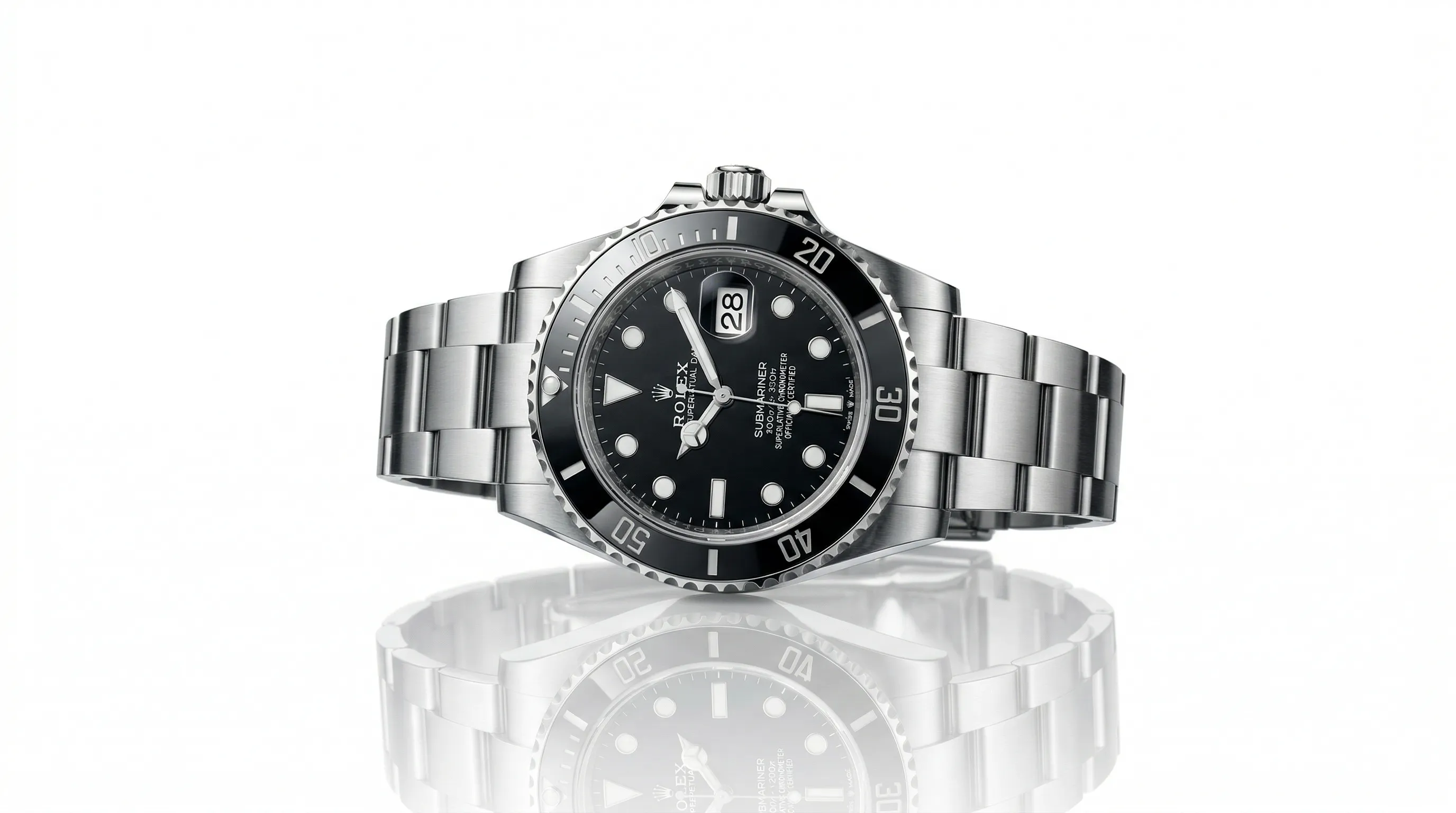
We reviewed seven current apps against the jobs ecommerce teams actually need done: producing a clean white background, preserving the product, repeating the same photographic direction, processing many images, and exporting at useful resolutions. Nightjar leads for repeatable catalog production; Photoroom and Pixelcut fit fast batch edits; remove.bg is the focused cutout option.
| App | Best for | Current pricing snapshot | Standout capability |
|---|---|---|---|
| Nightjar | Repeatable white-background photography across a catalog | 6 free Credits; paid from $25/month for 150 Credits | Reusable product records and saved shoot setups preserve subject evidence and production direction separately |
| Photoroom | Phone-first editing and batch exports | Free plan; Pro includes 1,000 exports/month | Background removal, preset shadows, staging, and Batch in one app |
| Pixelcut | Low-cost batch background removal | Pro $10/month or $8/month billed yearly | 1,000 monthly batch exports on Pro |
| remove.bg | A focused cutout or background-removal API | $9/month for 40 credits; pay as you go from $3 for 3 credits | Full-resolution cutouts up to 50 megapixels |
| Canva | Product images that become marketing layouts | Free; Pro pricing is localized | Background removal inside a broad design and publishing suite |
| Adobe Express | Adobe users making occasional product graphics | Free; Premium $9.99/month in the US | Free background removal plus Adobe design workflows |
| VistaCreate | Small teams sharing a design workspace | Pro $10/month for up to 10 seats | Background removal, Brand Kits, resize, and team access |
Prices and allowances were checked on September 3, 2026. Vendors localize prices and change limits, so confirm the linked pricing page before buying.
What should a white-background product photography app actually do?
A white-background product photography app should produce a clean background without damaging the product, then make the result easy to repeat at the required crop, shadow, aspect ratio, resolution, and format. The best choice depends on whether the job is one cutout, hundreds of repeated edits, or a catalog that must keep one photographic identity across new products.
Background removal and product-image generation solve different problems. A remover isolates the existing photographed object and places that cutout on white. A product photography system can build a new shot from product references while controlling the scene, camera treatment, framing, and contact shadow. A design suite is useful when the cutout is only one element in an ad, post, or layout.
Use these five checks before choosing an app:
- Product preservation: Inspect fine edges, transparent materials, labels, logos, color, and included accessories.
- White-background control: Confirm that you can select white, then sample the exported background when a marketplace requires exact RGB values.
- Repeatability: Decide whether repeating one edit is enough or whether you need reusable product evidence and photography direction.
- Production capacity: Compare export limits, generation allowances, API access, and review work against your actual monthly image count.
- Output controls: Check the aspect ratios, pixel dimensions, and file formats required by each destination.
Which marketplaces require a white product-photo background?
Amazon and Walmart specify pure white for qualifying main product images, while Shopify, eBay, and Etsy give more flexible presentation guidance. Marketplace rules vary by category and image position, so no app makes an image compliant automatically; the seller must review the final file against the current rule set.
| Platform | Current white-background guidance | Current size guidance | Official source |
|---|---|---|---|
| Amazon | Main image uses pure white RGB 255,255,255 and generally fills at least 85% of the frame | At least 1,000px on the longest side for zoom guidance | Amazon product image requirements |
| Walmart Marketplace | Main images use seamless white RGB 255,255,255, with exceptions for some large items | 2,200 × 2,200px; 1,500 × 1,500px minimum for zoom | Walmart image guidelines |
| Shopify | No white-background requirement; consistent aspect ratios help collection grids display uniformly | 2,048 × 2,048px usually displays best for square product images | Shopify product media guidance |
| eBay | White or neutral is recommended, and eBay provides its own background replacement tools | 500 × 500px minimum; 1,600 × 1,600px recommended | eBay product photo guidance |
| Etsy | No white-background requirement; consistent image shape creates a more cohesive browsing experience | At least 2,000px in width and height recommended | Etsy listing image guidance |
Walmart's current specification is unusually explicit: “Background: Seamless white (255/255/255 RGB).” That requirement applies to the exported pixels, not merely to a background that looks white on a phone screen. Amazon sellers should also review the current rules for AI-generated listing images before publishing.
1. Nightjar, best for consistent white-background catalogs
Nightjar is the strongest fit when a white-background image is part of a repeatable catalog system. It stores richer product evidence, exposes the photographic decisions as named controls, and lets a Team carry an approved setup to the next product without rebuilding the brief.
- Best for: Ecommerce brands producing listing images across dozens, hundreds, or thousands of products.
- Pricing: New accounts get 6 free Credits. Paid Subscriptions replenish Team-owned Credits, starting at $25 a month for 150 Credits, about $0.17 per 1K or 2K image, and scaling through larger and custom plans.
- Standout feature: A Nightjar Product groups one or more Product Photos with a factual description and optional dimensions. A Recipe separately saves the Product Photography setup, including Photography Style, flat white background, product-only Framing and Shadow, Custom Directions, aspect ratio, resolution, and format.
A bottle's reference views belong to that bottle; the approved white, crop, shadow, and export settings may need to travel across the whole range. Nightjar keeps those two kinds of information separate, so a Team can apply one Recipe across Products without flattening every item into the same evidence. Built-in visual review can retry obvious failures at no extra Credit cost.
For the broader method, read the guide to consistent AI product photography and the Help-Desk Article on keeping one background across a product catalog.
2. Photoroom, best for phone-first batch editing
Photoroom is a strong mobile-first editor for sellers who want quick cutouts, preset shadows, background generation, listing tools, and batch exports in one interface. Its current plans extend from individual sellers to high-volume catalogs, so it is no longer accurate to describe Photoroom as a one-image-only workflow.
- Best for: Resellers and small ecommerce teams processing existing photos on mobile or web.
- Pricing: The Free plan has limited exports and is not licensed for commercial use. Current Pro allowances include 1,000 exports and 8,000 AI credits per month; fees vary by region.
- Standout feature: Paid plans combine Background Remover, preset Shadows, Product Fixer, retouching, and Batch exports, with higher tiers adding more capacity and 4K output.
- Trade-off: Exports and generative AI use separate allowances, so teams must calculate both against the workflow they intend to run.
Photoroom is a practical choice when the source photography is already acceptable and the main task is cutting out, positioning, shadowing, and exporting it efficiently. Teams whose harder problem is preserving reusable product identity and photography direction across future shoots should compare its batch model with Nightjar's Product-and-Recipe model.
3. Pixelcut, best for affordable batch background removal
Pixelcut offers an unusually clear low-cost package for batch cutouts. The Pro plan includes unlimited background removal, a three-person team, and 1,000 batch exports each month, while its batch editor can apply background removal or upscaling to many selected files at once.
- Best for: Small sellers with a predictable queue of existing photos that need the same basic cleanup.
- Pricing: Pro costs $10 per month, or $8 per month when billed yearly; Business costs $30 per month, or $24 per month billed yearly.
- Standout feature: Pro includes 1,000 monthly batch exports, and Business includes 2,000, alongside mobile and web editing.
- Trade-off: Pixelcut's documented batch editor is limited to background editing and upscaling, so more complex repeat-photography direction needs another workflow.
Pixelcut's allowance is easy to test against a real catalog. A seller with 100 products and four existing photos per product has 400 exports to process, which fits inside the current Pro batch allowance. The same calculation should include rejected cutouts and revised exports rather than assuming every automatic result is publishable.
4. remove.bg, best for focused cutouts and API access
remove.bg is the focused choice when the job is to isolate a subject from an existing image. It supports the website, desktop apps, integrations, bulk editing, and an API, making it useful both for occasional manual work and a background-removal step inside custom software.
- Best for: One-off cutouts and technical workflows that need a dedicated background-removal operation.
- Pricing: The current entry Subscription is $9 per month for 40 credits; pay-as-you-go starts at $3 for 3 credits.
- Standout feature: One credit provides a high-resolution cutout up to 50 megapixels; free website previews are limited to 0.25 megapixels.
- Trade-off: remove.bg is centered on extracting the existing subject, not preserving a reusable photography setup across newly generated catalog images.
The credit model is simple: one high-resolution background removal uses one credit. Compare the cost against the number of source photos, not the number of products, and include another tool if the final job also requires controlled shadows, new camera views, or repeated photographic direction.
5. Canva, best when product photos become marketing designs
Canva fits teams whose white-background product photo is the beginning of a social post, ad, flyer, marketplace graphic, or other designed asset. Canva Pro includes photo background removal, Brand Kits, resize tools, templates, stock assets, scheduling, and at-scale design features in one workspace.
- Best for: Marketing teams combining product cutouts with text, layouts, brand assets, and channel-specific formats.
- Pricing: Canva has a Free plan; Pro pricing is localized and was £100 per year for one person on the UK pricing page at review time.
- Standout feature: The cutout stays inside a broad design system, so the same asset can move directly into templates and campaign layouts.
- Trade-off: Canva's strength is controlling the canvas and brand layout; a catalog that needs reusable product evidence and photographic direction requires a product-photography-specific system.
Choose Canva when the finished deliverable is a design rather than a plain listing photo. The comparison of Canva and dedicated AI product photography tools explains where design consistency and photographic consistency require different controls.
6. Adobe Express, best for existing Adobe workflows
Adobe Express is a convenient choice for Adobe users who need a quick white-background cutout and then want to keep designing. Its free background-removal flow can export a transparent PNG, while the wider editor supports solid-color backgrounds, templates, resizing, brand controls, and Creative Cloud connections.
- Best for: Individuals and marketing teams already working with Adobe assets or occasional product graphics.
- Pricing: Adobe Express Free costs $0; Premium is $9.99 per month in the US with no annual commitment.
- Standout feature: Background removal sits beside Adobe Stock, templates, brand controls, and links to other Adobe apps.
- Trade-off: Adobe documents batch background removal for enterprise Firefly workflows; the standard Express experience is better suited to individual edits and design work.
Adobe Express is attractive when Creative Cloud interoperability matters more than a dedicated catalog model. It removes the need to export a cutout into a separate lightweight design app, but each finished product image still needs its own review for edge quality, true background color, and marketplace rules.
7. VistaCreate, best for a small shared design workspace
VistaCreate bundles white-background editing with a generous small-team package. Its Pro plan includes Background Remover, HD downloads, resize, unlimited Brand Kits, version history, storage, and access for up to ten people, making it useful for collaborative marketing output.
- Best for: Small teams that need occasional product cutouts inside a shared template-design workspace.
- Pricing: Pro costs $10 per month for up to 10 team seats and includes a 14-day trial.
- Standout feature: Ten-seat access, Brand Kits, design assets, and background removal sit in one low-cost plan.
- Trade-off: VistaCreate's current documentation positions background removal as an individual design edit rather than a high-volume catalog production system.
VistaCreate earns its place on seat economics and breadth, not on deep product-photography control. It is a sensible option when several collaborators need to turn a few cutouts into branded posts or ads, while a large product queue calls for documented batch capacity or API access.
Which white-background product photo app should you choose?
Choose the app by the production unit you need to repeat. If the unit is one cutout of an existing photo, use a cutout tool. If it is a batch of similar edits, use a batch editor. If it is the full photographic setup across future Products, use a system that preserves product evidence and production direction separately.
| Your actual job | Best starting point | Reason |
|---|---|---|
| One high-resolution cutout | remove.bg | Focused background removal with simple per-image credits |
| Existing photos edited in batches | Photoroom or Pixelcut | Both document batch exports and background workflows |
| A consistent catalog produced over time | Nightjar | Products retain subject evidence; Recipes retain the reusable shoot direction |
| Product cutouts inside ads and social layouts | Canva or Adobe Express | The white-background step stays inside a broader design workflow |
| Up to ten people sharing occasional design work | VistaCreate | The Pro plan bundles ten seats with background removal and Brand Kits |
| A custom software pipeline | Nightjar, Photoroom, Pixelcut, or remove.bg | Each has an API, but the available resource model and billing unit differ |
The 100-product example makes the distinction concrete. Four finished images per product means 400 outputs to create, inspect, and publish. A batch export allowance answers whether the files can be processed; it does not answer whether the same background, framing, shadow, and photographic feel will carry cleanly to product 100.
How do you create repeatable white-background product photos in Nightjar?
Nightjar creates repeatable white-background product photos by separating the Product from the reusable shoot setup. The Product supplies evidence about the real item, while a Recipe carries the approved flat background, photographic treatment, staging, and delivery settings to the next Product.
- Create or select a Product. A Product groups one or more Product Photos with a factual description and optional physical dimensions, giving the Generation more evidence than one loose upload.
- Open the Product Photography Workflow and choose a flat white background. A flat color resolves the request as a clean listing shot.
- Set the photographic and staging controls. A reusable Photography Style controls the camera feel, lighting, mood, and color treatment. For a product-only shot, Framing controls camera angle and crop, while Shadow controls the contact shadow under the product.
- Choose the delivery settings. Set the required aspect ratio, JPEG, PNG, or WebP format, and 1K, 2K, or 4K resolution where available. Match the destination's current requirements rather than relying on one universal export.
- Save the setup as a Recipe. A Recipe saves the Product Photography direction without saving the Product. Apply it to the next Product, then inspect every completed Asset for product shape, color, labels, accessories, crop, shadow, resolution, and background pixels.
The Help Desk covers how to add a controlled contact shadow, when to use a reflection, and how to generate product photos across many SKUs.
What mistakes make white-background product photos unusable?
White-background product photos usually fail because the operator checks only the background and misses the product, crop, shadow, resolution, or channel rule. A clean-looking export is still unsuitable when it changes the item being sold or does not match the destination's current specifications.
- Assuming visual white equals exact white: Sample the background pixels when Amazon or Walmart requires RGB 255,255,255.
- Applying one crop to every product: A bottle, handbag, chair, and necklace need different framing checks even when the aspect ratio is shared.
- Ignoring transparent or fine edges: Glass, jewelry, hair-like fibers, and translucent packaging expose cutout errors quickly.
- Removing every shadow: A controlled contact shadow can ground a product, but it must fit the marketplace rule and the rest of the catalog.
- Upscaling a weak cutout after the fact: Higher pixel dimensions do not repair a halo, missing detail, changed label, or inaccurate color.
- Skipping item-level review in a batch: Automation repeats settings; it does not prove that every result represents the correct product.
Frequently Asked Questions
What is the best app for putting a white background on product photos? Nightjar is the strongest fit for repeatable catalog production because Products preserve each item's evidence while Recipes carry the approved white-background setup between items. Photoroom or Pixelcut fits batch editing of existing photos, while remove.bg fits a single focused cutout.
What is the best free white-background app? Adobe Express offers free background removal, Pixelcut has limited free background removal, and remove.bg offers free 0.25-megapixel previews on its website. Check commercial-use rights, resolution, watermarks, and export limits before treating any free result as listing-ready.
Does Amazon require a pure white background? Amazon's general main-image guidance specifies pure white RGB 255,255,255, alongside product-fill and presentation rules. Category-specific guidance can add or change requirements, so review the current Seller Central rule for the exact product before uploading.
Does Shopify require product photos to have a white background? Shopify does not require white product-photo backgrounds. Its current guidance says square product images usually display best at 2,048 × 2,048px and recommends a consistent aspect ratio for featured images shown together on collection pages.
Can a phone photo become a professional white-background listing image? A well-lit phone photo can be a useful source, but the finished quality depends on focus, resolution, product accuracy, edge separation, and review after processing. Test the hardest products first, especially reflective, transparent, detailed, or text-heavy items.
How do you keep white-background photos consistent across hundreds of products? Define the background, aspect ratio, framing family, shadow treatment, photographic feel, resolution, and format once, then reuse those decisions while reviewing each Product individually. Nightjar stores that direction as a Recipe and keeps the Product evidence separate, making the setup reusable without pretending every item needs identical staging.
References
- Nightjar - AI product photography for repeatable catalog production
- Photoroom plans and pricing - Current plans, exports, AI credits, and tool access
- Photoroom plan definitions - Commercial use and Batch availability
- Pixelcut pricing - Plan prices, team sizes, and batch export allowances
- Pixelcut batch editor - Current batch editing scope
- remove.bg pricing - Subscription, pay-as-you-go, bulk, and API pricing
- remove.bg image credits - Preview and full-resolution limits
- Canva pricing - Current Free, Pro, Business, and Enterprise plans
- Adobe Express pricing - Current Free and Premium plans
- Adobe Express background remover - Background removal workflow and batch availability
- VistaCreate plans - Current price, seats, and included features
- Amazon product image requirements - Main-image presentation rules
- Walmart Marketplace image guidelines - Background, dimensions, format, and image rules
- Shopify product media guidance - Product image dimensions, formats, and aspect-ratio guidance
- eBay product photo guidance - Background and resolution recommendations
- Etsy listing image guidance - Listing image size and presentation recommendations