
Quick Answer
AI product photography can reduce the physical lighting, set-building, and re-rigging work involved in photographing electronics. Use sharp reference photos from several useful angles, provide physical dimensions, control the scene and framing, and compare every generated image with the real device before publishing it.
Electronics leave little room for plausible invention
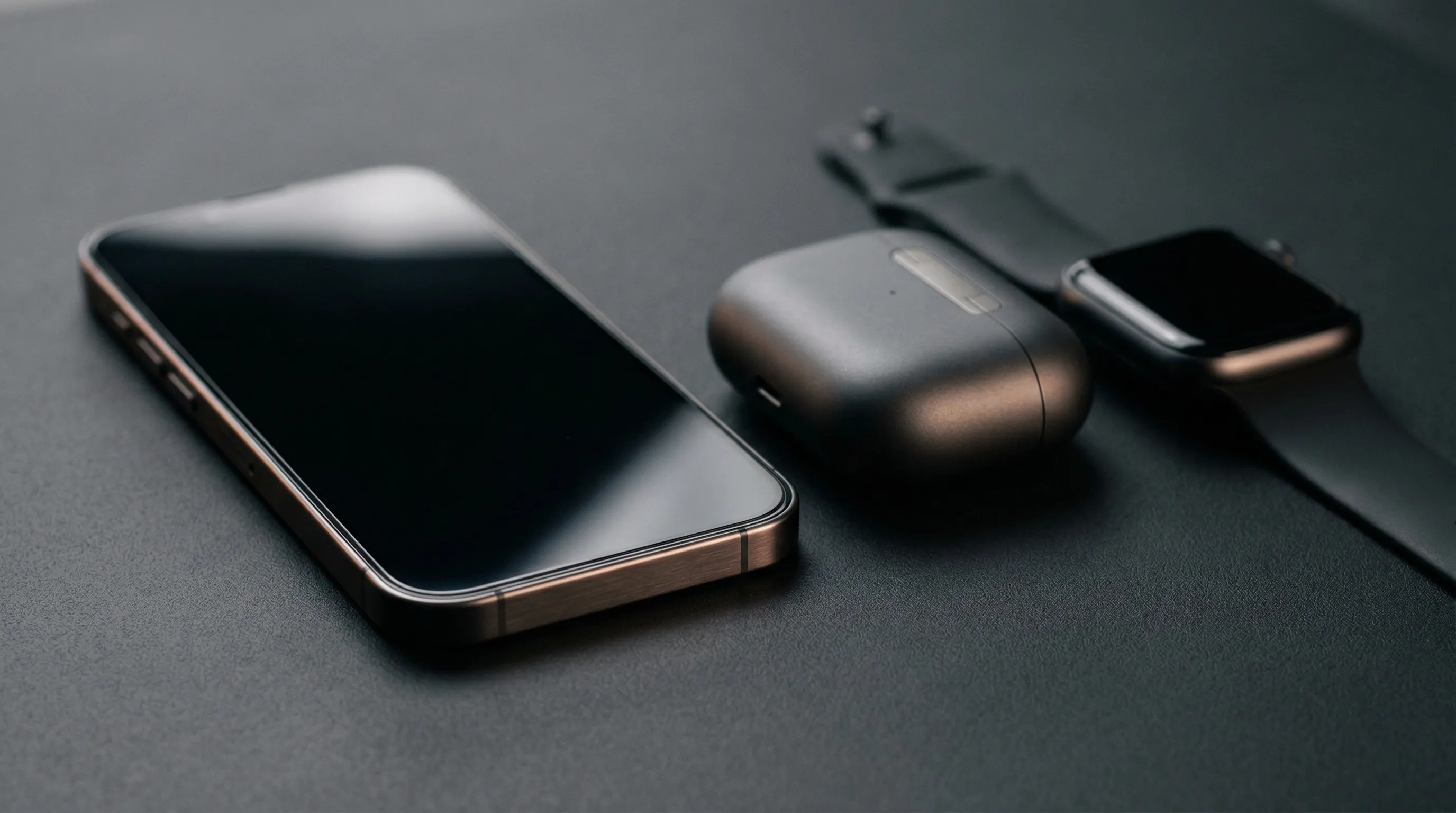
Electronics combine reflective materials with small details that buyers use to identify the product. A phone may place glass, painted metal, plastic, tiny openings, printed marks, and an active display within a few centimeters of one another. A clean image must make those surfaces look physically related without hiding or changing the device's defining features.
With a camera, the hard part is controlling what each surface reflects. Shopify's current guide to reflective product photography recommends changing light and camera angles, diffusing harsh sources, using reflectors, and sometimes using a polarizing filter or dulling spray. Those methods can work well, but a new angle can expose a different glare patch or unwanted reflection and require another adjustment.
Generative AI removes the need to build that physical lighting setup for every image. The trade shifts to evidence and review: the model must infer the new scene from the product references, and it may invent a plausible-looking detail that is not present on the real device. The cleaner the thumbnail looks, the easier it is to miss a wrong port, duplicated button, false reflection, or fabricated screen element.
For electronics, visual plausibility is not the same as product accuracy. An elegant reflection can be a styling choice; an extra port describes a different product. That distinction makes reference coverage and full-size review more important than the polish of the first generated result.
Which electronics details are most likely to need careful review?
The highest-risk electronics details are small, repeated, reflective, partly hidden, or expected to carry exact information. These features deserve their own reference views and a full-size comparison after generation.
| Review area | Common failure | What to compare with the real product |
|---|---|---|
| Screen and glass | Invented UI, unreadable text, impossible glare, warped bezel | Screen artwork, bezel width, camera cutout, edge reflections |
| Ports and controls | Wrong connector, extra opening, moved button | Port type, count, position, orientation, button spacing |
| Logos and labels | Misspelling, substituted mark, broken certification text | Every character, symbol, line break, color, and placement |
| Materials | Metal rendered as plastic, uneven finish, false transparency | Surface texture, gloss level, edge treatment, seams |
| Shape and scale | Thicker body, stretched proportions, oversized accessory | Silhouette, dimensions, component size, relationship to hands or props |
| Cables and accessories | Impossible routing or an item that is not included | Connection points, cable direction, included package contents |
Screens deserve special treatment because the hardware photograph and the interface artwork solve different problems. When the displayed UI must be literal, generate or photograph the device with a blank screen and perspective-match an approved screenshot afterward. The same principle applies to serial labels and regulatory text: keep verified pixels rather than asking a generative model to spell them again.
How does AI product photography change the electronics production process?
AI product photography replaces repeated physical capture work with a reusable product record, controlled generation choices, and a stricter review pass. It is most useful for routine listing variations, lifestyle scenes, campaign imagery, and catalog extensions where the product can be checked against good references.
| Production task | Traditional photography | AI product photography |
|---|---|---|
| Control glare | Move lights, flags, diffusers, camera, and polarizer | Describe or select the lighting direction, then inspect generated reflections |
| Change the setting | Build or book another set | Select a flat color or reusable scene reference |
| Create another angle | Reposition and re-light the device | Generate a new view from reference evidence, then verify unseen geometry |
| Show fine detail | Capture a macro view or focus stack | Provide a detail reference and request a close view with Macro Framing |
| Continue a catalog look | Rebuild the same studio setup | Reuse the same photographic direction and output settings |
| Correct exact artwork | Retouch or composite approved files | Composite approved files after generation rather than regenerating them |
AI therefore covers the listing variations, lifestyle scenes, campaign images, and catalog extensions that would otherwise need repeated set construction, and gives the team more directions to test. Keep a camera for proof shots: an image that must document exact dimensions, a safety or installation procedure, or a regulated label.
Credible AI electronics images start with reference coverage
A strong electronics source set shows the product's identity, depth, interfaces, and scale without asking the model to guess. Start with a sharp three-quarter image that shows the full silhouette, then add front, back, side, and detail views according to what the final image needs to reveal.
Use this source checklist:
- Keep the whole device visible in at least one image, with no hand or prop covering the outline.
- Add close views of ports, buttons, vents, hinges, camera modules, labels, and textured surfaces that matter.
- Photograph screen glass without blown highlights so the bezel and display boundary remain visible.
- Record real-world dimensions. Scale is especially hard to judge for earbuds, sensors, hubs, adapters, and compact controllers.
- Separate visibly different colorways or hardware revisions. Conflicting references give the model conflicting evidence.
- Do not request a hidden side as a factual view unless another source actually shows it.
Over-ear headphones are a useful test case. One three-quarter photo can establish the silhouette, but it may not show the charging port under an earcup, the headband texture, or the seam where fabric meets plastic. A rear view and two tight detail images give the model evidence for those features and give the reviewer an approved comparison when any of them appears in a generated shot.
Nightjar groups those references into a Product, a reusable subject made from source images called Product Photos plus a factual description and optional physical dimensions. The clearest overall view becomes the Main photo; detail and alternate-angle Product Photos add evidence for later image requests. This gives the system more information than a single loose image.
Which Nightjar controls are useful for electronics product photography?
Nightjar is a strong fit for repeat electronics photography because its Product Photography Workflow separates evidence about the device from the reusable direction used to photograph it. Product Photos, descriptions, and dimensions help establish what must stay true; structured controls capture how the shot should look. A team can extend the catalog without asking every Generation to reconstruct both the product and the art direction from prose.
For a clean listing-style image, select a flat background color and use Framing, the product-only control for camera angle, staging, and crop. Macro Framing is useful when the source set contains a clear reference for the detail being shown. For a lifestyle image, select a Background, Nightjar's reusable image-backed scene, or leave the setting automatic and specify the intended use in Custom Directions, the field for request-specific notes.
Choose independent Single shots when several products need the same controlled angle. Choose Photoshoot, the cohesive four-image output inside Product Photography, when one device needs a connected set with varied angles, crops, and detail views. Photoshoot deliberately varies those camera decisions, so it is not the right choice when every catalog item must have an identical crop.
Nightjar also performs built-in visual review on Product Photography requests, called Generations. The review can retry obvious failures, such as a missing or substituted product, a misspelled brand or product name, a replaced main logo, or a catastrophic defect, at no extra Credit cost.
Catalog consistency comes from separating device identity from shoot direction
Catalog consistency comes from reusing the photography decisions while keeping each device's product evidence separate. This allows different products to share a background, lighting language, crop logic, and delivery format without blending their identities.
In Nightjar, the photographic look is saved as a Photography Style, reusable direction for lighting, camera feel, mood, and color. A Recipe saves the broader Product Photography setup, including the Photography Style, background choice, Framing, Custom Directions, aspect ratio, resolution, and output format. The Product is deliberately excluded, so a charger and a router can inherit the same shoot direction without sharing or confusing their hardware evidence.
Test a Recipe on products with different proportions before applying it across the catalog. A centered eye-level direction that suits a rectangular charger may crowd a tall router or make a tiny adapter look oversized. Review the outputs together as a grid, then adjust the shared direction or create a second Recipe for a genuinely different product class. The guide to consistent AI product photography covers this catalog-level system in more depth.
What does electronics product photography cost in 2026?
Electronics photography pricing varies too much for a credible universal per-device quote, but current industry ranges can produce a useful planning envelope. Shopify's 2026 product photography pricing guide places general professional photography at $500 to $3,000 per day or $50 to $350 per delivered image, and notes that high-end electronics work can cost more because of its production demands.
Using that published per-image range, a seven-image product page costs roughly $350 to $2,450 in photography fees. A 50-product catalog needing seven images per product contains 350 final images, which puts the same planning range at $17,500 to $122,500 before special equipment, extra crew, advanced retouching, shipping, or reshoots. This is a budgeting illustration, not a studio quote; reflective materials, exact screen composites, and complex sets can push a project beyond it.
The sensible comparison is not "studio price versus one AI image." Include the work needed to create reliable product references, review results, and composite exact screen or label artwork. The broader product photography cost breakdown explains how to compare fixed and variable costs without pretending that every image has the same production burden.
How should AI electronics images be reviewed before publishing?
Every AI electronics image should pass a product-accuracy review, a physical-plausibility review, and the rules of the channel where it will appear. The US Federal Trade Commission states the standard plainly: "Advertising must be truthful and non-deceptive." Its advertising guidance for small businesses also explains that implied claims can come from pictures, not only written copy.
Review the image at full resolution and at its final page crop. Compare silhouette, materials, ports, buttons, labels, logos, screen content, included accessories, scale, contact shadows, and reflections with approved product references. In lifestyle scenes, check how hands touch the device, how cables connect, and whether the image implies a feature, compatibility, app state, waterproofing claim, or use case the product does not support.
Marketplace rules still apply to AI-assisted images. Amazon, for example, has separate requirements for the main image, additional images, and photorealistic AI-generated people. The current guide to AI-generated images in Amazon listings summarizes those distinctions and links to Amazon's official rules. Do not describe an image as compliant until it has been checked against the current category and placement requirements.
Frequently Asked Questions
Can AI product photography handle glass screens and polished metal?
Yes. AI can create a new lighting treatment for glass and polished metal without building a physical reflective-product setup. Set the lighting direction with a Photography Style or Custom Directions so the reflections agree with the scene. The guide to glossy and reflective product photography explains when controlled highlights should be kept rather than removed.
How can I create a close-up of an electronics port or button with AI?
Provide a sharp detail reference as a Product Photo and use Macro Framing for a product-only Single shot. See the AI product close-up workflow for the full generate, crop, and preservation-first Upscale decision.
How do I stop AI from changing a device's shape, text, or logo?
Give the Product several clear views, including close-ups of ports, buttons, and logos, plus a factual description and physical dimensions. Nightjar's built-in visual review can then retry obvious failures, such as a substituted product, a misspelled brand name, or a replaced main logo, at no extra Credit cost. The guides to reducing product-shape drift and protecting product text and logos cover each step.
How can I show a gadget in a realistic room or in someone's hand?
Use Product Photography for a new lifestyle shot or Nightjar's Product Placement Edit Shortcut when a particular person or room image should guide the edit. The electronics lifestyle-image checklist covers scale, grip, screens, cables, ports, and truthful feature portrayal.
Can I use AI-generated electronics photos in an Amazon listing?
Some AI-assisted listing imagery is permitted, but the image still has to satisfy Amazon's rules for its placement and accurately depict what the buyer receives. Check the current Amazon AI-image policy summary before upload.
How do I keep lighting and framing consistent across many electronics products?
Reuse an approved Photography Style and Product Photography Recipe, then review a mixed-product test grid before scaling. The catalog consistency guide explains which visual decisions should stay fixed and which should adapt to the product.
References
- Nightjar - AI product photography system
- Shopify: Reflective Surface Photography - Current lighting and capture techniques for glass and metal
- Shopify: Product Photography Pricing Factors - 2026 professional photography pricing ranges
- Federal Trade Commission: Advertising FAQs - Truthfulness, substantiation, and implied advertising claims