
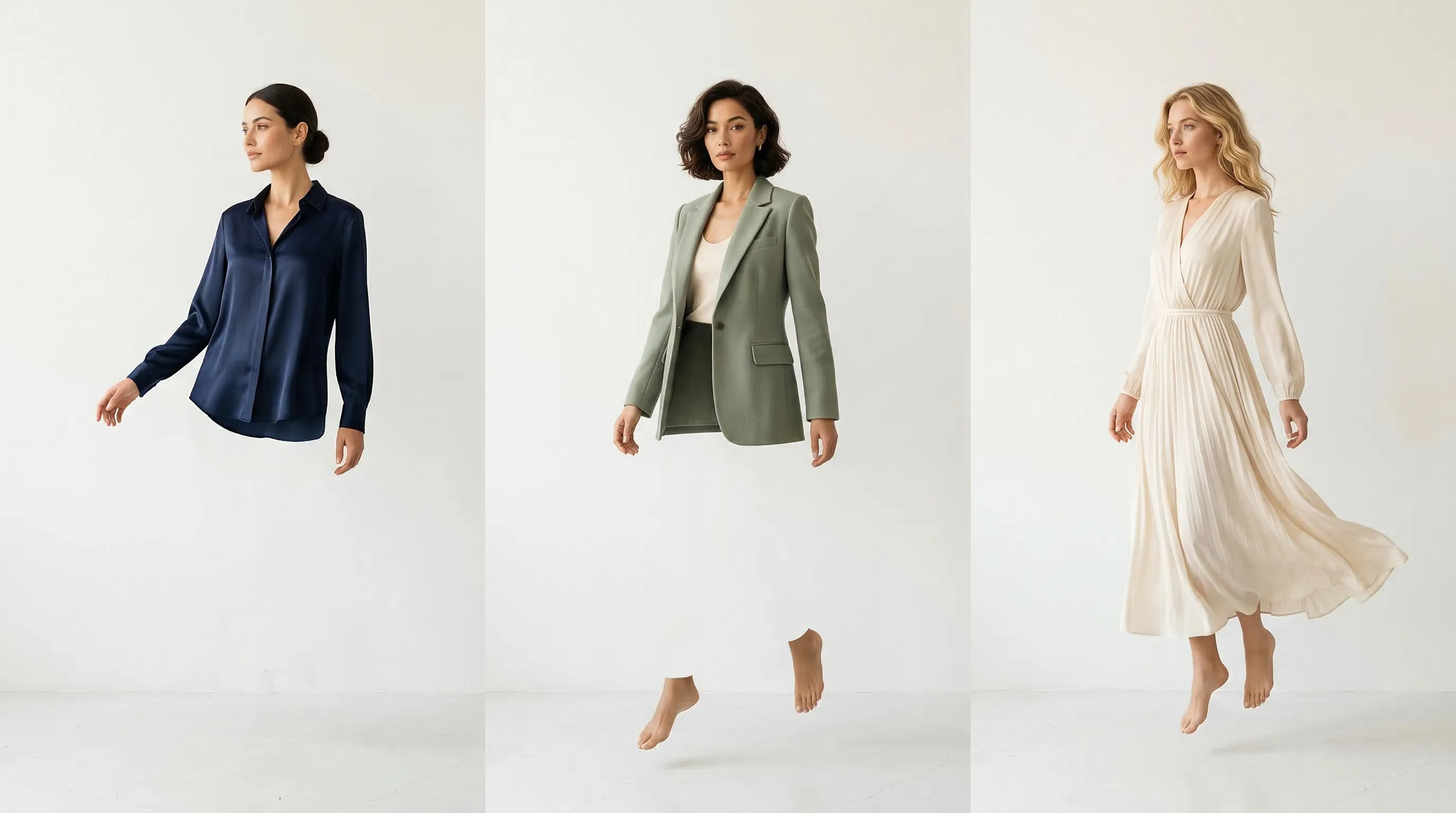
Nightjar is the strongest all-around AI fashion model tool for brands that need one visual system across a catalog, while Uwear is the best fit for enterprise batch orchestration and FASHN is the most flexible specialist for pay-as-you-go fashion APIs. We reviewed each vendor's official product pages, pricing, documentation, and current terms on September 3, 2026. We did not run a controlled image-quality benchmark, so the ranking does not claim laboratory-tested realism or garment accuracy.
| Rank | Tool | Best for | Current pricing snapshot | Reusable control, access, and rights |
|---|---|---|---|---|
| 1 | Nightjar | Catalog-wide visual direction and connected product photography | Subscription; plans start at 150 Generations per month | Custom Fashion Models and Poses, Recipes, Teams, Shopify app, public API; commercial ownership of Output |
| 2 | Uwear | Enterprise batch production with Art Direction and automated QA | $0.10 per credit; $17 minimum purchase; model rates vary | Avatars, locations, Art Direction, Studio, API, MCP; commercial ownership of generated content |
| 3 | On-Model | Reusable model identities and reference-derived brand presets | Free watermarked tier; Basic €17/month billed annually for 120 credits | Custom identities and presets; Pro adds team features and API; paid credits allow commercial use |
| 4 | Claid | API-first fashion and mixed product-image pipelines | 50 test credits; self-serve API starts at $59 for 1,000 credits | Custom model inputs, pose/background controls, batch/API; commercial use permitted |
| 5 | FASHN | Fashion-specific generation, try-on, packshots, and developer endpoints | App from $19/month for 200 credits; API $0.075 per credit on demand | Face References, team seats, separate developer API; commercial use permitted |
| 6 | Photoroom | Mobile-first commerce editing and Shopify publishing | Free plus Pro, Max, Ultra, and Enterprise; AI credits and export caps vary by plan | Preset/custom models and poses, Team Spaces, Shopify on Max+, separate API; paid AI output is commercial-use eligible |
| 7 | Botika | Shopify-centered on-model conversion with human retouch support | Advertised from $25/month; one credit per photo and five per video | Curated models/backgrounds, Advanced team features, Shopify app; generated photos use a limited license |
| 8 | WearView | Self-serve model identity, pose control, and fashion video | Lite $29/month for 50 credits; Pro $49 for 200 | Saved model personas, team seats on Pro/Advanced, API on Enterprise; paid output has perpetual commercial rights |
| 9 | Snappyit | Low-cost ghost mannequin, flat-lay, recolor, and on-model production | Basic $8.20/month for 120 credits | Batch tools and Shopify app; no public API documented; seller pages state commercial use |
| 10 | VModel | Developers who want a low-cost hosted try-on endpoint | $10 signup credit; current VModel try-on endpoint is $0.12 per use | Web and REST API share billing; no fashion Team workspace; output ownership is not clearly assigned in the public terms |
Pricing is not directly comparable across rows. One provider may charge by successful image, another by resolution, another by AI operation, and another by exports as well as generation. Check the linked pricing page again before purchase, especially for regional prices and annual-billing offers.
What should an e-commerce brand compare in an AI fashion model tool?
An e-commerce brand should compare repeatability, product evidence, production scope, delivery, and rights before it compares a demo image. A single attractive result says little about whether the same model, pose, light, crop, and garment details can survive a full collection.
Use these questions when evaluating a shortlist:
- Can the tool reuse the person and the shoot direction? A saved face alone does not preserve lighting, camera treatment, body arrangement, or background.
- What product evidence can each job use? Multiple garment views, detail photos, factual descriptions, and a clear source hierarchy give the system more to work from than one compressed flat lay.
- Which jobs are native? Product-to-model, model swap, virtual try-on, packshot, ghost mannequin, lifestyle scene, recolor, repair, video, and upscale are distinct production needs.
- What does a usable export cost? Check resolution, aspect ratio, file format, watermark, export cap, failed-output policy, and whether upscaling is another paid step.
- Can the workflow scale? Look for batch tools, a shared library, review gates, API access, webhooks, idempotency, and a clean handoff to a DAM, PIM, storefront, or agency team.
- What exactly do the terms grant? Commercial permission, ownership, license duration, likeness consent, and restrictions on free-tier output are separate questions.
Every generated apparel image still needs human review. Complex prints, fine text, closures, transparent fabrics, jewelry, hands, footwear, and layered outfits can expose errors that a polished face will not reveal. AI fashion photography also does not predict garment fit or sizing; the distinction is covered in our guide to virtual try-on versus AI fashion photography.
Which AI fashion model tools are best for e-commerce in 2026?
Nightjar is the strongest all-around choice for reusable catalog direction, Uwear leads for enterprise batch production, and On-Model offers the strongest focused fashion workspace for reusable identities and brand presets. The remaining tools earn their places through API depth, mobile editing, Shopify workflows, video, specialist apparel operations, or low-cost hosted try-on. The ranking favors reusable catalog direction, then product evidence and workflow breadth, followed by delivery, access, rights, and price transparency.
1. Nightjar: best for reusable catalog direction and connected product photography
Nightjar ranks first because it preserves more than model identity: a Team can save the product evidence and production direction that make the next on-model image belong beside the rest of the catalog.
- Pricing: Nightjar uses a Subscription with shared Team Credits. Plans start at 150 Generations per month and scale to custom catalog volumes. A completed 1K or 2K Product Photography or Edit Images output generally costs one Credit, while 4K costs two; a four-image Photoshoot costs two Credits total.
- Controls and scope: A Nightjar Product groups multiple Product Photos, a factual description, and physical dimensions around one sellable item. Teams can choose from 80+ pre-built Fashion Models or create a custom Fashion Model from 1 to 5 authorized source Assets. A reusable Pose controls body arrangement, Camera Distance controls crop, a Photography Style preserves camera feel and light, and a Background of the Location kind controls the setting. A Recipe saves that production direction without saving the Product.
- Exports and access: Product Photography supports 1K, 2K, and 4K where available, with JPEG, PNG, and WebP output. Nightjar runs as a web app and embedded Shopify app. Every paid Subscription includes a public API that works with the same Products, Assets, Fashion Models, Poses, Photography Styles, Backgrounds, and Generations as the Team.
- Rights and trade-off: The Nightjar terms grant ownership of Output and state, “You are free to use such Output for any lawful purpose, including commercial purposes.” Nightjar is built for repeat production; a seller who needs one inexpensive try-on and no reusable catalog system may not need that scope.
The practical mechanism is concrete: each Product carries the garment evidence, while the Recipe carries the approved Fashion Model, Pose, Photography Style, setting, and delivery choices into the next look. Nightjar's built-in visual review can also reject and retry obvious eligible failures without another Credit, although it does not replace final human approval. Our guide to reusing the same AI Fashion Model across a collection explains the identity workflow in more depth.
2. Uwear: best for enterprise batch production, Art Direction, and automated QA
Uwear is the strongest enterprise-oriented alternative for a fashion team that wants one operational layer across Studio, API, and AI assistants. Its current platform stores clothing items, avatars, locations, Art Directions, generation history, QA decisions, and delivery metadata rather than reducing every job to prompt text.
- Pricing: Uwear pricing is pay as you go at $0.10 per credit with a $17 minimum purchase, no subscription, and no credit expiry. Actual output cost depends on the selected image or video model; its current model catalog ranges from low-cost options to five or more credits for higher-end image models.
- Controls and scope: A saved Art Direction can hold casting, lighting, framing, and references, while variation controls change poses or scenes within that direction. Uwear supports on-model imagery, multi-garment looks, edits, backdrops, upscaling, virtual try-on, and video. Optional QA checks results against the model, prompt, and garments, records a reason, and can retry failures.
- Exports and access: Uwear supports JPG, PNG, and WebP images plus MP4 video. Its fashion API is asynchronous and supports polling, webhooks, metadata, ZIP delivery, and result mapping into a DAM, PIM, or storefront. Studio, API, and MCP share the production resources and history.
- Rights and trade-off: The Uwear platform terms say users own generated content and may use it for lawful commercial purposes. Self-serve pricing is clear, but enterprise team features, committed capacity, custom QA, and volume economics require a sales conversation.
3. On-Model: best for reusable model identities and reference-derived presets
On-Model is a strong fashion-only workspace when a brand wants reusable identities and a shoot preset extracted from an approved reference image. Its toolset now extends beyond flat-lay conversion into packshots, model swaps, detail repair, garment recolor, and a general image playground.
- Pricing: On-Model pricing lists a free watermarked plan with 75 monthly credits, Basic at €17 per month billed annually for 120 credits, and Pro at €89 per month billed annually for 800 credits. Flat-to-model starts at three credits for 1K, five for 2K, and ten for 4K.
- Controls and scope: Users can create a synthetic identity from text, upload a custom identity on Pro, or work from more than 50 managed models. Preset Extraction captures instructions, style, lighting, and shot arrangement from a reference image. Detail Repair masks a logo, text, or small region instead of regenerating the whole frame.
- Exports and access: Basic exports at 1080p; Pro adds 4K, shared identities and presets, team roles, usage tracking, managed review and retouch, and API access. Enterprise adds custom integrations and an SLA.
- Rights and trade-off: The On-Model terms leave input and output ownership with the user. Paid credits allow commercial applications, but free credits are explicitly private and non-commercial. The broader production and collaboration features sit on Pro, and the platform is intentionally fashion-specific.
4. Claid: best for API-first fashion and mixed product-image pipelines
Claid fits developer teams that need on-model apparel generation beside background creation, image editing, upscaling, color work, shadows, and video in one API. It is especially useful when fashion is one branch of a larger commerce-image pipeline.
- Pricing: Claid provides 50 web and 50 API test credits. Its self-serve API pricing starts at $59 for 1,000 credits, and the AI Fashion API currently costs two credits per output. Enterprise plans add volume pricing, custom workflows, support, and SLAs.
- Controls and scope: The AI Fashion Models API accepts flat lays or ghost-mannequin sources, up to five garment images for a full outfit, a preset or authorized custom model image, a pose prompt or one of eight preset poses, background direction, and aspect ratio. Claid also offers model swap, lifestyle scenes, and image-to-video.
- Exports and access: The asynchronous API supports polling and webhooks, and Claid advertises batch processing for thousands of SKUs. Fashion outputs can reach 4K; more than 20 image and video operations can be chained into broader workflows.
- Rights and trade-off: Claid says fashion outputs may be used commercially when the user has rights to uploaded inputs and custom model photos. Fine transparency, reflections, and heavy occlusion may require better inputs and more iteration, and bespoke brand rules move the buyer toward an enterprise engagement.
5. FASHN: best for fashion-specific generation and developer endpoints
FASHN has grown from a virtual-try-on specialist into a broad fashion suite with Product-to-Model, Try-On Max, Model Creation, Model Swap, Face to Model, Edit, Reframe, Packshot, background removal, and image-to-video. It remains a strong choice when developers want separate fashion endpoints and usage-based API billing.
- Pricing: FASHN app pricing starts at $19 per month for 200 credits, with 4K image generation, 720p video, and two invited team members. Pro is $49 for 750 monthly plus 50 daily credits. Its separate developer API starts at $0.075 per credit with a 100-credit minimum purchase.
- Controls and scope: Curated FASHN Faces are available on every plan. Agency adds uploaded or custom Face References. Background, reframe, edit, model creation, model swap, and product-to-model endpoints give developers more control than a single try-on call, but custom brand faces are plan-gated.
- Exports and access: The app generates and upscales images to 4K and supports video up to 1080p on Pro. Basic, Pro, and Agency support team collaboration. App and API billing are separate, and API users get official TypeScript and Python SDKs plus request monitoring.
- Rights and trade-off: The FASHN terms assign any FASHN rights in generated output to the user and permit commercial use subject to the plan, input rights, and applicable law. Buyers should model the chosen endpoint, resolution, generation mode, and Face Reference surcharge because all four affect credit cost.
6. Photoroom: best for mobile commerce editing and Shopify publishing
Photoroom is the broadest mobile-first commerce editor in this group. Its paid workspace combines AI Fashion Models with background removal, AI backgrounds, retouching, resizing, templates, batch export, Team Spaces, and direct Shopify publishing on eligible plans.
- Pricing: Photoroom pricing lists Pro with 8,000 AI credits and 1,000 monthly exports, Max with 25,000 credits and 3,000 exports, and Ultra with 75,000 credits and 10,000 exports. Displayed currency and plan price can vary by region. AI Fashion Models at 1K use five credits per generation; 2K and 4K use much more and are gated to higher plans.
- Controls and scope: Photoroom's Virtual Model API accepts preset or custom model images, 12 preset poses, scene presets, an optional prompt, aspect ratio, and additional product views. This is a much stronger fashion surface than a basic model swap.
- Exports and access: The app supports 1K, 2K, or 4K fashion output according to plan. Paid Spaces can include up to 50 seats. Shopify integration starts on Max. The REST API is a separate product with Plus and Enterprise access for Virtual Model, Flat Lay, Ghost Mannequin, backgrounds, and other edits.
- Rights and trade-off: Photoroom's commercial-use guide permits commercial use of AI-generated content on paid plans; the Free plan is non-commercial. Buyers must track both AI credits and export allowances, and API billing is separate from the app subscription.
For a closer look at those operating differences, read our Photoroom versus Nightjar comparison.
7. Botika: best for Shopify-centered on-model conversion with retouch support
Botika suits clothing brands that begin with on-model, cropped, headless, mannequin, or flat-lay photos and want curated synthetic models, backgrounds, video, and an optional human-fix path. Its Advanced and Enterprise plans add more of the production controls that larger brands need.
- Pricing: Botika advertises plans from $25 per month. Its current pricing page says a photo costs one credit and a video five, with rollover while the Subscription stays active. Allowance and effective monthly price vary with billing cycle and the selected credit amount.
- Controls and scope: Botika keeps pose and size from the input when swapping the person. Its self-serve fashion model and background catalog has more than 50 models and dozens of backgrounds, but it does not currently let users upload their own model or background. Enterprise can commission exclusive models, backgrounds, retouching briefs, and white-glove review.
- Exports and access: Pro exports at 2K; Advanced adds 4K, team collaboration, all models, all backgrounds, and custom background colors. JPG and PNG results are documented. Botika has Shopify and iOS apps, but no public self-serve API documentation was found during this review.
- Rights and trade-off: Botika's terms retain ownership of generated photos and grant the customer a limited license for its own fashion business, with a duration defined by the agreement. That is materially different from providers that grant ownership or perpetual commercial rights, so legal review matters before a long-lived campaign or agency reuse.
8. WearView: best for self-serve identity, pose control, and fashion video
WearView combines virtual try-on, product-to-model, saved model personas, pose control, ghost mannequin, model swap, and video in one self-serve fashion product. It is a practical shortlist candidate for small brands that want stills and motion without assembling an API pipeline.
- Pricing: WearView pricing starts at $29 per month for 50 credits. Pro is $49 for 200 credits and five team members; Advanced is $99 for 500 credits and 15 members. HD images cost one credit, 2K costs three, 4K costs five, and video costs ten credits at 720p or twenty at 1080p.
- Controls and scope: A saved model persona can be reused with different products, poses, settings, and styling. Dedicated pose control and model swap separate body direction from identity, while Pro adds ghost mannequin and 720p video.
- Exports and access: The platform supports HD, 2K, and 4K images, plus 720p or 1080p video according to plan. API access and custom integrations are Enterprise features rather than a public self-serve developer product.
- Rights and trade-off: The WearView terms grant paid users worldwide, perpetual, royalty-free commercial rights and tell users to review AI output for artifacts. Monthly credits reset except where rollover is included, and higher resolution changes the number of usable outputs substantially.
9. Snappyit: best for low-cost ghost mannequin and apparel point workflows
Snappyit is a budget-friendly apparel toolkit rather than a full catalog-direction system. It covers Fashion Model, Ghost Mannequin, Flat Lay, Color Change, face swap, jewelry work, batch processing, and short fashion video from one account.
- Pricing: Snappyit pricing lists Basic at $8.20 per month for 120 credits, Standard at $18.90 for 360, and Pro at $34.90 for 800. New users receive six trial credits, and subscription credits roll for up to six months while the plan remains active.
- Controls and scope: Product-to-model supports apparel, swimwear, jewelry, hats, and shoes from flat lays, hanger shots, ghost mannequins, or packshots. Separate tools handle recolor, flat lay, face swap, and video, but the public product pages do not document one persistent identity-and-shoot-direction system spanning them.
- Exports and access: Paid plans remove watermarks. The pricing page explicitly advertises 4K Ghost Mannequin output and batch upload; Pro adds batch generation and priority processing. Snappyit has a native Shopify app, but no public API product was documented during this review.
- Rights and trade-off: Snappyit's seller guidance states that paid outputs can be used commercially on marketplaces. Buyers with stricter procurement requirements should still obtain the full current terms because the public pricing page summarizes billing rather than displaying the complete output license.
10. VModel: best for a low-cost hosted try-on endpoint
VModel is now a general AI model marketplace and inference API, not a dedicated fashion-production workspace. Its value here is inexpensive, direct access to a hosted virtual try-on model rather than reusable art direction or catalog operations.
- Pricing: VModel billing gives new users $10 in credit and uses one balance across web and API. The current VModel try-on endpoint costs $0.12 per use.
- Controls and scope: The endpoint takes one garment image and one human image, supports upper-body, lower-body, and dresses, and exposes crop, steps, category, and optional mask controls. VModel also hosts many unrelated image and video models, but their settings and prices vary by endpoint.
- Exports and access: Tasks run through a REST API with polling or an optional webhook. Output files are delivered through HTTPS URLs, and task inputs, outputs, and logs are removed after one hour by default. There is no documented fashion Team library, persistent model identity, pose library, or batch catalog review surface.
- Rights and trade-off: VModel's public terms say users retain ownership of inputs, but they do not clearly assign ownership or commercial rights in generated output. The low per-call cost is attractive for prototyping; a production buyer should resolve output rights, retention, support, and model-specific licensing in writing.
How much can 200 AI fashion model images cost?
Two hundred AI fashion model images can cost from tens of dollars in API credits to a full Team subscription plus review labor, depending on endpoint, resolution, and failure policy. A useful cost model is: paid outputs + failed or rejected attempts + upscaling + exports + human QA + retouching + integration work.
These examples use current published rates and assume one approved 1K output per request:
| Provider path | Published unit | Calculation for 200 outputs | Minimum spend indicated by the plan |
|---|---|---|---|
| FASHN API, eligible Fast 1K image endpoint | 1 credit/output at $0.075 | 200 × $0.075 = $15 | $15 in credits; minimum purchase is $7.50 |
| VModel try-on endpoint | $0.12/use | 200 × $0.12 = $24 | $24 in usage |
| Claid AI Fashion API | 2 credits/output | 200 × 2 = 400 credits | Current $59/1,000-credit pack covers the run |
| On-Model 1K flat-to-model | 3 credits/output | 200 × 3 = 600 credits | Pro's 800-credit monthly allowance covers the run at €89/month billed annually |
This table is not a quality ranking. FASHN Fast, VModel try-on, Claid AI Fashion, and On-Model flat-to-model do not have identical inputs, controls, review systems, or output terms. Run the same approved garment set through each finalist, count publishable results rather than generated files, and price the workflow at the resolution your storefront actually uses. Our guide to calculating photography cost per SKU provides a fuller worksheet.
How should a fashion brand test an AI model generator before committing?
A fashion brand should pilot the hardest representative garments and judge the complete production path, not a vendor's sample gallery. Ten easy T-shirts can hide the failure modes that appear in one plaid coat, sheer dress, embroidered logo, reflective shoe, or layered outfit.
- Build a representative test set. Include simple garments, difficult materials, fine patterns, visible text or branding, accessories, and at least one complete look.
- Fix the evaluation brief. Use the same source views, target model, pose, camera distance, background, aspect ratio, and resolution wherever each tool allows it.
- Test repeatability across products. Reuse one person and one approved direction across several SKUs, then place the results in a grid. Face, body proportions, light, crop, and color treatment should be reviewed together.
- Count publishable outputs. Record obvious garment substitutions, missing details, hand or jewelry errors, likeness drift, rejected outputs, manual repair time, and whether the provider charges for failures.
- Export the real deliverable. Download the exact size and format needed for the product page, ad, marketplace, or print layout. Confirm watermarks, metadata, retention, and storage handoff.
- Review operating and legal fit. Have the people who will generate, approve, integrate, and publish use the pilot. Confirm input rights, model-likeness consent, output license, API terms, and any disclosure duties.
In Nightjar, that pilot can be run as a real Product Photography workflow: create Products from approved Product Photos, choose or create one Fashion Model, select a Pose and Camera Distance, add a Photography Style and Location, then save the setup as a Recipe and apply it to the test collection. Pose control in Nightjar is separate from model identity, which makes drift easier to diagnose.
Frequently Asked Questions
What is the best AI fashion model generator for an e-commerce catalog?
Nightjar is the strongest fit when a brand needs reusable product evidence, model identity, pose, camera treatment, setting, output rules, Team access, and API access in one system. Uwear is the closest fit for enterprise batch operations with Art Direction and automated QA, while On-Model offers a narrower fashion-only preset and identity workflow.
What is the best AI fashion API for virtual try-on or product-to-model generation?
FASHN has the broadest clearly documented fashion-specific endpoint set with pay-as-you-go API pricing. Claid is stronger when fashion generation needs to sit beside general product-image operations, while Uwear adds persistent production objects, metadata, and QA for enterprise pipelines.
Which AI fashion model tools integrate with Shopify?
Nightjar and Botika are available as embedded or native Shopify apps, Snappyit advertises a Shopify app, and Photoroom includes Shopify integration on Max and higher plans. Confirm whether “integration” means app access, billing, import, publishing, or full catalog synchronization because those are different capabilities.
Can AI fashion model images be used commercially?
Most paid tools in this list permit commercial use, but the legal mechanism differs. Nightjar, Uwear, and On-Model state that users own generated output; FASHN assigns its output rights to the user; WearView grants perpetual commercial rights; Photoroom limits commercial AI use to paid plans; Botika grants a limited license rather than ownership; and VModel's public terms do not clearly resolve output rights.
Can I use a real person's likeness as a reusable AI Fashion Model?
Only with the necessary rights to the source photos and the person's AI likeness. Tool access and ownership of an output do not replace a model release, publicity-right consent, or any disclosure required for the campaign; read our guide to licensing an AI Fashion Model likeness.
Do AI fashion images show how a garment will fit a shopper?
No. Seller-side AI fashion photography and generative virtual try-on create visual representations; they should not be treated as fit prediction, measurement, or sizing technology. Review every output against the physical product before publication.
What source image works best for product-to-model generation?
A sharp, evenly lit flat lay, ghost mannequin, hanger shot, or unobstructed product photo gives the system a clear silhouette, color, construction, and pattern to follow. Multiple views and detail photos are useful when the tool accepts them, especially for backs, closures, embroidery, and layered garments.
References
- Nightjar product overview, Nightjar API documentation, and Nightjar Terms of Service - fashion workflow, reusable resources, delivery, API access, and commercial output ownership
- Uwear pricing, Uwear fashion API, and Uwear platform terms - credits, Art Direction, QA, delivery, API/MCP, and output rights
- On-Model pricing and On-Model terms - plans, identity and preset controls, resolution, Teams, API, and commercial-use rules
- Claid AI Fashion Models API, Claid API pricing, and Claid API input documentation - garment inputs, pose controls, batch scope, credits, and commercial use
- FASHN pricing, FASHN API pricing, FASHN API overview, and FASHN terms - app plans, developer credits, endpoint scope, Teams, and output rights
- Photoroom pricing, Photoroom Virtual Model API, Photoroom API pricing, and Photoroom commercial-use guide - credits, exports, custom model and pose controls, integrations, and paid-plan rights
- Botika product overview, Botika pricing, Botika FAQ, and Botika terms - source types, models, backgrounds, exports, Shopify workflow, and generated-photo license
- WearView pricing, WearView credit costs, WearView Enterprise, and WearView terms - model and pose tools, resolution costs, Teams, API access, and commercial rights
- Snappyit product-to-model, Snappyit pricing, and Snappyit marketplace guidance - apparel scope, credits, batch tools, exports, Shopify, and commercial-use statement
- VModel try-on endpoint, VModel billing, VModel task documentation, and VModel terms - per-use price, API delivery, retention, and rights caveat