
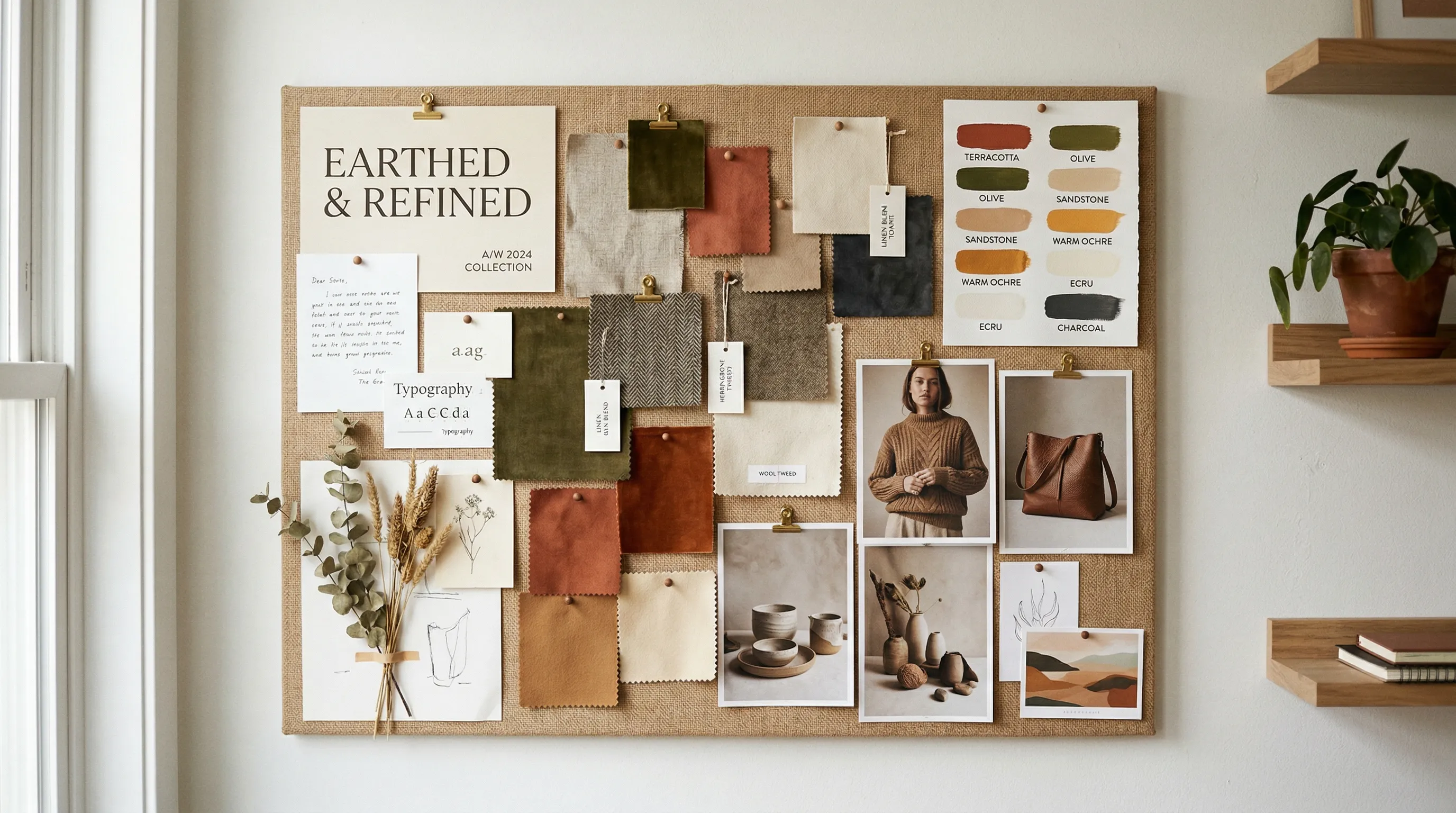
You Know You Need a Visual Brand Identity. You Also Know You Cannot Afford One.
Building a visual brand identity can feel as if it starts with a hire you cannot afford. Salary.com's September 2026 figure puts average US creative-director salary at $143,809 a year, before employer costs. That is employment compensation, not a quote for your project. ZipRecruiter's freelance salary estimates likewise should not be treated as client billing rates. For project context, Clay's own startup-branding guide describes $15,000–$50,000 packages covering strategy, identity, messaging and basic guidelines, not merely a logo.
If your total starting budget is $5,000, even the low end of that agency range is out of reach. That does not mean you must wait to establish a recognizable visual direction. It means choosing a manageable first system and deciding which judgments you can make yourself.
So you pick your own colors, design a logo in Canva, shoot product photos on your kitchen table, and move on. The result can look like it was assembled from spare parts, even when the individual choices are good. That is a systems problem: the next piece of work has no shared direction to start from.
What a Creative Director Actually Does
A creative director contributes judgment: what the brand should express, which ideas deserve investment, and whether the finished work is right. That is broader than choosing attractive colors or checking a template.
One repeatable part of that work is building a consistency system. A founder can take on a modest version: define a visual direction, document it, make it easy to reuse, and review the output. Tools can reduce repeated execution; they do not replace strategic judgment or automatically know when a brand should change.
That coherence is not magic. It decomposes into five specific functions:
| Function | What the CD Does | How You Can Do It |
|---|---|---|
| 1. Style Definition | Chooses the visual language: lighting, color, composition, mood | Curate 10-20 reference images from brands you admire; identify the common elements |
| 2. Style Documentation | Creates the photography style guide the team follows | Write a simple 1-page guide covering 10 core elements (covered below) |
| 3. Consistency Support | Keeps new work aligned with the intended direction | Reuse templates and saved image settings, then compare the output with the guide |
| 4. Quality Control | Approves or rejects output; directs reshoots and retouching | Review against product and style references; choose editing or a reshoot for the defect |
| 5. Cross-Channel Adaptation | Adjusts images for different platforms while maintaining brand | Use aspect ratio controls and platform-specific formatting |
Picking colors and fonts covers only the beginning. Functions 3, 4, and 5 (repeated production, review, and channel adaptation) are where a small system earns its keep. The aim is to make those jobs manageable without pretending a tool has become your creative director.
The Visual Brand Identity Element Nobody Talks About: Product Photography
Search for "DIY brand identity" and you will find hundreds of articles covering the same three pillars: logos, color palettes, typography. These matter. But for ecommerce brands, they are not the visual element your customers interact with most.
Product photography is.
Product photographs show the thing being sold. They need to explain its shape, material, scale and useful details, while fitting the store's visual language. A logo cannot compensate for a catalog in which those images are confusing or contradict one another.
A brand can have a perfect logo and a carefully chosen color palette. If the product images look inconsistent across the catalog, the visual identity collapses at the point of purchase. You see this constantly on Amazon and Shopify: stores where the logo is polished but the product shots feel like they came from five different sellers. Different lighting. Different angles. Different backgrounds. Different moods. That gap makes the store harder to read as one coherent brand.
McKinsey's Design Index study followed 300 publicly listed companies across three industries for five years. Top-quartile design scores correlated with revenue growth 32 percentage points higher than industry counterparts. That is not a measured sales lift from consistent product photos, but it is a reason to treat design as an operating discipline rather than a logo exercise.
How to Build a Photography Style Guide in an Afternoon
Here is the good news: the first two creative director functions (style definition and style documentation) do not require design training. They require observation and a few hours of focused work.
A 2019 Lucidpress survey announcement is often cited for an estimated 33% revenue benefit from consistent branding. It was a vendor survey of more than 200 organizations, not a controlled test of a style guide. For a solo founder, the immediate benefit is concrete: fewer decisions to reconstruct every time another product needs an image.
The 10 Elements of a Photography Style Guide
Based on Shopify's official photography style guide framework and condensed into something a solo founder can actually complete:
- Lighting standard - Natural or artificial? Soft diffused or hard directional? Pick one and stick to it.
- Color palette - Background colors, accent colors, and your brand color hex codes written down.
- Composition rules - Framing, negative space, product-to-frame ratio. How much breathing room does your product get?
- Angle specifications - Standard angles for each product category. Front, three-quarter, side, top-down.
- Background treatment - White, colored, textured, or lifestyle environments. This needs to be consistent across your catalog.
- Editing standards - Shadow treatment, color temperature, saturation levels. Small differences here compound across hundreds of images.
- Model direction (if applicable) - Poses, diversity, styling.
- Technical specifications - Resolution, aspect ratio and file format per platform. Amazon's public guide lists 500–10,000 pixels on the longest side; zoom recommendations and category-specific main-image rules need separate checks. Shopify recommends 2048x2048 for square product images.
- Reference images - 3-5 images that say "this is what our brand looks like."
- Anti-reference images - 3-5 images that say "this is what our brand does not look like." These are just as useful.
You can document all ten elements in a single page. The time investment is an afternoon. The reference images are the most important part: save them somewhere accessible, because they define the target that every future image needs to hit.
The Glossier Principle: Simple and Uniform Beats Complex and Inconsistent
Glossier is an easy visual reference for a restrained palette and simple presentation. Its own history traces the company to Into The Gloss and its community. That does not establish that the brand had no professional creative help or that its visual style alone caused commercial success.
Beardbrand's founder describes a clear vision for the brand and the audience it serves. Use examples like these to study recognizable choices, not to infer a budget you have not seen.
The practical lesson is narrower and useful: choose a small set of visual decisions you can carry through consistently. Complexity that you cannot maintain is not a useful starting advantage.
Consistency at Scale: The Problem a Style Guide Cannot Solve Alone
Writing the style guide is the straightforward part. The hard part is making sure every image in your catalog actually follows it.
Lucidpress's 2019 survey also reported that 81% of respondents dealt with off-brand content. That is not a current measurement of all brands, but it illustrates why documentation and execution are separate jobs. A guide needs a place in the actual production routine.
For a solo founder managing many SKUs across Amazon, Shopify, Instagram, and ads, checking every image takes time. Different light, camera positions and editing choices can introduce drift. A marked physical setup and reference frames can help with photography; saved creative settings help when generating images.
A simple review checklist makes the job smaller: does the image represent the actual product, match the intended lighting and crop, and fit the channel? Name the few differences that matter before reviewing, so you are not re-deciding the brand direction with every frame.
The part you can systematize is repeated setup and comparison. Keep the judgment about brand direction, product truth and final approval with a person.
Tools That Support Each Creative Director Function
Different jobs need different tools. Use saved settings for repeated production and a simple document for decisions the tool cannot encode.
| Function | Tool | Why |
|---|---|---|
| Style definition | Nightjar Photography Styles + a moodboard | Collect references, then save a compatible photographic direction |
| Style documentation | Nightjar Recipes + Notion/Google Docs | Recipes retain Create controls; written notes explain when and why to use them |
| Repeated production | Nightjar Styles + Framing or Pose/Camera Distance | Reapply the intended look and view without rebuilding the setup, in the web app or from Claude |
| Quality control | Human review, then an editor suited to the defect | Plain-language editing can request a change; inspect the result |
| Cross-channel adaptation | Aspect-ratio controls and a layout editor | Make a suitable crop or generated variation for each channel; resize to delivery dimensions if needed |
| Color palette | Coolors + documented color targets | Explore the palette, then use color directions in image production |
| Logo and typography | Canva or a designer | Create and apply visual assets in reusable layouts |
| General guidelines | A shared document plus templates | Keep the approved decisions and examples accessible |
Canva supports layouts and reusable brand assets; Coolors supports palette exploration. Midjourney also has Style References, so it is inaccurate to say it has no way to reuse a look. OpenAI's image models support image inputs and editing; the older DALL-E 3 page is not a complete description of its current image tooling. Nightjar's role here is a saved, shared product-production setup. For a wider comparison, see Best 10 Tools for AI Product Photography.
Why Product Photography Consistency Is the Hardest Function to Replace
Logos: design once, use everywhere. Colors: pick hex codes, done. Typography: choose fonts, apply them. These elements are static by nature.
Product photography is different. Every image is a new production. Different products, different shapes, different materials. Each shoot (or generation session) introduces fresh opportunities for drift. That is why photographic consistency needs both a repeatable starting setup and an output review; the older off-brand-content survey does not isolate photography as its cause.
Nightjar's Photography Styles feature addresses the repeated setup. A custom Style uses exactly three reference images to establish camera feel, lighting, mood and color direction. Save it for the next product. Framing guides product-only camera direction and crop; on-model work uses Pose and Camera Distance, separately from the Style.
The scale layer is Recipes: a saved Create setup containing the selected Photography Style, applicable Framing or Pose/Camera Distance, Fashion Model, Background choice, Custom Directions and output settings. Once a setup produces an approved treatment, apply it to the next Product without rebuilding the brief. Choose that Product, its critical Additional Photos and the output mode separately. Those are not saved in the Recipe.
Recipes belong to the Team and are available through its shared Library. A founder's saved direction is therefore available to a marketer, assistant or agency partner on the same Team. That turns a part of the style guide into an actual production starting point. More than 19,000 brands use Nightjar.
If You Already Work in an AI Assistant
If you already write product copy and plan launches in Claude, images have meant leaving the conversation: Claude plans and writes but does not make photographs, so each new product sent you to a separate tool to brief the brand again. With Nightjar connected, the images come from the same conversation. Nightjar connects to Claude (on the web, the desktop app, Cowork and mobile, as a custom connector), Claude Code and Codex through MCP, the open standard AI assistants use to connect to other tools.
The reason this matters for brand consistency is where the direction lives. Your look is saved to your Nightjar Team as a Photography Style and a Recipe, not in one conversation's history. A request such as "Apply our Studio Recipe to the three new candles" reuses that approved setup on the saved Products instead of relying on how well you describe the brand that day. You can also create the Style in the conversation from your three reference images, save a new Recipe once a result is right, edit an image in plain language, or ask for a batch of up to 100 Products with a sample to approve and a spending ceiling before the rest runs. The assistant states the Credit cost before paid work starts, and every image lands in the same Team Library that a future hire or agency partner would use.
Connecting is free and needs no API key; images use the Team's Credits at web-app prices. Nightjar in Claude shows the conversation, and the Nightjar MCP guide covers setup.
The Real Cost Comparison: Creative Director vs. DIY vs. AI-Assisted
For a catalog of 200 SKUs needing six images each, the target is 1,200 approved images. Compare budgets for that same brief, including work that each route leaves to you:
| Cost Item | Creative Director + Photography | Project Agency / Photographer | AI-Assisted (Nightjar) |
|---|---|---|---|
| Creative direction | Allocate the relevant share of salary and employer costs; a CD works on more than these photos | Quote strategy, guidelines and art direction explicitly | Founder or hired creative time |
| Source capture | Photographer, studio, handling and equipment | Confirm what the quote covers | Capture clear reference photos of each product |
| Image production | Shoot and retouch to the brief | Price the required final views and scenes | 1,200 completed standard 1K/2K images use 1,200 Credits; 4K uses 2,400 |
| Review and revisions | Team labor and agreed retouching | Included rounds or additional fees | Selection, product checks and any edits; built-in visual review can retry obvious failures at no extra Credit cost |
| New products | Repeat the documented capture setup | Agree repeat-job pricing and direction | Select the new Product and reuse the saved setup |
The Credit figures are output arithmetic; dollar spend depends on the plan, utilization and other operations. Likewise, a full creative-director salary cannot fairly be assigned entirely to product photos if that person also directs campaigns and brand strategy.
A simple pricing illustration: if a photographer quotes $25 per finished image for this brief, 1,200 images cost $30,000 before anything explicitly excluded. That is an assumption, not a universal photography rate. Add the actual direction and revision quote to build your first-year budget.
For a fuller worksheet, see What is the cost difference between AI product photography and a traditional studio shoot?
Time Savings for a One-Person Team
Cost is one dimension. Time is the other, and for a solo founder, it is often the more scarce resource.
Use the following as a planning worksheet. The manual column is an illustrative 13-hour week; fill the second column with your actual AI-assisted process.
| Task | Illustrative Manual Hours/Week | What to Count with AI |
|---|---|---|
| Concepting | 2 | Brief, reference selection and saved-setup maintenance |
| Shooting | 4 | New Product sources and missing detail views |
| Editing | 5 | Generation setup, selection, corrections and product review |
| Formatting | 2 | Reframing, layout, resizing and export checks |
| Total | 13 | Sum the actual time; savings = 13 minus that total |
Reusing a good setup can free time, and the worksheet shows how much for your own job. The help-desk covers estimating weekly time savings for a one-person team.
The Principle That Matters More Than Any Tool
A manageable style is easier to sustain than a complicated one you have to reinterpret every week.
Choose the lighting, palette and framing that fit the product and audience. Write a short guide with positive and negative examples. Put the repeatable decisions into templates or saved image setups. Then keep the review small and explicit: product truth, visual direction, channel fit.
You may not need a full-time creative director at this stage. You do need someone, even if that someone is you, to own the decisions a template cannot make. The useful role of tools is to carry those decisions into the next piece of work with less repeated setup.
Frequently Asked Questions
How much does it cost to hire a creative director for brand identity?
Salary.com's September 2026 US average is $143,809 annually, before employer costs. A freelance project is a different purchase: ask for a quote based on strategy, deliverables and review rounds. Clay's startup-branding guide describes $15,000–$50,000 packages, but that is one agency's scope guidance, not a universal rate.
Can I create a brand identity myself without design experience?
You can create a practical first version: collect references, choose a limited visual direction, and document the decisions. Tools help you repeat it, but ask for design help where you cannot judge the result or where the stakes justify it.
What are the essential elements of a visual brand identity?
A logo, palette, typography, layout conventions and imagery direction. For an ecommerce brand, include a photography guide covering lighting, composition, required views, backgrounds, editing and technical delivery.
How do I keep my product photography consistent across my entire catalog?
Document the intended look and use a repeatable physical setup or saved generation settings. In Nightjar, save a Photography Style and the relevant Create controls in a Recipe, then select each Product and its references. Compare every delivered image with both the style guide and the real item.
What AI tools can help me build a visual brand identity?
Nightjar supports saved product-photo Styles and Recipes in a shared Team Library. If you already work in Claude, Claude Code or Codex, you can connect Nightjar there and apply those same Styles and Recipes from the conversation. Canva handles layouts and visual assets; Coolors helps explore palettes. General image tools also support references, so choose based on your repeated task. See Best 10 Tools for AI Product Photography for broader coverage.
Does brand consistency actually affect revenue?
There is evidence linking design and consistency with business outcomes, but the frequently cited figures are not guarantees. Lucidpress's 2019 survey reported estimated benefits; McKinsey found an association between high design scores and stronger growth. Neither isolates a causal sales lift from making your product photos consistent.
What is the difference between brand identity and visual identity?
Brand identity includes mission, values, voice, personality and visuals. Visual identity is the visible subset: logo, colors, typography, layouts, imagery and photography style. This guide focuses on that subset, particularly the product images a small ecommerce brand produces repeatedly.
References
- Nightjar - AI product photography with style consistency
- Salary.com - Creative Director Salary - US compensation data
- ZipRecruiter - Freelance Creative Director Salary - Salary estimates, not client billing rates
- McKinsey - The Business Value of Design - Design Index study of 300 companies
- Lucidpress/Marq - State of Brand Consistency - 2019 vendor-survey findings, not a controlled causal estimate
- GrabOn - Product Photography Statistics - Secondary statistics roundup
- Shopify - Photography Style Guide - Official style guide framework
- Snappr - Product Photography Pricing - Traditional photography cost benchmarks
- Photoroom - Images and Conversion Rates - Image-coverage discussion
- Canva - Design tool for brand assets
- Coolors - Color palette generator
Further background from the original reading list (not evidence of guaranteed revenue or conversion lifts):
- Success: Solo Entrepreneur Boom
- Ken Yarmosh: Solopreneur Statistics
- Amra & Elma: Brand Color Recognition
- Straits Research: Color in Branding
- Privy: Glossier
- The Branding Journal: Startup Branding
- Marq: Brand Consistency
- Tenet: Branding Statistics
- WiserReview: Branding Statistics
- DemandSage: Canva Statistics