
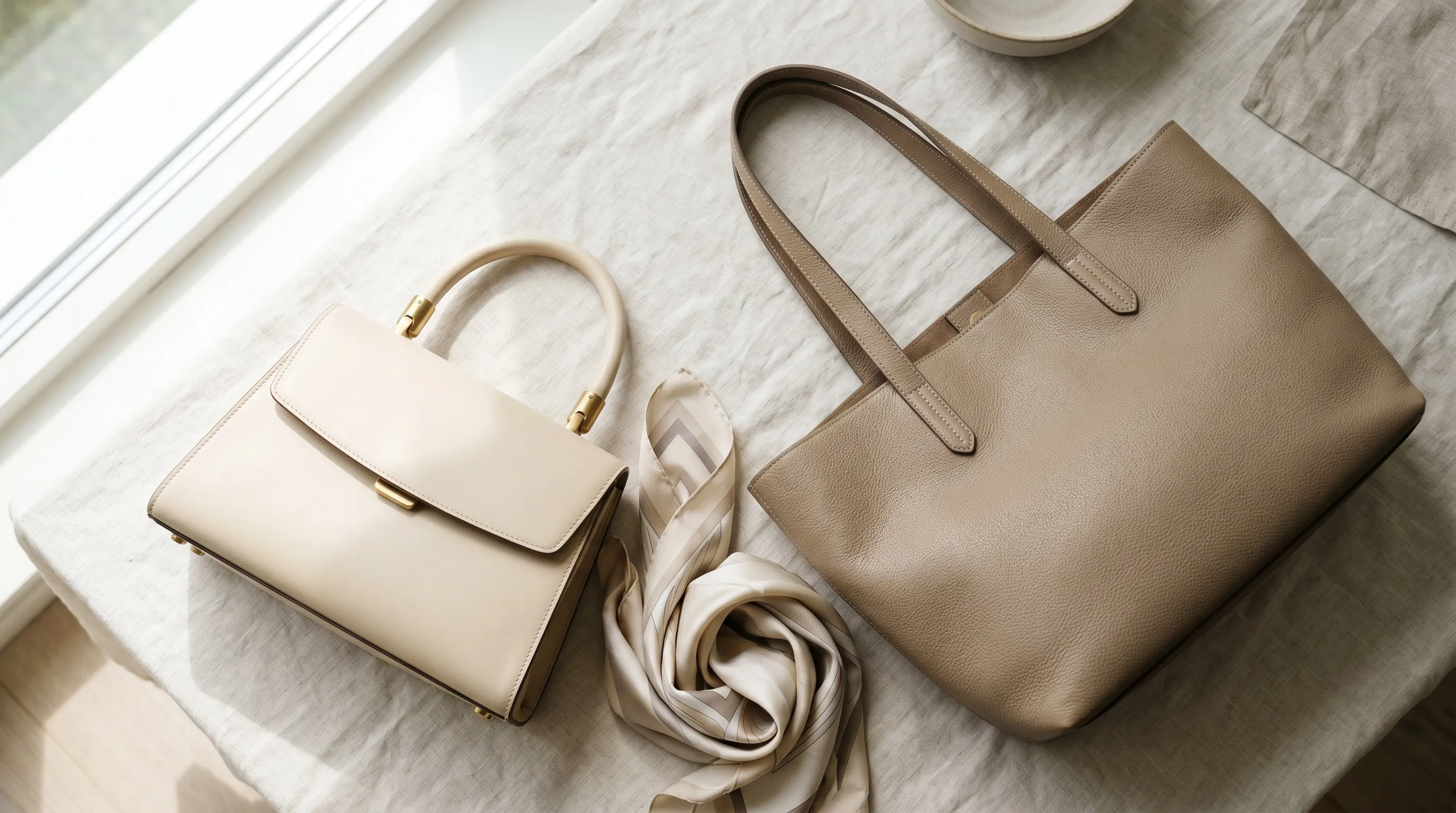
Quick Answer
AI product photography for handbags works best as a controlled shot list, not a request for one attractive hero image. Plan six to eight useful views, supply real evidence for hardware and materials, and separate product-only Framing from the Pose and Camera Distance used for on-model carry shots.
This guide combines current marketplace guidance with the controls a bag brand needs for repeat production. The worked workflow uses Nightjar, but the underlying rule is broader: source evidence should define the bag, while reusable direction should define how the bag is photographed.
A handbag listing is two shoots in one. Product-only views must prove silhouette, construction, and interior; carry shots must show scale, strap behavior, and how the bag sits on a person. Both sets still need to look like the same product and the same brand.
The multiplication is where handbag photography becomes an operations problem. A 40-design launch in three colorways needs 960 deliverables if every colorway receives eight images. One changed clasp, invented pocket, or drifting Fashion Model can break an otherwise coherent product page across hundreds of outputs.
What images should an AI handbag listing include?
A useful handbag listing usually needs six to eight images that explain shape, depth, access, construction, scale, and carry. Six to eight is a practical coverage range, not a universal marketplace rule, and the exact mix should follow the bag's design and the sales channel.
The core set starts with clean product-only views, then adds the evidence that a buyer cannot infer from the front. A reversible tote may need both sides; a structured satchel may need a closure detail; a crossbody needs a worn view that shows strap drop.
| Image role | What the buyer learns | Source evidence the AI needs |
|---|---|---|
| Front | Overall silhouette, proportion, logo placement | Straight-on Product Photo |
| Three-quarter | Depth, gusset, handle attachment | Front and side Product Photos |
| Side | Bag depth, profile, strap hardware | Clear side Product Photo |
| Back | Rear seams, pockets, finish | Real back Product Photo |
| Top or opening | Handle layout, closure, opening width | Top or open-bag Product Photo |
| Interior | Lining, compartments, pockets, closure | Real interior Product Photo |
| Hardware or material detail | Stitching, grain, clasp, zip, brand mark | Close detail Product Photo |
| On-model carry | Scale, strap drop, worn position | Bag references plus a chosen pose and crop |
Current platform rules should shape delivery, but they do not define a universal bag shot list. Amazon's official product-photo guide requires at least one image, recommends at least six, and lists standard front, back, side, overhead, close-up, and 45-degree views. Amazon also says images must be 500 to 10,000 pixels on the longest side; its main-image rules are stricter than the rules for secondary lifestyle images.
Shopify's current product-media guidance says square product images usually display best at 2048 by 2048 pixels and recommends a consistent aspect ratio for featured images shown together. Etsy needs a different check: Etsy's listing-image policy generally requires original photos of the actual finished product and restricts renderings to specific exceptions. Etsy also recommends images at least 2000 pixels wide, but sellers should verify policy eligibility before publishing AI-generated handbag imagery. Our Etsy product-photo guide and Shopify storefront guide cover those channel-specific decisions.
The same coverage logic applies beyond bags. The footwear photography shot-list guide explains why product categories with meaningful side, sole, and worn views also need a planned sequence rather than disconnected hero images.
Product truth comes before AI handbag generation
Product truth comes before generation because handbag fidelity depends on showing the AI every feature that must survive into the output. A single front packshot cannot prove the back pocket, side gusset, clasp mechanism, lining, or interior compartments, so those details should never be invented from a prompt.
In Nightjar, a Product is a reusable subject that groups multiple Product Photos around one visually distinct sellable item. A bag brand can add front, side, back, interior, worn, and detail photos, then supplement them with a factual Product Description and physical Product Dimensions. The Product Photos remain the authority for visual identity; the text and dimensions add context without replacing the images.
Nightjar currently accepts up to five combined Product and loose Asset references in one Product Photography Generation. The Product's Main photo is considered first, then Nightjar fits Additional Photos and other Product Photos into the remaining input slots. For an interior, side, or hardware Generation, make sure the evidence for that view is among the references actually supplied rather than assuming every photo stored on the Product will guide every output.
| Fidelity risk | Evidence to provide | What to inspect before publishing |
|---|---|---|
| Logo plate or wordmark changes | Sharp front and detail photos | Letterforms, spacing, finish, placement |
| Clasps, zips, rings, and feet move | Side and close hardware photos | Count, shape, orientation, attachment points |
| Leather grain becomes too smooth | Close material photo under neutral light | Grain scale, pores, creases, edge paint |
| Bag depth or strap drop changes | Side view plus physical dimensions | Gusset depth, handle height, worn position |
| Interior pockets are invented | Open-bag and interior photos | Pocket count, lining, closures, labels |
Nightjar also runs built-in visual review on supported image Generations. The review compares an output with the request and references, can catch obvious substitution, missing-product, readable-text, brand-mark, or catastrophic image failures, and can retry eligible failures at no extra Credit cost. This is an extra inspection layer, not a promise of perfect logos, colors, dimensions, grain, or stitching. A person who knows the real bag should still approve every commercial image.
Hardware close-ups deserve their own output rather than a crop from a wide view. Nightjar's Macro Framing can guide a product-only detail shot, while a close Product Photo provides the evidence the Generation needs. The guide to detail zoom shots for fashion listings covers that workflow, and our jewelry photography guide applies the same inspection discipline to reflective metal and small construction details.
How do you create consistent product-only handbag angles with AI?
Consistent product-only handbag angles require the bag's identity to stay fixed while camera direction, background, contact shadow, and photographic look change independently. Nightjar gives each variable a persistent place: the Product supplies the subject; Framing sets the product-only camera angle and staging; a flat background color creates clean listing intent; Shadow controls the contact shadow; and a Photography Style carries the lighting, camera feel, mood, and color treatment.
That separation matters because each control solves a different kind of drift. Eye-level, Three-quarter, Overhead, or Macro Framing changes the camera relationship without asking the AI to reinterpret the whole brief. A reusable Photography Style keeps the visual language steady across those views. A flat color can produce the clean background needed for a listing, while a saved Backdrop is better when the bag should sit on a repeatable physical-looking surface.
For a fixed listing sequence, create each required view as its own Product Photography Generation and review it against the relevant Product Photos. A Photoshoot is not the right substitute for a compliance-oriented angle list because its four connected images deliberately vary camera angle, crop, pose, and detail.
A repeatable front-view setup might contain:
- Product: the current bag colorway, with multiple Product Photos and dimensions
- Photography Style: the launch's reusable camera and lighting direction
- Framing: Eye-level for the front, then Three-quarter, High angle, Overhead, or Macro where those choices fit the required view
- Background choice: an exact flat color for a clean listing image, or a saved Backdrop for a repeatable surface
- Shadow: none, soft, hard, long, or reflection when the shot uses a flat color and no Fashion Model
- Output: the aspect ratio, resolution, and JPEG, PNG, or WebP format required by the destination
The core mechanism is the same as the one in our consistent AI product photography framework and Photography Styles guide: preserve the product as reusable context, then reuse the photographic direction instead of reconstructing it in every prompt.
How should AI create top, interior, and hardware views of a handbag?
AI should create top, interior, and hardware views only when the source material actually reveals those structures. These are evidence-heavy shots, and a plausible invented pocket or closure is still a false product claim.
For a top or opening view, include a Product Photo that shows the handles, opening, zip, and gusset from above. Select Overhead or Three-quarter Framing, then use Custom Directions only for details the references already support, such as arranging a detachable strap beside the bag or keeping a clasp open.
For an interior view, add a real interior Product Photo to the Product. If the lining pattern, pocket count, label, or closure cannot be seen in the references, photograph that interior rather than asking the model to guess. The real photograph can remain the final listing image, or it can guide a carefully reviewed Edit Images Generation when cleanup or reframing is needed.
For hardware and grain, use a close reference plus Macro Framing, and inspect the result at the resolution buyers will see. Generated detail should be checked for mirrored hardware, changed stitch counts, melted letterforms, false reflections, and material texture that looks too uniform.
How do you keep the same Fashion Model and carry geometry across handbag photos?
On-model carry shots expose inconsistency immediately because the bag and the person must hold their identity while pose and crop change. In Nightjar, the selected Product and its dimensions establish the bag, a reusable Fashion Model establishes the person, a Pose controls body arrangement, and Camera Distance controls the crop. Reusing those controls lets the same campaign direction continue across different bags and Generations.
Four carry families cover many handbag and tote listings:
| Carry type | Typical bag | Pose direction | Camera Distance |
|---|---|---|---|
| Hand-held | Structured tote or satchel | Arm relaxed, bag clear of the body | Medium or far |
| Shoulder | Hobo or soft tote | Shoulder carrying the strap, torso unobstructed | Medium or far |
| Crossbody | Camera bag, sling, small crossbody | Strap visible across torso, bag at intended height | Medium |
| Forearm | Structured top-handle bag | Elbow bent, handles visible, bag not crushed | Medium |
Nightjar's Fashion Model is a reusable AI person that can be selected across Product Photography Generations. A bag brand can use one from the premade library or create a custom Fashion Model from one to five source Assets when it has the right to use the person's likeness. Reusing the same Fashion Model, Pose, Camera Distance, Photography Style, and Location gives the collection persistent direction, though every output still needs review for face, hands, strap path, bag scale, and product detail.
The guide to reusing one AI Fashion Model across a collection covers identity continuity, while the model-pose guide explains how Pose changes body arrangement without becoming product-only Framing. Our broader Fashion Model control guide connects both controls to campaign consistency.
When a carry scene needs several exact image references, Nightjar's Edit Images Workflow can make their roles explicit. A user can place the bag, person, and scene Assets on the editor board, refer to them as @image1, @image2, and @image3, and set a /ratio in the same instruction. That is useful for a specific composite, while Product Photography remains the clearer repeat-production path for a reusable Product and Fashion Model.
A colorway changes color, not material
A handbag brand can create colorway derivatives from approved source angles with the Recolor Edit Shortcut, but each output must be checked against the real colorway. Recolor provides explicit color direction while the source Asset helps preserve lighting, folds, stitching, hardware, and product structure; it does not guarantee an exact material or hex match.
Nightjar treats visually distinct colorways as separate Products. That boundary keeps the black, cognac, and sage versions from becoming one ambiguous subject and lets each colorway build its own approved Product Photo set.
The production math is useful. A launch with 40 bag designs, three colorways, and eight deliverables per colorway needs 40 × 3 × 8 = 960 final images. If one colorway per design already has eight approved source images, the other two colorways account for 40 × 2 × 8 = 640 derivative outputs. Recolor can reduce repeated capture for those derivatives, but the operator still needs a physical reference for the actual leather color, grain, edge paint, lining, and hardware combination.
Color changes and material changes are different jobs. A smooth-leather source should not be recolored and presented as suede or canvas. Build a separate Product from real photos of the material variant, then run the shot list from that evidence. Our AI color-variant guide and colorway workflow answer cover the review steps in more depth.
How do Recipes make a handbag shot list repeatable across a collection?
Recipes make a handbag shot list repeatable by saving how the image should be photographed without saving the Product being photographed. A Nightjar Recipe is a Team-owned Create-form setup that can store the Photography Style, model choice, Framing or Pose, Camera Distance, background choice, Custom Directions, image count, aspect ratio, resolution, and output format.
Because a Recipe excludes Products and Additional Photos, the bag remains the variable. A Team can apply the same front-view Recipe to the next colorway or design, then use separate Recipes for the other stable view families.
| Recipe | Direction that stays fixed | What changes |
|---|---|---|
| Clean front listing | Photography Style, Eye-level Framing, flat color, Shadow, output settings | Product |
| Three-quarter listing | Photography Style, Three-quarter Framing, background, output settings | Product |
| Hardware detail | Photography Style, Macro Framing, output settings | Product and detail evidence |
| Shoulder carry | Fashion Model, Pose, Camera Distance, Photography Style, Location, output settings | Product |
Each Product carries the bag's own construction evidence; a Recipe carries the approved lighting, scene, model, arrangement, and delivery choices. That split also helps a Team work from one shared production system. An art director can build the direction once, while marketers or ecommerce operators apply it to later Products without translating the brief back into prose.
For large catalogs, the bulk product-photography workflow explains when to use repeated Generations or the public API. The catalog consistency guide goes deeper on sharing Products, Photography Styles, Recipes, and approved outputs across a Team.
How should lifestyle images and Photoshoot fit into a handbag catalog?
Lifestyle images should extend the same brand direction as the listing set while answering different questions about use, scale, and mood. A clean listing image can use a flat color; a lifestyle image can use a reusable Location, the same Photography Style, the same Fashion Model, and a suitable Pose.
A Location is a saved Background that represents an environment, such as a hotel lobby, cafe, city pavement, or quiet studio interior. Reusing one Location across several bags makes the setting recognizable, while the Product keeps the bag itself anchored. The lifestyle versus white-background guide explains how those two image types divide work on a product page.
When the Location, Photography Style, Fashion Model, and product evidence stay coherent, the catalog and lookbook read as one continuous brand world rather than separate AI experiments.
Photoshoot is a cohesive four-image output choice inside Product Photography. It keeps the subjects, setting, look, Fashion Model choice, and Custom Directions connected while varying angle, crop, pose, and detail across the set. That makes Photoshoot useful for campaign exploration or a related lifestyle group. It is less suitable for the fixed front, side, back, interior, and hardware evidence required by a controlled listing shot list.
Amazon's product-photo guidance makes the consistency goal unusually plain. Mickey Toogood, a senior content marketing manager at Amazon, writes: "You want a customer to be able to recognize the look and feel of your product and brand." Reusable Products and production direction make that recognition easier to continue from the catalog grid into lifestyle imagery.
Which handbag images should still come from a real photo shoot?
Real photography remains the right source when the image must prove unseen construction, exact material behavior, or a specific person's real appearance. AI can carry much of the repeat catalog workload, but it should not become evidence for a product feature it was never shown.
Keep or commission real photographs for:
- interiors when the lining, pockets, or closure are not fully documented
- new leathers, textiles, prints, and hardware finishes without approved reference images
- regulated, wholesale, or marketplace contexts that require original product photography
- celebrity or named-talent campaigns with likeness, usage, and provenance requirements
- hero imagery where every fold, reflection, stitch, and edge must be directed on set
The best boundary is simple: use real capture to establish product truth, then use AI to extend approved truth into repeatable angles, colorway derivatives, carry shots, and campaign variations. For marketplace use, review current rules before publishing; our AI product-image platform rules guide links the relevant policy surfaces.
What is a practical end-to-end AI handbag photography workflow?
A practical AI handbag photography workflow builds the Product first, proves one complete view set, then saves only the direction worth repeating. Running the whole collection before approving one bag multiplies errors faster than it creates useful Assets.
- Create one Product per colorway. Add the real front, side, back, interior, worn, and detail photos available for that visually distinct version, plus factual dimensions and description.
- Define the clean listing direction. Choose a Photography Style, flat color or Backdrop, product-only Framing, Shadow where applicable, aspect ratio, resolution, and output format.
- Generate and review the fixed views. Compare every output with the Product Photos, especially hardware, stitching, logos, gusset depth, and lining.
- Build the carry direction. Select a Fashion Model, Pose, Camera Distance, Photography Style, and Location, then check scale, strap path, hands, and bag shape.
- Create colorway derivatives carefully. Use Recolor only where the material and construction are unchanged, then review against a physical color reference.
- Save stable setups as Recipes. Keep Products out of the Recipe so the same direction can be applied to the next bag.
- Use Photoshoot for cohesive variation. Add a four-image set for lifestyle or campaign breadth after the required listing evidence is covered.
- Approve one complete Product before scaling. Only then repeat the Recipes across the rest of the launch.
Start with one bag and one complete shot list. If the front, interior, hardware detail, and carry image all survive close comparison with the real product, save the successful direction and move to the next Product. The guide to making AI product photos look more professional provides a final review checklist for that first set.
Frequently Asked Questions
How many images should a handbag product page include?
Six to eight images is a useful planning range for a handbag page, but the set should follow the bag and the channel rather than a fixed quota. Include the views needed to prove silhouette, depth, access, construction, detail, and worn scale, then use the AI product-photo camera-angle guide to plan each product-only view.
Can AI create an accurate handbag interior from one front photo?
No. A front photo does not establish the lining, pockets, label, closure, or internal depth, so use a real interior Product Photo and keep that reference in the Generation's input set. The professional AI product-photo review guide explains how to judge unsupported or invented details.
Which Nightjar controls set the angle of a handbag photo?
Framing sets camera angle, staging, and crop for product-only shots; Pose and Camera Distance control body arrangement and crop when a Fashion Model appears. See the camera-angle workflow and the model-pose workflow for the two paths.
Can Recolor create every handbag colorway from one approved image?
Recolor can create controlled color derivatives when material and construction stay the same, but every result still needs comparison with the physical colorway. Keep each visually distinct colorway as its own Product and follow the fashion colorway workflow.
Should a fixed handbag listing shot list use Photoshoot?
Use separate Single shots when the listing needs exact front, side, back, interior, and detail views. Photoshoot deliberately varies camera angle, crop, pose, and detail across four related images, so it is a better fit for cohesive lifestyle or campaign breadth than a fixed evidence list.
Can an Etsy seller publish AI-generated handbag photos?
Etsy generally requires original photos of the actual finished product and permits renderings only in specific exceptions, so sellers should check the current policy before publishing generated images. The Etsy and Shopify AI-image disclosure answer covers disclosure separately from whether an image is eligible in the first place.
References
- Nightjar - AI product photography system
- Amazon product photography guidance - image count, dimensions, standard views, and brand consistency
- Shopify product media types - image dimensions, formats, and aspect-ratio guidance
- Etsy listing image requirements - original-photo and rendering policy
- Etsy listing setup guidance - recommended listing image width