
Quick Answer
Furniture and home decor brands can create room scenes without building a physical set by giving an AI product photography system clear product views, real dimensions, and either a described environment or a room reference. Review each result for product identity, scale, perspective, contact, shadows, and reflections. Use measured plans or dimensionally verified 3D/CAD for exact fit; a manual composite preserves source imagery but does not by itself prove clearance.
Why do furniture and home decor products need room scenes?
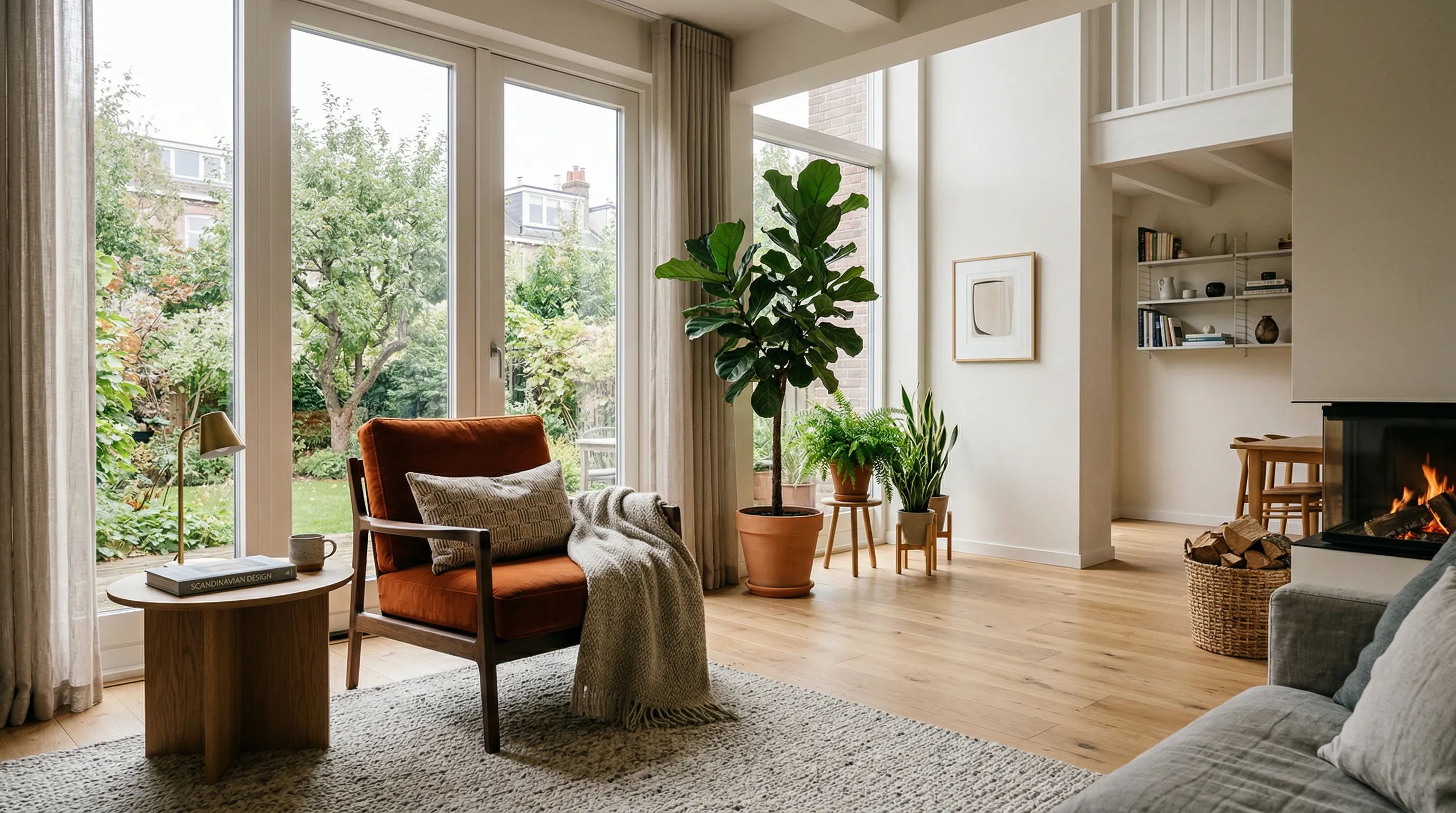
Furniture room scenes give shoppers context that an isolated product photo cannot provide: how an item relates to a room, what kind of space suits it, and which other objects make its size easier to judge. They work best beside accurate product-only photos and dimension diagrams, not as replacements for them.
Wayfair recommends “a mix of high-resolution environmental and silhouette shots” so shoppers can better “touch and feel” a home product online. Its official imagery guidance also calls for varied angles plus images that communicate size and function. That is a useful model for any furniture product page: combine clarity, context, and scale rather than asking one image to do every job.
A room scene can show a sofa beside a coffee table, a pendant above a dining table, or a rug beneath a known furniture arrangement. These relationships help the viewer interpret approximate scale. They do not establish measured clearance. Keep width, height, depth, door swing, walkway clearance, and assembly information in factual product data or diagrams. Baymard’s furniture usability research found that mapping measurements onto a product image helped participants assess size more efficiently and confidently. Pair the room scene with a dimension image that shows which measurement belongs to which part.
What source material produces a more believable AI furniture room scene?
A believable AI furniture room scene starts with product evidence that reveals shape, materials, and scale from more than one useful view. The system should not have to infer a chair's rear profile, a cabinet's hardware, or a textile's weave from a distant front image.
Prepare the following before generating:
| Source material | What it helps establish | What to check |
|---|---|---|
| Front or three-quarter product view | Overall silhouette and the main visible face | Keep the full item and floor-contact points in frame |
| Side or rear view | Depth, construction, and hidden geometry | Use the same product version and finish |
| Detail photos | Joinery, hardware, seams, patterns, and material character | Use sharp photographs of the real item |
| Physical dimensions | Relative scale in the generated environment | Enter width, height, and depth as factual measurements |
| Approved room references | Interior direction, surface choices, and spatial cues | Use images you own or have permission to use |
| Approved photography references | Lighting, color treatment, lens feel, and mood | Choose references that already belong with the brand |
Nightjar stores one sellable item as a Product, a reusable subject made from multiple Product Photos, meaning the images selected to define its visual identity, plus a factual description and optional physical dimensions. The extra views give Nightjar more evidence for each Generation, its term for one image-creation request, while dimensions help guide relative size.
For textiles, wood grain, marble veining, woven surfaces, and small hardware, include close Product Photos. The guide to evaluating bedding and textile detail in AI photography covers textile detail in more depth.
Which workflow should I use for a new room scene or an existing room photo?
Choose the workflow according to whether the room should be generated, supplied, or measured. In Nightjar, the Product Photography Workflow creates a new room from an AI-chosen setting or saved Location, while the Product Placement Edit Shortcut in the Edit Images Workflow uses a specific photographed room.
| Goal | Best approach | Why |
|---|---|---|
| Create a new room around a product | Product Photography with a saved Location or an AI-chosen setting | The product remains the subject while the environment is generated from the chosen direction |
| Reuse the same room across several products | Product Photography with one saved Location and reusable setup | The room reference and production settings can be selected again |
| Put a product into a particular room photo | Edit Images with the Product Placement shortcut | The saved product image and room image receive explicit roles in one edit |
| Show several products as one collection | Product Photography with several Products, or Edit Images with separately referenced Assets | Each item can be identified and reviewed against its own source |
| Prove that an item fits a measured space | Verified dimensions with measured 3D/CAD or photography of a measured setup | A generative room scene is illustrative rather than dimensional evidence |
In Nightjar, a Location is a reusable image-backed environment that the product is brought into for the shoot. A Backdrop is different: it is the exact surface or background on which the product is placed. Both are forms of Nightjar's reusable Background, but a furnished interior is normally treated as a Location.
When a particular room photo matters, Nightjar's Product Placement Edit Shortcut opens a structured path inside the Edit Images Workflow. Add the product and room images as Assets, Nightjar's saved media items, then state the position, orientation, and contact clearly, such as “place the rug beneath the front two sofa legs” or “put the lamp on the left side of the console at the room's existing camera angle.” The real-room furniture visualization guide covers that workflow in more depth.
How is furniture product placement different from real estate virtual staging?
Furniture product placement preserves the sellable item and builds context around it; real estate virtual staging preserves the room and adds representative furnishings. The starting asset reveals which half of the image carries the commercial claim.
For a furniture retailer, the chair's silhouette, finish, joinery, and proportions must remain recognizable while the room can change. For a property listing, the room's architecture must remain fixed while the furniture may be illustrative. A system optimized for the wrong side of that equation can produce an attractive image that is useless for the sale: the room survives, but the actual product drifts.
How do I create a repeatable AI room-scene workflow for a furniture catalog?
A repeatable furniture workflow separates product identity from creative direction, approves a small test set, and saves the successful choices for later products. This reduces repeated briefing while leaving room to adjust the setup for different products.
- Build the Product record. Add the clearest Product Photos, a factual description, physical dimensions, and a Main photo that establishes the item quickly.
- Choose the room strategy. Let Nightjar select a setting, choose a flat color for a clean listing image, or select a saved Background for a lifestyle scene.
- Set the photographic look. Nightjar calls reusable direction for camera feel, lighting, mood, and color a Photography Style. Create one from approved brand photography or choose a curated starting point.
- Control the product-only view. Use Framing to select the camera angle, staging, and crop. For furniture, eye-level, three-quarter, overhead, macro, or pedestal treatments answer different visual questions.
- State only the exception. Use Custom Directions for details that do not belong in the reusable controls, such as keeping a cabinet door closed or leaving negative space for copy.
- Review a representative test. Include products with different dimensions, materials, and silhouettes. Compare the images together as a catalog grid and inspect each one beside its Product Photos.
- Save the approved setup. A Nightjar Recipe saves the Photography Style, Background, Framing, Custom Directions, and output settings without saving the Product. Apply the same production direction to the next item.
The Product carries the chair's identity; the Recipe carries the room and photographic direction. Keeping those jobs separate lets one visual system move across a furniture catalog without making every product look alike.
For a coordinated collection, select several Products in Product Photography when the room should be created around them, or use separately referenced Assets in Edit Images when exact source photos matter. Specify item count, relative size, visible faces, overlap, and contact. The guide to placing multiple products naturally in one scene provides a detailed review checklist.
How can a furniture brand keep room scenes consistent across a catalog?
Catalog consistency comes from reusing the same room, photographic language, camera treatment, and delivery settings while allowing each product's geometry to change. Repeating a text prompt is weaker than saving each decision in a named control that collaborators can inspect and reuse.
Use a Photography Style to hold the lighting, color, mood, and camera feel. Use the same Location when several items should appear in one recognizable interior, and keep Framing plus aspect ratio stable when a collection grid needs a common structure. Save those choices in a Recipe so later Generations start from the approved setup rather than a remembered prompt.
Nightjar also supports two different scales of cohesion. Photoshoot, an output choice inside Product Photography, creates four varied but connected images of one direction. Products, Backgrounds, Photography Styles, Recipes, and output settings carry the direction across later Generations and different products. The consistent AI product photography guide explains the catalog-wide system, while the consistent-aesthetic workflow focuses on reviewing the result as a set.
Consistency should not flatten every room into a clone. A brand can keep its light, palette, lens feel, and styling principles stable while using different Locations for living rooms, bedrooms, dining spaces, and seasonal campaigns. The shared rules make the set recognizable; the varied rooms keep it useful.
How should I review AI furniture and home decor images before publishing?
Review AI furniture images against the approved product and the physical logic of the room. A realistic mood does not excuse an altered leg count, impossible scale, floating contact point, or invented material detail.
| Review area | Reject or revise the image when |
|---|---|
| Product identity | The silhouette, construction, hardware, pattern, logo, finish, or color has changed materially |
| Scale and perspective | The item conflicts with familiar room objects or its edges follow different vanishing points |
| Contact and occlusion | Feet float, rugs pass through furniture, or foreground objects merge with the product |
| Light and shadow | Product lighting conflicts with the room, contact shadows are missing, or cast shadows point incorrectly |
| Reflections | Glass, mirrors, polished floors, or metal reflect an impossible environment |
| Function | Doors, drawers, hinges, seating areas, or moving parts no longer work as the real product does |
| Factual claims | The image implies dimensions, included accessories, materials, or features that the listing cannot support |
Nightjar's built-in visual review compares outputs with the request and references. It can retry obvious failures at no extra Credit cost.
In the United States, the FTC's advertising guidance says advertising claims must be truthful, non-deceptive, and evidence-based. Treat the whole image as a claim about the product. Keep original product photos and factual dimensions beside generated lifestyle imagery, and follow the disclosure rules that apply to the market and sales channel where the image will appear.
When does a furniture image need measured proof?
Use measured evidence when the image must document exact fit, dimensions, or clearance. AI room scenes cover lifestyle context and repeatable catalog production; a fit claim needs verified dimensions, measured 3D/CAD, or photography of a measured setup.
Choose measured 3D/CAD when the buyer needs spatial planning, exact geometry, configurable finishes, or views of a product that has not been photographed yet.
What export settings should furniture sellers use for Shopify and Wayfair?
Furniture sellers should set export dimensions and aspect ratios for the destination rather than using one file for every channel. Platform requirements change, so confirm the current official guidance before delivery.
| Destination | Current official guidance | Practical use |
|---|---|---|
| Shopify | Product images can be up to 5000 × 5000 pixels or 25 megapixels and under 20 MB; Shopify says 2048 × 2048 usually displays best for square product images | Keep featured images at a consistent aspect ratio and export the room scene for the theme's intended placement |
| Wayfair | Images need at least 1000 × 1000 pixels to be featured; Wayfair recommends 2000 × 2000 pixels for detail | Supply both silhouette and environmental views, with additional angles and size or function cues |
These figures come from the current Shopify product-media documentation and Wayfair imagery guidance. Nightjar can export JPEG, PNG, or WebP at selected aspect ratios and supports 1K, 2K, and 4K Generation settings where available. Match the output to the current platform specification, then inspect the final uploaded rendering in the storefront.
References
- Baymard, Dimensions Images - Usability findings on mapping measurements to furniture images
- Nightjar - AI product photography for repeatable catalog production
- Wayfair, Imagery 101 - Official guidance on environmental, silhouette, dimensional, and functional imagery
- Shopify Help Center, Product media types - Official product-image dimensions, file-size guidance, and aspect-ratio advice
- Federal Trade Commission, Advertising and Marketing Basics - Truthful, non-deceptive, evidence-based advertising standard