
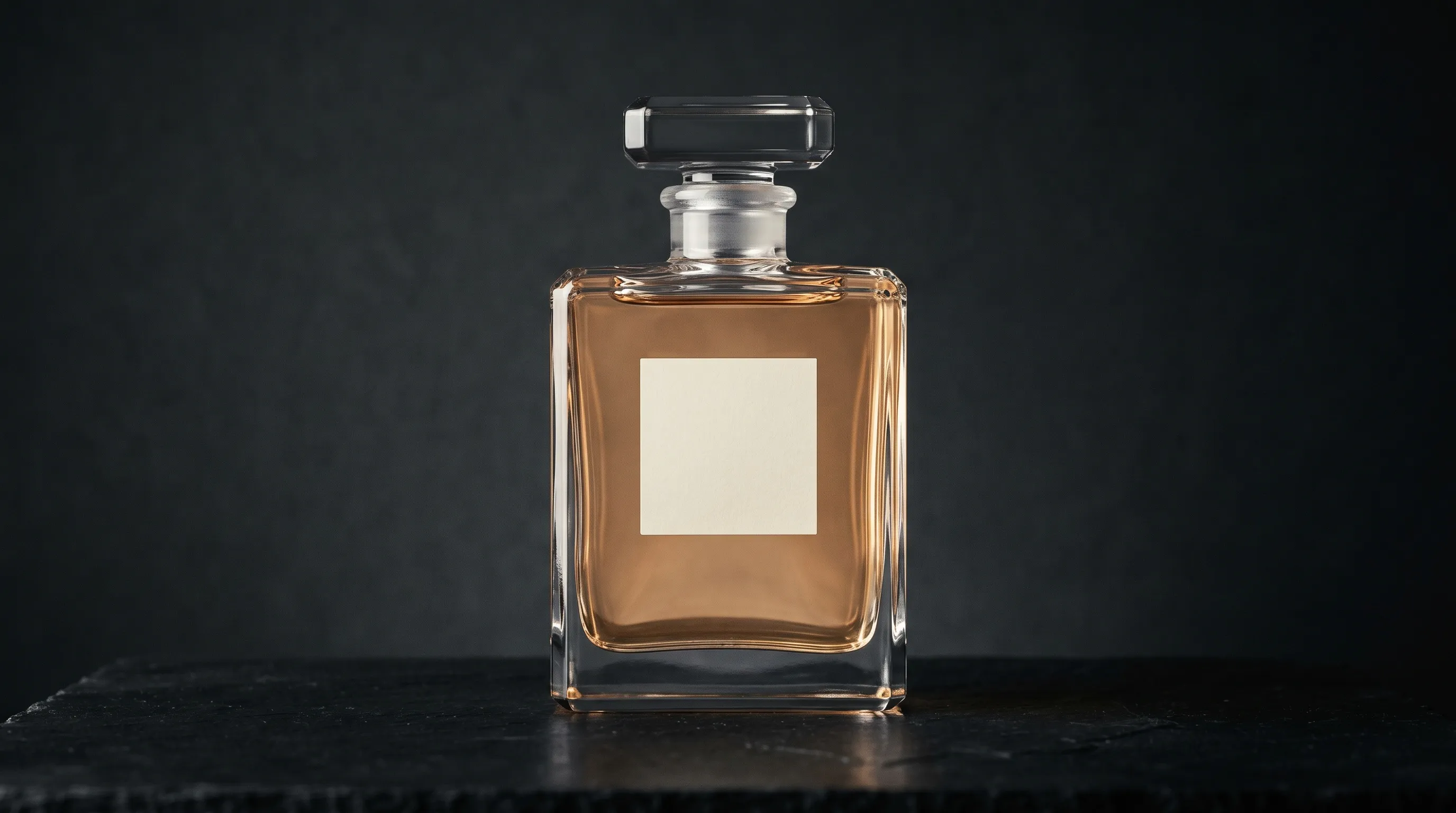
Quick Answer
To photograph transparent products, light the edges and the scene seen through the product instead of aiming a hard light at the front. Use bright-field lighting for a light background with dark edges, or dark-field lighting for a dark background with bright edges, then add a separate light for the label. For catalog variants, start with approved photos of the real bottle and review every generated result for shape, label, fill line, liquid appearance, reflections, and refraction.
Why are transparent products difficult to photograph?
Transparent products are difficult to photograph because a clear bottle is both subject and lens. The camera records its outline and reflections, along with the light and background bent through it. Against white, the bottle can collapse into a faint outline; in its curved surfaces, the whole studio can appear. Adding more front light often makes those reflections larger without making the bottle easier to read.
Refraction changes when light crosses materials, and the amount and direction of that change depend on the material and surface shape. Edmund Optics' introduction to ray optics explains why glass acts like a lens rather than a neutral window. A liquid-filled bottle adds more interfaces: air, glass, liquid, and glass again. The fill line, apparent liquid color, wall thickness, and curved base can all bend the background differently.
Three problems deserve separate attention:
- Refraction: the scene behind the product bends through its surfaces, so moving the camera, bottle, or background changes the result.
- Reflection: softboxes, flags, walls, the camera, and the photographer can appear on glossy glass or plastic.
- Edge loss: clear glass against a light background has too little contrast unless cards or grazing light define its outline.
The practical lesson is simple: photograph the environment around transparent products as deliberately as the products themselves.
Which lighting setup works best for glass bottles and liquids?
Bright-field and dark-field lighting are the two dependable starting points for transparent product photography. Bright-field lighting produces a light body with darker edges and suits clean listings; dark-field lighting produces bright edges against a dark body and suits dramatic hero images. Neither setup lights the front label automatically, so plan a separate label light.
How does bright-field lighting define clear glass on white?
Bright-field lighting defines clear glass by illuminating a large diffused background and using dark cards beside the bottle to create edge contrast. The bottle stays bright because it sees the lit panel, while the black cards appear as controlled dark lines along its sides.
Use this setup as a starting point:
- Place a large diffusion panel or frosted acrylic sheet behind the bottle and light it evenly from behind.
- Put two black cards just outside the frame, one on each side, then move them inward until the edges become visible.
- Add a soft, low-power front or side light for the label without washing out the edge lines.
- Check the base, shoulder, closure, and liquid line at full resolution before changing the camera position.
Edmund Optics' backlighting guide notes that backlight is useful for seeing liquid levels and label placement in transparent vials, but front surface detail may require different illumination. That is the same tradeoff a product photographer manages when balancing a readable bottle outline with readable label text.
How does dark-field lighting create bright edges on glass?
Dark-field lighting defines transparent glass with grazing light around a black field. Put a large light behind the subject, block its center with a black card that fills the camera view, and allow only the spill around that card to catch the bottle's edges.
Westcott describes the core setup as using “a large light behind the subject” and blocking part of it with a dark patch. Move the patch or light to control the width and brightness of the edge. Add a restrained front fill when the label, cap, or contents need detail, and flag any light that creates an unwanted hotspot.
Dark-field works well for perfume, spirits, oils, and other hero images where the silhouette matters. It is less suitable when the final image must have a plain white background.
How do you control reflections without making glass look flat?
Control reflections by choosing which large surfaces the product can see. A curved bottle reflects far more of the room than a flat object, so large diffusion panels, black flags, and a darkened shooting area are usually more useful than small lights pointed directly at the product.
A polarizing filter can reduce some reflections, and cross-polarization can reduce more when polarizing film is placed on compatible lights. Polarization will not remove every reflection from every curved surface, and removing all specular cues can make glass look synthetic. Keep the reflections that describe the shape; remove only the ones that reveal equipment or distract from the label.
For glossy metal caps, atomizers, and lacquered labels, the same reflection-mapping discipline applies. The separate guide to photographing glossy and reflective products covers those surfaces in more depth.
How should you prepare a bottle before photographing it?
Prepare a bottle by cleaning it carefully, handling it with lint-free gloves, and checking it under a raking light before every final frame. Dust and fingerprints that seem minor in the room can become the strongest details in a backlit photograph.
Use a cleaner that is safe for the bottle, coating, printed label, and closure. Test it on an inconspicuous area rather than assuming a solvent is harmless. If the product is chilled, decide whether real condensation is acceptable or whether a controlled cosmetic mixture is appropriate for the package and shoot; protect the label, work surface, and any product that will later be sold.
For curved labels, start with a narrow soft source slightly to one side of the camera. Raise or lower it until the type reads without creating a broad white stripe across the bottle. Embossed marks usually need more oblique light than printed marks. Take one glare-controlled reference frame in which every required word and brand mark is readable, even if the final hero lighting is more dramatic.
How should a brand plan transparent-product photography across a catalog?
A catalog plan should separate the approved evidence for each product from the reusable direction applied to every product. For a 14-product fragrance line with four deliverables per product, the production scope is 56 final images. The hard part is not multiplying 14 by four; it is keeping camera height, bottle scale, edge contrast, label treatment, background, and output format coherent across all 56.
| Deliverable | Studio requirement | Reusable production decision |
|---|---|---|
| Clean listing image | Locked camera, bright-field setup, consistent edge cards | Same flat background, Framing, Shadow, aspect ratio, and output format |
| Dark hero image | Locked dark-field patch, rim position, and label fill | Same Photography Style and Custom Directions |
| Lifestyle image | Physical set or a referenced scene | Same Background and Photography Style |
| Vertical social crop | Additional capture room or careful crop | Saved 9:16 output setting or a reviewed Reframe edit |
Studio quotes vary with product preparation, set building, capture, retouching, usage, and reshoots. Use the product photography cost breakdown to build a quote comparison instead of applying a universal per-image price to glass. Transparent packaging often needs a test frame because the bottle shape, coating, label, and liquid can change the lighting work materially.
Why do AI-generated glass and liquid images need closer review?
AI-generated transparent products need closer review because a plausible image can still contain physically inconsistent or commercially wrong details. A reference image gives the system evidence, but it does not turn a generated output into a physical measurement of the product or a pixel-locked copy.
Typical failure modes include:
- a changed bottle silhouette, wall thickness, cap, pump, or internal tube;
- warped, missing, or invented label text and brand marks;
- a shifted fill line, liquid color, clarity, bubbles, or foam;
- reflections that do not belong to the chosen lights or scene;
- background lines that break or bend implausibly through clear areas;
- a contact shadow or ground reflection that disagrees with the surface.
General-purpose image tools should not be dismissed as prompt-only systems. ChatGPT Images supports uploaded-image editing and aspect-ratio controls, for example. The useful distinction is between request-by-request editing and a product-photography system that stores product evidence and reusable production direction. Both still require a human to compare the output with the real item.
For a detailed review checklist and safe fallbacks, see how to use AI product photography for clear plastic or liquid-filled products and how to render transparent bottles or cellophane with AI.
How can a controlled AI workflow make glass catalog production repeatable?
A controlled AI workflow makes glass catalog production more repeatable by keeping the real product evidence separate from the shoot direction. In Nightjar, a Product is a reusable subject that can hold several Product Photos, a factual Product Description, and optional physical dimensions. A Recipe stores how that subject should be photographed, such as the Photography Style, Background, Framing, Shadow, Custom Directions, aspect ratio, resolution, and output format; it does not store the Product itself.
Use this sequence:
- Create the Product from approved evidence. Set the clearest overall bottle view as the Main photo. Add front, back, profile, three-quarter, closure, base, and glare-controlled label views where they reveal different facts.
- Record only verified details. Describe the real shape, known material, closure, label, visible contents, and physical dimensions. Do not infer formulation, volume, viscosity, or safety from appearance.
- Choose reusable lighting direction. A Photography Style is Nightjar's reusable control for camera feel, lighting, mood, color, texture, and atmosphere. Use the same Style across the line when the catalog should feel like one shoot.
- Set product-only staging explicitly. Framing controls camera angle, staging, and crop; Shadow controls the contact shadow on a clean flat background. A saved Background supplies an image-backed Backdrop or Location for a lifestyle scene.
- Save the direction as a Recipe. Applying the same Recipe to the next Product reduces request-by-request drift while still allowing product-specific Custom Directions.
- Review every result against the references. Nightjar's built-in visual review can retry some obvious eligible substitutions, omissions, broken readable text, brand-mark failures, or catastrophic defects at no extra Credit cost. It is an additional check, not approval of refraction, liquid appearance, geometry, color, or every label character.
The help-desk guides to maintaining a consistent aesthetic across AI images and making AI product photos consistent cover the reusable-style and catalog sides of this workflow.
How do you place, recolor, reframe, or upscale a glass product safely?
Edit a glass product safely by changing one thing at a time and checking the optics after each result. Nightjar's Edit Images Workflow accepts several Assets on a board and lets the prompt identify them directly, such as the bottle in @image1 and the scene in @image2. Explicit roles reduce ambiguity, but they do not promise that refraction or label pixels will remain unchanged.
- Place into a scene: use the product and scene as separate references, then inspect every background line seen through the bottle. The guide to blending a product into a background image covers perspective, light, and contact.
- Recolor: use the Recolor Edit Shortcut and
/colorfor explicit color direction. The source helps Nightjar preserve structure and material cues, but the generated color must be checked against an approved swatch and the real product. See how to change a product's color without Photoshop. - Reframe: use the Reframe Edit Shortcut and
/ratioto request a new output shape. Review the newly generated margins and any bottle edges that changed. - Upscale: use Upscale to bring an approved Asset to a 2K or 4K long-edge target. Upscale is designed to preserve product content, but it cannot repair wrong text, fill level, reflections, or refraction in the source. The professional AI product-photo checklist explains the checks to make before increasing resolution.
If the bottle pixels, legal text, tamper evidence, quantity, or fill line must be definitive, use a careful mask and composite or retain the real photograph. Transparent regions often contain the old scene, so a simple hard-edged cutout is rarely enough.
What platform checks apply to transparent product photos?
Platform checks apply to transparent products in the same way as other products, but edge loss makes background and crop rules harder to judge by eye. Verify the current rules for the marketplace and category before publishing rather than assuming one set of dimensions works everywhere.
Amazon's current product-photo guidance says product images must be clear, unpixelated, and between 500 and 10,000 pixels on the longest side; it also recommends a white background for product shots, with RGB 255, 255, 255 used in most cases. See Amazon's product photography guidance and follow its link to the current Seller Central requirements for the specific category. A generated white background or a selected resolution is not proof that an image will pass marketplace review.
For Nightjar output, choose the required aspect ratio, resolution, and JPEG, PNG, or WebP format before the final review. A Recipe can preserve those delivery settings across Products, but compliance still depends on the visible content and the marketplace's current rules.
When should you use a studio, AI, or a hybrid workflow for glass?
Use a studio when the image must document exact physical behavior; use AI when extending approved product evidence into repeatable catalog variants; combine them when both art direction and volume matter. Transparent products reward a conservative boundary because their optics can carry product facts.
| Workflow | Best fit | Main review risk |
|---|---|---|
| Studio | Definitive packshots, regulated details, pours, splashes, bubbles, foam, smoke, ice, or measurement-sensitive fill levels | Reflections, dust, setup drift, and retouching consistency |
| Controlled AI | Additional settings, campaign variants, color concepts, format changes, and catalog refreshes based on approved references | Invented optics, changed text, liquid appearance, or package geometry |
| Hybrid | One approved reference set per product followed by reviewed catalog expansion | Mistaking a plausible generated detail for verified product evidence |
Candles combine glass, wax, labels, flame, and soot, so they need a slightly different review. The guide to photographing candles and home-fragrance products with AI covers that case.
Frequently Asked Questions
How do you photograph clear glass bottles without unwanted reflections? Use large diffusion panels and flags to control what the bottle reflects, then move them while watching the edges through the camera. Keep the reflections that describe the bottle's shape and remove reflections that reveal equipment or obscure the label.
What lighting is best for transparent product photography? Bright-field lighting is a strong default for clean light-background images; dark-field lighting is a strong default for bright edges on a dark background. Add a separate, restrained light when the front label or closure needs detail.
How do you photograph glass on a white background? Light a large diffused white panel behind the bottle and use black cards outside the frame to create dark edge lines. Light the label separately, then verify that the base, shoulder, closure, and fill line remain visible.
Why do glass product photos look flat or invisible? Glass looks flat when its edges and reflections do not create enough contrast with the background. Change the surfaces reflected in the bottle rather than simply adding more direct front light.
How do you make liquid color and fill level visible? Backlight can make liquid levels and transparent edges easier to see, while a controlled side or front light can keep the label readable. Check the result against the real bottle because exposure and surrounding colors can change the liquid's apparent color.
Can AI create realistic photos of transparent products? AI can create useful transparent-product variants from approved references, but it can also change refraction, reflections, text, geometry, fill level, and liquid appearance. Provide several source views, use explicit controls, and treat the result as an image to verify rather than documentary evidence.
Should you use a real photograph for a transparent package? Use a real photograph or a carefully controlled composite when exact text, tamper evidence, quantity, liquid level, material behavior, or regulatory detail must be definitive. AI is better suited to extending approved evidence than inventing product facts.
References
- Edmund Optics: Introduction to Basic Ray Optics - Refraction, refractive index, and surface shape
- Edmund Optics: Backlight Illumination for Machine Vision - Transparent edges, liquid levels, and label visibility
- Westcott University - Dark-field lighting setup
- Amazon - Current product-photo guidance and Seller Central requirements link
- OpenAI Help Center - Current ChatGPT image editing capabilities
- Nightjar - AI product photography