
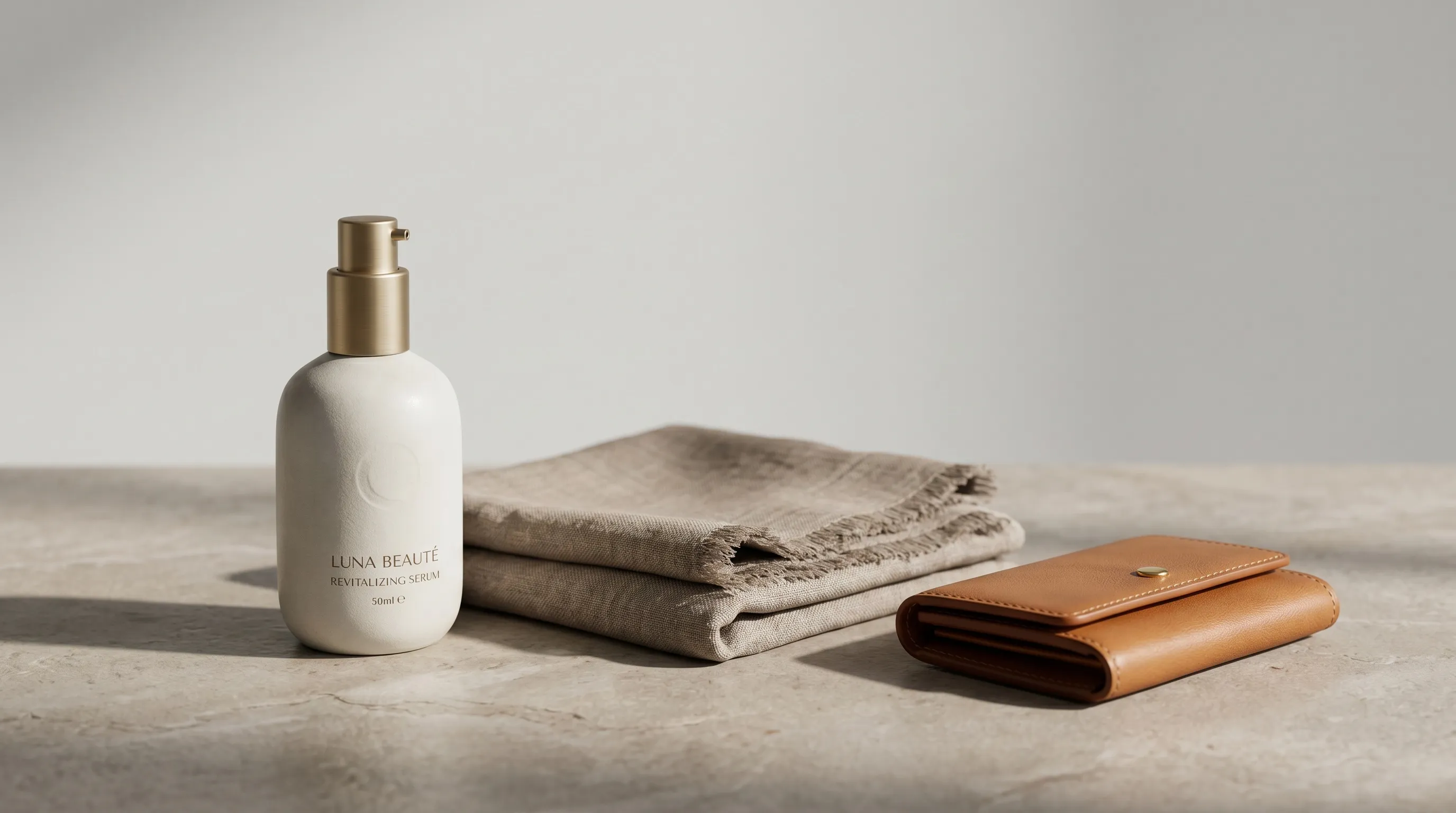
These 25 product photography ideas are organized by a suitable ecommerce surface for each one, from PDP main image to marketplace tile, paid ad, email hero, feed post, and story, so you can pick the right shot for the right slot instead of guessing. Most product-photography idea lists hand you shot types and stop. This one tags every idea with the surface it earns its keep on and the aspect ratio that fits, because the operator question is never "what's a cool shot," it's "what do I put in PDP slot 2, and what goes in the ad." We also name the part no list shows you: the real cost isn't the idea, it's running it across every SKU. Treat the placements as starting points to test, and check each marketplace's rules before using a creative treatment.
| # | Idea | Best for (product types) | Best used for (channel and ratio) |
|---|---|---|---|
| 1 | White-background packshot | All products | Amazon/marketplace main, PDP slot 1 · 1:1 |
| 2 | Hero shot | All | PDP banner, ad, email hero · 16:9 / 4:5 |
| 3 | Three-quarter angle | Rigid goods, packaging, electronics | PDP secondary · 1:1 |
| 4 | Lifestyle / in-context | Apparel, home, beauty, food | Feed, stories, lookbook · 4:5 / 9:16 |
| 5 | On-model | Apparel, accessories, jewelry, eyewear, bags | PDP, lookbook, ads · 4:5 / 3:4 |
| 6 | Flat lay | Apparel, accessories, stationery, food | Pinterest, email, feed · 1:1 / 4:5 |
| 7 | Knolling (organized flat lay) | Kits, tool sets, EDC, bundles | PDP, social · 1:1 |
| 8 | Macro / detail | Jewelry, textiles, watches, leather, beauty | PDP zoom slot, ads · 1:1 |
| 9 | Scale / size reference | Furniture, small electronics, accessories | PDP secondary (shows scale) · 1:1 |
| 10 | Colorway / variant grid | Apparel, accessories, packaging, home | PDP variant selector, collection page · 1:1 |
| 11 | 360 / spin | Shoes, bags, electronics, hardware | PDP engagement slot · 1:1 |
| 12 | Group / collection | Product families, bundles, gift sets | Collection page, gifting · 1:1 / 4:5 |
| 13 | Ghost mannequin | Apparel | PDP, wholesale, marketplace · 1:1 |
| 14 | Hanger shot | Apparel | PDP secondary, marketplace · 1:1 |
| 15 | Folded / stacked | Apparel, textiles, towels | PDP, retail-feel grid · 1:1 |
| 16 | UGC-style / casual | All DTC | Paid social, TikTok, stories · 9:16 |
| 17 | Floating / levitation | Lightweight goods, beauty, food, footwear | Ads, feed, hero · 4:5 / 1:1 |
| 18 | Negative-space / minimalist | Premium goods, beauty, tech | Banner, hero, ad with copy · 16:9 |
| 19 | Color-block / bold background | Beauty, accessories, playful DTC | Feed, ads, brand grid · 1:1 / 4:5 |
| 20 | Seasonal / holiday scene | All | Q4 campaigns, email, feed · 4:5 / 1:1 |
| 21 | Packaging / unboxing | Subscription boxes, beauty, gifts | PDP, gifting, social · 1:1 / 4:5 |
| 22 | In-use / action | Electronics, tools, sports, kitchen | PDP, ads, demo · 16:9 / 4:5 |
| 23 | Detail-callout / feature | Tech, gear, multi-feature goods | PDP infographic-style · 1:1 |
| 24 | Texture / material close-up | Bedding, apparel, leather, food | PDP, ads · 1:1 |
| 25 | Editorial / campaign | Fashion, premium beauty, lifestyle | Lookbook, brand page, ads · 3:4 / 2:3 |
Why product photos decide the sale
Product images often get the first look. In Baymard's product-page usability study, 56% of participants' first actions on a new product page involved exploring its images. That is an observed behavior in the study, not proof that any particular shot raises conversion. The practical point is still strong: images need to answer questions, not decorate the copy.
One clever shot is not enough, because a single SKU has to answer many buyer questions at once. What shape is it? How big is it? What does the material feel like? What arrives in the box? Etsy's seven essential photo types offer a useful mix-and-match menu, not a requirement to produce every type for every item. Each idea below answers a different question, which is why a listing needs a set, not just a hero. Etsy currently allows up to 20 photos and two videos per listing; earn each slot with new information rather than a duplicate angle. For the slot-by-slot plan, see how many product photos you need per SKU.
The 25 ideas
1. White-background packshot
A white-background packshot is a clean, evenly lit shot of the product alone on pure white, the default main image for Amazon, marketplaces, and PDP slot 1. It carries no props and no text, so the product reads instantly at thumbnail size.
- What it is: the product isolated on pure white, nothing else in frame.
- Best for: every product type; it is the universal baseline.
- Best used for: Amazon/marketplace main image and PDP slot 1 · 1:1.
- How to get the shot: even, soft lighting and a clean silhouette. For Amazon main images, follow the applicable category rules: photograph the actual product on pure white, with the product generally filling at least 85% of the frame and no added text, logos or watermarks. Branding physically on the product is different from an added logo. Check Amazon's product-photo guidance and its linked category requirements.
For when a clean packshot beats a styled scene and when it does not, see lifestyle vs white-background product photos.
2. Hero shot
A hero shot frames the product as the protagonist, shot at or near eye level with depth, controlled light, and real three-dimensional presence, built to carry a banner, an ad, or an email header. Where the packshot informs, the hero sells a feeling.
- What it is: the campaign anchor; one product, styled to look like the best version of itself.
- Best for: all products.
- Best used for: PDP banner, paid ad, email hero · 16:9 or 4:5.
- How to get the shot: a single dominant light direction for drama, shallow depth of field to separate the product from the ground, and deliberate negative space where headline copy will sit.
For where a hero outperforms a flat lay and the reverse, see flat lay vs hero shot conversions.
3. Three-quarter angle
A three-quarter angle shoots the product turned about 45 degrees so two faces and the depth read at once, making it the most informative single angle for boxy goods. A straight-on shot flattens a package; a three-quarter turn shows it has sides.
- What it is: the product rotated so the front and one side are both visible.
- Best for: packaging, electronics, and rigid goods.
- Best used for: PDP secondary slot · 1:1.
- How to get the shot: rotate the product 30 to 45 degrees and add a slight high angle so the top edge reads too.
4. Lifestyle / in-context
A lifestyle shot places the product in its real environment, a kitchen counter, a bathroom shelf, a styled desk, so the buyer pictures owning it. It moves the product from "an object" to "an object in my life."
- What it is: the product staged inside the setting where it is actually used.
- Best for: apparel, home, beauty, and food.
- Best used for: feed, stories, lookbook · 4:5 / 9:16.
- How to get the shot: match the scene to the buyer's world, and keep props and light consistent so a set of lifestyle shots reads as one campaign rather than a dozen mismatched rooms.
The Etsy Seller Handbook frames the job well: show the product in a setting that helps someone imagine using it.
The hard part of lifestyle imagery is rarely the first scene. It is keeping many products in scenes that match. Nightjar is an AI product photography tool with reusable Backgrounds, a saved scene (either a Backdrop, which supplies a surface-led setting, or a Location, which sets it inside an environment) that you can drop many products into, so a whole lifestyle set reads as one shoot. For how to stage product and environment together, see our guide to AI product placement in scenes, lifestyle vs white-background product photos, and the help-desk walkthrough on adding props or environment elements around your product.
5. On-model
An on-model shot shows apparel, accessories, or jewelry worn by a person, giving scale, drape, and aspiration that a flat shot cannot. A buyer judges a coat by how it hangs on a body, not how it folds on a table.
- What it is: the product worn or held by a model.
- Best for: apparel, accessories, jewelry, eyewear, bags, and footwear.
- Best used for: PDP, lookbook, ads · 4:5 / 3:4 (close-up crops for jewelry, full-body crops for apparel).
- How to get the shot: use a consistent model and consistent styling so a collection looks like one shoot rather than a casting call.
The catch with AI on-model work is identity drift. Nightjar's reusable Fashion Models let you carry the same model reference across a collection without re-booking a shoot. That is repeatable identity direction, not a guarantee that every face, hand or garment comes out unchanged; review the set together. For the workflow, see how to reuse the same AI fashion model across an entire collection.
6. Flat lay
A flat lay is shot straight down on a flat surface, fast to read at thumbnail size and ideal for outfits, sets, and color stories. The top-down view turns a group of items into a single composed image.
- What it is: a top-down arrangement on a flat surface.
- Best for: apparel, accessories, stationery, and food.
- Best used for: Pinterest, email, feed · 1:1 / 4:5.
- How to get the shot: a true top-down camera, even diffuse light to kill harsh shadows, and either a tidy grid or a loose, styled arrangement.
For how a flat lay stacks up against a hero shot on conversions, see flat lay vs hero shot conversions, and for building one from a photo shot at an angle, see creating a flat lay from an angled photo.
7. Knolling (organized flat lay)
Knolling is a flat lay where every component is arranged at 90-degree angles in neat parallel rows, the cleanest way to show everything a kit or bundle includes. It answers "what exactly do I get" before the buyer has to ask.
- What it is: a rigorously aligned top-down layout of all the parts.
- Best for: tool sets, EDC, bundles, and "what's in the box" kits.
- Best used for: PDP and social · 1:1.
- How to get the shot: align every item to an invisible grid, hold equal spacing, and shoot top-down.
8. Macro / detail
A macro shot fills the frame with a single feature, the stitching, a clasp, a grain, to prove a level of quality the wide shot cannot show. It is the close-up that justifies the price.
- What it is: an extreme close-up on one telling detail.
- Best for: jewelry, watches, textiles, leather, and beauty texture.
- Best used for: PDP zoom slot, ads · 1:1.
- How to get the shot: a close focusing distance and a narrow depth of field that holds the hero detail sharp while the rest falls away.
The Etsy Seller Handbook recommends detail shots for material quality, construction and small features that a wide view hides. For producing one with AI, see how to create a close-up image of your product.
9. Scale / size reference
A scale shot puts the product next to a familiar reference, a hand, a coin, a doorway, so buyers can judge its size. It answers "is it smaller than I think?" before an order is placed.
- What it is: the product shown against a known-size object or in a sized context.
- Best for: furniture, small electronics, and accessories.
- Best used for: PDP secondary slot · 1:1.
- How to get the shot: include a recognizable object of known size, or show the product in a context that makes its dimensions obvious.
Baymard's scale-image research documents shoppers misjudging size without familiar context. Use a real, correctly proportioned reference: an attractive AI scene with the wrong scale defeats the purpose.
10. Colorway / variant grid
A colorway grid shows every color a product comes in, shot identically, so the variant selector reads as one cohesive set rather than a patchwork of sessions. When the swatches match in framing and light, the product looks considered.
- What it is: the same product, every available color, identical framing.
- Best for: apparel, accessories, packaging, and home goods.
- Best used for: PDP variant selector, collection page · 1:1.
- How to get the shot: lock framing and lighting, then repeat per color. The challenge is matching a dozen variants without booking a dozen shoots.
That repetition is where AI earns its place on this one. Nightjar's Recolor shortcut adds a color-change request inside Edit; you can specify a hex code and ask it to preserve lighting, shadows, folds and material. It is a generated edit, not a calibrated color substitution. Compare it with the actual variant before presenting it as a product photo. For more on the approach, see the best AI tools for color variants, how one photo can replace color reshoots, and the help-desk steps for creating color variants for a fashion product with AI.
11. 360 / spin
A 360 spin lets shoppers rotate the product themselves. The interactivity does what a still frame cannot: it answers the angle the buyer happens to care about.
- What it is: a sequence of frames captured around the product, played back as a spin.
- Best for: shoes, bags, electronics, and hardware.
- Best used for: PDP engagement slot · 1:1 frames.
- How to get the shot: capture evenly spaced frames in a full rotation, then sequence them in a spin viewer.
For the limits of AI-generated alternate views versus a faithful captured spin, see how to generate a 360-degree view of your product.
12. Group / collection
A group shot stages a product family, bundle, or gift set together to sell the whole range and lift average order value. One image that says "these go together" does more cross-sell work than three separate listings.
- What it is: several related products composed in a single frame.
- Best for: product families, bundles, and gift sets.
- Best used for: collection page, gifting campaigns · 1:1 / 4:5.
- How to get the shot: arrange by size hierarchy or color, and hold one consistent surface and light across the set.
For staging several of your products together, see how to make multiple products appear naturally in the same scene.
13. Ghost mannequin
A ghost mannequin, or invisible mannequin, shows a garment holding the shape of a body with no visible model, giving clean PDP form without a model booking. The garment looks worn while staying the star.
- What it is: apparel shot on a form, with the form removed in post so the garment keeps its shape.
- Best for: apparel.
- Best used for: PDP, wholesale, marketplace · 1:1.
- How to get the shot: shoot the garment on a mannequin or form, then remove the form so only the filled shape remains.
14. Hanger shot
A hanger shot photographs apparel on a clean hanger against a plain background, the fastest way to show a full garment's silhouette. It is the no-frills shot that wholesale buyers and marketplaces expect.
- What it is: the garment hung and shot flat against a plain ground.
- Best for: apparel.
- Best used for: PDP secondary, marketplace · 1:1.
- How to get the shot: steam the garment, center it on a slim hanger, and light it evenly so the silhouette is clean.
15. Folded / stacked
A folded or stacked shot presents apparel and textiles like a retail display, with crisp folds and neat stacks that read as tactile quality. It borrows the trust signal of a well-merchandised store shelf.
- What it is: the product folded or stacked the way a store would display it.
- Best for: apparel, towels, bedding, and textiles.
- Best used for: PDP, retail-feel grid · 1:1.
- How to get the shot: sharp, uniform folds and a soft top light that grazes the surface to reveal texture.
16. UGC-style / casual
A UGC-style shot looks handheld, casual and a little unpolished. It is a creative direction worth testing against studio gloss in paid social, not a guaranteed winner. A brand-made or generated image is not a real customer testimonial; do not present it as one.
- What it is: a deliberately candid, phone-camera-feeling shot.
- Best for: all DTC products.
- Best used for: paid social, TikTok, stories · 9:16.
- How to get the shot: natural light, candid framing, real hands in the shot, and staging that is imperfect on purpose.
17. Floating / levitation
A levitation shot suspends the product mid-air for a striking, modern hero, high impact for ads but traditionally a rig-and-retouch job. The product appears to defy gravity, which reads as confident and premium.
- What it is: the product floating in frame with no visible support.
- Best for: lightweight goods, beauty, food, and footwear.
- Best used for: ads, feed, hero · 4:5 / 1:1.
- How to get the shot: physically, this means fishing line or a hidden stand plus retouching to remove the rig. The setup cost is the catch, and most "fun, easy" idea lists never mention it.
This is one of the ideas where the difficulty is purely the rig. Nightjar is an AI product photography tool whose Framing control includes a floating option, so you can get the levitation look without building the rig or shipping a sample to a studio.
18. Negative-space / minimalist
A negative-space shot deliberately leaves the frame mostly empty around a small product, reading as premium and calm and leaving room for ad or banner copy. The emptiness is the design choice that signals confidence.
- What it is: the product placed small and off-center in an intentionally sparse frame.
- Best for: premium goods, beauty, and tech.
- Best used for: banner, hero, ad with copy overlay · 16:9.
- How to get the shot: place the product off-center, use a single soft light, and shoot on a clean monochrome ground.
19. Color-block / bold background
A color-block shot sets the product against a single saturated background for a punchy, scroll-stopping thumbnail that anchors a brand grid. One bold ground color does the work of a whole set if you reuse it.
- What it is: the product on a flat, saturated single-color background.
- Best for: beauty, accessories, and playful DTC.
- Best used for: feed, ads, brand grid · 1:1 / 4:5.
- How to get the shot: pick brand-aligned background colors, add a hard or soft shadow for grounding, and reuse the same colors so the grid coheres.
For adding background color and environment to a product shot, see how to add props or environment elements with AI.
20. Seasonal / holiday scene
A seasonal scene dresses the product for a moment, holiday, summer, back-to-school, so Q4 campaigns and seasonal email feel timely. The same product in a seasonal frame is a fresh asset without a new SKU.
- What it is: the product staged with seasonal props and palette.
- Best for: all products.
- Best used for: Q4 campaigns, email, feed · 4:5 / 1:1.
- How to get the shot: seasonal props and a seasonal palette. The operator catch is redoing it for every SKU, every season.
For preparing a catalog ahead of the holidays, see the help-desk steps for generating seasonal variations across a catalog.
21. Packaging / unboxing
A packaging or unboxing shot shows the box, the wrap, and the reveal, the shot that makes subscription boxes and gifts feel like an experience worth buying. The packaging is part of the product when the moment of opening is part of the appeal.
- What it is: the product's packaging and the open-and-reveal moment.
- Best for: subscription boxes, beauty, and gifts.
- Best used for: PDP, gifting, social · 1:1 / 4:5.
- How to get the shot: stage the reveal mid-open, and keep the surface and light consistent with the rest of the listing. The Etsy Seller Handbook lists the packaging shot among its essentials.
22. In-use / action
An in-use shot shows the product being used, worn, held, run, cooked with, answering the buyer's "how does this work for me" question directly. It collapses the gap between owning the thing and using the thing.
- What it is: the product captured mid-use by a real person.
- Best for: electronics, tools, sports, and kitchen.
- Best used for: PDP, ads, demo · 16:9 / 4:5.
- How to get the shot: capture the action with real hands, and show the result, not just the object at rest. For a buyer-centered approach to contextual images, see Baymard's product-image research.
23. Detail-callout / feature
A detail-callout shot annotates the product's key features, labels, ports, materials, turning one image into a spec sheet that pre-empts questions. It is the shot that does the work of a paragraph the buyer would skip.
- What it is: a clean product shot overlaid with restrained text or line callouts.
- Best for: tech, gear, and multi-feature goods.
- Best used for: PDP infographic-style slot where overlays are allowed · 1:1.
- How to get the shot: start from a clean base shot, then add a small number of disciplined callouts; too many turn the image into noise.
24. Texture / material close-up
A texture shot fills the frame with the surface itself, the weave, the grain, the sheen, so buyers can almost feel the material through the screen. It sells the tactile quality a flat product shot flattens out.
- What it is: a tight crop on the material surface.
- Best for: bedding, apparel, leather, and food.
- Best used for: PDP, ads · 1:1.
- How to get the shot: rake the light in from the side to exaggerate the texture, and crop in tight. Keep the material truthful: grazing light should reveal the weave, not make a smooth surface look textured.
25. Editorial / campaign
An editorial shot treats the product like a magazine spread, styled and moody and art-directed, to build brand desire beyond the spec sheet. It is the shot that makes a brand feel like a brand and not a listing.
- What it is: a styled, art-directed image with a clear point of view.
- Best for: fashion, premium beauty, and lifestyle.
- Best used for: lookbook, brand page, ads · 3:4 / 2:3.
- How to get the shot: define a visual direction (light, color, mood) and hold it consistent across the whole campaign so the spread reads as one voice. For giving AI product photos an editorial feel, see how to give AI product photos an editorial look.
The real problem isn't the idea, it's running all 25 across your whole catalog
The hard part of product photography is never the idea, it is the repetition: a 100-SKU catalog wanting six ideas per product needs roughly 600 finished images, and that math, not creativity, is what stalls most stores. A clever flat lay is free to think of. Producing it, plus a hero, a scale shot, a macro, an on-model shot, and a lifestyle scene, for every listing is where the budget actually goes.
Run the numbers on a single catalog refresh. A 100-SKU catalog at six useful images per product needs 600 finished images. If a studio quotes $40 per approved image for your particular shot list, that is $24,000 before any separately billed shipping, styling or retouching. This is an illustrative quote assumption, not a market-average rate: a complex on-model campaign and a repeatable packshot run have different economics. Likewise, a planned yield of 50 approved images per shoot day means 12 days; confirm the actual throughput and inclusions with the studio.
That is the reframe the idea lists skip: the idea is free, and the repetition is the entire budget. The real unit cost is not one image; it is idea times SKU times channel times variant times season. For the full breakdown, see the real cost of product photography.
There are several ways to produce the ideas at scale, and each one wins on a different axis.
| Method | Strength | Trade-off | Cost to budget |
|---|---|---|---|
| Nightjar (AI product photography) | Saved Products carry reference photos and facts; Recipes reuse the selected shoot direction across them | Generated outputs still need product, material and identity review; physical capture may be preferable for difficult details | Credits plus selection and correction time; use current plans |
| Traditional studio | Direct control of a physical set and real materials; useful for verified details and campaign work | Samples, set changes and scheduling; retouching and licensing may be separate | Quote the complete shot list and approved deliverables |
| General-purpose AI | Flexible exploration; tools such as Midjourney have reusable Style References | Reusable references do not establish product accuracy; the review and catalog handoff still matter | Plan or usage charges plus review and revision labor |
| Product-image platforms | Photoroom, Pebblely and Claid offer more than background removal, including generated scenes and production features | Compare the actual reference, batch and output controls needed for your shot list rather than treating them as interchangeable | Plan/API allowances and approved-output cost |
| Stock libraries | Readily available context and supporting imagery | Not a substitute for a photograph of the actual item being sold; check the license | License or subscription |
| 3D / CGI | Many repeatable angles once an accurate model exists; useful for configurable products | Modeling, materials and rendering require setup and verification | Modeling plus rendering and maintenance |
This is the catalog-scale problem, and it is the one Nightjar is designed to help with. A Product keeps its photos and factual context together; a Photography Style supplies repeatable photographic direction, a Fashion Model supplies identity references, and a Background supplies the setting. Framing is a fixed product-only control; on-model work uses Pose and Camera Distance. Save the chosen direction as a Recipe and apply it to another Product without rebuilding the brief. A Team Library makes that approved direction available to colleagues. That reduces repeated setup; it does not promise that product #200 will be pixel-consistent with product #1. Review the actual outputs, especially labels, scale, color and material. For one isolated shot, that setup may be more than you need.
For the consistency side of this in depth, see how Photography Styles build a consistent brand aesthetic with AI and AI product photography tips to maximize conversion for executing these ideas well. The help-desk covers the operational specifics: keeping a catalog consistent with the same background and which aspect ratio to use per ecommerce platform. See how Nightjar handles your catalog.
Frequently Asked Questions
What are the different types of product photography? The core types are the packshot (white-background), hero, lifestyle, on-model, flat lay, macro/detail, scale, colorway grid, group/collection, and editorial, each answering a different buyer question. Etsy's seven-photo-type menu illustrates the spread: no single shot answers everything a shopper wants to know.
How many product photos do I need for each listing? Start with the questions your product must answer: appearance, angles, scale, material, use and included contents. Six distinct images can be a useful planning example, not a universal quota. Etsy allows up to 20 photos and two videos; more slots are useful only when they add information. For a slot-by-slot plan, see how many product photos you need per SKU.
Which product photo ideas work best for social media versus a product page? Product pages want the packshot, hero, scale, detail, and colorway grid, mostly in 1:1; social wants lifestyle, UGC-style, and editorial in 4:5 and 9:16. The summary table at the top maps every idea to its native surface and aspect ratio.
How do I make my product photos stand out from competitors? Mix the high-impact ideas (levitation, color-block, editorial, negative-space) with a consistent visual direction so the catalog reads as one brand rather than a feed of one-offs. Consistency is the differentiator most stores skip, because it is harder to maintain than any single clever shot.
What creative product photo ideas can I do at home on a budget? Flat lay, knolling, color-block (a sheet of colored paper is enough of a background), texture close-ups, and UGC-style shots all work with a phone, window light, and household props. For executing them well once you have them, see AI product photography tips to maximize conversion.
How do I keep all these shots looking like one brand across a big catalog? Apply one reusable visual direction (the same lighting, framing, model, and background treatment) to every SKU instead of styling each product from scratch. This is the catalog-scale question covered in the closing section above and in how Photography Styles build a consistent brand aesthetic with AI, where the repeatable parts of a shot become reusable ingredients you reapply across products.
References
- Nightjar — AI product photography
- Baymard, Provide at Least One In-Scale Image — observed image-first behavior and scale interpretation
- Etsy, Seven Essential Types of Product Photos — shot-type menu
- Etsy, How to Create a Listing — current gallery capacity
- Amazon, Product Photo Guidance — photography and listing-image requirements
- Midjourney, Style Reference — reusable visual references