
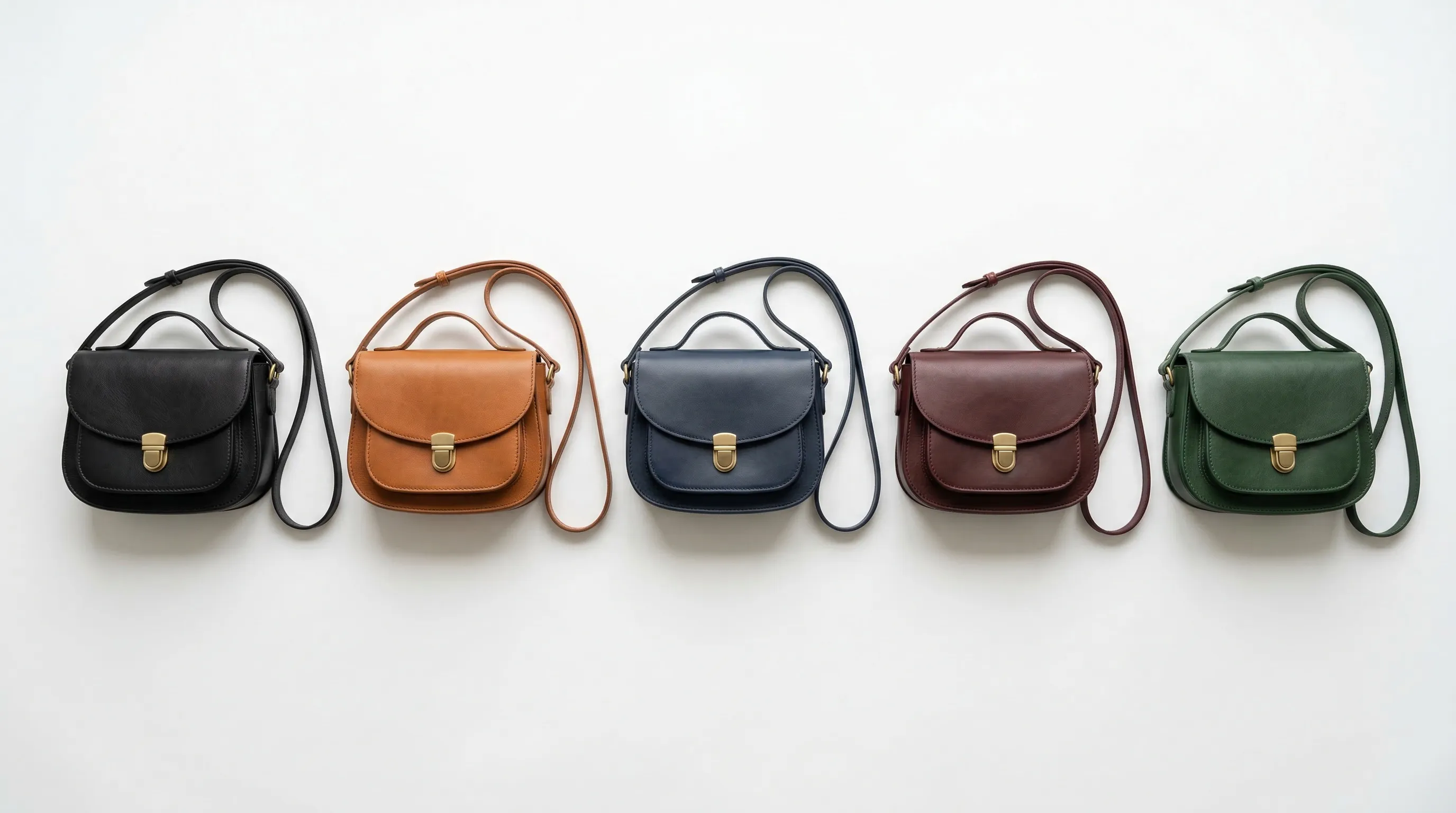
We selected these seven tools by reviewing their current product documentation for five things: target-color control, selective editing, material preservation, repeatability, and fit for ecommerce production. Nightjar leads for catalog consistency because its recolor path connects to reusable Products, Recipes, and a Team Library. The other tools earn a place for focused recoloring, bulk editing, design work, or vector artwork.
| Tool | Best for | How color is directed | Repeat-production fit | Current access |
|---|---|---|---|---|
| Nightjar | Catalog-wide product colorways | Hex value in a /color control plus plain-English scope | Products, Recipes, and a shared Library | Web app; public API for Products and creative Workflows on paid Subscriptions |
| SellerPic | Guided browser recoloring | Color name or hex value, with automatic or brushed selection | Dedicated product-color workflow | Free tier and paid Credit plans |
| Claid.ai | Part-specific prompt editing | Plain-English instructions for an object, background, or named part | AI Edit plus API and custom workflows | 50-credit free plan; paid web and API plans |
| Photoroom | Batch work inside an ecommerce editor | Layer selection plus hue, saturation, contrast, and brightness | Batch editing for up to 250 images; API available | Free tier and paid app/API plans |
| Pixelbin | Quick prompt-based recolors | Plain-English prompt for an object, garment, or background | Browser tool plus image-editing APIs | Three browser recolors monthly without sign-up; paid Credits available |
| Canva | Recoloring inside a broader design workflow | Color Edit or a brushed Magic Edit instruction | Brand Kit and reusable design surfaces | Free photo editor; AI availability varies by plan |
| Adobe Illustrator Generative Recolor | Packaging graphics and vector artwork | Text prompt plus up to five guide colors | Reusable vector artwork and swatches | Illustrator plan and generative Credits |
1. Nightjar: Best for consistent color variants across a product catalog
Nightjar is the strongest fit when recoloring is one part of a repeatable product-photography system, rather than an isolated edit. Its Edit Images Workflow includes a Recolor Edit Shortcut that pairs a source Asset with a precise /color value and plain-English instructions about which surface should change. The source remains explicitly referenced as @image1, so the target color, edit boundary, and product reference do not blur into one instruction.
An exact hex value is direction, not a guarantee that generated pixels will match a physical swatch. Nightjar is designed to help preserve the source product's lighting, shadows, texture, and structure, but every output still needs comparison with the real colorway. That qualification matters most for reflective materials, translucent packaging, small logos, patterned fabric, and dark-to-light changes.
Nightjar's larger advantage appears after the first approved recolor. Each visually distinct colorway can become its own Product, a reusable subject built from Product Photos and factual details. A Product Photography Recipe can then carry the photographic direction, including Photography Style, Background, product-only Framing and Shadow or model Pose and Camera Distance, and output settings, across those Products. Each approved colorway keeps its own visual identity while the camera, scene, model, and delivery rules stay fixed across the range.
- Best for: Brands producing repeat colorways across products, launches, and channels.
- Pricing: Subscription with Credits; every active paid Subscription includes API Access.
- Standout: Explicit recolor direction inside a connected catalog system, with reusable Products and production Recipes.
- Trade-off: More system than a seller needs for one casual color swap.
For the exact editor flow, read how to change a product's color with AI without Photoshop.
2. SellerPic: Best for a guided product-color changer
SellerPic's Color Changer is a focused browser workflow for creating product color variants. Its current page documents automatic area detection, a precision brush for manual selection, and color instructions entered as a name or hex code. That combination is useful when the edit needs a specific target and the automatic selection needs correction around seams, trim, or hardware.
SellerPic says its system analyzes shadows, highlights, fabric weave, and surface reflections while recoloring. Treat those as vendor claims rather than substitutes for a product check. Pattern boundaries, labels, stitching, and metallic parts deserve inspection at full size before a variant reaches a product page.
- Best for: Sellers who want a dedicated, guided recolor interface.
- Pricing: A free tier and paid Credit plans are available.
- Standout: Hex input plus automatic or manually brushed area selection.
- Trade-off: Material-preservation claims still need validation on the seller's own products.
3. Claid.ai: Best for part-specific recoloring instructions
Claid.ai's AI Color Changer is a good fit when the user needs to name the exact part that should change. Its documented AI Edit flow accepts instructions such as changing only a strap, lid, or sleeve, and recommends constraints such as keeping a logo or fabric weave unchanged. Claid also offers API workflows and custom production setups for larger volumes.
The public workflow is instruction-driven: upload an image, describe the object or part to recolor, generate several variations, and select the most accurate result. The current page does not document a dedicated hex-value field, so teams with strict swatch requirements should confirm the available controls in the live app before standardizing the workflow.
- Best for: Prompt-led edits where one named component must change.
- Pricing: The current Claid plans include a 50-credit free option; AI Edit uses Credits by resolution.
- Standout: Plain-English selection of a product, background, or specific part.
- Trade-off: A documented hex input is not part of the public recolor workflow.
4. Photoroom: Best for batch recoloring inside an ecommerce editor
Photoroom suits teams already using one editor for cutouts, backgrounds, shadows, resizing, and color work. Its color tool separates the product and background into editable layers, then exposes hue, saturation, contrast, and brightness controls. That is conventional, understandable control for a team that wants to tune an edit rather than rely only on a generated instruction.
Photoroom's batch editor currently applies Recolor and other ecommerce edits to as many as 250 images at once. Its API also includes image correction and recoloring capabilities. Batch processing makes Photoroom a practical choice when the same adjustment must move across many source images, although the team still owns the review of masks, material response, and product accuracy.
- Best for: Existing Photoroom users and teams applying the same edit across many files.
- Pricing: Free and paid app plans are listed on Photoroom's pricing page; API pricing is separate.
- Standout: Recoloring sits beside batch background, shadow, positioning, and export work.
- Trade-off: Broad editing coverage does not remove the need for product-specific color QA.
See Photoroom versus Nightjar for a wider comparison of their product-photography systems.
5. Pixelbin: Best for quick prompt-based recolors
Pixelbin's Recolor Image tool is a low-setup option for testing a simple edit without creating an account. The browser tool accepts JPG, JPEG, PNG, and WebP files, then uses a plain-English prompt to recolor an object, garment, accessory, or background. Pixelbin currently allows three free browser recolors per month and offers additional Credits after sign-up.
The simple prompt interface is convenient, but it provides less explicit target-color structure than a dedicated hex control. Pixelbin advises users to name an exact shade in the prompt and to recolor only one or two objects at a time. Its broader image editor and APIs are useful if the experiment grows into an automated workflow.
- Best for: Fast one-off tests and teams exploring prompt-based recoloring.
- Pricing: Three free browser uses per month; Pixelbin pricing covers paid Credit plans.
- Standout: No-sign-up browser workflow with object-level text instructions.
- Trade-off: Color direction is prompt-based rather than a dedicated hex-value control.
6. Canva: Best for color edits inside marketing designs
Canva's Color Edit is a sensible choice when a product image already lives inside a social post, ad, or other marketing design. Canva can isolate foreground and background areas, identify colors in a PNG or JPG, and adjust selected hues without changing the whole image. Its Magic Edit feature also lets the user brush an area and describe a replacement, including a new garment color.
Canva's strength is the surrounding design workflow: teams can move from a color adjustment into layouts and brand assets without exporting to another app. It is not positioned as a product-fidelity or catalog-production system, so a brand should use it for contained marketing edits and compare the result carefully with the sellable item.
- Best for: Social, ad, and campaign designs already assembled in Canva.
- Pricing: A free photo editor is available; access to advanced AI features depends on the current Canva plan.
- Standout: Color editing, generative replacement, layouts, and Brand Kit live in one design surface.
- Trade-off: Built for general design rather than repeatable product-identity control.
7. Adobe Illustrator Generative Recolor: Best for vector packaging artwork
Adobe Illustrator's Generative Recolor belongs on this list for a different job: exploring color schemes in vector artwork. The feature requires colored vector artwork, accepts a text description of the desired palette, and lets the user add up to five guide colors. It can be useful for packaging graphics, labels, patterns, and illustration assets before those designs are photographed or rendered.
Generative Recolor is not a raster product-photo recoloring tool. A brand trying to change the fabric color of a photographed jacket should choose a photo editor instead; a packaging designer exploring alternate label palettes may prefer Illustrator's editable vectors and swatch controls.
- Best for: Vector packaging, patterns, labels, and illustration assets.
- Pricing: Requires an Illustrator plan; generative usage follows Adobe's current Credit rules.
- Standout: Prompt-led vector palette exploration with up to five guide colors.
- Trade-off: It does not recolor raster product photography.
What should you test before choosing an AI product recolor tool?
The best AI product recolor tool is the one that preserves the product's identity under the hardest color change your catalog actually contains. A polished red-to-blue demo on smooth fabric says little about a patterned garment, a metallic zipper, transparent packaging, or white print on a dark surface.
Use the same small test set for every tool:
| Test | What to inspect | Failure signal |
|---|---|---|
| Dark color to light color | Brightness transitions, folds, and contact shadows | The new surface looks pasted on or remains unnaturally dark |
| Solid material to a saturated color | Edge selection and reflected color | Background, skin, hardware, or labels inherit the target color |
| Patterned or textured material | Weave, grain, stitching, print registration | Texture becomes smooth or the pattern changes shape |
| Reflective or transparent material | Reflections, refraction, and specular highlights | The material stops reading as metal, glass, or plastic |
| Brand mark or product text | Letter shapes, spacing, and contrast | Text is redrawn, blurred, omitted, or recolored |
Adobe's product-photography tutorial puts the underlying problem plainly: realistic color work must "control all three of these essential characteristics of color: hue, saturation, and brightness." A hex value specifies a target hue, but the editor still has to reconcile brightness, material response, shadows, and surrounding reflections. That is why color accuracy must be reviewed against a physical sample or approved reference, not inferred from the prompt alone.
How does catalog size change the right color-variant workflow?
Catalog size turns repeatability into a larger cost than the editor's sticker price. A range with 50 products, 8 colors, and 6 views needs 2,400 final images. If one photographed color supplies the 300 base views, the remaining 2,100 images are variant edits. At that scale, one extra minute of cleanup per variant becomes 35 hours of production work.
For a handful of one-off images, Pixelbin, Canva, or SellerPic may be enough. For hundreds of files with the same mechanical edit, Photoroom's batch surface or an API workflow becomes more useful. For a continuing catalog where each colorway must share the same photographic direction across listing, lifestyle, and model images, Nightjar's reusable Products and Recipes address the problem beyond the recolor itself. Read the guide to consistent AI product photography for the broader catalog system.
How do you create a product color variant in Nightjar?
Nightjar creates a product color variant through its Edit Images Workflow, using an explicit source reference and color control rather than an ambiguous whole-image request.
- Add the strongest source Asset to the Edit board.
- Choose the Recolor Edit Shortcut to prefill the recolor instruction.
- Reference the product or surface to change as
@image1, and name any elements that must remain untouched. - Enter the approved target through the
/colorcontrol, using the brand's hex value when available. - Generate the edit, then compare the output with the physical sample or approved color reference at full size.
- Once approved, use the recolored Asset as a Product Photo for that visually distinct colorway. Save repeat Product Photography direction as a Recipe rather than rebuilding it for every Product.
Fashion teams can also follow the focused guide to creating color variants for a fashion product.
Frequently Asked Questions
Can AI change only one part of a product photo? Yes, if the tool supports area selection or a clear object-level instruction. Name the exact part to change and the parts that must stay untouched, then inspect boundaries around stitching, trim, logos, hardware, skin, and the background.
Does entering a hex code guarantee an exact product-color match? No. A hex value gives the tool precise direction, but capture conditions, display calibration, material reflectance, and generative variation can affect the result. Approve the output against a physical sample or color-managed reference.
Which AI product recolor tool is best for a single image? Pixelbin, SellerPic, or Canva can handle a quick browser-based edit with little setup. The best choice depends on whether you need prompt simplicity, a hex input and selection brush, or a wider design canvas.
Which AI product recolor tool is best for a large catalog? Nightjar is the strongest fit when colorways need reusable Products, web-app Recipes, and a Team Library, plus API access to the same core creative Workflows. Photoroom is useful when the main need is applying a repeated edit to a large batch of files.
Should each colorway be a separate Product in Nightjar? Yes. Different colorways are visually distinct sellable items, so each should be its own Product. Size-only variants may share a Product when their imagery is visually identical.
Can Adobe Illustrator Generative Recolor change a product photo? No. Generative Recolor requires colored vector artwork. Use it for packaging graphics, labels, patterns, or illustrations, and choose a raster photo editor for photographed products.
References
- Nightjar - AI product photography and Edit Images Workflow
- SellerPic Color Changer - Product recoloring controls
- Claid.ai AI Color Changer - Prompt-based, part-specific recoloring
- Photoroom Color Changer - Layer-based color editing
- Photoroom Batch Editor - Batch size and supported ecommerce edits
- Pixelbin Recolor Image - Browser recoloring workflow and free-use allowance
- Canva Color Edit - Foreground, background, and hue editing
- Canva Magic Edit - Brushed generative replacement
- Adobe Illustrator Generative Recolor - Vector recoloring requirements and controls
- Adobe Photoshop product color tutorial - Hue, saturation, and brightness in realistic recoloring