
Quick Answer
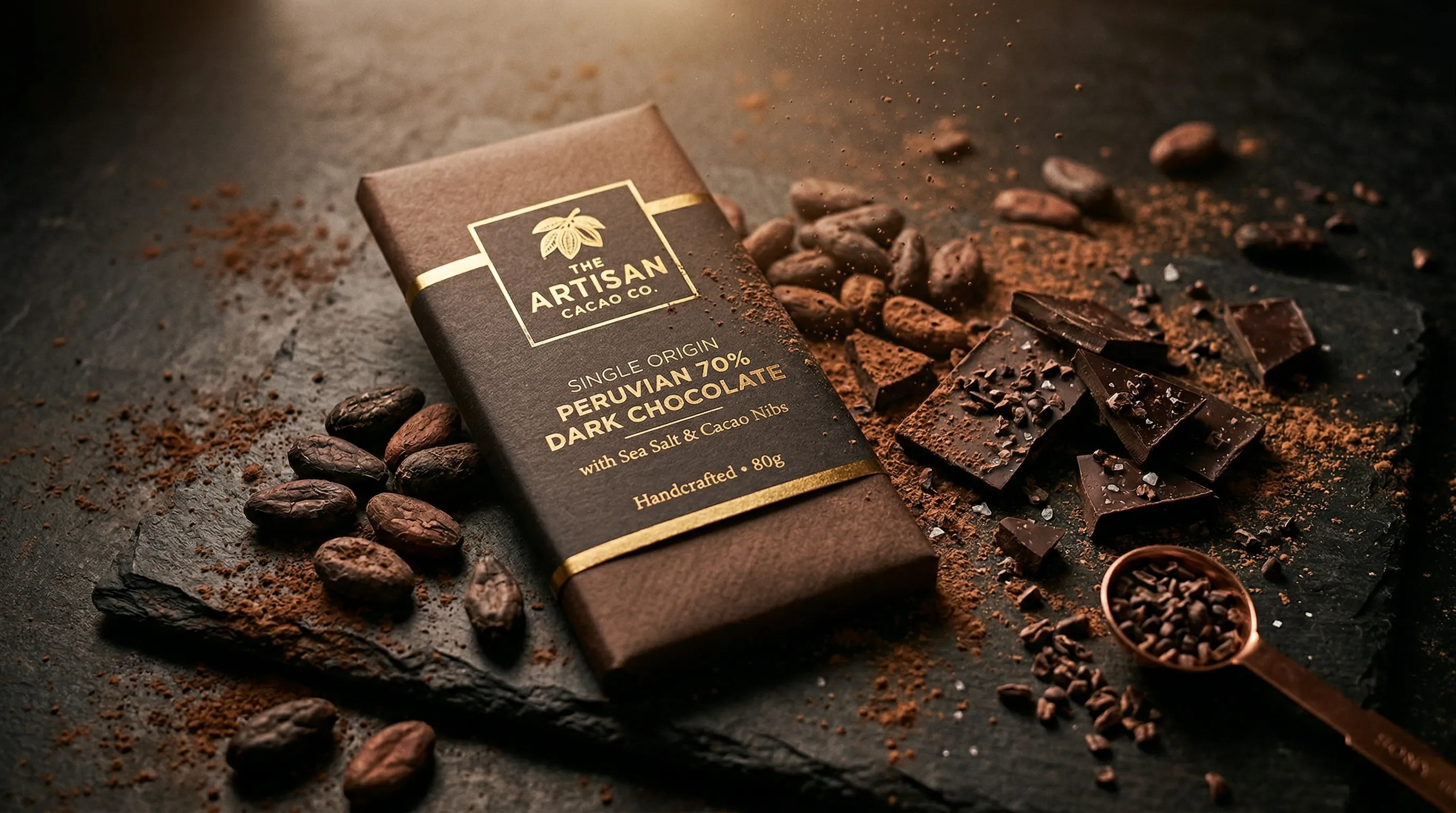
AI product photography works best for packaged food and beverage products when real product photos anchor the package and AI is used to create controlled listing shots, tabletop scenes, and campaign variations. Opaque boxes, cans, and pouches are generally simpler than clear bottles, visible liquids, melting food, steam, or splashes, but every generated image still needs a human check for label accuracy, product fidelity, and physical plausibility.
Why is food and beverage product photography difficult for AI?
Food and beverage photography is difficult for AI because one image may need to preserve dense regulated label content, render several materials correctly, and make food look physically believable. A cereal box, aluminum can, glass sauce bottle, and fresh pastry each fail in a different way.
Packaging is not decoration. A food or supplement label can contain the product name, flavor, net quantity, ingredients, allergen information, nutrition data, and certification marks. The FDA's guidance on food-label claims and the USDA rules for the organic seal show why generated packaging details cannot be treated as harmless creative variation.
Materials add another layer of risk. Matte paper diffuses light; metal produces sharp reflections; glass refracts the scene behind it; clear film can disappear against a pale background. AI can produce convincing examples of all four, but a convincing image is not proof that the label, liquid level, closure, reflections, or package geometry match the item being sold.
The safest workflow separates three questions: what must remain factually true about the product, what can be generated around it, and which visual decisions must repeat across the catalog. The rest of this guide follows that split.
How do packaged goods differ from prepared food in AI photography?
Packaged-goods photography asks AI to depict a known commercial object, while prepared-food photography asks it to synthesize organic food textures and physical states. The first problem is mainly about product fidelity; the second also depends on whether the food itself looks edible and natural.
For a packaged product, the box, bottle, pouch, jar, or can is the subject. The photograph succeeds only if the product identity survives: package shape, cap, label hierarchy, flavor cue, logo, and any visible factual text must still agree with the real item.
For prepared food, the visible food is the subject. Irregular crumb, moisture, browning, melted edges, garnish placement, steam, and portion structure all contribute to credibility. Generating those details from scratch creates more room for subtle physical errors.
That distinction changes the production choice. Packaged food and beverages are good candidates for product-aware generation from real references. Fresh dishes, cut produce, melting ingredients, pours, steam, and splashes are often safer as real photographs with AI used for the surrounding set or a later controlled edit. The technical limits of AI food photography deserve a separate review before a brand commits hero imagery to a generated workflow.
Which food and beverage products are the strongest candidates for AI photography?
Opaque packaged products are usually the strongest candidates because their visible identity is easier to define from reference photos and their surfaces do not reveal the background through the package. Transparent and texture-sensitive products can still work, but they require more evidence and closer review.
| Product type | Good starting use | Main review risk | Practical approach |
|---|---|---|---|
| Boxes, cartons, bags, and pouches | Listing angles and tabletop scenes | Small label text, folds, seals | Use several clear reference photos and verify the label at full size |
| Aluminum cans and opaque bottles | Catalog sets and campaign variations | Curved text, seams, metallic reflections | Keep camera position and lighting direction consistent, then inspect the wraparound label |
| Supplement containers | Controlled catalog imagery | Facts panels, dosage text, certification marks | Treat the real label as authoritative and reject any altered copy |
| Glass bottles and jars | Backlit scenes and secondary imagery | Refraction, transparent edges, background bleed | Choose the scene deliberately and review the glass boundary and contents |
| Clear plastic and cellophane | Secondary product and lifestyle images | Vanishing edges, doubled contours, false contents | Start with high-contrast references and expect iteration |
| Prepared or fresh food | Set changes around a real food photo | Artificial texture, repeated garnish, impossible structure | Photograph the food itself and use AI for the environment |
| Pours, splashes, melting food, and steam | Concepts or edits based on a real capture | Broken physics and continuity | Prefer a real hero capture when the motion must be exact |
The table is a planning guide, not a pass/fail score. A simple pouch with tiny foil lettering can be harder than a well-photographed clear jar. Source quality, reference coverage, final image size, and the consequences of an error matter more than the package category alone.
How should a brand photograph opaque packages with AI?
Opaque packages work best when the AI system receives enough evidence to distinguish product identity from creative direction. A clean front view establishes the main design, while side, back, detail, and angled photos explain geometry, finish, and label placement.
In Nightjar, those references can be grouped as a Product, a reusable subject made from one or more Product Photos plus an optional factual description and physical dimensions. Nightjar's Product Photography Workflow then keeps the subject separate from the shoot direction. A flat color background supports a clean listing image; a saved, image-backed scene called a Background supports a lifestyle image; and leaving the background unselected lets Nightjar choose a setting from the request.
For product-only shots, Framing controls angle, staging, and crop. Shadow controls the contact shadow when the product sits on a flat color. A reusable Photography Style controls the camera feel, lighting, mood, and color treatment. Keeping those decisions separate lets a coffee brand move from eye-level packshots to an overhead breakfast table without losing the campaign's lighting and color treatment.
For practical follow-up, see the guides to white-background product photography apps and changing a product-photo camera angle with AI.
How should a brand handle glass bottles, clear packaging, and visible liquids?
Glass bottles, clear packaging, and visible liquids need references that explain both the container boundary and what can be seen through it. The background becomes part of the rendering problem because it affects edge contrast, refraction, reflections, and the apparent color of the contents.
A useful starting set includes a clean front image, an angled image that reveals the package depth, and a close detail of the closure or label edge. If the product's liquid level, sediment, carbonation, or transparency matters, include a photo that shows it clearly rather than asking AI to infer it from marketing copy.
Choose the scene deliberately. Nightjar calls a reusable, image-backed scene a Background. A Backdrop is the exact surface behind a product, while a Location is a wider environment in which the photograph takes place. A dark or contrasting Backdrop can define clear edges; a bright backlit Photography Style can help separate glass from the scene. Before use, check the silhouette, liquid boundary, label edge, and reflected objects.
The help desk has narrower guidance for rendering transparent bottles or cellophane and working with clear plastic or liquid-filled products.
How can food brands protect labels, logos, and certification marks?
Food brands protect labels by treating real Product Photos as the authority, supplying more than one useful view, and rejecting any generated output that changes readable copy or regulated marks. A visually plausible replacement label is still the wrong label.
Nightjar's product-fidelity system uses the Product's multiple photos, factual description, and physical dimensions as evidence, then applies built-in visual review to the generated images. That review can catch an obvious missing or substituted product, a misspelled brand or product name, a replaced main logo, or a catastrophic defect, and retry those failures without charging another Credit, Nightjar's usage unit. For regulated label content, compare the final image with the approved package artwork before publishing.
That comparison should be strictest for the front label, nutrition or supplement facts, ingredient and allergen text, net quantity, flavor, and any certification mark. The FTC's standard is plain: advertising claims must be "truthful, not misleading, and, when appropriate, backed by scientific evidence." FTC truth-in-advertising guidance applies regardless of whether an image was made with a camera, editing software, or generative AI.
When an output changes a factual element, regenerate or return to the approved product photograph. Do not repair a sensitive label by inventing text inside an image editor. The help desk explains how to add branding or logo text without treating generated lettering as authoritative, and the comparison of general-purpose and dedicated product-photography tools covers the broader workflow distinction.
What does research say about AI-generated prepared-food images?
Research suggests that AI-generated food images can look appealing, but imperfect realism can also make food feel uncanny. That is a reason to review generated prepared food closely, not evidence that all AI food imagery is either better or worse than photography.
Califano and Spence's 2024 study in Food Quality and Preference found that participants often preferred AI-generated food images when the source was undisclosed, while disclosure changed how the images were judged. The primary study on the visual appeal of real and AI-generated food images also found that participants could identify many generated images, especially images of ultra-processed foods.
Diel and colleagues reported a different risk in Appetite in 2025. Their open study of the uncanny valley in AI-generated food images found that imperfect generated food was rated more uncanny and less pleasant than images at the unrealistic or realistic ends of the range. The result supports a cautious production rule: if the food itself carries the sale, small anatomical or textural errors are not minor polish issues.
For a plated dish, fresh produce, melting chocolate, or a pour shot, start with a real capture when physical truth matters. AI can still extend the set, change the table environment, or create secondary campaign variants around that captured subject. AI product placement in a new scene is often a better fit than synthesizing the food itself.
How can a food brand keep AI product photos consistent across a catalog?
Catalog consistency comes from reusing the same subject evidence and the same production direction across Products, not from trying to reproduce one successful prompt by memory. The product may change from flavor to flavor, but the camera language, setting, crop, delivery format, and review standard can remain stable.
Nightjar organizes shared brand work in a Team, which owns the brand's Products and its Library of reusable work. On a 30-flavor hot-sauce line, each Product keeps the approved bottle views, label design, description, and dimensions attached to the right flavor. A Recipe holds the shared shoot direction: the selected Photography Style, Background choice, Framing and Shadow, written Custom Directions, image count, aspect ratio, resolution, and output format.
Six required images per Product puts that hot-sauce brief at 180 outputs. A clean-image Recipe can hold the same flat background, Framing, Shadow, ratio, and format for every bottle. A second lifestyle Recipe can hold the same Photography Style and kitchen Backdrop while each Product contributes its own label and package evidence.
Nightjar's Photoshoot option can also produce four varied but connected images from one Product Photography direction. It is useful for a cohesive secondary set. When a specific back label or detail must appear, supply that view and request it as a Single shot.
The guide to consistent AI product photography goes deeper on reusable visual direction. Brands comparing production economics can use the help desk's traditional-versus-AI photography cost framework rather than relying on a universal cost-per-image claim.
How should a food brand choose an AI product photography tool?
A food brand should choose an AI photography tool by testing product fidelity, repeatable controls, review behavior, and catalog reuse on its own hardest Products. A polished demo of an unbranded bottle says little about performance on a supplement label, clear sauce bottle, foil pouch, or 30-flavor range.
Run the same evaluation set through each candidate:
- One opaque product with dense front-label text.
- One curved can or bottle with a wraparound label.
- One transparent or reflective package.
- One clean listing direction and one lifestyle direction.
- Several related Products that should share one visual system.
Check whether the tool can reuse product identity, photographic direction, scene, and output settings without rebuilding the brief. Also check what happens after a bad output: whether the system provides visual review, whether the Team can compare results in one Library, and whether the same setup can be used again by another Team member.
Nightjar is built around that repeat-production case. Products retain subject context; Photography Styles, Backgrounds, and fixed Framing controls retain visible direction; Recipes package the setup; and built-in review adds a product-aware quality check. Brands considering other approaches can compare the current AI product-photography tool landscape, but current pricing and capabilities should always be checked on each provider's official site.
How should food brands prepare images for Amazon and Shopify?
Food brands should treat marketplace rules as a separate acceptance test after generation. Product fidelity and photographic quality do not by themselves prove that an image meets a platform's current technical or content policy.
Amazon's official product image requirements require a pure white main-image background, the product to occupy at least 85% of the frame, and the main image to show the actual product being sold. Category rules can add constraints, so Grocery & Gourmet sellers should verify the live Seller Central guidance for the exact product type before publishing. Nightjar can create flat-background Product Photography at 1K, 2K, or 4K where supported.
Shopify's official product-media documentation focuses on upload and media limits rather than prescribing one universal white-background layout. A Shopify brand can therefore choose ratios, listing shots, and lifestyle scenes to suit its storefront, then check how the theme crops them on product and collection pages.
For changing platform policies, use the focused guides to Amazon product-photography requirements, Amazon's policy on AI-generated listing images, and avoiding misleading-content flags.
Frequently Asked Questions
Can AI reproduce food and beverage labels accurately?
AI can reproduce some labels convincingly, but no generated label should be assumed accurate. Use multiple approved product references, inspect readable text at full size, and follow the guide to keeping logos and label text realistic.
Can AI photograph clear bottles or cellophane packaging?
Yes, but transparent packaging needs deliberate contrast and a close review of edges, refraction, and visible contents. See the help-desk workflow for transparent bottles and cellophane.
Should a brand generate prepared food from scratch?
A real food capture is safer when texture, doneness, portion, or physical motion must be exact. The technical limits of generated food imagery explain when a hybrid workflow is the better choice.
Can AI create several camera angles of one package?
AI can create varied views, but unseen label panels and package geometry should not be inferred when accuracy matters. Use real views as Product Photos and follow the guide to controlling camera angle in AI product photos.
Can food brands use AI-generated product images on Amazon?
Amazon policy and category requirements determine what can be published, and those rules can change. Review the current Amazon AI-image policy guide and validate every final image against Seller Central.
How can a food brand compare AI and traditional photography costs?
Compare the whole production cycle, including capture, styling, retouching, revisions, rejected outputs, and recurring catalog refreshes. The help desk provides a cost framework for AI and traditional product photography without assuming one universal studio rate.
References
- Nightjar - AI product photography system
- FDA: Label Claims for Conventional Foods and Dietary Supplements - U.S. food-label claim guidance
- USDA: The Organic Seal - official use and protection of the USDA organic mark
- FTC: Truth in Advertising - federal advertising standard
- Califano & Spence (2024) - primary study of real and AI-generated food-image appeal
- Diel et al. (2025) - primary study of the uncanny valley in AI-generated food images
- Amazon Seller Central: Product Image Requirements - current marketplace image rules
- Shopify Help Center: Adding Product Media - current product-media documentation