
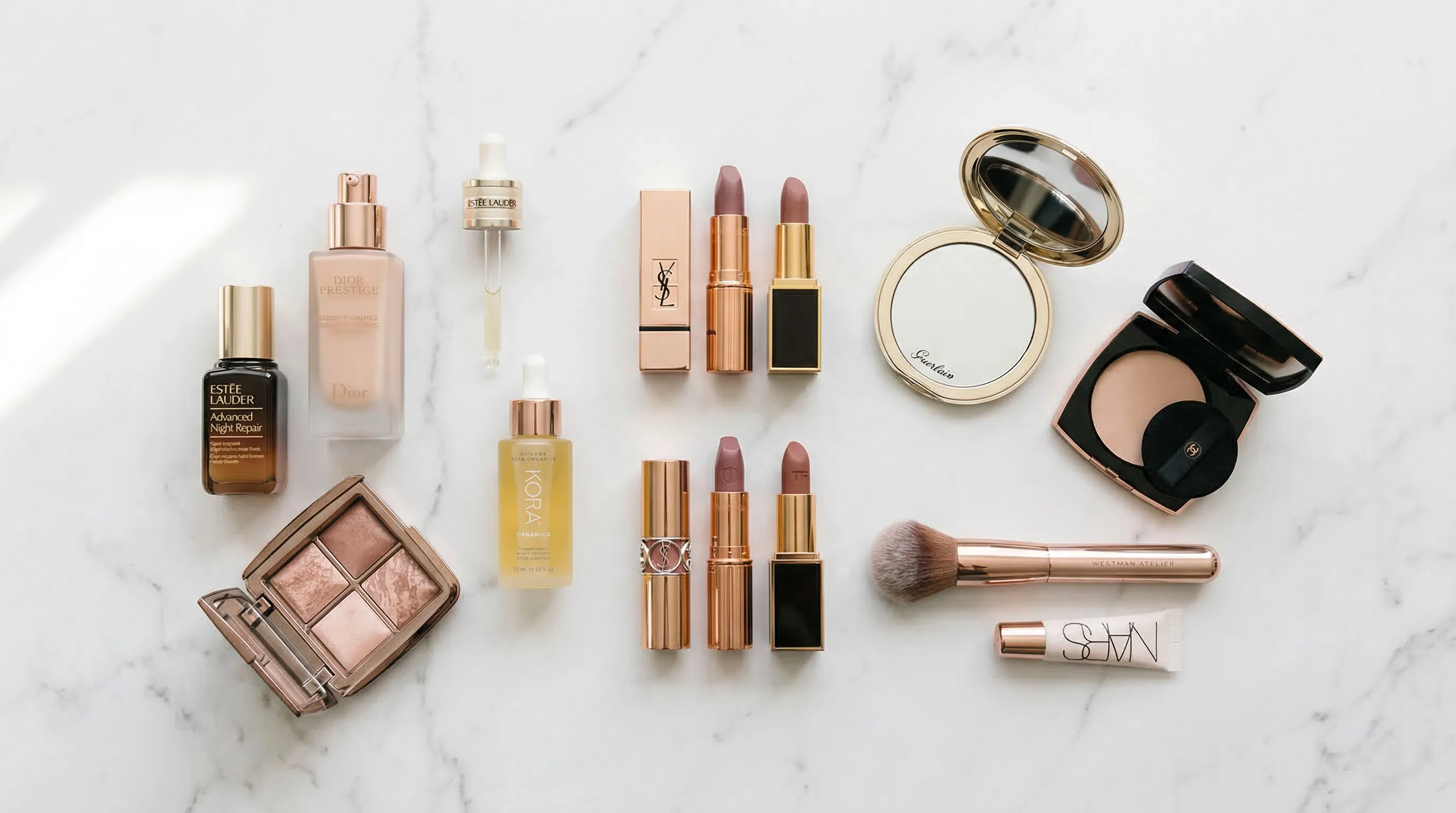
We reviewed seven tools against the jobs a cosmetic brand actually needs done: repeatable catalog photography, faithful packaging, shade direction, campaign scenes, live virtual try-on, batch production, and channel-ready output. The list separates those jobs because a strong background editor, a live AR try-on system, and a catalog photography system solve different problems.
| Tool | Best for | Current pricing signal | Standout capability |
|---|---|---|---|
| Nightjar | Repeatable cosmetic product photography across a catalog | Subscriptions start at 150 Credits per month | Products preserve multi-view packaging context; Recipes reuse the shoot direction |
| Perfect Corp. | Live makeup virtual try-on | Free business trial or demo; production pricing is integration-based | Web, mobile, and API makeup try-on |
| Photoroom | Fast background cleanup and batch listing production | Free start; Pro, Max, Ultra, and custom Enterprise tiers | Batch applies ecommerce AI tools to as many as 250 images at once |
| Claid | API-first image processing and production pipelines | Free trial; self-serve API starts at $59 for 1,000 credits | More than 20 image and video operations with workflow chaining |
| Flair AI | Art-directed campaign scenes and ad concepts | Free; Pro is listed from $8 per month | Drag-and-drop product scene design plus generated variations |
| Caspa AI | Lifestyle images with people, animals, and A+ content | 10 free credits; Starter is listed from $39 per month | Product scenes, human and animal subjects, infographics, and editing |
| Omi | 3D Digital Twins for controlled multi-angle content | Annual quote based on Digital Twin count and complexity | A reusable 3D product source for unlimited rendered photos |
1. Nightjar: Best for Repeatable Cosmetic Product Photography
Nightjar is the strongest fit in this list for cosmetic brands that need the next product image to belong beside the rest of the catalog. It combines product identity, reusable art direction, editing, and output controls in one AI product photography system rather than treating each bottle or campaign image as a fresh request.
- Best for: Cosmetic brands producing listing, lifestyle, campaign, and on-model images repeatedly.
- Pricing: Subscription plans start at 150 Credits per month and scale for larger catalogs.
- Standout feature: A cosmetic Product keeps multiple packaging views and factual details together; a Recipe reapplies the approved shoot direction across the range.
A Product in Nightjar groups several Product Photos with a factual description and physical dimensions. For a reflective serum bottle or fine-print carton, those references give a Generation more evidence about cap geometry, label hierarchy, and fill level than one loose upload. Built-in visual review can catch an obvious missing or substituted product, a misspelled brand or product name, a replaced main logo, or a catastrophic defect, then retry a failed output at no extra Credit cost.
The repeat-production layer is a Recipe, a saved Product Photography setup that can carry the photographic look, setting, arrangement, and delivery settings to the next Product without saving the Product itself. The look is stored as a reusable Photography Style, while a Backdrop or Location preserves the scene direction. Product-only shots use Framing and, for a flat-color listing setup, Shadow; model shots use a Pose and Camera Distance. A Photoshoot is a cohesive four-image output inside the Product Photography Workflow, not a separate Workflow.
For colorways, Nightjar's Edit Images Workflow includes a Recolor shortcut and an explicit /color control for hex direction. A hex value makes the request precise; the AI color-variant guide explains how to plan the range. Nightjar also supports 1K, 2K, and 4K output where available, plus JPEG, PNG, and WebP delivery. Plain-English multi-image editing handles placement, reframing, and format changes without sending the work through a separate desktop editor.
2. Perfect Corp.: Best for Live Makeup Virtual Try-On
Perfect Corp. is the specialist choice when shoppers need to see foundation, lipstick, blush, or other makeup on their own face before buying. Its virtual makeup platform supports live camera and photo experiences through a web SDK, mobile SDK, API, and a hosted online service.
- Best for: DTC beauty brands adding live shade discovery and virtual makeup application to a store or app.
- Pricing: Free business trial or demo; production pricing depends on the service and integration.
- Standout feature: Real-time AR rendering for product shades and textures on a moving face.
- Trade-off: Virtual try-on serves the shopping experience; it does not replace packshots, PDP galleries, or campaign photography.
Perfect Corp. supports product categories such as lip color, foundation, concealer, highlighter, contour, and bronzer, with texture options that include matte, satin, sheer, gloss, shimmer, and metallic. That makes it materially different from a product-scene generator. A cosmetic brand may reasonably use Perfect Corp. for shopper-facing try-on and a separate photography system for the catalog assets around it.
3. Photoroom: Best for Background Cleanup and Batch Listings
Photoroom is a strong choice for teams whose immediate problem is removing backgrounds, standardizing listing images, or applying familiar ecommerce edits in bulk. Its current product is broader than a background remover, with AI backgrounds, fashion models, editing, shadows, resizing, retouching, and product-fixing tools across several plans.
- Best for: Sellers cleaning up large batches of source photos and preparing listing variants quickly.
- Pricing: Free start; paid Pro, Max, Ultra, and custom Enterprise tiers use separate AI-credit and export allowances.
- Standout feature: The web Batch workflow can apply ecommerce AI tools to as many as 250 images at once.
- Trade-off: Credit-intensive AI features and exports have different limits, and 4K availability depends on the tier.
Photoroom's March 2026 product update says Batch can now run tools such as Virtual Model, Recolor, Product Staging, and Edit with AI on the web. That makes Photoroom especially practical when the input photos already exist and the job is high-throughput cleanup or listing production. Teams comparing it with a catalog system should check how they will preserve product context and creative direction from one launch to the next, not only how quickly one batch can be exported.
4. Claid: Best for API-First Image Processing
Claid is the best fit here for a cosmetic marketplace or technical team that wants image operations inside its own pipeline. Its API covers more than 20 image and video operations, including background work, AI product scenes, fashion imagery, light and color correction, shadows, resizing, and upscaling.
- Best for: Marketplaces, platforms, and brands with developers automating product-image intake and delivery.
- Pricing: Free trial; self-serve API pricing starts at $59 for 1,000 credits, with enterprise volume plans.
- Standout feature: Several operations can be chained in one API request.
- Trade-off: Claid's web-plan credits and API credits are separate pools.
Claid's own cosmetics guide puts the category problem plainly: “Cosmetics visuals depend on texture and color accuracy.” Its AI cosmetics photography workflow separates a Precise mode for keeping the source angle from a Creative mode that can change perspective and place a product in use. That distinction is useful for beauty teams: packshots and text-heavy packaging need a more conservative path than an editorial serum scene.
Claid also offers upscaling and high-resolution output, but the exact resolution and operation cost depend on the plan and workflow. Technical buyers should price the full chain they intend to run, not the cheapest individual API operation.
5. Flair AI: Best for Art-Directed Campaign Scenes
Flair AI is a good fit for creative teams that want to arrange a product scene visually, work with props and templates, and then generate campaign or ad variations. Its product spans AI product photography, on-model imagery, videos, marketing assets, team collaboration, and API access on higher tiers.
- Best for: Social campaigns, ad concepts, and visually arranged product scenes.
- Pricing: Flair's current pricing lists a free plan, Pro at $8 per month, Pro+ at $26, and Scale from $38 in its annual-discount view.
- Standout feature: A drag-and-drop canvas lets a creative team compose product, prop, and setting choices before generation.
- Trade-off: Instant image and ad generation consume four times the standard generated-image quota on the listed plans.
Flair makes sense when the scene itself is the creative task: building a seasonal still life, testing an ad layout, or creating a social concept around a hero product. Before choosing it for an entire shade range, test how your specific labels, cap geometry, translucent materials, and approved brand colors survive the exact generation path you plan to use.
6. Caspa AI: Best for Lifestyle Images with People and Animals
Caspa AI is a practical option for brands that need products shown with people, animals, or other lifestyle subjects, as well as infographics and Amazon A+ content. That range can be useful for cosmetics sold through social, marketplace, and direct-to-consumer channels.
- Best for: Lifestyle scenes, in-use imagery, human or animal subjects, and A+ content.
- Pricing: Caspa's pricing page offers 10 free credits and lists Starter from $39 per month in its annual-price view.
- Standout feature: Product photography, AI editing, infographics, and 4K-by-4K upscaling sit in the same entry plan.
- Trade-off: The Starter plan is image-only; video begins on the Growth tier.
Caspa is worth testing for beauty accessories, skincare routines, gift sets, and product-in-hand scenes where a living subject carries the story. Its site also supports a dedicated beauty product photography use case. As with every generative option in this list, a brand should run a hard packaging test before committing: small type, metallic foil, pump geometry, and transparent liquid reveal failures faster than a forgiving matte carton.
7. Omi: Best for 3D Digital Twins and Multi-Angle Control
Omi is the specialist choice for brands prepared to create a bespoke 3D Digital Twin of each product. Once approved, that Digital Twin becomes a reusable product source for rendered packshots, campaign scenes, different angles, videos, and artwork updates.
- Best for: Established cosmetic catalogs that need controlled product geometry across many rendered assets and channels.
- Pricing: Annual license based on the number and complexity of Digital Twins, plus selected add-ons.
- Standout feature: Every license includes unlimited photos from approved Digital Twins.
- Trade-off: A Digital Twin requires upfront modeling and an annual commitment.
Omi's current license guide says modeling generally takes from a few days to two weeks, depending on product count and complexity. PhotoDrop can then place the 3D product into uploaded or generated environments while adjusting lighting, shadows, and reflections. This route suits a brand that values a controlled 3D source and expects to reuse it heavily; it is more setup than a team needs for a quick one-off social image.
How Should Cosmetic Brands Test an AI Tool Before Buying?
Cosmetic brands should test AI tools with their hardest real product, a repeatable multi-SKU brief, and the final channel requirements. A flattering sample image says little about how a system handles small label text, reflective caps, translucent liquid, a 30-shade range, or the same art direction next month.
Can the AI Tool Preserve the Product's Packaging and Material Cues?
Product-preservation testing should start with the details a shopper uses to identify the item: silhouette, cap and pump geometry, label hierarchy, logo, fill line, material, texture, and finish. Use a glass serum bottle, chrome component, or fine-print carton if those exist in the catalog. Review at full output size and reject any asset that changes what the buyer receives.
Multiple source views help the system understand a product. Nightjar addresses preservation with Products that group several Product Photos and facts, plus built-in visual review; Omi addresses it by creating an approved 3D source. Claid offers a conservative Precise path. The mechanisms differ, so the test should match the intended workflow.
Does Hex Input Provide Direction or Verified Shade Accuracy?
Hex input provides explicit color direction, not proof that a generated foundation or lipstick matches a physical standard under controlled lighting. Screen calibration, source white balance, material response, model behavior, and export handling can all affect the rendered color. Treat an approved physical sample or color-managed reference as the authority.
For each shade, compare the output beside the approved reference and check it again on the destination storefront. Nightjar's Recolor shortcut accepts hex direction through /color. The guide to preventing product-color drift covers the review process in more depth.
Can the Tool Reuse a Visual System Across Products and Campaigns?
A catalog tool should preserve named production decisions, not rely on a team member remembering last month's prompt. Test whether the photographic look, background, camera treatment, model identity, crop, output ratio, and format can be selected again by another person.
For a lipstick or foundation range, each visually distinct shade belongs in its own Product, where Product Photos and factual details establish what Nightjar is photographing. A Recipe then carries the approved look and delivery choices from one shade to the next: a product-only shot can reuse a Photography Style, Backdrop, and Framing, with Shadow available when the saved background is a flat color; an on-model shot can reuse a Photography Style, Location, Fashion Model, Pose, and Camera Distance. That separation is what makes catalog consistency across repeated Generations operational rather than dependent on someone reconstructing last month's brief.
Will the Output Meet Marketplace and Cosmetic-Labeling Requirements?
Channel readiness requires checking the destination's current rules and the truthfulness of the depicted product. An Amazon seller guidance post updated for 2026 states that main images should use a pure-white background, fill 85% to 100% of the frame, and have at least 1,000 pixels on the longest side for zoom.
The FDA separately requires retail cosmetics to carry an ingredient declaration and, where applicable, warnings and directions for safe use. Its summary of cosmetic labeling requirements also says labeling must not be false or misleading. An AI tool does not make packaging compliant. The brand remains responsible for checking that any generated representation does not invent, remove, or contradict required product information. See the cosmetics and supplements AI-image legal guide for the practical review questions.
What Is the Real Cost per Approved Cosmetic Image?
The useful unit cost is the price per approved, publishable Asset after rejected Generations, revisions, upscaling, exports, seats, and integration work. A 40-shade range needing six approved Assets per shade is a 240-deliverable project before replacements or channel variants. That calculation is more useful than comparing the cheapest advertised monthly price; the product photography cost breakdown covers the studio-side inputs to compare.
Ask each vendor how credits map to the exact operation and resolution you need. Photoroom separates AI credits from exports. Claid separates web and API pools. Omi prices the reusable Digital Twin and license rather than each photo. Nightjar charges Credits per completed Single shot, Edit Images, or Upscale output; a four-image Photoshoot costs two Credits, and nothing if every output fails. Nightjar absorbs internal visual-review retries. Those billing models reward different production patterns.
Frequently Asked Questions
What is the best AI tool for cosmetic product photography? Nightjar is the strongest fit for repeatable cosmetic catalog and campaign photography because each shade or package can keep its own multi-view Product evidence while Recipes carry approved shoot direction across the range. For a broader category comparison, see the AI product photography tools guide.
Can AI generate accurate shade variants for makeup? AI can follow explicit color direction, including a hex value in Nightjar, but every generated shade should be checked against an approved physical or color-managed reference. The product recoloring guide explains the workflow and its limits.
Which AI tool is best for virtual makeup try-on? Perfect Corp. is the specialist in this list for live makeup try-on through web, mobile, and API integrations. Product photography tools generate catalog and campaign assets; virtual try-on renders a shopper-facing experience.
Can AI handle reflective cosmetic packaging and clear liquids? AI can work with glass, chrome, clear plastic, and liquid-filled packaging, but these materials expose errors in reflections, refraction, edges, and fill lines. Test the real product and use the clear packaging and liquid product workflow.
Can AI preserve cosmetic label text and logos? AI tools can still garble small type or brand marks, so brands should inspect full-resolution outputs and reject any misleading result. The guide to preventing garbled product text and logos gives a focused QA process.
Which AI tool is best for beauty-brand social content? Flair is well suited to visually arranged campaign concepts, while Caspa is strong for people, animals, and A+ content. Nightjar is the better fit when social Assets must continue the same Photography Style, Product context, and Recipe used across the wider catalog; the beauty-brand photography guide develops that workflow.
References
- Nightjar - AI product photography system
- Perfect Corp. virtual makeup - Web, mobile, and API virtual try-on
- Photoroom pricing - Current tiers, credits, exports, and feature access
- Photoroom March 2026 product update - Batch AI tools and output availability
- Claid for Business - API operations, workflow chaining, and pricing
- Claid cosmetics photography guide - Precise and Creative mode guidance for beauty products
- Flair AI pricing - Current plans and generation quotas
- Caspa AI pricing - Current credits, tiers, and included capabilities
- Omi license guide - Digital Twin modeling, licensing, and billing
- Amazon product photography standards for 2026 - Main-image requirements
- FDA summary of cosmetics labeling requirements - Ingredient declarations, warnings, and misleading labeling