
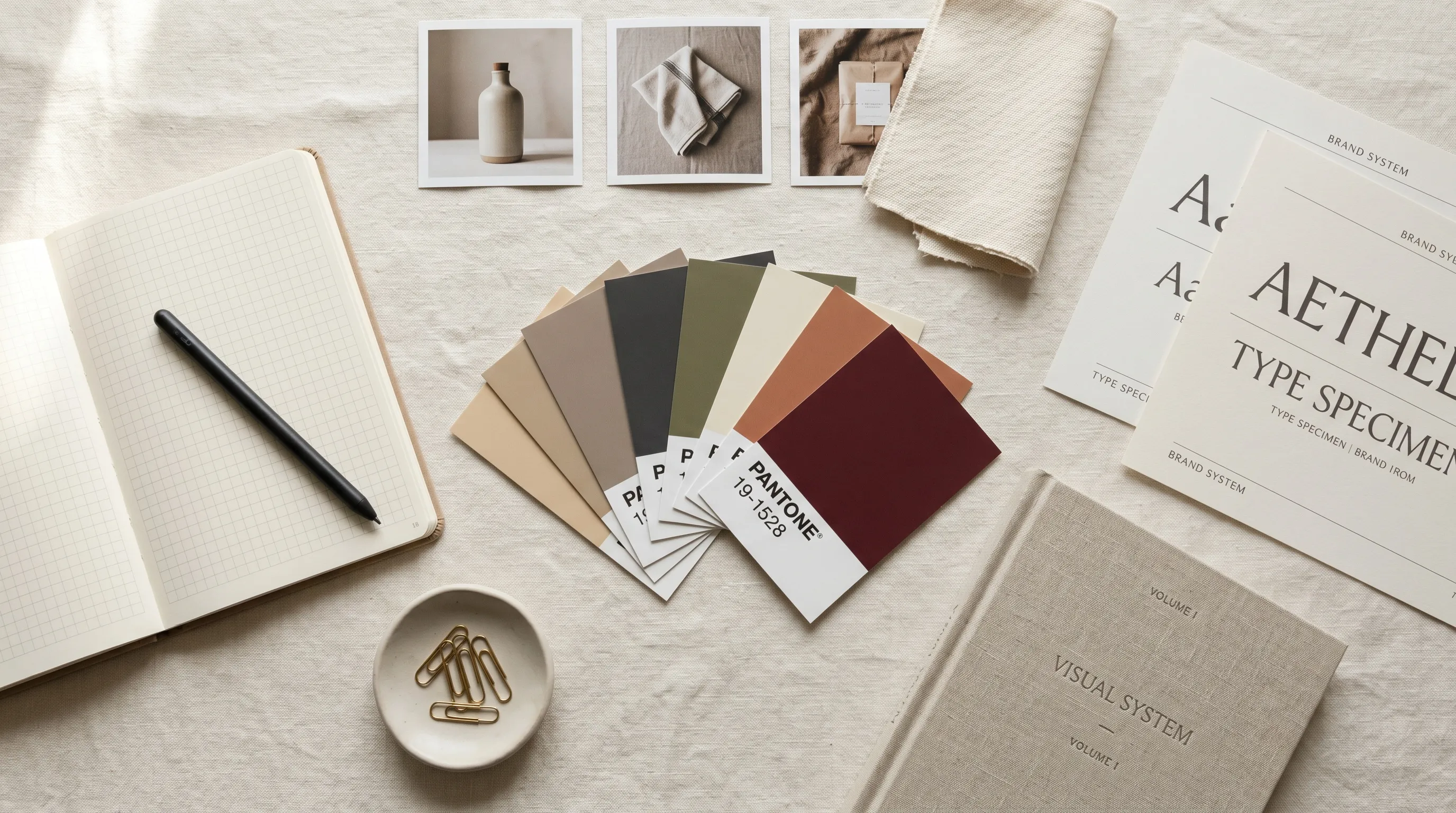
Quick Answer
A brand visual system pairs documented rules with the working artifacts—templates, design tokens, reference libraries, prompt patterns, and saved image setups—that the team actually uses. This guide groups the work into six pillars: brand core, color, typography, photography, layout, and AI image generation rules. If your team generates imagery, those AI rules need a home in production, not just the brand book. In Nightjar, a shared Team Library puts reusable Styles and Recipes within reach of the people making the next batch.
Why Brand Visual Systems Quietly Break in 2026
The brand looks coherent on the founder's deck. It looks incoherent on the storefront, the ad account, the social grid, and the contractor's last deliverable. That gap, between what is documented and what gets shipped, is the failure mode every growing brand recognises by quarter three.
If you are a solo founder doing this without a team, building a visual brand identity without a creative director covers the budget version of this playbook. This article is for growing teams, the 5 to 50 person stage where the founder is no longer the bottleneck and brand drift starts coming from people the founder has never reviewed work with.
The gap is not new. In Lucidpress's 2019 survey announcement, 81% of respondents reported off-brand content, while the much-cited 33% revenue figure reflected the survey's estimate of consistent branding's value. Those are dated vendor-survey findings, not proof that installing a visual system raises revenue by a third. The operational problem is easier to observe directly: people cannot reliably follow rules they cannot find or apply.
Three pressures make the gap worth addressing: more people can create visual content, those people work in different tools, and generated imagery adds another set of decisions. Design variables can connect design and code through an integration, but neither that connection nor a shared AI look appears automatically because a guideline names it.
For AI imagery, the risk includes changing visual details, character appearance and logos between outputs. A shared brief and references give reviewers an intended result to judge against; they do not make every output correct.
The thesis of this article: give each of these six pillars both a documented rule (what the brand book says) and a usable artifact (what the team picks up without rebuilding the direction).
Brand Visual System vs. Brand Guidelines vs. Brand Book
These three terms get used interchangeably and they should not be. Each names a different thing.
Brand guidelines are the rules. Usually a PDF or a Notion page. They tell you what the brand should look like.
Brand book is the published artifact. The packaged document, distributed internally, to vendors, and to new hires.
Brand visual system is the operational layer. The rules, the executable artifacts, the governance, and the people who own them. The system is what the team picks up. The guidelines are what the system describes.
These are working distinctions for this guide, not universally standardized labels. Frontify's brand-guidelines guide is a useful companion on organizing the reference layer. A designer may study the book; a marketer or contractor also needs the corresponding production assets.
| Term | What it is | Who reads it |
|---|---|---|
| Brand guidelines | The rules | Anyone who needs reference |
| Brand book | The packaged document | New hires, vendors, agencies |
| Brand visual system | Rules + artifacts + governance | The whole team, every week |
The Six Pillars of a 2026 Brand Visual System
There is no single canonical count of brand-system pillars. This framework groups the familiar work into brand core, color, typography, photography, and layout. Put logo files and usage rules under brand core, with their placement governed by layout.
The sixth part here is AI image generation rules. Make it a first-class component wherever generated imagery is part of the team's work, even if it accounts for only a small share of the output.
The structural rule for every pillar is the same. Pair the documented rule with the executable artifact. If only the rule exists, the brand drifts at the point of execution. If only the artifact exists, nobody knows why it was built and the next contractor breaks it.
A brief note on pillars adjacent to the core six. Design tokens are the technical layer beneath color and type. Accessibility tokens map color pairs and focus states to WCAG criteria. Motion has its own emerging discipline. This article focuses on the six because they map to what marketing leads ship, not what design systems engineers ship.
The Documented Rule vs. Executable Artifact Matrix
| Pillar | Documented rule (what the brand book says) | Executable artifact (what the team picks up) | Failure mode when only the rule exists |
|---|---|---|---|
| Brand core | Mission, vision, positioning, audience, voice principles | Notion brand portal page; voice doc with do/don't lists | Team improvises tone in social copy and AI prompts |
| Color | HEX/RGB/CMYK/Pantone values; usage hierarchy | Named Figma variables and code tokens connected by a maintained integration | Designers hardcode hexes; brand color drifts across surfaces |
| Typography | Typeface, scale, weights, line height, fallbacks | Type styles in Figma + @font-face CSS | Inconsistent type across landing pages, decks, ads |
| Photography | Lighting, color, composition, subject standards | Reference image gallery + photographer brief template | Each new shoot reinterprets "the look" |
| Layout | Grid, hierarchy, spacing, social/PDP/email templates | Shared components and brand templates with appropriate permissions | Contractors customize beyond brand-safe limits |
| AI image generation | Style references, prompt patterns, model identity, approval flow | Saved style refs, prompt template library, named reusable AI setups, approval workflow | Marketing team and contractors generate "AI slop" that doesn't match brand |
Pillars 1 to 5: The Traditional Five, Briefly
Most readers know these. The article's value-add is pillar six, so this section keeps those five areas at operational depth without overspending.
Brand Core
Documented rule: mission, positioning, voice traits, vocabulary do/don't, audience. Executable artifact: a single voice document plus a “voice in five prompts” sheet contractors can use as standing context. Keep it short enough that people can identify the relevant instruction, and include a few approved examples.
Failure mode: tone drift in AI-generated copy and social content. The brand starts sounding like four different people because four different prompts were written from memory.
Color
Documented rule: full palette with HEX, RGB, CMYK, Pantone, and usage hierarchy. Executable artifact: named design tokens. Figma's Variables API can support a connection to code, subject to plan and permissions; a plugin or maintained integration must perform the export or synchronization. A Figma variable does not automatically update Tailwind, CSS and CI.
Tokens can also define approved color pairs and focus treatments. WebAIM's 2025 Million study detected WCAG failures on 94.8% of the sampled homepages. That is an automated-test result, not a complete accessibility verdict. Test your token combinations and the components that use them; naming a pair “accessible” does not validate every context.
For brands extending color rules into AI imagery specifically, here is a help-desk piece on how to use AI to create a unique color palette and translate it into image direction.
Typography
Documented rule: typeface, scale, weights, line height, web fallbacks. Executable artifact: Figma type styles plus CSS @font-face declarations. Slack's public brand guidelines do this well, with Larsseit and explicit optical kerning rules (Slack Brand Guidelines PDF).
Photography
Documented rule: lighting, color grading, composition, subject standards, what counts as real moments versus staged poses. Executable artifact: a curated reference image library, a photographer brief template, and shot lists per category. Many DTC brands now also document AI prompt scaffolding here, which is what makes pillar six co-dependent with this one.
For the tactical layer of locking the photographic look across an AI catalog, consistent AI product photography goes deeper.
Failure mode: every new shoot reinterprets "the look." The new photographer's interpretation becomes the de facto standard for the next quarter, then the next photographer reinterprets again.
Layout
Documented rule: grid, spacing, hierarchy, and templates per surface (social, PDP, email, ad). Executable artifact: shared Figma components and Canva brand templates, with editing permissions and protected elements appropriate to the work. Canva's brand-consistency guidance explains the value of reusable brand assets. Templates reduce repeated choices; they do not make off-brand interpretation technically impossible.
A useful real-world example: Canva's Tecnocasa case study describes centralizing logos, fonts, images and templates for a network of thousands of agencies. That is evidence of a shared production starting point, not proof that every downstream design requires no review.
Pillar 6: AI Image Generation Rules (The New Layer)
Start this pillar with the team's actual use cases: which images may be generated, which must depict real events or product details, and who decides whether an output is usable. Adoption statistics cannot tell you those boundaries.
Merriam-Webster named “slop” its 2025 word of the year. The practical response is not to prohibit a medium or assume it is automatically on-brand. Give generated work the same clear purpose, visual standards and review responsibility as other creative.
AI image generation rules belong in the visual system wherever the team uses AI. Without approved references, prompt patterns, subject rules and an approval flow, each operator has to reconstruct the brand direction in a new session.
The AI Sub-Matrix: Eight Artifacts to Ship
The structural pair (rule, artifact) applies inside this pillar too. Each row is what a complete AI pillar of a brand book looks like.
| AI artifact | Documented rule | Executable artifact |
|---|---|---|
| Style references (locked looks) | Brand uses warm earth-tone color grading, soft natural light, shallow depth of field, real moments | Curated reference library per use case (PDP, lifestyle, social, ad), tagged by lighting/color/composition; a smaller compatible set for the selected tool |
| Prompt patterns | Every brand image prompt specifies subject, composition, color palette (with HEX), style references, prohibited elements | Named prompt template per use case stored in DAM or asset library |
| Negative prompts | Explicit list of prohibited elements per image type | Prohibitions included in the appropriate prompt field or written directions; check the result rather than treating exclusions as guarantees |
| Approved compositions | Standard angles per category (front, three-quarter, top-down for footwear; on-model for apparel; macro for jewelry) | 5 to 10 saved framing references per category, named |
| Lighting and color treatment | Specific HEX values for surface backgrounds and brand accents | Color targets recorded in prompts or supported controls, with final color checks |
| Subject / model representation | Approved demographics, styling, expression, posture, diversity standards, rights and consent | Roster of approved AI model references with named identities |
| Approval flow | Tier of approval based on risk (routine self-review; high-risk gated) | RACI table; approval routed via DAM or campaign tool |
| Storage and reuse | Approved AI assets are tagged, named, archived not deleted | Central library tagging use case, status, prompt template that created it |
A Prompt Pattern That Actually Works
Monigle's worked example replaces an abstract brand adjective with a specific financial-advisor scene: named subjects, a realistic style, headline space, palette accents and unwanted elements to avoid.
A product adaptation might read:
Ceramic mug beside a French press on a pale counter. Soft side light, quiet neutral room. Product on the left; clear headline space on the right. Muted blue accents. No added text or decorative clutter.
This is an illustrative prompt pattern, not a tested output. Its value is that a non-designer can identify which parts to change for another product. Keep the real product's colors and details separate from the scene palette; an accent-color instruction is not permission to recolor the item.
Specific constraints are easier to apply than “minimal aesthetic.” For a layout, that might mean named background colors, a spacing scale and an explicit shadow rule. For photography, use photographic references and describe the intended light. Do not treat a precise HEX instruction as a guarantee of exact generated pixels.
Where Tools Like Nightjar Fit In
Most brand systems describe AI rules in a PDF. The hard part is making the rules executable for a marketer or contractor who does not want to read the PDF.
Nightjar has a feature called Photography Styles: reusable visual direction for camera feel, lighting, mood, color scheme, and atmosphere. A custom Style uses exactly three reference images. Choose those from the approved look, save the Style, and the next team member can apply the same direction without rebuilding the brief. The broader moodboard can contain more examples, but it is not the upload count. The help-desk explains how to maintain a consistent aesthetic across AI images using this approach.
Walking down the AI sub-matrix, the artifacts map to Nightjar features as follows:
- Approved photographic looks: Nightjar has a feature called Photography Styles, as covered above.
- Approved framing: Framing controls product-only camera direction and crop. On-model work uses Pose and Camera Distance. These controls stay separate from the Photography Style, so the team can retain a look while changing the required view.
- Approved on-camera people: Nightjar has a feature called Fashion Models, a reusable AI person used to wear, hold, or appear with a product. Custom Fashion Models can be built from 1 to 5 source images with name, age range, and gender metadata. For wider context on this category, tools for AI fashion models compares the field.
- Brand color background defaults: Create offers a solid Background color entered as HEX, or a reusable image-backed Background. Save the selected choice in a Recipe; a Background library item is not itself a HEX-color record.
- Per-use-case setup: a Recipe saves Photography Style, the applicable Framing or Pose/Camera Distance, Fashion Model, Background choice, Custom Directions and output settings. The operator selects the current Product, Additional Photos and output mode separately.
The operational claim that matters for a brand using Nightjar: a Team in Nightjar shares one Library, one Credit pool, and one set of reusable ingredients, so the AI pillar of the brand book is built once and every member draws from the same setup. Nightjar describes this as Teams turning the tool into shared brand infrastructure: founders, marketers, ecommerce managers, designers, agency partners, and assistants all draw from the same Photography Styles, Fashion Models, Backgrounds, and Recipes. The brand's visual rules are loaded into the tool the team uses every day, not described in a PDF the team has to remember. Other tools can play this role; Nightjar is one option that maps cleanly to the matrix and is used by 10,000+ brands.
Common AI Pillar Pitfalls
- Prompts too broad to produce on-brand output (MindStudio).
- Treating the first five generations as final without iteration.
- Building the system without documenting the decision rules behind it.
- Switching the production model or key references mid-campaign without reviewing the effect against the approved set.
- Treating a generated hero image as finished before reviewing product truth and the intended creative treatment. The help-desk has tactical advice on how to make AI product photos more consistent.
The Asset Library: Where the System Actually Lives
The library should answer a simple question quickly: which asset or setup is current and approved for this job? monday.com's asset-management guide covers this single-source-of-truth problem; a claimed universal percentage of search time is not needed to diagnose it.
Used libraries share five traits: a single source of truth, search that actually works, approval status visible per asset, version control with archival rather than deletion, and direct integration with the tools the team uses (Slack, Figma, CMS, ad platforms). Ignored libraries share the opposite traits: nested folders, no approval status, out of date with no maintenance owner, disconnected from where the team works.
For generated assets, retain enough provenance to understand the result: the prompt, references, production model where available, saved setup, date, and approval decision. Check which fields your library actually stores and add a linked production record for what it does not. An image that can be found but cannot be traced back to its brief is hard to revise responsibly.
A dedicated DAM may be worthwhile as the library grows, but its market size does not decide whether your team needs one. Evaluate search, versioning, approval and integration against the actual handoff. For broader context on tools spanning library and generation, best AI product photography tools compares the field.
A brand asset library is used when search works, approval status is visible per asset, and the library integrates with the tools the team already uses. It is ignored when assets are nested in folders, lack approval status, and require download-and-reupload to use elsewhere.
Governance: Who Owns What, and How the System Evolves
A brand visual system without governance is a documentation effort that decays inside a quarter. Most articles skip this part. The reader needs concrete answers on ownership, approval, and change management.
Name an owner, status and intended use for each approved setup. Put those decisions where the team already works. A shared image library alone does not establish who can approve a campaign or change the brand direction.
Put the RACI matrix in the project-management or review workflow the team already uses. Marketing Juice and Webrand discuss related governance approaches. The point is not the matrix itself but where it lives: people need to see who is responsible when they hand work over.
Use a risk-based approval policy, with the table below as an example rather than a feature claim about any particular tool. Typeface's brand-management discussion provides related context. In Nightjar, shared Recipes are reusable starting points, not locked approvals or an automated brand-compliance gate. Keep the approval record in the team's chosen review workflow. The help-desk covers how to match AI-generated photos to your real photos.
| Asset type | Reviewer | Notes |
|---|---|---|
| Social post from approved template | Marketing manager (self-approve) | Logged but not gated |
| New PDP image from approved AI setup | Marketing manager + product manager | Review the setup on initial SKUs; retain product-accuracy checks on every published image |
| New campaign creative | Brand owner / creative director | Required |
| New AI style reference, model, or look | Brand owner | Gated; this update changes the system itself |
| Logo or token-level brand change | Founder + brand owner | Highest gate |
Versioning rule: approved assets stay; deprecated assets archive (do not delete); date-stamp every update; quarterly review cadence with a named owner per pillar.
Onboarding Non-Designers, Contractors, and Agencies
A brand visual system is not real until it survives a new contractor's first week. The system has to translate from documentation into something that lives in the tools the contractor opens.
Six tactics that work:
- Templates over blank canvases. Supply approved layouts and use the tool's permissions or protected elements where available. Tell contractors which choices they may change.
- Shared workspace. Give contractors the access they need to the brand's production resources, with appropriate permissions. Make the approved location explicit rather than leaving work scattered across personal accounts.
- AI prompt presets. Provide approved starting directions and prohibitions in the fields the selected tool supports. Contractors supply the current product evidence and review the result.
- If-this-then-that rules. Documented decision trees: if product is on white background, use template A; if lifestyle scene, use template B; if new product launch, ask brand owner before generating.
- One-page onboarding doc. Where the asset library is, where the brand book lives, which tool to use for each task, who approves what, who to ask when stuck (Worksuite Onboarding Guide).
- Brand AI configuration documents. Reusable text blocks (mission, voice, palette, prohibitions) that contractors paste into AI tool context windows at session start (Frontify AI for Brand Management).
Nightjar has a Team Library where Photography Styles, Fashion Models, Backgrounds, and Recipes built by one Team member are visible to every other Team member. A founder can build the brand's AI ingredient library once, and a new contractor invited as a Team member sees the same setup on their first day. Whether the brand uses Nightjar or another tool, the principle is the same: the AI pillar of the brand book has to live inside the tool the team already opens, not in a PDF the contractor will not read.
A Worked Example: What Each Team Member Actually Uses
The framework is abstract until you put a person against it. Here is what each team member picks up from the system in a working week.
| Team member | What they pick up from the system | What they ship |
|---|---|---|
| Founder / brand owner | The brand book; approval queue for new style references | Strategic decisions; quarterly reviews; brand evolution |
| Brand manager / creative director | Approved Figma library; reference image set; AI prompt templates; Recipe roster | Campaign creative; new templates; system updates |
| Marketing manager | Locked Canva templates; approved AI prompt patterns; named AI image setups | Social posts; ads; email visuals; launch content |
| Ecommerce manager | PDP image template; AI Recipe for listing imagery; output settings preset | Catalog imagery; variant shots; marketplace-ready files |
| Contractor or agency partner | One-page onboarding; appropriate team-workspace access; pre-filled prompt templates | Brief-bound deliverables from the shared direction |
In a working system, no team member starts from a blank canvas. Everyone picks up an artifact someone else built.
A Two-Week Plan to Audit and Upgrade Your System
Most brand-system articles end with abstract principles. This one ends with a concrete sequence.
- Week 1, days 1 to 2: Inventory. List every documented rule. List every artifact the team actually picks up. Flag the gaps where a rule exists but no artifact does.
- Week 1, days 3 to 5: Cover the traditional five. For each of pillars 1 to 5, ship one missing artifact. Most teams already have most of these; finish the longest pole.
- Week 2, days 1 to 3: Build the AI pillar from the sub-matrix. Pick the eight AI artifacts. Ship the three highest-value ones first: style references, named prompt templates per use case, approved model identities.
- Week 2, day 4: Set the governance. Name an owner per pillar. Set the quarterly review cadence. Write the one-page contractor onboarding.
- Week 2, day 5: Hand it off. Have one non-designer (a marketer, an intern, a contractor) ship one piece of work using only the system. Watch where they get stuck. Fix those gaps next.
A brand visual system is real when a person who has never seen the brand can ship on-brand work using only the artifacts. Until that moment, the system is documentation.
How Nightjar Fits the AI Pillar
Documenting AI rules is the easy half. Operationalizing them so a marketer or contractor can ship on-brand AI imagery without re-reading the brand book is the hard half.
Nightjar has the relevant production features mapped: Photography Styles for lighting and mood; Framing for product-only direction; Pose and Camera Distance for on-model work; Fashion Models for a reusable person; Background choices; and Recipes for the saved setup. A Team shares a Library and Credit pool, so the founder's approved starting setup is available to the next operator. The team still owns the policy for which setups and finished images may be used.
For Nightjar or any other tool, the useful starting point is to audit what the brand book has documented against what the team can actually pick up.
Frequently Asked Questions
What is a brand visual system and how is it different from brand guidelines? A brand visual system is the operational layer beneath brand guidelines. Guidelines describe the rules; the system pairs each rule with a usable artifact (a Figma library, a design token, a saved AI prompt setup) so a team member does not rebuild the direction from memory. Guidelines tell you what the brand looks like; the system supports putting that direction into practice.
What should a brand visual system include in 2026? This guide uses six: brand core, color, typography, photography, layout, and AI image generation rules where AI is part of production. Pair each with a documented rule, usable artifact and owner. It is a practical framework, not a universal industry taxonomy.
How do you document a brand visual system for a team? Pair each rule with the artifact the team picks up. For color, ship design tokens synced to Figma and code. For photography, ship a reference image library plus a brief template. For AI imagery, ship style references, named prompt patterns per use case, an approved model roster, and an approval flow. Then assign one owner per pillar and set a quarterly review cadence.
How do you keep contractors and freelancers on-brand? Provide approved templates, access to the right shared resources, reusable directions, and a one-page onboarding guide naming the task, tool and reviewer. Protect elements where the tool supports it, but retain review for choices that still require judgment.
How do you include AI image generation in your brand guidelines? Document style references, prompt patterns, prohibitions, approved views, lighting/color treatment, subject representation, approval and storage rules. Then adapt those artifacts to the selected tool. For example, Nightjar custom Styles use exactly three reference images even if the broader brand moodboard contains many more.
How do you make sure a marketing team uses the brand system consistently? Build the system into the tools the team already opens. Locked Canva templates, named AI image setups, approved prompt patterns stored in the DAM. Canva's own framing applies broadly: build the brand into the tools and workflows people use, so consistent execution is the default rather than the extra effort.
What is the difference between a style guide, a brand book, and a design system? A style guide describes visual rules. A brand book is the packaged document distributed to vendors and new hires. A design system combines reusable components, tokens, patterns and implementation guidance. Here, brand visual system is the umbrella for those resources, the asset library, AI rules and governance: the whole operation.
How do small DTC brands maintain visual consistency without a creative director on staff? By turning the creative director's enforcement function into shared artifacts: locked templates, design tokens, a curated reference library, named AI image setups, and an approval flow tiered by risk. The system reduces repeated briefing while a named reviewer remains responsible for judgments that the artifacts cannot make. For solo founders without a team, the budget version is covered in building a visual brand identity without a creative director.
References
Brand consistency and team data
- Lucidpress State of Brand Consistency Report - 2019 vendor survey; not a causal revenue guarantee
- PRNewswire press release on Lucidpress findings
- HubSpot 2025 Social Media Marketing Report - 1 in 5 marketers post daily; Instagram cadence
- Loopex Digital AI Marketing Statistics - Secondary adoption roundup, not evidence of the share of brand imagery generated
- monday.com Marketing Asset Management Guide - Asset-management and single-source-of-truth discussion
- Mordor Intelligence DAM Market - Market estimates and forecasts; not a purchasing criterion here
Brand guidelines and AI
- Frontify Brand Guidelines Guide
- Frontify AI for Brand Management
- MindStudio: AI Image Generation for Brand Guidelines and Design Systems
- Monigle: Converting Brand Guidelines into AI-Ready Systems
- Typeface AI Brand Management
- MarTech: Why AI-driven creative is failing
- Glmimage: Negative Prompts Guide
- Everworker: Governed AI Prompt Library
Templates and case studies
Governance and onboarding
- Marq Brand Governance Framework
- Webrand Brand Governance Process 2025
- Marketing Juice Governance Framework
- Worksuite Onboarding Guide
Design tokens and accessibility