
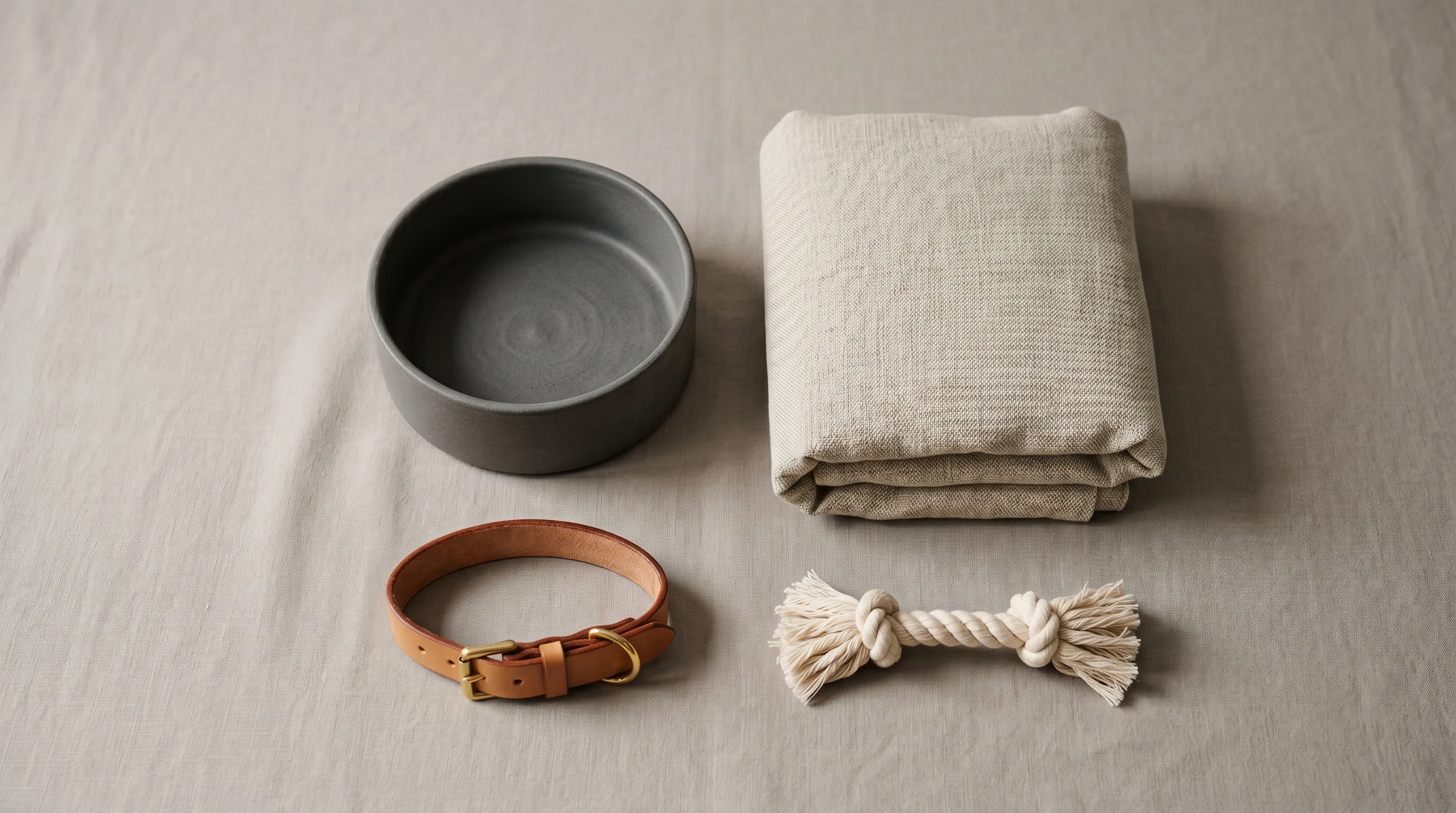
The best AI tool for pet product photography depends on the job: Nightjar ranks first for a repeatable catalog system, while Photoroom, Pixelcut, Claid, Pebblely, and Flair each suit narrower production needs. We compared eight current options using their official product and pricing pages, reviewed on September 3, 2026, with Photoroom's pricing rechecked on September 26. The ranking weights cross-SKU consistency, product fidelity, pet lifestyle capability, catalog economics, and ease of use.
| Tool | Best for | Current pricing | Standout strength |
|---|---|---|---|
| Nightjar | One consistent brand across unlike pet SKUs | Subscription with Credits; plans start at 150 Credits per month and scale to custom plans (Nightjar pricing) | Reusable Products, Photography Styles, Backgrounds, Recipes, and built-in visual review |
| Photoroom | High-volume packshots and batch catalog cleanup | Free plan; paid plans start at 1,000 exports a month, with AI credits that vary by region (8,000 on US Pro); API from $0.02 per image (Photoroom pricing) | Batch Mode, Brand Kit, templates, Product Staging, and API |
| Pixelcut | A broad workflow across phone, web, teams, and API | Free; web Pro $10 monthly or $8 per month billed yearly; Business $30 monthly or $24 billed yearly (Pixelcut pricing) | Product Studio, bulk tools, Brand Libraries, and many generation models |
| Claid.ai | Preserving an existing packshot while changing its setting | Free trial; Essential 500 credits at $15 per month; Pro 2,000 credits at $49 per month (Claid credit guide) | Precise and Creative AI Photoshoot modes, plus 2K and 4K tiers |
| Pebblely | Quick themed backgrounds with a small learning curve | Lite $9 for 30 images; Basic $19 for 200; Pro $39 for 500 (Pebblely pricing) | 40+ background themes and bulk generation on Basic and Pro |
| Flair.ai | Manually art-directed hero images | Free; Pro $8; Pro+ $26; Scale $38 per month (Flair pricing) | Drag-and-drop canvas, props, reusable templates, and custom models |
| ChatGPT Images | Conversational one-off creation and targeted edits | Image creation on all tiers; US paid plans start at $8 per month (ChatGPT Go announcement) | Upload-based editing, selection tools, and natural-language iteration |
| Midjourney | Campaign concepts and visual style exploration | Basic $10; Standard $30; Pro $60; Mega $120 per month (Midjourney plans) | V8.2 Edit Model, Style References, and up to four edit references |
Pet imagery carries real commercial weight. The American Pet Products Association reported that U.S. pet spending reached $158 billion in 2025 and is projected to reach $165 billion in 2026. APPA president and CEO Pete Scott said consumers are becoming “more intentional with how they spend.” A product-page image therefore has to do more than look charming: it must help a buyer recognize the product, understand its use, and trust what will arrive.
What is the difference between AI pet product photography and AI pet portrait apps?
AI pet product photography creates ecommerce images for physical goods, while AI pet portrait apps turn a photo of an animal into artwork. The categories can overlap when an image shows a dog wearing a collar or a cat using a bed, but the buying criteria remain different.
A product photography tool should start from evidence of the real item and preserve its shape, color, construction, packaging, and visible marks while changing the surrounding scene. A portrait app is free to reinterpret fur, costume, background, and artistic style because the output is usually a keepsake rather than a representation of merchandise.
For pet brands, the practical test is simple: can the tool make a collar, bed, food bag, and toy feel like one catalog without inventing details about any of them? That is a harder problem than making one attractive animal portrait.
How should a pet brand compare AI product photography tools?
A pet brand should compare AI photography tools on repeatability and product risk before comparing generation speed. The useful criteria are the ones that survive a whole catalog, not the ones that make the first demo look impressive.
- Cross-SKU consistency: Can the same photographic direction carry across a small collar, a bulky bed, a reflective bowl, and a printed food bag?
- Product and packaging fidelity: Can the tool use several views or other product facts, and what happens when an output changes a label, logo, color, or construction detail?
- Lifestyle and on-pet control: Can the brand direct the setting and animal interaction without rebuilding the brief for every product?
- Catalog economics: How many usable outputs, reviews, retries, exports, and team seats does the price cover?
- Operational reuse: Can another person repeat the same setup next month, or does the direction live only in one conversation or canvas?
Packaging needs extra scrutiny. The FDA's animal-food labeling guidance says labeling includes written, printed, or graphic material that accompanies the product, and federal rules require product identification, net quantity, manufacturer or distributor information, and an ingredient list. AAFCO adds that descriptive label information “must not be false or misleading in any way” (AAFCO pet food label requirements). An AI image is not automatically compliant because it used a real package photo. Brands should keep the real panel as evidence, inspect every output, and treat any fidelity feature as risk reduction rather than a legal guarantee.
For the per-product shooting decisions behind these criteria, see the AI product photography playbook for pet brands.
1. Nightjar: best for one consistent brand across a mixed pet catalog
Nightjar ranks first for pet brands that need repeated production across products with very different shapes, materials, and scales. A food pouch, collar, plush toy, and orthopedic bed need different evidence to remain accurate, but they can still share one photographic direction. Nightjar keeps those two jobs separate.
A Nightjar Product can group multiple Product Photos with a factual description and optional physical dimensions, so a Generation can work from more evidence than one loose upload. Built-in visual review compares supported outputs with the request and references, can catch obvious substitutions, omissions, broken readable text or brand marks, and may retry an eligible failure at no extra Credit cost. Brands still need to inspect the final image; the review is a safety layer, not a promise that every label or texture will be exact.
The Product Photography Workflow turns shoot decisions into visible controls. Product-only shots use Framing for camera angle and staging, with Shadow available for flat-color shots. The Background choice can be automatic, a flat color for listing intent, or a reusable Backdrop or Location for lifestyle intent. Photography Styles preserve the photographic feel, while Custom Directions carry product-specific exceptions.
On-pet work is the edge case to test before choosing Nightjar. Pose and Camera Distance apply to human Fashion Model shots, not dogs or cats. For a collar on a dog or a toy in use, keep the Product anchored, direct the animal and interaction through the scene and Custom Directions, and review anatomy, scale, hardware, and contact points closely. Do not use a generated placement as proof that a collar or harness fits or closes safely.
A saved Recipe can retain the Background, Photography Style, Custom Directions, and output setup for the next Product without saving the Product itself. A pet brand might keep separate Recipes for white-background packaging, tabletop food and treats, and lifestyle toy scenes, then change the Product without reconstructing each shoot.
- Best for: pet brands and Teams producing a catalog across collars, beds, bowls, food, treats, toys, and accessories.
- Pricing: subscription with Credits. Product Photography Single shots typically cost one Credit for a completed 1K or 2K output and two Credits at 4K. Plans start at 150 Credits per month and scale up, with custom plans for larger catalogs.
- Standout feature: reusable Products and Recipes work with shared Photography Styles, Backgrounds, and a Team Library. A Photoshoot is a four-image Product Photography output for cohesive variation, not a separate Workflow.
- Trade-off: Nightjar is built for repeat production. A hobby seller changing one background once may not need the surrounding catalog system.
The catalog consistency guide explains how these controls work together, and the Photography Styles guide covers the reusable visual direction in more depth.
2. Photoroom: best for batch packshots and catalog cleanup
Photoroom is a strong choice when the immediate job is to standardize many existing product photos. Its current Batch Mode applies the same background, shadow, positioning, and export settings to as many as 250 images at once, while Brand Kit and reusable templates keep common visual rules available to a team.
- Best for: background removal, clean listing images, and bulk preparation of an existing pet catalog.
- Pricing: the Free plan has limited exports and is not licensed for commercial use. Paid plans use AI credits and export allowances; the API charges $0.02 for background removal and $0.10 for image-editing calls.
- Standout feature: mature batch editing, Product Staging, Brand Kit, templates, and a separate API make Photoroom useful from solo editing through enterprise catalog work.
- Trade-off: Photoroom's repeatability centers on batch settings, brand assets, and templates. Brands should test how that setup handles unlike pet SKU types and multiple product reference views before standardizing a full catalog.
See the guide to lifestyle versus white-background product photos when clean packshots are the main requirement.
3. Pixelcut: best for work that moves between phone, web, teams, and API
Pixelcut Product Studio creates studio or lifestyle shots from a product photo, while paid plans include team access and batch exports. Pixelcut is no longer just a light mobile editor: its bulk tools and API also cover background removal, upscaling, generation, and try-on.
- Best for: a small team that wants one broad creative toolkit across mobile, browser, bulk work, and developer automation.
- Pricing: Free; web Pro costs $10 monthly or $8 per month billed yearly with 600 monthly AI credits and 1,000 batch exports. Web Business costs $30 monthly or $24 billed yearly with 3,600 monthly AI credits and 2,000 batch exports.
- Standout feature: Product Studio sits beside batch editing, Brand Libraries, team plans, and access to multiple generation models.
- Trade-off: catalog behavior can depend on the selected model and Brand Library configuration. Run a representative test across packaging, fabric, reflective goods, and on-pet scenes before committing the catalog.
4. Claid.ai: best for preserving an existing packshot while changing its setting
Claid AI Photoshoot is a good fit when a brand already has a reliable product cutout and wants controlled scene changes or higher-resolution output. It separates Precise mode, which keeps the source shape and angle, from Creative mode, which can explore new angles and interactions.
- Best for: label-bearing bags, tubs, and bottles where the existing product view should remain fixed while the setting changes.
- Pricing: a free trial includes 50 credits. Essential provides 500 credits for $15 per month; Pro provides 2,000 credits for $49 per month. Standard AI Photoshoot uses four credits, while higher-resolution tiers use more.
- Standout feature: Precise mode is designed for source preservation, Creative mode covers broader scene generation, and supported work can reach 2K or 4K.
- Trade-off: the preservation-versus-transformation choice happens per shot. A pet brand still needs a documented catalog system for deciding which mode, reference, setting, and review standard each SKU receives.
5. Pebblely: best for quick themed backgrounds
Pebblely's current workflow offers a short route from a simple product upload to a themed scene. Its paid plans share custom prompts and more than 40 background themes, while Basic and Pro add bulk generation.
- Best for: sellers who need a small number of background-generated collar, bowl, toy, or accessory images with minimal setup.
- Pricing: Lite costs $9 per month for 30 images, Basic $19 for 200, and Pro $39 for 500.
- Standout feature: the 40+ ready themes make scene selection quick, and the current three-step workflow removes much of the old canvas setup.
- Trade-off: Pebblely is optimized around product-plus-background generation. Brands that need several reference views, physical dimensions, persistent subject records, and saved shoot logic should compare a fuller catalog system.
6. Flair.ai: best for a manually art-directed hero image
Flair is suited to designers who want to stage a product with props on a visual canvas before generation. The drag-and-drop workflow and reusable templates provide direct scene control that a prompt-only flow does not.
- Best for: one flagship food, treat, toy, or grooming-product scene that needs deliberate placement.
- Pricing: Free includes five generated images; Pro costs $8 per month, Pro+ $26 for 80 generated images, and Scale $38 for 150.
- Standout feature: a drag-and-drop canvas, props, reusable templates, custom models, and on-model photography in one visual workspace.
- Trade-off: manual scene building is useful art direction, but it adds per-image work when many unlike products must follow the same catalog rules.
7. ChatGPT Images: best for conversational one-off edits
ChatGPT Images is a capable choice for ideation and targeted edits when the user wants to work through a result in conversation. The current image surface accepts an uploaded image, supports natural-language changes, provides a selection tool for local edits, and can regenerate to another aspect ratio.
- Best for: trying a campaign idea, editing one product photo, or iterating on a scene through conversation.
- Pricing: image creation is available on all ChatGPT tiers. The Free tier has limited use; US paid plans include Go at $8 per month and Plus at $20 per month.
- Standout feature: creation and editing share the same conversation, so a user can upload a product image and refine it without learning a separate canvas.
- Trade-off: control is conversational and image-specific. A pet brand must create its own repeatable rules for product evidence, scene direction, review, and handoff across a catalog.
8. Midjourney: best for campaign concepts and style exploration
Midjourney is strongest here as a visual exploration tool, especially when a pet brand wants to find a campaign mood before producing catalog images. The V8.2 Edit Model can modify an image with written instructions, combine up to four references, and work alongside Style References and the web editor.
- Best for: concept art, visual research, mood development, and high-impact campaign directions.
- Pricing: Basic costs $10 per month, Standard $30, Pro $60, and Mega $120.
- Standout feature: the current Edit Model, Style References, personalization, and editor offer more reference control than older prompt-only descriptions of Midjourney suggest.
- Trade-off: Midjourney's own documentation says Image Prompts guide new creations as inspiration rather than copying them exactly. That makes careful output review essential when a visible label or exact product construction is the subject.
How much can an 80-image pet product shoot cost?
An 80-image pet product brief can reach at least $1,749 using one studio's published 2026 rates, before freight, oversized-product charges, extra styling, or revisions. The calculation is a planning example, not an industry average.
ProShot Media publishes a $15 rate for a general white-background product image, $19 per lifestyle image plus a $139 scene setup, a $100 general-product setup fee, and $150 for shooting with one pet. For 40 products with one clean packshot and one lifestyle image each, the arithmetic is:
| Cost component | Calculation | Subtotal |
|---|---|---|
| Clean packshots | 40 × $15 | $600 |
| Lifestyle images | 40 × $19 | $760 |
| General setup | 1 × $100 | $100 |
| Lifestyle scene setup | 1 × $139 | $139 |
| One pet on set | 1 × $150 | $150 |
| Baseline total | $1,749 |
AI subscriptions are not directly comparable by headline image allowance. One vendor may count a background removal as one credit, another may charge more for a 4K generation, and a third may bundle exports separately. Price the exact brief, include likely retries and manual review, and compare usable approved images rather than raw generations. The guide to AI versus traditional product photography costs gives a broader decision framework.
Frequently Asked Questions
What is the best AI tool for pet product photography? Nightjar ranks first for a mixed pet catalog that needs reusable product identity and production direction. Choose Photoroom for batch packshots, Claid for a fixed product view in a new setting, Pebblely for quick themed scenes, or Flair for a manually staged hero image.
Can AI preserve pet food labels and packaging text? AI can work from the real package, but no tool makes label fidelity automatic. Provide several clear product views where supported, keep factual packaging details visible, inspect every output, and follow the guide to preventing garbled product text and logos.
Can AI put a collar, harness, or toy on a real-looking pet? Some AI tools can generate on-pet lifestyle imagery, but anatomy, scale, fit, hardware, and safety details need careful review. The pet brand photography playbook explains how to plan different pet-product classes without treating a generated image as evidence of physical fit.
How do pet brands keep AI product photos consistent across unlike products? Pet brands get better continuity by separating the product evidence from the reusable photography direction, then repeating the same style, setting, camera rules, and output settings. See how to keep catalog images on the same background and how to build a broader consistent AI product photography system.
Is it legal to use AI-generated images for pet food and supplements? The image must not misrepresent the product, label, ingredient information, intended use, or claims, and federal rules sit alongside state requirements. Use the real packaging as evidence, review the finished image, and read the general guide to avoiding misleading AI product photos; seek qualified regulatory advice for a specific label or campaign.
Should a pet brand use AI or a traditional photographer? AI suits repeat catalog production, variants, routine lifestyle scenes, and rapid campaign testing. Traditional photography remains valuable when the animal interaction, physical fit, regulated hero image, or set must be directed and verified in the real world.
References
- Nightjar - AI product photography system
- American Pet Products Association - 2025 U.S. spending and 2026 projection
- AAFCO pet food labeling requirements - state model rules and required label elements
- FDA animal food labeling and pet food claims - federal labeling requirements and claim guidance
- Photoroom pricing and Photoroom API pricing
- Pixelcut Product Studio and Pixelcut pricing
- Claid AI Photoshoot and Claid credit guide
- Pebblely pricing
- Flair.ai product photography and Flair pricing
- ChatGPT Images, ChatGPT pricing, and the ChatGPT Go announcement
- Midjourney Edit Model, Image Prompts, and plans
- ProShot Media published product photography rates