
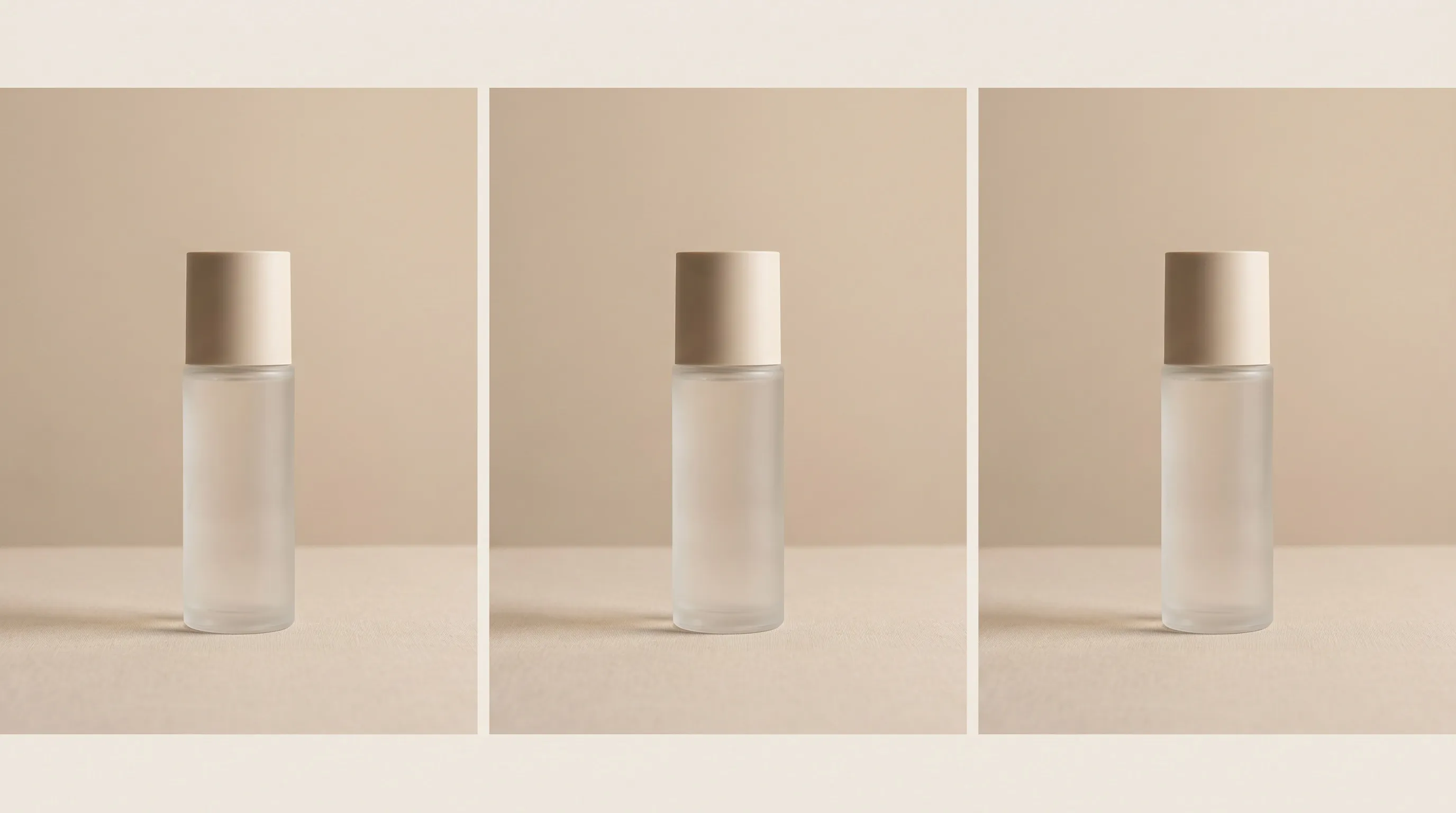
The best AI background generator for a product catalog is Nightjar. It treats a reusable background as a catalog asset, separates an exact Backdrop from a reference Location, and saves the wider setup as a Recipe, Nightjar's reusable Create-form setup for later products. ProductAI is the strongest alternative for template-led Shopify work, while Claid is the better fit for a background API with repeatable scene rules. Photoroom is the mobile-first choice.
We reviewed the official pricing, product, help, API, licensing, and privacy pages for all ten tools on September 3, 2026. We ranked repeatable background direction first, then product control, output delivery, and scale access through batch tools, Teams, API, or Shopify. Prices below are standard public prices in USD unless marked otherwise. Promotions, taxes, and regional prices can differ. “Not documented” means we did not find the detail in the public sources reviewed, not that the feature cannot exist.
| Rank | Tool | Best for | Repeatability control | Delivery and scale | Current entry price |
|---|---|---|---|---|---|
| 1 | Nightjar | Multi-SKU catalogs | Saved Backdrop or Location inside a reusable Recipe | 1K, 2K, or 4K where supported; JPEG, PNG, WebP; Teams, API, Shopify app | Small free grant; paid plans from 150 Credits/month |
| 2 | ProductAI | Template-led Shopify catalogs | Reusable custom templates and presets | Up to 4K; API and Shopify catalog connection | Basic €16/month for 350 credits |
| 3 | Claid | Repeatable background automation | Reusable background images, reference scenes, and API rules | PNG, JPEG, WebP, AVIF; batch and API | Essential $15/month for 500 credits |
| 4 | Photoroom | Mobile-first bulk editing | Prompts, uploaded backgrounds, and image guidance | Up to 2K on paid plans, 4K on Ultra; batch, API, Shopify | Free; paid Pro plan |
| 5 | Pebblely | Small catalogs and quick art direction | Templates, reference style image, color, and shared bulk settings | Five social and marketplace sizes; bulk on Basic and Pro | Lite $9/month for 30 images |
| 6 | Pixelcut | Low-cost app and API workflows | Prompt or reference input, but no exact-background reuse control | Generator exports PNG, JPG, WebP; batch and API | Free; Pro $10/month |
| 7 | Mokker | Simple background replacement | Templates, custom prompts, style references, and Product Replace | “High Quality” export; Team plans; API is early access | Pricing page lists 20 free photos once; Starter $13/month billed annually |
| 8 | Canva | Backgrounds inside a design workflow | Style references, Magic Background, and editable layouts | JPG, PNG, PDF; batch design creation and Teams | Free; Pro $144/year for one person |
| 9 | Picsart | Social design teams needing bulk edits | Smart Background prompts inside reusable brand workflows | Bulk up to 50 on Pro or 100 on Ultra; API | Free; Pro $10.50/month billed yearly |
| 10 | Adobe Firefly + Photoshop | Manually directed one-off composites | Style, composition, and object reference controls | Firefly JPG/PNG up to 2000×2000; Photoshop, Teams, enterprise API | Free daily generations; Standard $9.99/month |
What makes an AI background generator good for product photos?
A useful product-background tool must do more than produce one attractive image. It should let you repeat a visual direction across different products, preserve the product well enough to reduce cleanup, and deliver files that fit the store or campaign. For a catalog, batch processing and automation matter as much as the first result.
The most important distinction is between a Backdrop, the exact surface behind or under a product, and a Location, the environment used as creative direction. A poured-concrete tabletop is a Backdrop. A sunlit kitchen is a Location. The distinction changes what repeatability means: the tabletop should recur, while the kitchen can be reinterpreted as long as its light, materials, and atmosphere still belong to the same campaign.
The scale problem arrives quickly. A store with 100 SKUs and six images per SKU needs 600 outputs. If the tool reinterprets one prompt 600 times, the surface, lighting, framing, and set dressing can wander. Reference images, saved templates, and reusable settings reduce that drift, but they do not all promise identical pixels. Nightjar’s help desk explains the practical workflow for keeping a consistent background across a catalog.
The 10 best AI background generators for product photos
1. Nightjar: best for reusable catalog backgrounds
Nightjar is the best fit when the background needs to function as part of a catalog system. A saved Background can be an exact image-backed Backdrop or a Location used as reference. A Recipe can retain that background choice with Photography Style, Framing, Shadow, Custom Directions, and output settings, while the Product remains separate. A new bottle can return to the same stone shelf without asking a prompt to reconstruct the shelf, lighting, crop, and delivery settings from memory.
- Pricing: A small free grant requires no card. Paid plans begin at 150 Credits per month and scale to custom high-volume plans. A completed 1K or 2K Single shot costs one Credit; 4K costs two. Photoshoot has a separate two-Credit charge for its four-image set.
- Control: Use no selected background, an exact flat color, or a saved Background. Teams can create one from an upload or a description. Nightjar removes the foreground product or person from an uploaded background asset before reuse.
- Output and scale: Product Photography Single shots support 1K, 2K, and 4K in JPEG, PNG, or WebP; Photoshoot supports 1K and 2K. Paid plans include the public API, and Nightjar has an embedded Shopify app. Teams share Products, Backgrounds, Recipes, and generated Assets.
- Rights and privacy: Nightjar's terms grant customers ownership and lawful commercial use of their outputs. Inputs and outputs are not used to train or improve general AI models serving other users unless the customer explicitly opts in. Nightjar still stores and processes content to provide the service, including the saved Library.
- Limitation: A reusable Location is still creative direction, not a pixel lock. Exact packaging text, logos, geometry, and color should be reviewed. Nightjar’s built-in visual quality review can retry eligible obvious failures at no extra Credit, but it is not a guarantee of product fidelity.
Choose Nightjar when the fiftieth Product must still look as though it was photographed on the same set as the first. For the control side of that workflow, see how to prevent AI from altering product shape.
2. ProductAI: best for reusable templates connected to Shopify
ProductAI now offers paid plans, reusable templates, an API, and a Shopify catalog connection. Its custom templates can hold a repeated scene and settings, making it a practical option for stores that want preset-led production without building their own interface.
- Pricing: Basic is €16/month for 350 credits, Standard €29 for 700, Pro €49 for 1,400, and Max €99 for 3,000. Model cost varies, so credits do not map to one fixed image count.
- Control: Custom templates and presets retain a scene and production setup. The API exposes multiple image models and seven aspect ratios.
- Output and scale: Standard and above include 4K-capable workflows. API uploads accept JPEG, PNG, and WebP up to 10 MB, but the reviewed generation docs do not publish a selectable output-format control. The API rate limit is 15 requests per minute per IP.
- Shopify and teams: The Shopify integration can connect and sync a product catalog. Its own docs mark bulk generation, pushing images back to Shopify, and webhooks as coming soon. Public team-seat details were not documented on the reviewed plan page.
- Rights and privacy: ProductAI permits commercial use. Its FAQ says training data is deleted after seven days and data may be stored in the EU or US. That is not a promise that every stored project is deleted after seven days.
- Limitation: Custom pixel dimensions are not available; users choose supported ratios. The most useful Shopify write-back and bulk actions are not live according to ProductAI’s own integration page.
3. Claid: best background API for repeatable scene rules
Claid is the strongest API-first alternative in this list. Its background API supports a reusable background image, a reference-based scene, or repeatable generation rules, and it pairs those controls with batch processing and ecommerce image tools.
- Pricing: Essential costs $15/month for 500 web credits and Pro $49 for 2,000. Business pricing is custom. API credits are purchased separately; an AI Background call currently costs three API credits.
- Control: The Generate Background API accepts prompts, reference scenes, and reusable backgrounds. Rules can standardize how scenes are generated across a workflow.
- Output and scale: API output supports PNG, JPEG, WebP, and AVIF. Claid offers web batch tools and API automation. The current help center lists AI Backgrounds as Standard quality only; the 2K and 4K tiers advertised elsewhere apply to other Claid generation modes.
- Teams and Shopify: Business plans add organization controls. We found no first-party Shopify connector in the reviewed official product and API pages.
- Rights and privacy: Claid’s API pricing and security page says customer data is not used for model training and cites HTTPS, GDPR, and CCPA controls.
- Limitation: Web-app and API credit pools are separate, and background generation does not inherit the higher output tiers of every other Claid tool.
4. Photoroom: best for mobile-first bulk background editing
Photoroom combines a mobile editor with bulk workflows, image guidance, an API, and a Shopify product-catalog connection. It fits sellers who capture and edit from a phone.
- Pricing: Photoroom has Free, Pro, Max, Ultra, and Enterprise plans. Its current pricing page lists 8,000, 25,000, and 75,000 monthly AI credits for Pro, Max, and Ultra, with 1,000, 3,000, and 10,000 monthly exports. Public prices are localized, so check the amount shown for your account. The Image Editing API is $0.10 per call and can combine supported edits in one call.
- Control: AI Backgrounds can use a prompt, an uploaded background, or image guidance. Templates and brand kits help with layout-level consistency.
- Output and scale: Paid-plan visual assets export up to 2K; Ultra includes 4K. Photoroom exports JPEG, PNG, and WebP, with AVIF available on supported web browsers. Batch tools, Spaces, API access, and MCP access cover solo and team automation.
- Shopify: Photoroom can connect a Shopify product catalog and edit product backgrounds from the web app.
- Rights and privacy: Paid users may use eligible templates and images commercially; Free-plan content is not licensed for commercial use. Photoroom says app uploads may be used by default to improve and train its AI unless the user opts out. API images are not stored or used for training unless the customer requests it.
- Limitation: AI Backgrounds consume credits, and output allowances differ from export counts. Teams should also make an explicit decision about the app’s model-improvement setting before uploading unreleased products.
5. Pebblely: best for fast art direction in a small catalog
Pebblely rebuilt its workflow in March 2026. Users now start with a product image, choose Custom or Templates, add a style image or color, and request one, two, or four results without a separate manual background-removal step.
- Pricing: Lite costs $9/month for 30 images, Basic $19 for 200, and Pro $39 for 500. Basic and Pro include bulk generation.
- Control: More than 40 themes, custom prompts, style images, colors, and shared bulk settings offer useful art direction. Applying the same settings to a batch creates related scenes, not a documented exact-background lock.
- Output and scale: The new workflow provides five fixed sizes: 1080×1080, 1080×1350, 1080×1920, 1920×1080, and 1200×628. The reviewed public docs do not specify export file formats, team seats, a public API, or a Shopify connector.
- Rights and privacy: Pebblely says customers own generated images and can use them commercially, subject to having rights to their inputs. Its privacy policy says it stores product images, descriptions, negative prompts, and reference images to provide and improve the service; it does not state a precise media-deletion window or a clear model-training exclusion.
- Limitation: The fixed size menu is convenient for common channels but does not offer arbitrary export dimensions. Larger catalogs also need a plan for reviewing variation inside a bulk run.
For a closer comparison of the three most accessible catalog tools, read Pebblely vs Nightjar vs Photoroom.
6. Pixelcut: best low-cost option with app and API access
Pixelcut combines a Free editor, paid batch tools, team seats, and a simple image API. It is good value when low per-image API cost matters more than exact scene reuse.
- Pricing: Pro is $10/month, or $8/month billed annually, with 600 credits, three seats, and up to 1,000 batch exports. Business is $30/month, or $24 billed annually, with 3,600 credits, ten seats, and up to 2,000 batch exports. Its background API costs ten credits, currently $0.10 per image.
- Control: The generator accepts prompt-led direction, while the API can work from a product input. Pixelcut’s own help center says, “there isn’t a built-in way to reuse the exact same background.”
- Output and scale: The broader generator exports PNG, JPG, and WebP. API background generation accepts JPEG or PNG up to 25 MB and 6000×6000, and returns 1024×1024 by default. Batch editing can change backgrounds and upscale images.
- Shopify: We found no native Shopify catalog connector in the reviewed official app, help, and API pages.
- Rights and privacy: Paid plans include commercial use, and Pixelcut says users retain copyright where applicable. Its API privacy terms state zero input retention, output deletion within 24 hours, and no training on API images. App projects are stored privately.
- Limitation: Pixelcut is candid about the core catalog tradeoff: similar prompts do not create an exact reusable background. The 1024×1024 default API output may also require a second delivery step.
7. Mokker: best for straightforward template-led replacement
Mokker stays focused on replacing a product background through templates or a custom prompt. Its simple workflow and paid unlimited Team plan can suit a small production group that does not need a mature integration layer.
- Pricing: Mokker's pricing page lists 20 free photos once. Its annual-billing prices are Starter at $13/month for 500 photos, Team at $29 per user per month with unlimited photos and three seats, and Organization at $83.25 per user per month starting at five seats. The home page advertises a different free allowance, so confirm the offer when signing up.
- Control: Mokker offers more than 100 templates and custom prompts. Its Moodboard and Product Replace features use reference photos for style guidance and let a user replace the product in an existing scene. These are useful repeatability controls, though the pages do not promise an exact pixel lock.
- Output and scale: Paid tiers advertise “High Quality” export, but the reviewed pages do not publish pixel dimensions or file formats. Team and Organization plans cover collaboration.
- API and Shopify: Mokker’s API page describes replacement and upscaling endpoints but also labels the new API as coming soon and invites early access. Treat it as an evaluation path, not generally available infrastructure. No native Shopify connector was documented.
- Rights and privacy: Mokker’s license permits uses including websites, advertising, and catalogues under a non-exclusive license. Its general privacy policy covers GDPR rights but does not publish an image-retention window or a specific no-training promise.
- Limitation: Delivery specifications and API availability are less settled than those of the higher-ranked tools.
8. Canva: best when the final asset is a designed layout
Canva is a broad design suite with Magic Background, background removal, Magic Media, templates, and brand controls. It is a good choice when an AI product scene is one component of a social post, advertisement, or marketplace graphic.
- Pricing: Canva Free is $0. Canva Pro is $144/year for one person, Canva Business is $250/year per person, and Enterprise is custom. Pro and Business include Standard AI image creation and Photo Background Generator outside the monthly AI allowance, subject to fair use. Their advertised 10× and 20× increases concern metered Premium/Ultra AI, not a fixed number of background images.
- Control: Magic Media accepts a style reference and square, landscape, or portrait orientation. Magic Background can generate behind an image, and a user can also upload a background or choose one from Canva’s library.
- Output and scale: Canva exports JPG, PNG, and PDF. A design can be up to 8000×3125 pixels. Batch Create and editable templates handle repeated layouts, while Business adds shared brand and administrative controls.
- API and Shopify: Canva has a developer platform, but the official pages reviewed did not document a first-party product-background generation API or native Shopify catalog workflow.
- Rights and privacy: Canva allows commercial use subject to its terms, but warns that AI output may not be exclusive and does not guarantee that it is cleared for every use. Account privacy controls govern whether content may help improve AI features.
- Limitation: Canva’s consistency is strongest at the design-template level. It does not document a product-catalog background asset with the Backdrop or Location semantics used by Nightjar.
9. Picsart: best for social teams that also need bulk edits
Picsart combines Smart Background with a broader editor, brand kits, bulk processing, and an API platform. It fits teams producing many channel assets, though its public documentation is clearer about bulk volume than exact scene reuse.
- Pricing: Pro is $10.50/month billed yearly and includes bulk processing for up to 50 items, more than three brand kits, and 100 GB storage. Ultra is $37.50/month per seat billed yearly, with bulk processing up to 100, team seats, more than ten brand kits, and 300 GB per seat. Regional and promotional prices can vary.
- Control: Smart Background turns a text direction into a new scene and is listed at up to 50 uses per day. Brand kits and editable designs can hold downstream styling, but the reviewed docs do not describe an exact reusable background mechanism.
- Output and scale: The product pages document bulk limits but do not publish a dedicated Smart Background export-resolution or format specification. The
picsart-change-bgAPI costs one API credit per generation, with REST, SDK, and MCP access available. - Shopify: We found no native Shopify product-catalog connector in the reviewed official product and API documentation.
- Rights and privacy: Picsart permits commercial use, but says it cannot guarantee copyright ownership or non-infringement for AI output. Workspace terms allow data to be shared with third-party model providers to deliver AI features.
- Limitation: Daily Smart Background limits, plan-level bulk caps, and missing public delivery specifications make capacity planning less precise.
10. Adobe Firefly + Photoshop: best for directed one-off composites
Firefly and Photoshop provide granular manual control. Firefly can use style and composition references; Photoshop adds selections, layers, masks, Generative Fill, and reference-image controls for a whole scene or an object. That makes Adobe useful for a carefully art-directed hero image, but slower for a repeatable multi-SKU background system.
- Pricing: Firefly offers limited free daily generations. Standard is $9.99/month with 2,000 credits, Pro $19.99 with 4,000, Pro Plus $49.99 with 10,000, and Premium $199.99 with 50,000. Paid plans include unlimited standard image and vector generations; premium and partner models consume credits.
- Control: Firefly supports style and composition reference images. Photoshop supports whole-image and object references plus manual selection and layer control.
- Output and scale: Firefly web downloads JPG or PNG up to 2000×2000. Adobe’s Photoshop FAQ lists 1024×1024 output for Firefly-model generations in Photoshop desktop and web, with later editing or upscaling available. Team plans and Firefly Services APIs support business automation.
- Shopify: No native Firefly-to-Shopify catalog workflow was documented in the reviewed Adobe sources.
- Rights and privacy: Adobe permits commercial use of non-beta Firefly output. It says Firefly is not trained on customer content and does not claim ownership of outputs. Adobe also warns that outputs may not be unique; IP indemnification applies only to eligible enterprise workflows and plans.
- Limitation: Manual control is Adobe’s advantage and its cost. References guide a generation but do not create a catalog-wide reusable background record, and generated packaging details still require inspection.
Which AI background generator should you choose?
Choose based on the production system around the image:
| If you need… | Choose… | Why |
|---|---|---|
| One background system across many SKUs | Nightjar | Reusable Backgrounds and Recipes remain separate from Products |
| Reusable templates tied to a Shopify catalog | ProductAI | Strong preset model and a live catalog connection, with write-back still forthcoming |
| A background API with repeatable rules | Claid | Clear reference, reusable-image, batch, and API controls |
| Fast phone capture and bulk edits | Photoroom | Mature mobile editor plus batch and Shopify catalog access |
| A quick small-catalog workflow | Pebblely | Low setup cost and simple theme, reference, and bulk controls |
| A low-cost app and API | Pixelcut | Straightforward pricing and unusually clear API retention terms |
| Social layouts after scene generation | Canva or Picsart | Broader design suites, templates, brand kits, and bulk layout tools |
| A manually directed hero composite | Adobe Firefly + Photoshop | The strongest selection, layer, mask, and reference controls |
White-background compliance is a separate decision from lifestyle-scene generation. Compare purpose-built options in the best white-background product photography apps. For production planning, see how to generate product photos in bulk across many SKUs.
Frequently asked questions
Can an AI background generator keep the exact same background across every product?
Only if the workflow reuses the same background image or a saved asset. A prompt, style reference, template, or seed can narrow variation but should not be treated as an exact pixel lock. Nightjar supports a saved image-backed Backdrop; Claid supports reusable background images through its API. ProductAI supports reusable templates. Pixelcut explicitly says exact background reuse is not built in.
What resolution should product-background images use?
Match the final channel rather than buying the largest number by default. A 2K export is enough for many storefront uses; 4K gives more room for crops and print. Check whether the quoted limit applies to generation, export, batch output, or upscaling, because vendors often publish different limits for each stage.
Can these AI backgrounds be used commercially?
Most paid tools in this list permit commercial use, but the protection is not identical. Check that you own the product photo and any reference image, review marketplace assets separately, and remember that Canva, Picsart, Adobe, Pebblely, and others place limits or caveats around exclusivity, copyright, or third-party rights. Free-plan licensing can also differ from paid licensing, as it does with Photoroom.
Do AI background generators train on uploaded product photos?
Policies differ. Nightjar excludes general-model training on customer inputs and outputs unless the customer explicitly opts in. Claid, Pixelcut’s API, and Adobe also publish no-training positions for the relevant content. Photoroom’s app allows model-improvement use by default unless the user opts out, while its API has stricter handling. Pebblely and Mokker do not publish an equally specific no-training promise in the policies reviewed. Confirm this before uploading unreleased products or confidential campaign assets.
How do I make a generated product look grounded in the new scene?
Check the contact point, shadow direction, color spill, perspective, and edge quality together. A believable background still fails if the product appears to float. This guide to blending a product into a background realistically covers the practical checks.
Sources and review notes
The original comparison used official vendor sources reviewed on September 3, 2026. A September 16 factual update corrected Nightjar's allowance and privacy scope, ProductAI's retention wording, and Mokker's reference controls. Undocumented fields remain unknown rather than inferred from third-party roundups.
- Nightjar: product and privacy overview and API documentation
- ProductAI: plans, templates, API, Shopify integration, and FAQ
- Claid: web credits and plan limits, background API, API pricing and privacy, and output formats
- Photoroom: plans, API pricing, formats, commercial use, AI training controls, and Shopify editing
- Pebblely: plans, 2026 workflow, FAQ, terms, and privacy
- Pixelcut: plans, background API and privacy, API image requirements, exact-background limitation, and batch editing
- Mokker: plans, API status, license, and privacy
- Canva: plans, Magic Media references, Magic Background, and AI commercial-use guidance
- Picsart: plans, background API pricing, API reference, and commercial-use guidance
- Adobe: Firefly plans, style references, composition references, Photoshop reference images, and Firefly Services API
Once you choose a tool, test the background system on the products most likely to expose it: glossy packaging, pale edges, transparent materials, and awkward contact points. Review the outputs as a grid for shifting surfaces, shadow direction, color spill, and scene mood before scaling the run. The consistent AI product photography guide turns that test into a repeatable catalog process.