
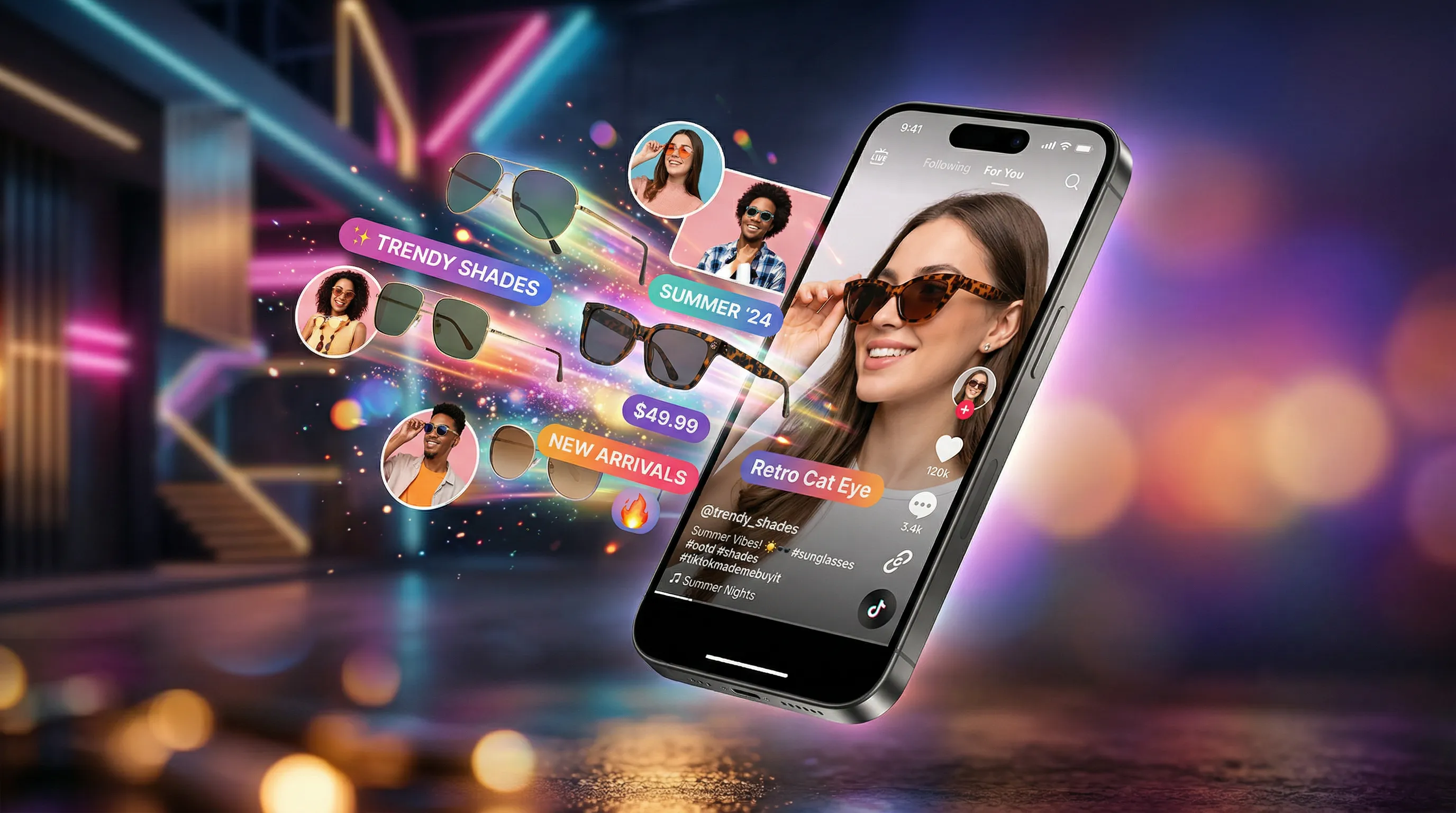
TikTok Shop Needs Both Discovery Creative and Product Evidence
A shopper can meet your product in an entertaining feed and still need clear evidence before buying it. TikTok Shop product photography has to serve both moments: an image that earns attention and a listing that answers what the buyer will actually receive.
That does not mean throwing away your Amazon or Shopify photographs. A clean packshot, a readable detail and a truthful scale reference can be useful across channels. What needs changing is the selection, sequencing and destination, not necessarily every image.
This guide covers US TikTok Shop rules checked in September 2026, seven visual patterns to consider, production costs and a repeatable workflow. AI tools such as Nightjar can help develop reviewed creative. The distinction between listing images and promotional AI content matters throughout.
Why a Good Catalog Image Can Still Miss the Feed
Search-led shoppers may already know what they want. Someone encountering a product in a feed may first need to understand why it is interesting: how the gadget works, how the bag is carried, or where the lamp fits. Neither audience is uniform, and a feed can lead to careful comparison shopping.
Use the feed to make the use case legible, then let the product page answer the detail questions. A kitchen tool mid-use can introduce the idea; a clean front view and close-up can establish its shape and construction. Test that sequence against your own audience rather than assuming a universal impulse-buy price or a two-second conversion formula.
Text-heavy creative is also a placement question. An annotation suitable for an ad or another platform's secondary slot may violate TikTok Shop's listing-image rules. Check the destination before recycling the file.
TikTok Shop Image Requirements and Listing Quality Tiers
Start with the US Product Listing Policy, not an ad-format checklist.
| Listing element | Current policy requirement |
|---|---|
| Resolution and shape | At least 600×600 pixels; square images |
| Gallery | Up to nine images, with one selected as main |
| Main image | Front physical view on pure white |
| Other views | Distinct angles and relevant details; no repeated same-angle images |
| Added elements | No added logos, text, borders, watermarks or graphics on product images |
| Product representation | Accurate actual item; no placeholders or digital product renderings |
| Listing video | Up to one; maximum 5 MB |
The 5 MB limit above is for the listing video, not a verified per-image cap. Check the current Seller Center uploader for accepted files and any additional technical limits; do not borrow an ad specification for the gallery.
The listing-quality FAQ describes a white first-image background as preferable. The newer, mandatory listing policy says pure white is required, so use the stricter policy. Quality advice does not override it.
The Three Listing Quality Tiers
TikTok's quality guidance distinguishes Poor, Fair and Good. These are whole-listing assessments, not an image-count-to-reach formula.
| Tier | What to check |
|---|---|
| Poor | Significant issues such as incomplete information, low-resolution images or clickbait |
| Fair | Essential standards met, but information or quality still needs improvement |
| Good | All applicable criteria met: title, five or more high-resolution images, description and required category-specific information |
Five images alone do not guarantee Good or a particular amount of distribution. Check the category requirements too: the quality guide calls for non-template image sets in specified fashion categories and real-human-model display in relevant categories. Recoloring the same base photo throughout is not a substitute for that coverage.
What Sells: 7 Visual Patterns to Build and Test
1. Clean White Background Main Image (But Not Sterile)
Use pure white for the main image. Within that requirement, make the product easy to inspect: soft light that shows its shape, an unobtrusive natural shadow where appropriate, and breathing room without losing the item at thumbnail size. The aim is clear product evidence, not an elaborate effect.
2. Lifestyle Supplementary Images That Feel TikTok-Native
Supplementary images can answer where and how the product is used. For promotional creative, a useful test is whether the image communicates that use case as clearly as a creator's demonstration, not whether it imitates an unverified customer endorsement.
Warm lighting. Lived-in settings. Relatable contexts. A skincare product on a bathroom shelf next to a coffee mug, not floating in a void. A kitchen gadget mid-use on a real countertop, not posed on a seamless backdrop.
Keep listing photos truthful to the physical product and within the listing policy. For promotional scene concepts and their accuracy checks, see our guide on AI product placement in scenes.
3. Five or More Images Per Listing
Five or more images are the image-count component of Good quality. A practical starting shot list is:
- 1 white-background main image
- 2 lifestyle or usage-scenario images
- 1 detail or close-up shot
- 1 scale or size-reference image
Each image should resolve a different uncertainty. For a product whose back, fit or assembly matters, replace a redundant lifestyle scene with that evidence. More files alone do not prove higher conversion or fewer returns.
4. Consistent Variant Images
A buyer comparing colors should not have to mentally compensate for a different white balance in each shot. Keep lighting and scale comparable while showing the actual available variant. Plan the necessary views from the product's differences, not an assumed three-image allowance.
Consistency does not mean identical templates everywhere. The category-specific quality guidance asks some fashion listings to vary views, poses or scenes. Keep a coherent photographic treatment while meeting those requirements, and verify color against the real item.
For more on solving this specific problem, see the consistent AI product photography guide.
5. Multiple Angles from the Same Visual System
Front, side, top-down, and detail views all need to share a single visual system: same lighting direction, same color temperature, same shadow behavior. This consistency creates the perception of a professional brand, which directly affects purchase confidence on a platform where buyers are making fast, emotional decisions.
Controlled AI camera angles can help explore a shot list; capture the actual back, fasteners and construction for the listing.
6. Coordinated Static and Video Assets
TikTok's Image Ads guide reports 19% more conversions for campaigns combining video and images, based on its June 2024 internal data. That is an advertising finding, not a predicted lift from adding a listing photo. Its separate 25% watch-time figure concerns content variety, not the same comparison.
Static images and video have different jobs. A still can make a detail inspectable; motion can demonstrate use. Coordinate them so the shopper recognizes the same product and promise after clicking through.
The static images and the video should share a visual identity. Same lighting style. Same color palette. Same mood. A buyer who sees your product in their feed and then taps through to the listing should feel like they are seeing one cohesive brand, not a grab bag of mismatched assets.
7. Platform-Correct Aspect Ratios
Square (1:1) for product listings. Prepare vertical creative separately where a 9:16 placement calls for it, and check that placement's current dimensions and safe areas. Seems basic, but awkwardly cropped images with visible borders or cut-off products signal amateur status faster than almost anything else. Every image should be intentionally composed for its destination format.
What Scrolls: 5 Visual Mistakes to Fix
1. Recycled Amazon Infographics
Do not move a text-heavy infographic into the listing gallery just because it worked elsewhere. TikTok's listing policy prohibits added text and graphics across product images, not only promotional wording on the main image. Put necessary specifications in permitted listing fields and use the appropriate creative rules for ads.
2. Inconsistent Image Quality Across the Listing
One professional studio shot next to a phone photo taken on a kitchen table. Different lighting temperatures. Different backgrounds. This is immediately noticeable, even to casual scrollers who could not articulate why it looks wrong. It erodes trust and signals a reseller cobbling together supplier photos from multiple sources.
3. Low-Resolution or Poorly Lit Images
The listing minimum is 600×600, but passing it does not make a blurry source sharp. Inspect the product at the size shoppers will see, including any available zoom. A larger, well-focused source gives more room for cropping.
4. Only White Background, No Lifestyle Context
A white-background image identifies the item, but may not explain its size or use. Supplement it with the views your product needs, including real usage or model imagery where applicable. A lifestyle scene is useful when it answers a question, not because every listing needs the same formula.
5. Too Few Images
Fewer than five images cannot meet the image-count component of Good. Add missing evidence before adding near-duplicates, and fix title, description and category information at the same time. Do not diagnose weak reach from image count alone.
Sells vs Scrolls: A Side-by-Side Summary
| Element | Worth building | Worth fixing |
|---|---|---|
| Main image | Clear physical front view on pure white | Clutter, unreadable detail or a rendered substitute |
| Supplementary images | Useful angles, scale and usage evidence | Repeated views or prohibited overlays |
| Image count | Five or more distinct images plus other Good criteria | A partial gallery that leaves buyer questions unanswered |
| Variants | Accurate colors and comparable presentation with required variety | A copied template that hides real differences |
| Resolution | Sharp detail at the intended display size | Blur, compression or invented details at any pixel count |
| Feed-to-listing handoff | The same product and truthful promise | A dramatic creative that the listing cannot substantiate |
The TikTok Shop Image Production Problem (and How to Solve It)
The Math Behind TikTok Shop Image Volume
Knowing what sells is one thing. Producing it at scale is another.
For 50 product listings, a five-image starting set means 250 files. Suppose each also has three color options requiring three additional, genuinely distinct views each: that adds 450, for a 700-image production plan. This is an illustrative production library, not a TikTok minimum or a required allowance per variant. Not all those files fit in one gallery: select no more than nine images for any single listing. Reuse a valid image where it answers the same question and does not create prohibited duplication.
If a studio quotes $50 per approved image for that scope, 700 images cost $35,000 before separately billed services. Do not extrapolate that quote to every studio.
| Budget component | Physical photography | AI-assisted creative |
|---|---|---|
| Production | Quote by shot list, set changes, talent and rights | Plan Credits and source photos |
| Approval | Select and retouch accurate captures | Select accurate outputs |
| Variants | Photograph real colors and relevant construction | Recoloring can explore creative; verify against real variants |
| Listing compliance | Review each deliverable against current rules | Review against the listing policy's rendering ban |
| Timing | Include samples, scheduling and retouching | Include generation and selection |
Where AI Product Photography Can Help
Use AI where its output fits the destination. The US promotional AIGC rules permit accurate, non-misleading uses and require disclosure for fully or significantly AI-created content. They do not cancel the listing policy's digital-product-render ban. Keep real product evidence for the gallery; use reviewed scene concepts and promotional variations where permitted.
The production benefit is reusing an approved direction without rebuilding it for each item.
Tools That Handle TikTok Shop Image Production
| Tool or approach | Useful role | Boundary to check |
|---|---|---|
| Nightjar | Reusable Product references and shoot direction for reviewed creative | Keep real product photos in the listing gallery |
| Photoroom | Cutouts, relighting, generated scenes and batch production | Choose the operation that preserves the needed product evidence; it is not limited to background swaps |
| Soona | Physical product photography and styling | Current studio-pass pricing lists $39/photo plus a $149 booking fee; models, services and premium edits can add cost |
| Midjourney | Creative exploration with reusable style references | References guide the look; they do not verify product fidelity or listing eligibility |
| TikTok Symphony | Native advertising-creative tools, including image adaptation | Advertising tools and rules are not the listing-image policy |
For a broader comparison, see the best AI product photography tools.
For reviewed promotional work, Nightjar separates product facts from the shoot brief. Save the actual item and its photos as a Product; choose a Photography Style for light and visual treatment, a Background for the setting, and Framing for product-only staging or Pose and Camera Distance for on-model work. Save the direction as a Recipe to reuse across other Products.
A custom Style is extracted from exactly three reference images you are entitled to use, not a single creator photo that implies their involvement. This is useful when a campaign needs one coherent treatment, while the gallery keeps its verified product captures. See the lifestyle-background workflow.
The Recolor shortcut adds a request inside Edit and can include a hex code. Review color and construction against the actual variant.
For budgeting, 700 completed Single Image outputs at 1K or 2K use 700 Credits; at 4K they use 1,400. Choose 1:1 and 2K deliberately for a square working asset, then use output controls for the separate promotional placement.
Audit Your TikTok Shop Listings: A Quick Checklist
Run through this against your current US listings and keep the promotional assets in a separate review.
- Main image: clear physical front view on pure white
- At least five useful high-resolution images for the image component of Good
- Complete title, description and required category information
- Distinct views, details and real usage/model evidence where applicable
- Actual colors, size, included contents and product features shown accurately
- Square listing images at least 600×600, inspected for sharpness
- No added text, logos, graphics, watermarks or borders in listing images
- No placeholders or digital product renderings in the gallery
- Category-specific non-template/model-display requirements checked
- Separate ad/post format, accuracy and AI-disclosure checks completed
If you need to improve the source photo you are working from, start with the basics of how to take professional product photos before running anything through AI tools. Better input, better output.
Frequently Asked Questions
What size should product images be for TikTok Shop? The current US listing policy specifies square images at least 600×600. Use a larger sharp source when it helps detail and cropping, and verify the current uploader's format and file-size limits. The policy's 5 MB cap applies to its one listing video, not a verified image-upload cap.
How many product images do I need? Up to nine are allowed. Five or more high-resolution images are one component of Good quality, alongside the rest of the listing criteria. Plan views around the product's questions and differences; the 700-image example above is a production scenario, not a platform minimum.
Do I need a white background? Yes for the main image under the current US Product Listing Policy. The quality FAQ's softer wording does not override that requirement. Supplementary views can add useful context while following the listing-image rules.
What makes a listing Good rather than Fair? Meet all applicable quality criteria, including title, image set, description and category information. Five good photos cannot compensate for missing required category details, and Good is not a guarantee of reach or sales.
Can I use AI-generated product photos? Do not assume generated product renderings are allowed in the listing gallery: the listing policy prohibits them. Promotional AI content has a separate route with accuracy, rights and disclosure requirements. Check the exact operation and destination.
How much does the photography cost? Quote the physical shot list for the listing evidence and compare it with the Credits for permitted AI-assisted creative, where each completed 1K or 2K Single Image output in Nightjar uses one Credit.
Why are my listings not converting? Look for missing product information, unclear details, inaccurate variants or a mismatch between the promotional promise and the actual item. Then check price, delivery, reviews and audience quality too. Image changes should be tested where possible, not assumed to explain every conversion problem.
References
- TikTok US Product Listing Policy: mandatory listing-image rules
- TikTok Listing Quality Guidelines: quality tiers and category-specific criteria
- TikTok Product Listing Guide: supporting listing guidance
- TikTok AIGC Restrictions and Requirements: promotional accuracy and disclosure
- TikTok Image Ads Guide: advertising findings and creative tools
- Soona pricing: physical-shoot pricing and exclusions
- Nightjar: Product references and reusable shoot direction