
Quick Answer
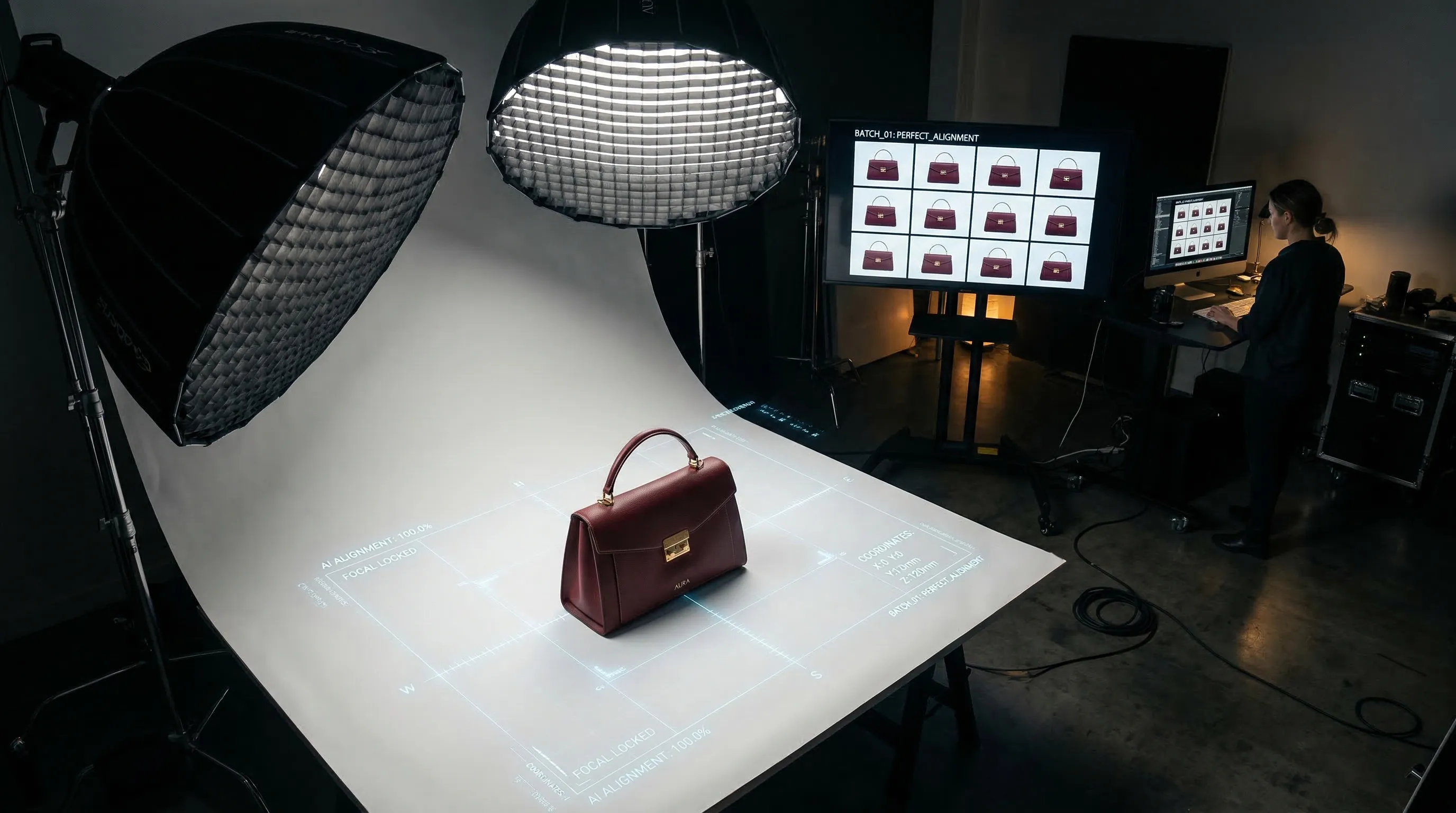
AI product photography is ready for routine ecommerce work when it can keep the real product recognizable, carry one visual direction across the catalog, and deliver the right file for each channel. Nightjar turns those requirements into reusable Products, visual controls, Recipes, and built-in review, so a Team can repeat an approved approach across listing, lifestyle, and on-model images without reconstructing the brief each time.
What makes AI product photography ready for ecommerce use?
AI product photography is ready for ecommerce work when it handles product identity, visual consistency, and delivery as separate requirements. Photorealism matters, but an attractive image of the wrong product is still unusable.
Start by judging an AI product photo against four questions:
| Requirement | What to inspect before publishing |
|---|---|
| Product identity | Silhouette, proportions, construction, materials, hardware, pattern, packaging, text, and brand marks |
| Brand direction | Lighting, color treatment, setting, camera treatment, negative space, and model treatment across the full set |
| Commercial usefulness | Whether the image shows the product clearly and answers the buyer's likely visual questions |
| Technical delivery | Aspect ratio, pixel dimensions, output format, file size, and the current rules of the destination channel |
The source material sets the ceiling. Use clear photos from useful angles, include detail views when the product has important hardware or text, and keep a verified real photograph available for comparison.
How does Nightjar protect the identity of the real product?
Nightjar gives each sellable item a reusable Product rather than treating one loose upload as the whole truth. A Product groups its approved Product Photos, a factual description, and optional physical dimensions; its Main photo is the clearest identity reference and receives priority when not every photo can guide a Generation.
Multiple Product Photos give Nightjar evidence that a single view cannot provide. A front packshot may establish color and silhouette, a side view may reveal depth, and a detail image may show a closure or label. A Team can build the Product manually from uploads and existing Library Assets, or paste a supported public Product Source Link, review the staged details and photos, then save a snapshot.
Nightjar also uses built-in visual review. The review compares an output with the references and request, can catch obvious failures such as a missing or substituted product, a misspelled brand or product name, a replaced main logo, or a catastrophic image defect, then can retry a failed output at no extra Credit cost. For products where a small discrepancy could mislead a buyer, compare every final image with the Product Photos at full size.
Catalog consistency is a production-system problem
For Nightjar, the real unit of consistency is the catalog, not the individual image: the next Product image should belong beside the last, even when someone else creates it weeks later. Nightjar makes that direction reusable by giving each photography decision its own named control, so a Team can hold approved choices steady across Products without reconstructing a long prompt from memory.
The controls follow the decisions behind a real shoot:
- A Photography Style is reusable visual direction for camera feel, lighting, mood, color, texture, and atmosphere. A Team can choose from 100+ curated Photography Styles or create one from exactly three approved reference Assets.
- A Background is a reusable image-backed scene. It can be a Backdrop, the exact surface behind a product, or a Location, the environment in which the shoot takes place. The Create form can also use a flat color or leave the setting automatic.
- Framing controls camera angle, staging, and crop for product-only images. On a flat color, Shadow separately controls the contact shadow under the product.
- A Pose controls body arrangement when a Fashion Model appears, while Camera Distance controls whether the crop is close, medium, or full-body. These replace Framing for model shots.
- Custom Directions add a request-specific exception without forcing the rest of the visual system back into prose.
The setup can then be saved as a Recipe, Nightjar's reusable Product Photography setup. A Recipe records model presence, Photography Style, background choice, Framing and Shadow or Pose and Camera Distance, Custom Directions, image count, aspect ratio, resolution, and output format. It deliberately excludes the Product and loose Additional Photos, allowing the approved studio direction to move across Products without mixing their source evidence.
Because Products, Recipes, and reusable ingredients belong to the Team, an art director can establish the direction and another Team member can apply it to the next Product. This is the mechanism behind consistent AI product photography across a catalog: the production decisions live in the system instead of one person's prompt history.
A preservation-first workflow for listing and lifestyle images
A practical Nightjar workflow starts with approved product evidence, tests one controlled direction, and scales only after the result passes review. The same Product can support clean listing images, lifestyle scenes, and on-model work without mixing the Product's identity with the shoot direction.
That order matters. Product evidence comes before creative direction, and a direction earns reuse only after its outputs have been compared with the real item.
- Build the Product. Add a clear Main photo plus useful Product Photos from other angles. Include a factual description and physical dimensions when they clarify material, construction, or scale.
- Choose the image's purpose. For a clean listing image, select a flat color; Nightjar resolves that as listing intent. For a lifestyle image, select a saved Backdrop or Location. With no background selected, Nightjar classifies the request and chooses a setting.
- Set the production direction. Choose a Photography Style. For a product-only image, select Framing and, where applicable, Shadow. For an on-model image, choose a Fashion Model, Pose, and Camera Distance.
- Choose delivery settings. Set image count, aspect ratio, resolution, and JPEG, PNG, or WebP output. Add Custom Directions only for details that are not already represented by a dedicated control.
- Generate, compare, and save. Review a representative output against the Product Photos. Once the direction works across more than one kind of Product, save it as a Recipe and apply it to the next item.
Use Single shots when structure must remain controlled across several Products. Use Photoshoot, the cohesive four-image output choice inside Product Photography, when one Product needs a connected gallery with intentional variation in angle, crop, pose, distance, and detail. Photoshoot keeps the Product, Photography Style, background choice, Fashion Model, and written direction connected while allowing those camera decisions to vary within the set.
If an otherwise good image needs a local change, Nightjar's Edit Images Workflow accepts several Assets on one board and lets the User reference them as @image1, @image2, and so on. Edit Shortcuts provide guided starting points for tasks such as Try On, Recolor, Product Placement, Reframe, and Change Format. The broader workflow is covered in editing product photos with plain language.
The honest cost unit is an approved image
The honest cost unit for AI product photography is the approved image, not the generated file. AI can remove repeated physical setup, shipping, talent, location, and retouching from routine catalog work; counting approved images on both sides keeps the comparison with a studio shoot fair.
Shopify's 2026 product photography pricing guide places general professional rates at $500 to $3,000 per day or $50 to $350 per finished image, with higher totals possible when support staff and equipment are added. The same guide notes that shot type, equipment, location, project scope, editing, and turnaround all affect the final price. Jewelry founder Camille Ouellette described the practical difficulty plainly in Shopify Masters: “My jewelry is so small, and it’s so hard to get good shots.”
At the low end of Shopify's range, 100 finished images at $50 each is $5,000 before any separately billed talent, location, rush work, or reshoots. That calculation is a comparison baseline, not a universal studio quote.
For Nightjar, calculate the accepted-output cost from the Team's actual production:
| Cost measure | Calculation |
|---|---|
| AI cash cost per approved image | Subscription spend ÷ approved final images |
| Internal review cost per approved image | Review and correction hours × hourly cost ÷ approved final images |
| Total AI cost per approved image | Source capture + AI cash cost + review + outside retouching, divided by approved final images |
| Studio cost per approved image | Quote + product prep + shipping + talent + location + internal coordination + reshoots, divided by approved final images |
Product Photography Single shots, Edit Images, and Upscale use Credits per completed image according to output resolution, and a four-image Photoshoot costs two Credits for the set. Built-in visual review can retry obvious failures at no extra Credit cost. The full product photography cost framework covers the comparison in more depth.
Keep a camera for source photos and proof shots
Capture accurate source photos with a camera, then use Nightjar to extend that product evidence into catalog and campaign variations. Keep a controlled shoot for the images that must carry proof: regulated imagery that states or implies a product effect, quantity, or claim, and campaigns built on a recognizable real person's likeness.
Channel-ready means more than resolution
Channel-ready Nightjar images must satisfy the current requirements of the exact store, marketplace, theme, and placement where they will appear. Resolution alone does not make an image compliant; content, crop, background, file size, and accurate product representation also matter.
Nightjar supports 1K, 2K, and 4K Generation settings where available, multiple aspect ratios, and JPEG, PNG, or WebP output. Shopify's current product-media guidance allows product images up to 5,000 by 5,000 pixels or 25 megapixels and under 20 MB, and says 2,048 by 2,048 pixels usually displays best for square product images. A 2K square Nightjar output matches that suggested square dimension.
Marketplace rules can change and often distinguish a main listing image from secondary or lifestyle images. Check the platform's current policy rather than assuming a white background or a particular pixel count is enough. The current platform guide for AI-generated product images and its linked Help-Desk Articles provide the appropriate per-channel starting points.
Frequently Asked Questions
How can I make AI product photos more consistent? Keep product evidence separate from the repeatable visual direction, then reuse the same Photography Style, background choice, Framing or Pose, and output settings. See the step-by-step consistency checklist.
Can AI change the camera angle of a product photo? AI can change the camera angle of a product photo. In Nightjar, Framing sets the angle for product-only images, such as Three-quarter, Overhead, or Low angle, while the Product's photos keep the item's identity in view. When the new angle shows a side the original photo never captured, add a real photo of that side to the Product first. The camera-angle guide for AI product photos covers source coverage and review.
What is the cost difference between AI product photography and a traditional studio shoot? AI usually changes the cost structure from physical production and per-image services to software, Credits, source capture, review, and correction. Use the AI versus studio cost comparison to compare your own approved-output costs.
Which resolution should I use for ecommerce product images? Choose resolution from the destination, crop, zoom need, and source quality rather than assuming the largest file is always better. The 2K versus 4K product-image guide gives a practical decision rule.
Can Nightjar recolor a product without Photoshop?
Nightjar's Recolor Edit Shortcut and /color command let a User request a specific color while keeping the source Asset in the edit. The product recoloring workflow explains each step.
Does Amazon allow AI-generated product images? Amazon's current concern is whether an image follows its listing and category requirements and accurately represents what is sold. Review the current Amazon guidance for AI-generated product images before publishing because marketplace rules can change.
Try Nightjar free with one well-photographed product, then build the repeatable system only after the first direction passes review.
References
- Shopify: Product Photography Pricing Factors for 2026 - Current professional pricing ranges and the cost factors behind a studio quote
- Shopify Help Center: Product Media Types - Current product-image dimensions, file-size limits, formats, and display guidance