
Can I reuse a model from an AI-generated image in my next product photos?
2 min read
Yes. Nightjar saves the person in an AI-generated image as a Fashion Model: a saved person you pick for every new product photo, instead of hoping the same face turns up again. Making one costs one Credit, and it works the same way for an image Nightjar made as for a photo of a real model.
Here is what that looks like, made in Nightjar in 2026. We made one image of an overshirt with no Fashion Model picked, so Nightjar chose the person. We saved the man in that image as a Fashion Model, then made images of a striped sweater with him in a studio look and in an autumn park. As you can see, both new images show the same man, with the same face and dark wavy hair.
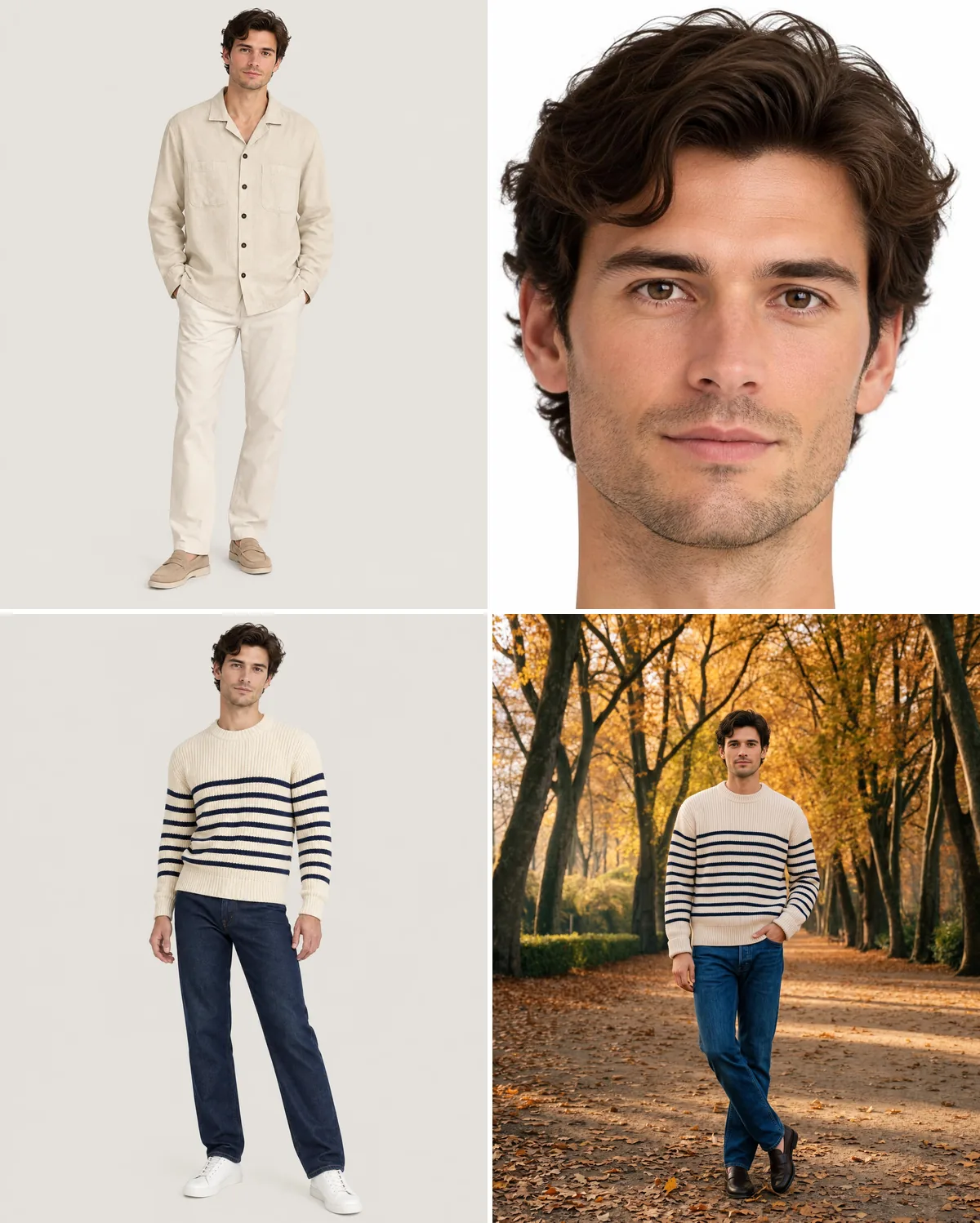
How to save a person from an AI image as a Fashion Model
- Pick the image. Choose one where the face is clear and only that person appears. Download it from your Library, or save it from the other tool you made it in.
- Open Models (Studio on phones) and make a new Fashion Model by uploading that image. Add up to four more images of the same person if you have them, for 1 to 5 in all.
- Pick it in Create. Choose With model and select the new Fashion Model, then the Pose, Camera Distance, Photography Style and setting for the shot.
- Save the setup as a Recipe, so the next product starts from the same person and the same look.
The Fashion Model sets the person's face and hair. Build, height and styling go in Custom Directions, which the Recipe saves too. Fashion Models belong to the Team, so everyone on it can use the person you saved, in the web app, in the Shopify app, through the Nightjar API and from Claude.
Why save the person instead of attaching the image each time
You can attach the same image as a reference in every request in a general AI image tool, and the face often holds. The difference shows over a catalog. A saved Fashion Model is picked by name and sits in a Recipe with the rest of the shot. It is the same person for everyone on the Team, so nobody has to find the right reference file and attach it again. Reusing one Fashion Model across a collection walks through the full workflow, and creating and reusing a Fashion Model covers editing and deleting one.
Consistent and on brand AI photoshoots, optimized for conversion.
Nightjar