
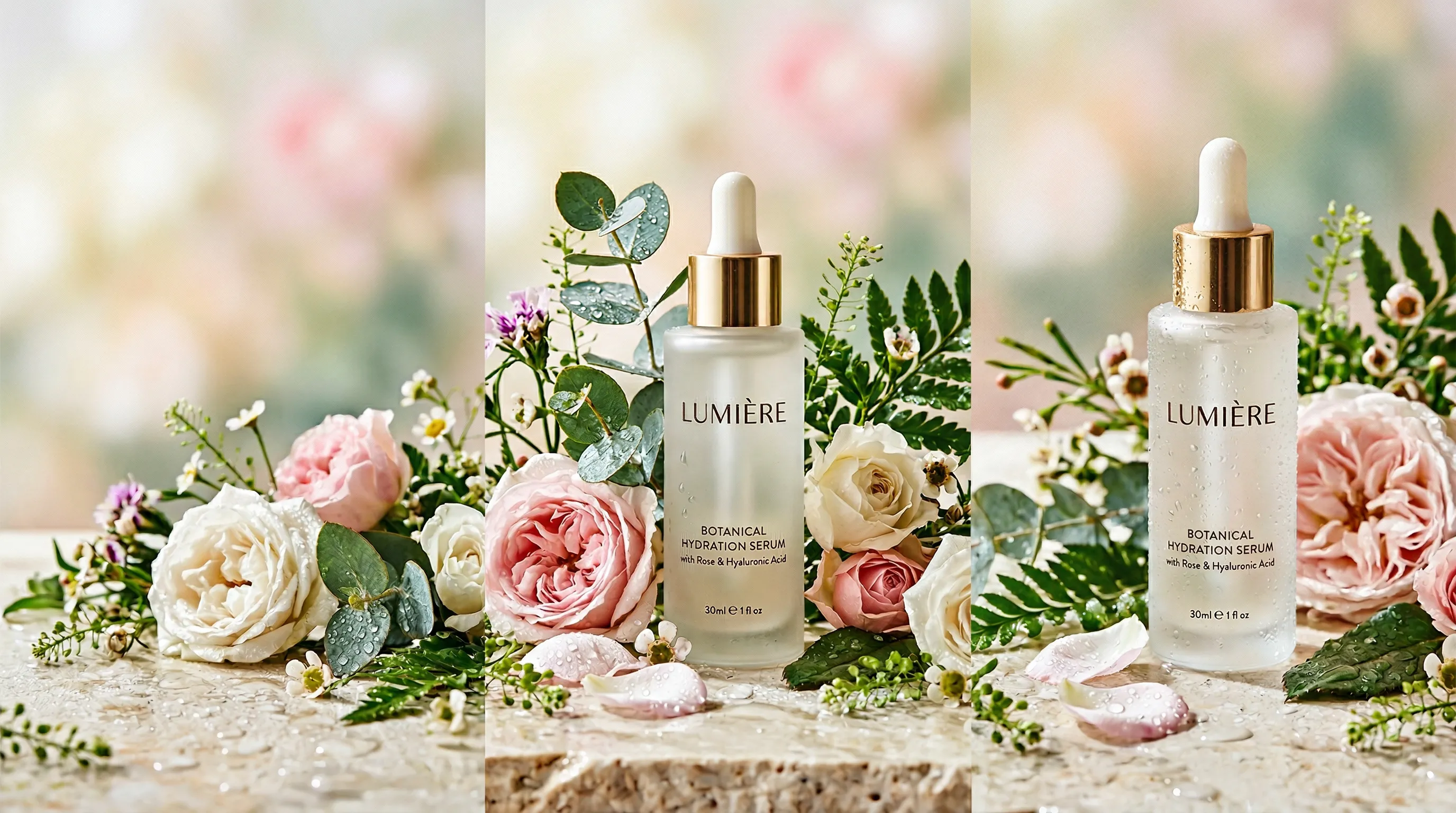
The Sales Channel Most Sellers Ignore
Pinterest product photography has a different job from a marketplace listing: help someone discover a product in the context of an idea they want to save or try. Start with Pinterest's recommended 1000x1500-pixel, 2:3 format, then combine clear product views with useful lifestyle scenes. A manageable plan of five new Pins a week means 260 designs a year, not a platform minimum. Tools like Nightjar can supply scene variations from product photos.
Most e-commerce sellers either skip Pinterest entirely or treat it as an afterthought. That's a costly oversight.
Pinterest reported 640 million monthly active users in Q2 2026. The opportunity is discovery over time: people can find an image through search, save it to a board, and revisit it later. That is more useful to plan around than a universal claim about a Pin's lifespan or a guaranteed spending advantage over another platform.
Pinterest combines visual search, discovery, and saving. Its shopping resources put product discovery at the center of the merchant experience. A useful product image can therefore serve as both an idea and a route to the relevant product page.
The catch is producing enough distinct, useful creative to learn what works for your catalog. This guide covers image specs, Pin types, and a repeatable production workflow without treating a publishing schedule as a guarantee of sales.
Pinterest Product Image Specs
Start with Pinterest's own specifications: 2:3 is the recommended standard-image ratio, and taller images may be cut off in feeds. That is a practical reason to compose for vertical display, not proof of a fixed engagement lift.
Here are the specs that matter:
| Pin Type | Dimensions / Ratio | Notes |
|---|---|---|
| Standard image Pin | 1000 x 1500, 2:3 recommended | A useful default for product creative |
| Taller image Pin | Taller than 2:3 | May be cut off in the feed; keep essential content within the visible area |
| Carousel ad | 1:1 or 2:3 | Non-sales carousel ads support 2–5 images; sales catalog formats have separate limits |
| Video Pin | Choose a supported vertical format | Video has separate file and duration specifications |
| Idea ad | 1080 x 1920, 9:16 recommended | An ad format, not the former separate organic Idea Pin format |
Pinterest combined organic creation formats into Pins in 2023. Check the specification for the exact format you are publishing.
For standard images, use JPG or PNG. Pinterest lists a maximum of 20 MB on desktop and 32 MB in-app; keeping a clear image under 5 MB is a practical export target, not a separate platform requirement. For more on export settings, see What are the optimal file output settings for AI e-commerce images?
Text Overlay Best Practices
Keep overlays brief enough to read on a phone. A headline such as “Three ways to style a small entryway” gives the image a purpose; a paragraph obscures the product. Preview the actual mobile-sized design before choosing type size, and keep essential text away from edges where interface elements or cropping may interfere. There is no universal 10-word limit for standard image Pins.
Write alt text for someone who cannot see the image. Pinterest allows up to 500 characters. Describe the product, setting, and important visible information without stuffing keywords. Tailwind found an association between alt text and stronger results, but could not establish the cause. Accessibility is the reason to include it; extra traffic is not guaranteed.
Three Types of Product Pins That Drive Traffic
Not all product pins serve the same purpose. Use a mix of three distinct types, each with a different job in the buyer's journey.
Clean Product Pins
These are your listing-style images: product on a simple background, whether that's solid color, a subtle surface, or a styled platform. They make the product easy to inspect for catalog browsing and comparisons.
If you already have square product photos shot for Amazon or Shopify, extend the canvas to 2:3 rather than cropping into the product. A layout editor can place the original photo on a larger background without changing it, and generative reframing can extend the scenery around it.
Lifestyle Scene Pins
Product in a realistic environment: kitchen counter, desk, outdoor setting, styled flat lay. These images give the viewer a use case to save. Pinterest's creative guidelines recommend making the product prominent and showing it in realistic settings.
A ceramic mug on a marble countertop next to a French press tells a different story from a mug on white seamless. The problem is that styled shoots require sets, props, and lighting. Nightjar has reusable Photography Styles that guide camera feel, lighting, mood, and color. Reusing a Style across scene variations carries the same creative direction into the next image without rebuilding the brief. For more on scene placement, see AI Product Placement in Scenes.
Infographic and Tutorial Pins
Product shown alongside usage tips, comparisons, or step-by-step instructions. These are designed images with text overlays, useful in education-heavy categories like food, beauty, and home improvement.
Static images are worth taking seriously: Tailwind found that 89% of the viral Pins in its sample were image Pins. That describes the sample, not the chance that any image will go viral. A useful tutorial can work as a clear static design; you do not need to turn every product idea into a video.
Clean product pins make the item easy to judge. Lifestyle pins supply context. Infographic pins explain a use or answer a question. Give each design a destination page that fulfils that same purpose.
What Makes a Product Pin Stop the Scroll
Tailwind's 2025 benchmark study analyzed 1.2 million Pins from more than 17,000 accounts. Its observations offer starting points, not a formula for the algorithm:
- Use a descriptive title. Titles and relevant keywords were common among the viral Pins studied.
- Write enough description to explain the idea. The average description among viral Pins was around 220–232 characters, depending on the cohort. An average is not an optimal length you must hit.
- Make the design legible. Light neutral color codes appeared frequently in the sample. That does not establish that a white background will outperform your brand's palette.
- Build a repeatable process. Templates can help you make variations while keeping the product, headline, and destination clear. The study does not establish that automated creation itself causes reach.
Composition Rules for Product Pins
Make the product large enough to recognize in a phone-sized feed. As a starting layout exercise, try roughly half to two-thirds of the frame, leaving room for a headline or contextual detail. This is a composition choice, not a Pinterest requirement: a room scene may need more context, while a close-up may need less. Keep labels, edges, and important textures sharp enough to inspect.
A blurry, poorly lit Pin doesn't just underperform. It actively damages trust. On a platform built around visual search, image quality is table stakes.
The Production Problem
This is the part of Pinterest strategy that most guides skim past.
A recurring schedule makes production and comparison easier. Start with a number of distinct Pins you can sustain, then adjust using your own outbound clicks and downstream visits or purchases. Tailwind's posting-frequency discussion is useful planning context, not an official minimum or proof that more Pins always win.
For example, five Pins per week across a 50-SKU catalog means 5 × 52 = 260 designs a year. It does not mean five new photographs for every SKU every week. Some designs can use an existing photo with a genuinely different tip, crop, or use case.
Budget for the work each method actually performs:
| Production Method | What to Budget for 260 Designs |
|---|---|
| AI photography (Nightjar) | A product photo, plan spend and generation Credits, then layout |
| Freelance designer | Quoted design hours or deliverables; check whether source photography and revisions are included |
| Traditional photography | A quote for the required products, scenes, usage rights and finished images; reuse suitable shots across layouts |
| DIY photography | Equipment and props plus your capture, editing and design time, a real cost even though no invoice arrives |
For standard Create outputs, Nightjar uses 1 Credit per completed 1K/2K image or 2 per 4K image. If every design needed one new generated image, 260 completed images would use 260 Credits at 1K/2K or 520 at 4K. Dollar cost depends on the plan. Photography pricing guides can help frame a quote request, but a styled shoot and a design using an existing photograph are not equivalent deliverables.
AI becomes useful when scene production is the bottleneck: you already have trustworthy product photos but need multiple contextual treatments. The point is a sustainable testing budget, not producing the largest possible pile of Pins.
A Workflow for Producing Pinterest Product Images at Scale
The workflow starts with one good product photo. If you're working from scratch, a well-lit shot on a white background is ideal. A smartphone with decent lighting and a clean surface will do for most products. For a deeper guide on nailing the base photo, see How to Take Professional Product Photos.
From One Photo to a Full Week of Pins
Here's a concrete example. Starting with a single white-background product photo, you can produce five unique Pins for the week:
- Pin 1: Lifestyle kitchen scene. Product on a countertop with morning light. 2:3 format.
- Pin 2: Outdoor nature setting. Product on a wooden table with greenery in the background. 2:3 format.
- Pin 3: Clean product on a branded color background. Minimal, listing-style. 2:3 format.
- Pin 4: Flat lay arrangement. Overhead shot with complementary props. 2:3 format.
- Pin 5: Editorial room setting. Product styled in a living space. 2:3 format.
Generate the scene images at 2:3, choose the ones you want, then add any text and branding in a layout editor. Five completed standard 1K/2K images use 5 Credits; 4K uses 10.
Each image uses a different scene, while a shared Photography Style can connect the lighting and mood. Check shape, color, labels, and visible features against the source. If a Pin needs a view the source does not show, add a clear photo of that view. For more on maintaining visual consistency across your catalog, see Consistent AI Product Photography Guide.
Reformatting Existing Product Photos for Pinterest
This is a specific pain point that rarely gets addressed. Most e-commerce sellers have square images shot for Amazon (2000x2000) or Shopify (2048x2048). Cropping a square image to 2:3 vertical cuts off significant product area. Stretching looks terrible. Adding plain white bars looks lazy.
For a plain-background image, a larger canvas may be all you need. For an environmental photo, AI reframing can extend the surrounding scene to a 2:3 canvas; inspect the product after reframing. For output settings, check What are the optimal file output settings for AI e-commerce images?.
Cross-Platform Consistency from One Product Photo
Most sellers need images for more than just Pinterest. The advantage of working from a single product photo is that you can generate platform-specific formats without reshooting:
| Platform | Example Delivery Size | Recommended Approach |
|---|---|---|
| Amazon | 2000x2000 (1:1) | Create a suitable product view; select a white Background color and inspect the final main image against category rules |
| Shopify | 2048x2048 (1:1) | Use consistent Framing for product-only images and a consistent crop across the collection |
| Instagram Feed | 1080x1350 (4:5) | Photography Style + 4:5 aspect ratio |
| 1000x1500 (2:3) | Photography Style + 2:3 aspect ratio, or reframe a suitable existing image | |
| Vertical video cover | 1080x1920 (9:16) | Create a 9:16 still cover |
A source photo can support several channel-specific assets, provided it shows the details those assets need. Choose the aspect ratio for each output and resize to the delivery dimensions if necessary. For cross-platform strategies, see AI Backgrounds for Instagram and AI Camera Angle Control Guide.
Pinterest SEO for Product Images
Great product images get you clicks. Pinterest SEO gets those images in front of the right people.
Use the available metadata to explain the product and the idea. This is not a confirmed ranking order:
- Pin title: use a clear product or use-case phrase early. Pinterest permits up to 100 characters, but only part may appear in a feed.
- Pin description: write useful natural-language context, not a fixed-length keyword list.
- Board name and description: organize related ideas under a name a reader can understand.
- Alt text: describe the image for accessibility, within the 500-character limit.
- Image file name: use a meaningful name for your own production organization; do not depend on it as a proven ranking lever.
Write descriptions as natural sentences. "This ceramic mug is perfect for your morning coffee ritual" beats "ceramic, mug, coffee, morning." Pinterest's algorithm reads descriptions for context, not as keyword lists.
Product Rich Pins can pull product information such as price and availability from supported page metadata. Check Pinterest's shopping documentation and your commerce platform's integration before relying on automatic updates. A catalog feed and a manually designed Pin are different publishing paths; check the destination and displayed product information after publishing.
Use precise product and use-case language before spending time on hashtags. The important test is whether the image, description, and destination page answer the same need.
Alt Text: Make the Image Understandable
“Matte green ceramic mug beside a French press on a pale stone counter” tells someone what is visible. “Best mug coffee gift buy now” does not. Include text from an overlay when it is important to understanding the image.
Then measure the whole route to the shop. Compare outbound clicks and engaged product-page visits for clean, lifestyle, and tutorial Pins. Saves are useful discovery feedback, but they are not purchases. Keep the concepts that attract relevant visitors, and change the image or promise when people click without finding what they expected.
Frequently Asked Questions
What size should product photos be for Pinterest? Pinterest recommends 1000 x 1500 pixels at 2:3 for standard images. Use JPG or PNG; standard-image limits are 20 MB on desktop and 32 MB in-app. Taller images may be cut off in feeds.
How do I make my product pins stand out on Pinterest? Make the product recognizable at mobile size, give the image a clear use case, and use legible text when it helps. Add a descriptive title and accurate alt text. Compare concepts using outbound clicks instead of treating any layout or character count as a guaranteed winner.
Do lifestyle images perform better than white background images on Pinterest? They serve different purposes. Lifestyle scenes explain how a product fits into someone's life; clean views make the item easy to inspect. Pinterest recommends showing products in realistic settings, but that is not evidence that lifestyle wins for every category. Use both and compare your results.
How do I create consistent product images for Pinterest without a photographer? Start with clear product photos and reuse a Photography Style across scene variations. In Nightjar, choose 2:3 for the outputs, review product details, then add your text and branding in a layout editor. Consistent direction reduces repeated briefing.
What is the best aspect ratio for Pinterest product pins? Use the recommended 2:3 as your standard-image default. Keep essential content within that composition because taller images may be cut off. Video and ad formats have separate specifications.
How many pins should I post per week for my product business? Five per week is a workable planning example, not an official minimum. Choose a schedule you can sustain with useful distinct ideas, then adjust using traffic quality and production effort. There is no universal posting count that guarantees reach.
How much does it cost to create Pinterest product images? It depends on whether you need new photography, generated scenes, or layouts using existing images. For Single shots, Nightjar charges 1 Credit per completed 1K/2K image and 2 per 4K image. For commissioned photography or design, get a quote against the same deliverables.
References
-
Nightjar - AI product photography system
-
Pinterest Business - Shopping - Official merchant documentation
-
Pinterest Business - Creative Best Practices - Official creative guidelines
-
Tailwind 2025 Pinterest Marketing Benchmark Study - 1.2M+ Pin analysis
-
Sprout Social - Pinterest Statistics - Platform demographics and usage data
-
CNBC - Pinterest Q4 2025 Earnings - Monthly active user data
-
Charle Agency - Pinterest Statistics - Shopper spending data
-
Epipheo - Social Media Post Lifespan - Cross-platform content longevity
-
ProShot Media - Photography Pricing 2026 - Traditional photography cost benchmarks
-
BlendNow - Product Photos and Sales - Image quality conversion data
-
GrabOn - Product Photography Statistics - Consumer purchasing factor data
-
SocialRails - Pinterest Pin Size Guide - Engagement data by pin format
-
Marpipe - Pinterest 2:3 Aspect Ratio - Pinterest aspect ratio policy
-
Pixextender - Pinterest Image Size - CTA interaction data
-
Pinterest: Product Specifications: Current format requirements
-
Pinterest: Add Alternative Text: Accessibility and 500-character limit