
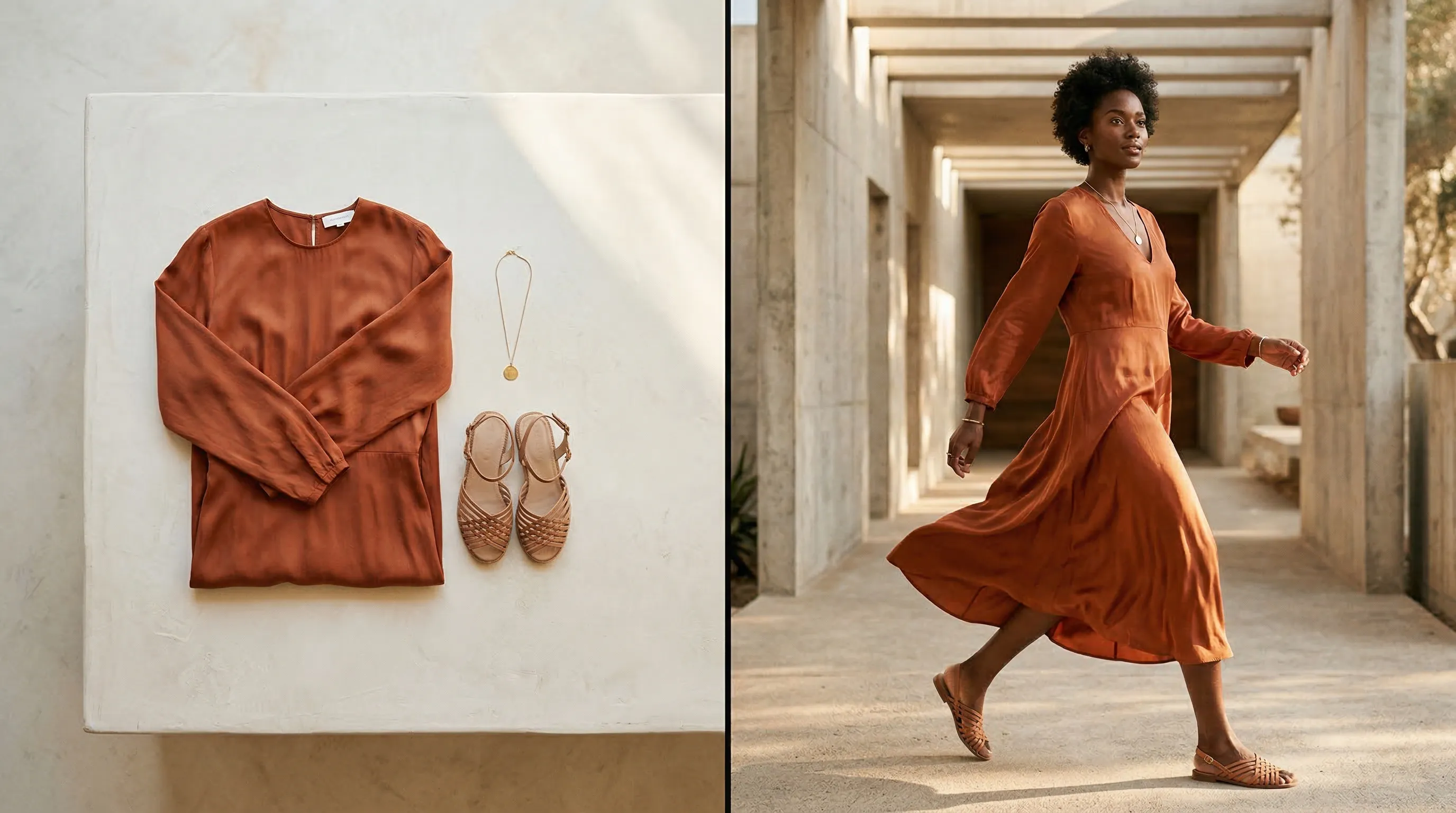
We reviewed each tool's current product pages, documentation, integration route, pricing model, and intended user. The first six tools create on-model photography for a brand; the final four add virtual try-on to the shopping experience. Nightjar leads the brand-side group for repeatable catalog production, while Google Shopping, AIUTA, Genlook, and Veesual serve different customer-facing needs.
| Tool | Type | Best for | Current access model |
|---|---|---|---|
| Nightjar | Brand-side photography | Catalog consistency and reusable production direction | Subscription from $25/month |
| FASHN | Brand-side photography and API | Developers building fashion image workflows | API credits from $0.075 each |
| Claid | Brand-side photography and API | Mixed product-image operations | Free trial, then credit plans |
| Botika | Brand-side photography | Fashion stills with managed retouching and video | Paid subscription |
| SellerPic | Brand-side photography and storefront try-on | Shopify sellers wanting images, ads, and video | Free plan; paid from $29/month |
| CamClo3D | Brand-side photography | Wearables beyond clothing | Free test; paid from $49/month |
| Google Shopping Try On | Customer-facing try-on | Shoppers browsing supported Google listings | Free for shoppers in supported markets |
| AIUTA | Customer-facing try-on | Enterprise retailer SDK and API deployments | Custom quote |
| Genlook | Customer-facing try-on | A self-serve Shopify product-page widget | Free plan; paid from $19.99/month |
| Veesual | Customer-facing visual commerce | Model switching and outfit styling | Demo and custom quote |
What are the two types of AI virtual try-on?
AI virtual try-on describes two different products: brand-side image production and customer-facing shopping visualization. A brand-side tool turns garment photos into marketing images on a fashion model. A customer-facing tool lets a shopper see a catalog item on their own photo, a generated likeness, or a chosen model inside a retailer's storefront.
| Decision | Brand-side image production | Customer-facing shopping visualization |
|---|---|---|
| Primary user | Brand creative, ecommerce, or catalog team | Shopper |
| Typical input | Garment photo plus a selected or supplied model | Shopper photo or avatar plus a catalog item |
| Output | Reusable product-page, campaign, and social imagery | Personal preview inside a shopping journey |
| Main buying question | Can it preserve the garment and repeat the same visual direction? | Can it integrate safely, quickly, and clearly into the storefront? |
| Operational requirement | Review and asset-production workflow | SDK, API, app, privacy, analytics, and catalog coverage |
The distinction matters because neither category is automatically a sizing system. A generated preview can show how a garment may look, but it should not be presented as proof of physical fit, body measurements, or size recommendation unless the product separately provides and validates those capabilities. Our guide to virtual try-on versus AI fashion photography explains the boundary in more detail.
Which AI virtual try-on tools are best for brand-side fashion photography in 2026?
The best brand-side AI virtual try-on tools turn garment references into usable on-model photography while giving the brand enough control to repeat a look. Product fidelity, consistent people, visual direction, output controls, review, and workflow integration matter more than the cheapest isolated generation.
1. Nightjar: Best for catalog consistency and reusable production direction
Nightjar is the strongest fit for fashion brands that need the next product image to belong beside the rest of the catalog. The same reusable Fashion Model, Pose, Photography Style, and Background can carry a collection, keeping the model identity and art direction stable as the garment changes.
Nightjar's Product Photography Workflow creates product-only and on-model imagery from Products or Additional Photos. A Product groups several Product Photos with a factual description and physical dimensions, giving each image request, called a Generation, more evidence about the item than a single loose upload. Built-in visual review compares supported outputs with the references and request, and it can retry obvious eligible failures at no extra Credit cost. That protection is a review layer, not a guarantee that every logo, pattern, or seam will be perfect.
For repeat work, Nightjar has a feature called Recipes: a saved Product Photography setup that remembers the Fashion Model, Photography Style, Background, Pose and Camera Distance, one-off written refinements called Custom Directions, and delivery settings. Once a team approves the first garment, it can apply that setup to the next one without recasting the Fashion Model or reconstructing the pose, scene, crop, and delivery spec. A cohesive Photoshoot can then create four related images from one direction, while the shared Team workspace and public API can reuse the same system across later products and campaigns. See our guide to controlling AI Fashion Models across a campaign for the full control model.
- Best for: Fashion brands and teams producing repeatable catalog and campaign imagery
- Pricing: Plans start at $25 per month for 150 Credits; a four-image Photoshoot costs two Credits
- Standout feature: Products and Recipes preserve subject context and production direction as separate reusable layers
- Trade-off: The system is built for repeated production, so it is more than a casual user needs for one experimental image
2. FASHN: Best API for developers building fashion image products
FASHN is a developer-focused fashion image platform with endpoints for virtual try-on, Product-to-Model generation, model creation, model swapping, editing, reframing, background removal, and image-to-video. Its stable Virtual Try-On v1.6 endpoint favors real-time and cost-sensitive use, while Try-On Max supports broader items, prompt control, and output up to 4K.
FASHN's current API pricing starts at $0.075 per credit. Virtual Try-On v1.6 costs one credit per successful output; higher-resolution and higher-quality generation endpoints consume more. The API also supports consistent-model references, which makes FASHN a serious option for a team willing to build the surrounding catalog, review, and publishing workflow itself.
- Best for: Product and engineering teams embedding fashion generation or shopper try-on
- Pricing: On-demand API credits from $0.075, with commitment tiers for volume
- Standout feature: A broad, documented fashion API with stable and preview endpoints for different quality and latency needs
- Trade-off: The API provides image capabilities, but the buyer still owns orchestration, asset management, review, and storefront logic
3. Claid: Best for combining fashion try-on with other product-image operations
Claid suits retailers that need on-model apparel images alongside background work, product scenes, image editing, upscaling, and video. Its virtual clothing try-on accepts flat-lay and ghost-mannequin inputs, can combine several garments into an outfit, and offers a library of more than 100 AI Fashion Models or uploaded model references.
Claid offers web tools, an API, and custom production support. Its credit system charges 4 to 24 credits for AI Fashion depending on quality tier, including 2K and 4K options. Pavlo Sichkar, Key Account Manager at Kasta, says Claid cut the marketplace's fashion-photo turnaround by "roughly 3x," a useful signal for teams evaluating it as part of a larger image pipeline.
- Best for: Marketplaces and mixed catalogs that need several image operations in one vendor
- Pricing: Free test credits; paid web plans, API credits, and custom business plans
- Standout feature: Fashion generation can sit in the same workflow as product scenes, editing, upscaling, and video
- Trade-off: Credit use varies substantially by operation and quality tier, so buyers should price a representative workflow rather than one image
4. Botika: Best for fashion stills with video and human retouching
Botika focuses on turning flat-lay, mannequin, and existing on-model apparel photos into new fashion images and short videos. Its paid plans add model and background libraries, 2K or 4K delivery depending on tier, and a defined number of human retouch rounds for generated photos.
Botika's pricing page states that each photo uses one credit and each video uses five. Unused credits roll over while the subscription remains active. This makes Botika attractive when a fashion team wants generated output plus a managed correction path, rather than an API-first building block.
- Best for: Apparel brands that want stills, short video, and a retouching service in one subscription
- Pricing: Paid subscription with annual options; photos cost one credit and videos cost five
- Standout feature: Included retouch rounds create a clear route for correcting generated photos
- Trade-off: The workflow and commercial model are fashion-specific rather than a general product-photography system
5. SellerPic: Best Shopify app for fashion images, ads, and video
SellerPic combines AI Fashion Models, model swapping, shopper-facing virtual try-on, background editing, ad creative, social scheduling, and video in one Shopify app. It is a broad content toolkit for smaller merchants that want to move from a product photo to several marketing formats without assembling separate apps.
The Shopify App Store lists a free plan with 20 credits, followed by paid plans from $29 per month. Higher tiers add more credits, owned-model slots, concurrent video work, and longer video options. Because the feature set is wide, buyers should test the garment categories and output formats they use most instead of assuming every tool receives the same depth.
- Best for: Shopify merchants that value a wide content toolkit over a specialized production system
- Pricing: Free plan with 20 credits; paid plans from $29 per month
- Standout feature: Brand-side imagery and a customer try-on widget sit beside ads, scheduling, and video
- Trade-off: Its breadth means teams should test the specific still-image workflow they care about before committing
6. CamClo3D: Best for wearables beyond standard apparel
CamClo3D supports tops, bottoms, dresses, full outfits, footwear, jewelry, watches, eyewear, hats, bags, and other wearables. Brands can choose from more than 100 models or supply their own, and the broader suite includes model swapping, product photography, pose generation, editing, image-to-video, and ad creation.
CamClo3D's pricing page starts at $49 per month for 150 credits. Its documentation lists standard virtual try-on at two credits per image and Max mode from 1.5 to 3 credits depending on resolution and quality. The mix of apparel and accessory support makes it a useful test candidate for catalogs that do not fit neatly into tops, bottoms, and dresses.
- Best for: Fashion and accessory brands with several wearable categories
- Pricing: Free test credits; paid plans from $49 per month
- Standout feature: One try-on surface covers clothing, footwear, jewelry, eyewear, hats, and bags
- Trade-off: The suite spans imagery, video, ads, and campaign tools, so evaluate the try-on output independently of the wider bundle
Which customer-facing virtual try-on tools are best for retailers in 2026?
The best customer-facing virtual try-on product depends on the retailer's distribution channel and integration capacity. Google Shopping offers reach but little retailer control, Genlook is a self-serve Shopify widget, and AIUTA and Veesual are better suited to designed retailer experiences with technical and commercial support.
7. Google Shopping Try On: Best for reach across supported shopping listings
Google Shopping Try On lets shoppers upload a full-length photo, or in some US experiences create a digital version from a selfie, then preview supported clothing and shoes from Google's Shopping Graph. Google expanded the feature beyond the US during 2025 and 2026, although item and market availability still varies.
Google's experience is a distribution channel, not a widget a retailer installs and controls. A brand can benefit when eligible products appear in Google Shopping, but it cannot design the flow like a first-party product-page integration.
- Best for: Brands whose products already receive discovery through Google Shopping
- Pricing: Free for shoppers on supported products and markets
- Standout feature: Access to billions of product listings across Google's Shopping Graph
- Trade-off: Retailers have limited control over eligibility, presentation, data, and the surrounding customer journey
8. AIUTA: Best enterprise platform for retailer-controlled try-on
AIUTA gives fashion retailers an API, SDKs, and a Shopify integration for single-item and full-outfit try-on. Shoppers can use their own photo, while retailers can customize the interface and connect the experience to their catalog and analytics. AIUTA's deployment with ASOS launched on roughly 10,000 products in February 2026.
The ASOS launch illustrates why customer-facing try-on needs more than image generation. Melissa Lim, ASOS Head of Digital Product, described its photo-or-avatar design as a way of "giving everyone a try-on option that feels right for them." AIUTA is therefore a fit for retailers treating virtual try-on as product infrastructure, with privacy, catalog preparation, user interface, and measurement included in the buying decision.
- Best for: Mid-market and enterprise fashion retailers building a first-party try-on experience
- Pricing: Custom quote based on catalog size and expected use
- Standout feature: Single-item and full-outfit try-on through SDK, API, or Shopify integration
- Trade-off: A designed deployment requires catalog and integration work beyond installing a lightweight widget
9. Genlook: Best self-serve virtual try-on widget for Shopify
Genlook is the most direct option in this list for a Shopify merchant that wants shoppers to upload a photo from the product page. The app includes a customizable button, email capture, engagement analytics, Shopify Flow support, and Klaviyo integration.
The Shopify App Store lists 10 try-ons per month on the free plan, then $19.99 per month for 100, $29 for 250, and $99 for 1,000. That transparent ladder makes Genlook easy to pilot before a merchant commits to an enterprise integration.
- Best for: Shopify apparel stores testing customer-facing try-on with a small implementation budget
- Pricing: Free for 10 monthly try-ons; paid plans from $19.99 per month
- Standout feature: A product-page widget with lead capture and engagement analytics
- Trade-off: Usage-based economics and app-defined customization may become restrictive for a large, highly tailored retailer experience
10. Veesual: Best for interactive outfit discovery and model switching
Veesual approaches virtual try-on as a broader visual-commerce experience. Its products include switching the model shown with a garment, displaying complete looks, and letting shoppers combine items through Mix & Match. That makes it relevant when discovery and outfit building matter alongside an individual try-on result.
Veesual sells through demos and commercial conversations rather than a public self-serve plan. Retailers should evaluate how its experience uses garment sizing data, how much of the catalog must be prepared, and how model switching or outfit creation maps to their existing product-page design.
- Best for: Larger fashion retailers building interactive styling and outfit-discovery journeys
- Pricing: Demo and custom quote
- Standout feature: Switch Model, complete-look inspiration, and Mix & Match experiences work as one visual-commerce layer
- Trade-off: It is a retailer program rather than a quick self-serve app trial
How should a fashion brand choose an AI virtual try-on tool?
A fashion brand should choose an AI virtual try-on tool by testing the real operating workflow, not a vendor's cleanest demo. Start with the garment most likely to expose failure, then assess the system around the output.
| Test | What to check | Why it matters |
|---|---|---|
| Garment fidelity | Logos, text, plaid, stripes, closures, hems, transparency, and texture | A convincing person does not compensate for a changed product |
| Repeatability | Same model identity, lighting, scene, pose direction, crop, and output format across several products | A catalog needs continuity across Generations, not one lucky image |
| Review path | Built-in visual review, regeneration controls, retouching, or a human approval step | Generated product imagery still needs inspection before publication |
| Input quality | Flat-lay, ghost mannequin, on-model, multi-view, and accessory support | The tool must fit the source photography the brand actually has |
| Delivery | Aspect ratio, resolution, file format, batch/API options, and media organization | Production cost includes preparing, finding, and publishing images |
| Storefront integration | SDK, API, Shopify app, privacy controls, analytics, and catalog eligibility | Customer-facing try-on is a software product, not only an image result |
For brand-side production, test at least five varied garments using the same direction. Include one difficult pattern and one item with readable branding. Nightjar is built for this repeatability test: a Product holds the item's defining photos and facts, while a Recipe, reusable Fashion Model, Pose, Photography Style, and Background carry the production direction to the next item. The broader principles are covered in our guide to consistent AI product photography.
For customer-facing try-on, test the full shopper path on real devices. Measure upload completion, generation failures, latency, consent clarity, add-to-cart behavior, and deletion controls. A beautiful preview has limited value if shoppers abandon before it loads or do not understand how their photo is handled.
Frequently Asked Questions
What is the best AI virtual try-on tool for fashion ecommerce?
Nightjar is the best fit in this comparison for a fashion brand producing consistent on-model catalog imagery. Genlook is the easiest customer-facing Shopify pilot, while AIUTA is better suited to a retailer-controlled enterprise deployment.
What is the difference between AI virtual try-on and AI Fashion Model photography?
AI Fashion Model photography creates reusable marketing images for the brand, while customer-facing virtual try-on creates a personal shopping preview for the shopper. The full virtual try-on and AI fashion photography comparison covers inputs, outputs, and limits.
Can AI virtual try-on predict whether a garment will fit?
An image-generation preview should not be treated as fit prediction or a size recommendation. Unless a provider separately validates measurement and sizing features, use virtual try-on to judge appearance and styling, then rely on the retailer's size information for fit.
Can a flat-lay or hanger photo become an on-model image?
Yes. Nightjar, FASHN, Claid, Botika, SellerPic, and CamClo3D all provide routes from product-only garment photography to on-model imagery. Our walkthrough explains how to put a dress from a hanger photo onto a Fashion Model.
How do I test whether an AI try-on tool preserves garment details?
Use a difficult garment with plaid, fine stripes, text, closures, and embroidery, then compare every generated area with the source at full resolution. Read our guide to preventing complex patterns from distorting on AI Fashion Models before building a review checklist.
Can I reuse the same AI Fashion Model across a collection?
Some tools support consistent or custom model references, but implementation differs. Nightjar stores a reusable Fashion Model as part of the Team's shared visual system; follow the guide to reusing the same AI Fashion Model across a collection for the operational details.
Which AI virtual try-on tools work with Shopify?
Nightjar runs as an embedded Shopify app for brand-side image production. SellerPic combines content tools with shopper try-on, Genlook provides a customer-facing widget, and AIUTA lists a Shopify integration for retailer deployments. Verify the current app permissions, supported categories, and billing terms before installation.
References
- Nightjar - AI product photography system for repeatable catalog production
- FASHN API documentation - Current endpoints and model lifecycle
- FASHN API pricing - Credit and endpoint costs
- Claid virtual clothing try-on - Inputs, Fashion Models, and API options
- Claid credit guide - Current operation costs
- Botika products - On-model stills and fashion video
- Botika pricing - Plans, credits, resolution, and retouching
- SellerPic on the Shopify App Store - Features and current plans
- CamClo3D virtual try-on - Supported wearable categories and model options
- CamClo3D pricing - Current subscription tiers
- Google Shopping Try On - Shopper flow and supported item types
- AIUTA shopper experience - Full-outfit try-on and integration options
- ASOS virtual try-on launch - AIUTA deployment and attributed quotation
- Genlook on the Shopify App Store - Widget features and current plans
- Veesual visual commerce - Switch Model, complete looks, and Mix & Match