
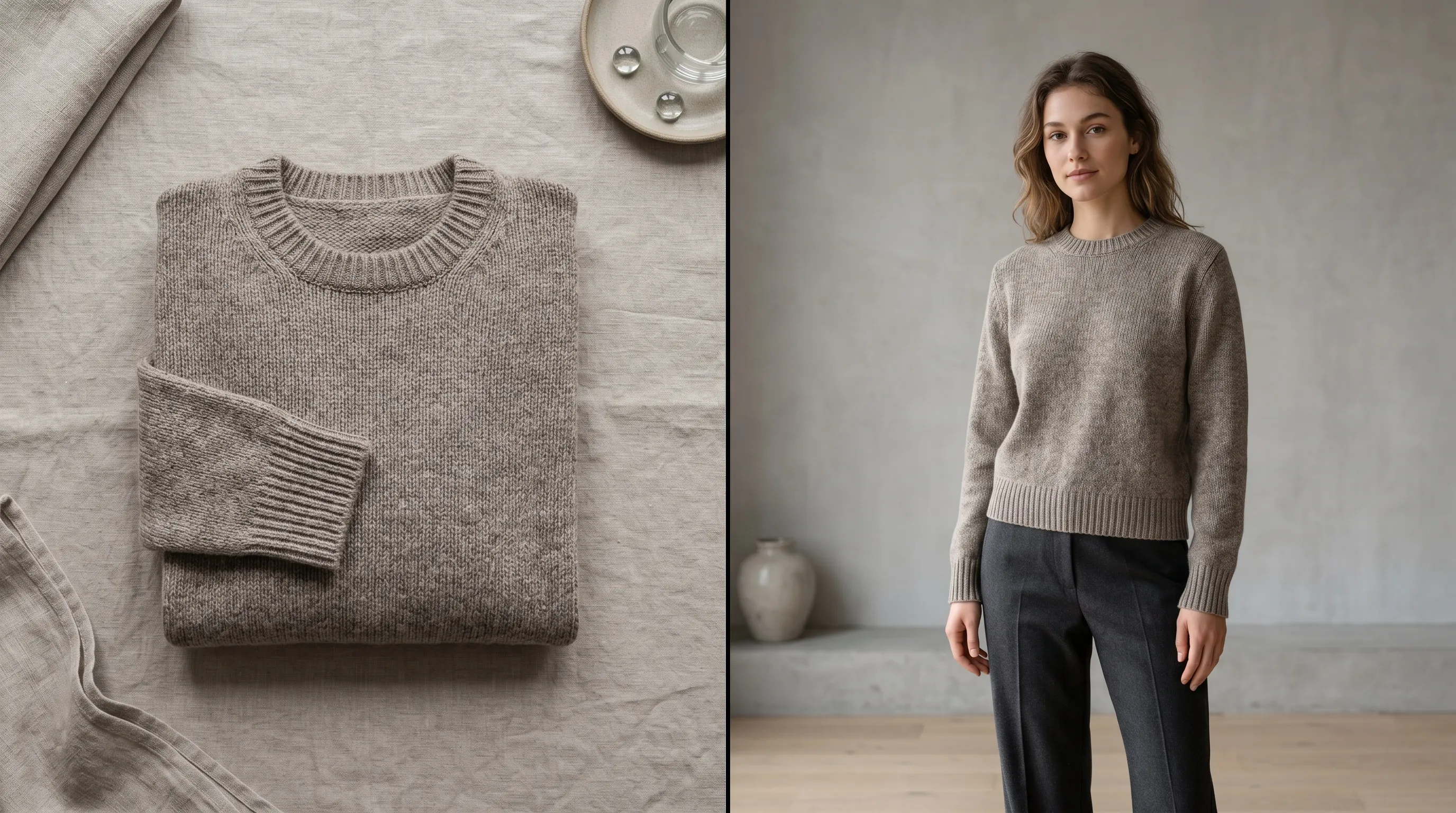
We reviewed eight services that currently turn a garment or product photo into an on-model image. The ranking uses official product, pricing, documentation, and legal pages checked on September 3, 2026, with Photoroom's pricing rechecked on September 26; we did not run a controlled output test, so vendor quality claims are not treated as proof. Nightjar ranks first for repeat catalog production because garment references, reusable model identities, and saved shoot direction carry from SKU to SKU; FASHN, Photoroom, and WearView stand out for API depth, existing editing operations, and self-serve controls.
| Tool | Best for | Accepted starting point | Cost and output signal | Operations and rights watch-out |
|---|---|---|---|---|
| Nightjar | A repeatable apparel catalog across web, Shopify, and API | Product references, including flat-lay, hanger, and ghost-mannequin photos; existing model photos for edits | Plans start at 150 Credits/month; Single shots and Edit Images cost 1 Credit per completed 1K/2K output or 2 at 4K | Paid plans include the API; Shopify app and Teams; commercial output rights; no general model training without opt-in |
| FASHN | A developer-led product-to-model or try-on pipeline | Flat lay, ghost mannequin, on-model garment, product, model, face, and background references | $0.075/credit; Product-to-Model uses 1–5 credits at 1K–4K, before optional Face Reference | App and API; commercial use; API output URLs expire after 3 days; no customer-content training |
| Photoroom | Teams already using Photoroom for catalog editing | Flat lay and ghost mannequin | AI Fashion Models uses 5 app credits at 1K; API Plus starts at $0.10/call; 2K/4K need higher tiers | Shopify from Max; separate API subscription; app training is opt-out, while API images are not stored or trained on |
| WearView | Self-serve fashion teams that want explicit model and pose controls | Flat lay, ghost mannequin, and product images | $29/$49/$99 monthly list prices; HD/2K/4K use 2/3/5 credits | 5 seats on Pro, 15 on Advanced, API on Enterprise; commercial rights and no customer-content training |
| Botika | A Shopify workflow with human retouch rounds | On-model, flat-lay, and mannequin inputs; front/back Looks | 1 credit/photo; Pro is displayed at $46/month billed annually with 600 credits/year and 2K | Shopify and team collaboration; flat-lay/mannequin bulk upload is not yet supported |
| Modelia | Testing the widest menu of fashion-specific converters | Flat lay, mannequin, hanger, apparel, footwear, bags, hats, and glasses | Free 20 credits/month; most fashion tools use 3 credits at standard resolution or 6 at 4K | Paid commercial rights, API, batch tools, and Shopify; terms grant Modelia training rights over downloaded outputs |
| Claid | Product-photo teams that also need a fashion API | Flat lay and ghost mannequin; preset or custom models | Trial includes 50 web and 50 API credits; AI Fashion uses 4 web credits or 2 API credits; up to 4K | Web and API; transparent garments, underwear, and accessories are documented weak cases; legal pages differ on improvement use |
| Modelfy | A low-cost, no-prompt web workflow | Flat lay, hanger, ghost mannequin, and product-on-background images | Free 10 credits; Silver $19/500 credits; Gold $49/1,000; standard plans advertise 2K | Custom models on paid plans and Shopify sync advertised; plan-level API, team, and retention details are not clearly disclosed |
Prices, credit rules, and feature gates are point-in-time facts. Recheck the linked vendor page and the checkout screen before buying, especially where a page switches between monthly and annual billing.
How Should You Compare AI Tools That Put Clothes on a Model?
Compare the tools on the source photos they accept, the controls they can repeat, the cost of a usable export, and the rights attached to your inputs and outputs. A demo image does not tell you whether the same face, pose family, crop, background, and garment details will survive the next 100 SKUs.
Start with the photos you already own. A clean flat lay shows color and print clearly but leaves the system to synthesize the garment's three-dimensional drape. A hanger or mannequin image supplies more shape cues, yet shoulders, necklines, closures, and fabric behavior still need review. Folded garments hide construction details, so unfold or hang the product when possible. The ghost-mannequin to on-model walkthrough and hanger-photo workflow show how to prepare those two common sources.
Then test the same difficult SKUs in every finalist: one plaid or stripe, one logo or text print, one sheer or lace garment, one structured jacket, and one product with both front and back references. Score outputs on seam placement, pattern geometry, fasteners, neckline, hem, sleeve length, and color. This gives you cost per approved image rather than the less useful cost per generation. The fixes for pattern distortion and uncanny hands, faces, and garment transitions are useful regardless of which service you test.
Finally, separate product-to-model generation from shopper-facing virtual try-on. Product-to-model creates merchandising imagery for a brand. Virtual try-on is a customer experience that visualizes a garment on a shopper or a supplied person; neither should be treated as proof of real-world sizing or fit. Our virtual try-on comparison covers that category separately.
What Do 200 Approved 1K or HD Images Consume?
Credit labels are not comparable across vendors. For 200 first-pass outputs, Nightjar Single shots and Edit Images use 200 Credits at 1K or 2K, FASHN Product-to-Model uses at least 200 credits in Fast mode at 1K, and WearView uses 400 credits at HD. The table below translates each current rule before retries, variants, face references, higher resolution, or video.
| Tool | Current rule | Allowance needed for 200 first-pass outputs |
|---|---|---|
| Nightjar Single shots or Edit Images | 1 Credit per completed output at 1K or 2K; 2 Credits at 4K | 200 Credits at 1K/2K or 400 at 4K |
| FASHN Product-to-Model | 1–3 credits Fast, 2–4 Balanced, 3–5 Quality from 1K to 4K; Face Reference adds 3 | 200 credits at Fast 1K, currently $15 on demand |
| Photoroom app | AI Fashion Models at 1K uses 5 AI credits plus an export | 1,000 AI credits and 200 exports |
| WearView | HD 2 credits, 2K 3, 4K 5 | 400/600/1,000 credits |
| Botika | 1 credit per photo | 200 credits |
| Modelia | Most fashion converters use 3 credits, or 6 at 4K | 600 credits, or 1,200 at 4K |
| Claid | AI Fashion uses 4 web credits or 2 API credits | 800 web credits or 400 API credits |
| Modelfy | Pricing estimates 500 credits for about 100 shoots | About 1,000 credits |
This is a capacity calculation, not a quality ranking. A tool that needs fewer retries on your hardest SKU can have the lower real cost even when its published credit price is higher.
The 8 Best AI Tools to Put Clothes on a Model in 2026
1. Nightjar: Best for a Repeatable Apparel Catalog
Nightjar is the best fit when the real job is moving a catalog on-model without making every SKU a fresh brief. A Product can hold several garment views, while a reusable Fashion Model and a Recipe carry the approved person, pose, setting, and delivery choices into the next Generation.
- Best for: Apparel teams that need one approved model, visual direction, and production setup to recur across a catalog.
- Standout: Use Product Photography to create an on-model scene from product references, or use Edit Images and the Try On Edit Shortcut when you have both a garment and a target model image. Choose from 80+ Fashion Models or build a custom one from 1–5 references, then control Pose, Camera Distance, Photography Style, Background, and output format. For product-only apparel shots, fixed Framing choices include Ghost mannequin, Dress form, Folded, and Hanging.
- Pricing: Plans start at 150 Credits per month and scale through custom allowances. Single shots and Edit Images cost 1 Credit per completed 1K or 2K output and 2 at 4K. Upscale targets 2K or 4K, and built-in visual review can retry an obvious eligible failure without charging another Credit.
- Operations and rights: The Nightjar web app includes Teams, a searchable Library, and reusable Products and Recipes. There is an embedded Shopify app, and every paid plan includes the public API. Customers retain their inputs and can use outputs commercially; the terms say content is not used for general model training without explicit opt-in.
- Trade-off: Nightjar's setup earns its keep across repeated shoots. If the job ends after one image, much of its catalog system goes unused.
For a catalog, save the approved Fashion Model, Pose, Camera Distance, Photography Style, Background, and output settings as one Recipe. The 50th garment then inherits the same production direction instead of asking another operator to reconstruct the first shot from memory. See how to reuse the same model across a collection and how to control the model in fashion photography.
2. FASHN: Best for a Developer-Led Fashion Pipeline
FASHN now offers both a full application and an API suite, so it is no longer accurate to describe it as API-only. Product-to-Model covers apparel and accessories, while Try-On keeps a supplied model, pose, body, and background and changes the garment.
- Best for: Developers assembling their own product-to-model, try-on, model-creation, or model-swap pipeline.
- Standout: Product-to-Model accepts a product image plus optional prompt, model, face, and background references. It covers clothing, footwear, hats, jewelry, bags, and accessories, with 1–4 outputs at 1K, 2K, or 4K in JPEG or PNG. Try-On v1.6 accepts on-model or flat-lay garment photos, with ghost mannequin included under flat lay. FASHN's app also saves custom models and accepts pose references.
- Pricing: On-demand API credits cost $0.075 with a $7.50 minimum. Product-to-Model costs 1–5 credits by mode and resolution, Face Reference adds 3, and v1.6 try-on costs 1 credit. The current API pricing grid is more useful than a single per-image headline because 4K Quality with a face reference costs much more than Fast 1K.
- Operations and rights: The FASHN app includes 10 free image credits and commercial use. Its Product-to-Model page says, “Use your own model photos to place products on specific people and keep brand visuals consistent across your catalog.” API content is not used for training, and the API privacy page says output URLs expire after 3 days while request records remain until deleted.
- Trade-off: FASHN supplies capable primitives, but a team still has to design its own approval, naming, catalog, and publishing system around the API. Product-to-Model creates a new scene; use Try-On when an existing model, pose, and background must remain fixed.
3. Photoroom: Best for an Existing Catalog-Editing Operation
Photoroom's AI Fashion Models feature is now a catalog and API product, not merely a cheap mobile experiment. It supports preset and custom brand models, controlled poses and scenes, and an enterprise Visual QA layer alongside the rest of Photoroom's product-photo tools.
- Best for: Catalog teams already using Photoroom for background, resizing, listing, or Shopify work.
- Standout: The AI Fashion Models API guide documents flat-lay and ghost-mannequin inputs, 16 preset models, 23 scenes or a custom scene, 12 poses, and custom brand models. The default API output is 1K; 2K and 4K are Enterprise API options.
- Pricing: In the app, a 1K AI Fashion Models result currently uses 5 AI credits. The US plan comparison gives Pro 8,000 AI credits and 1,000 exports, Max 25,000/3,000, and Ultra 75,000/10,000, and credit amounts vary by region; 2K is available from Max and 4K from Ultra. API Plus is a separate subscription that starts at $0.10 per call and $100 per month.
- Operations and rights: Shopify access begins on Max, and self-serve app plans allow up to 50 seats. Photoroom does not claim ownership of customer content. Its privacy help page says app images can be used for training by default unless the account opts out, while API images are neither stored nor used for training.
- Trade-off: Higher-resolution fashion exports require higher app tiers or an Enterprise API agreement, and API usage is not drawn from the normal app subscription. Teams handling sensitive catalog imagery should set the app training opt-out before upload or use the API path.
4. WearView: Best for Self-Serve Model and Pose Controls
WearView gives small fashion teams a direct product-to-model interface with consistent models, pose control, multiple output resolutions, and team seats on published self-serve plans. It is a practical shortlist choice when the creative operator does not want to build an API workflow.
- Best for: Small fashion teams that want explicit model and pose controls without writing code.
- Standout: Flat Lay to Model accepts flat lays, while WearView's virtual-model pages also document ghost-mannequin and product images. Operators can select body type, skin tone, pose, model, and background or supply their own model photo, then reuse a consistent model across the catalog.
- Pricing: The pricing page lists Lite at $29/month for 50 credits, Pro at $49 for 200, and Advanced at $99 for 500; annual billing displays $24/$40/$82 monthly equivalents. HD costs 2 credits for most image generation, 2K costs 3, and 4K costs 5. Virtual Try-On is the exception at 1 credit for HD.
- Operations and rights: Pro includes 5 team members and Advanced 15; API access and role management are Enterprise features. WearView grants commercial rights under its terms, and its data-processing agreement says garment, product, and generated content are not used to train models. Account content is retained while the account is active, with residual backups for up to 30 days after deletion.
- Trade-off: API access is not self-serve. The public pages advertise HD, 2K, and 4K but do not clearly name the download file formats, so verify format, color-profile, and metadata requirements with support if those affect your pipeline.
5. Botika: Best for Shopify Plus Human Retouch Rounds
Botika combines AI generation with included retouch requests and Shopify distribution. Its newer Looks workflow accepts a top, bottom, or full garment and can pair front and back flat-lay or mannequin photos, which is broader than the early top-only beta described in older comparisons.
- Best for: Shopify sellers that value included human retouch rounds and turnaround commitments.
- Standout: The current front-and-back Looks guide covers flat-lay and mannequin sources, tops, bottoms, full garments, model selection, pose, background, and front/back output. On-model input remains the most mature high-volume path.
- Pricing: Each photo costs 1 credit and video 5. The pricing page currently displays Pro at a $46 monthly equivalent when billed annually, with 600 credits/year, 2K output, two retouch rounds, and a two-day fix window. Advanced lists 1,000 credits/year, 4K, three retouch rounds, one-day fixes, all models and backgrounds, footwear upload, and team collaboration; verify its checkout price because the public page currently renders conflicting Advanced dollar amounts.
- Operations and rights: Botika is available through its Shopify app. The company grants commercial usage without separate model fees, subject to its usage-rights restrictions. Inactive workspaces and their uploads and outputs are deleted after 90 days; users can request earlier deletion.
- Trade-off: Botika's bulk-upload guide says bulk processing currently supports on-model photos, not flat-lay or mannequin inputs. That is a material constraint for a large flat-lay catalog even though individual Looks support those sources.
6. Modelia: Best for Broad Fashion Input Types
Modelia has the broadest set of named fashion converters in this group. Separate tools cover flat lay, mannequin, virtual try-on, footwear, hats, bags, and glasses, with shared model, background, pose, and character controls.
- Best for: Teams that want to test many apparel and accessory source categories in one service.
- Standout: Flatlay to Model accepts flat-lay, ghost-mannequin, hanger, and mannequin sources and exposes model appearance, body type, expression, background, and pose-related controls. Modelia also supports consistent characters, model-to-model conversion, and category-specific accessory tools.
- Pricing: The pricing page lists a free Starter account with 20 monthly credits and no commercial rights, a $12 one-time Project with 50 credits, Basic at $35/month for 250, Pro at $85 for 750, and Business at $300 for 3,000. Most fashion converters use 3 credits per standard image and 6 at 4K. Paid tiers add watermark-free 4K exports and commercial use; Basic and above add batch processing and the public API.
- Operations and rights: Modelia advertises a Shopify app and an API with model, background, aspect-ratio, shot, category, and resolution parameters. Its terms PDF grants paid users commercial rights, but also grants Modelia a perpetual license to use downloaded generated images to improve and train its systems.
- Trade-off: The free tier is for testing, not commercial publication. Teams with strict no-training requirements should resolve the training license in writing before uploading product or model references.
7. Claid: Best for Fashion Inside a Broader Product-Photo API
Claid makes sense when fashion imagery is one part of a larger product-photo operation. Its flat-lay-to-model feature sits beside background, relighting, cleanup, and other API operations rather than functioning as a standalone fashion catalog system.
- Best for: Teams that want fashion generation inside a broader product-photo API or editor.
- Standout: Claid's flat-lay-to-model page accepts flat lays and ghost-mannequin images, offers 100+ preset models plus custom model images, and supports model, pose, styling, and background choices. It explicitly says transparent fabrics, underwear, and accessories may not work well.
- Pricing: The current pricing page advertises a trial with 50 web credits and 50 API credits. AI Fashion uses 4 credits per web generation, while the API pricing page lists 2 credits per fashion image. Output can reach 4K, but the public page does not expose a stable self-serve dollar total for every credit tier, so compare the live checkout or a sales quote.
- Operations and rights: Claid offers web and API access and says customers own their content. Its API pricing page says customer data is never used for model training, while the terms permit use of de-identified content to improve products. A procurement review should reconcile those statements for the exact service and plan.
- Trade-off: The category limitations are important for lingerie, sheer garments, and accessory-heavy catalogs. Claid also leaves more catalog identity and approval workflow to the customer than a dedicated fashion production system.
8. Modelfy: Best for a Low-Cost No-Prompt Workflow
Modelfy is the simplest budget option in this set. It accepts the common source formats, provides saved model and pose libraries, and advertises direct Shopify catalog sync without requiring an operator to write prompts.
- Best for: Solo sellers that want a low-cost, no-prompt workflow and direct Shopify sync.
- Standout: Modelfy's FAQ lists flat lays, ghost mannequin, hanger shots, and product-on-background images. Paid plans add custom AI models and multiple camera angles, while the main product page advertises a garment library, saved models, saved poses, multi-angle assets, and Shopify fetch and publish.
- Pricing: The pricing page gives 10 welcome credits on Free, about 2 generations, with public generation rights and 2K output. Silver is $19/month for 500 credits, about 100 generations, and Gold is $49 for 1,000, about 200. One-time packs cost $5/50, $9/100, or $45/500 and do not expire. Standard plan cards advertise 2K; do not assume the separate model-identity tool's 4K claim applies to every on-model export.
- Operations and rights: Modelfy advertises direct Shopify sync. Its FAQ says paid exports are commercially licensed, but the pricing page reserves “Private Commercial IP Rights” specifically for Gold and labels Free outputs public. Confirm the intended channel and ownership terms before publishing on Silver. The reviewed public pages do not clearly disclose API access, seats, upload retention, or training use.
- Trade-off: The legal and operational detail is thinner than for the higher-ranked services. That is acceptable for a low-risk test, but it creates due-diligence work for a team catalog or sensitive model references.
Which AI Clothes-on-Model Tool Should You Choose?
Choose Nightjar when every new garment needs to inherit the same model identity, pose language, photographic look, and delivery settings across a catalog, team, Shopify store, or API workflow. Choose FASHN when your developers want granular product-to-model and try-on endpoints, or Photoroom when your team already runs catalog editing there. WearView is the clearest self-serve option for explicit model and pose controls; Botika is strongest when Shopify and included human fixes matter.
Modelia is the best sandbox for many fashion-specific input categories, with a significant training-rights caveat. Claid fits a broader product-photo API stack, while Modelfy offers the lowest-friction budget test. Whichever service you shortlist, run the five-SKU test above and read the current legal terms before uploading customer or real-person photos.
Frequently Asked Questions
Can AI put clothes on a model from a flat-lay photo? Yes. Product-to-model systems use the garment image as a reference and synthesize the body, drape, lighting, and scene. Check seams, closures, prints, logos, and hem length against the real garment before publishing because a flat lay contains no evidence of real fit.
Can AI turn a ghost-mannequin or hanger photo into an on-model image? Yes, but vendor support differs. FASHN, Photoroom, WearView, Botika, Modelia, Claid, and Modelfy explicitly document flat-lay or ghost-mannequin inputs, while several also name hanger or mannequin photos. Follow the ghost-mannequin workflow or hanger-photo workflow for source-specific preparation.
Do AI on-model images show the garment's real fit? No. They are generated merchandising images, not fit measurements or a simulation of how a SKU will fit a particular body. Keep real product measurements and fit notes on the listing, and do not infer size accuracy from a generated model image.
How do I keep the same AI model across every product? Use a saved or custom model identity, then lock the pose family, crop, background, and style rather than reselecting them for every SKU. A reusable Recipe makes those choices shareable and repeatable; see reusing one fashion model across a collection.
Is product-to-model generation the same as virtual try-on? No. Product-to-model generation creates brand-side merchandising assets, while virtual try-on visualizes a garment on a supplied shopper or person. Read how virtual try-on differs from AI fashion photography before comparing the two.
What if I already have an on-model photo and only want to change the person? Use a model-swap workflow rather than flat-lay-to-model. The AI model-swap tools comparison covers that narrower task.
What if I need to create the model identity before adding the garment? Use a fashion-model generator first, then save the approved identity for reuse. The AI fashion model tools comparison covers model libraries, custom identity creation, and consistency controls.
References
- Nightjar, terms, and Shopify app
- FASHN Product-to-Model, API reference, Try-On v1.6, API pricing, and API privacy
- Photoroom AI Fashion Models API guide, pricing, API pricing, and training-use explanation
- WearView Flat Lay to Model, pricing, terms, and data-processing agreement
- Botika pricing, front/back Looks guide, bulk-upload limits, and data deletion
- Modelia flat-lay-to-model, pricing, API, and terms
- Claid flat-lay-to-model, pricing, API pricing, and terms
- Modelfy FAQ and pricing