
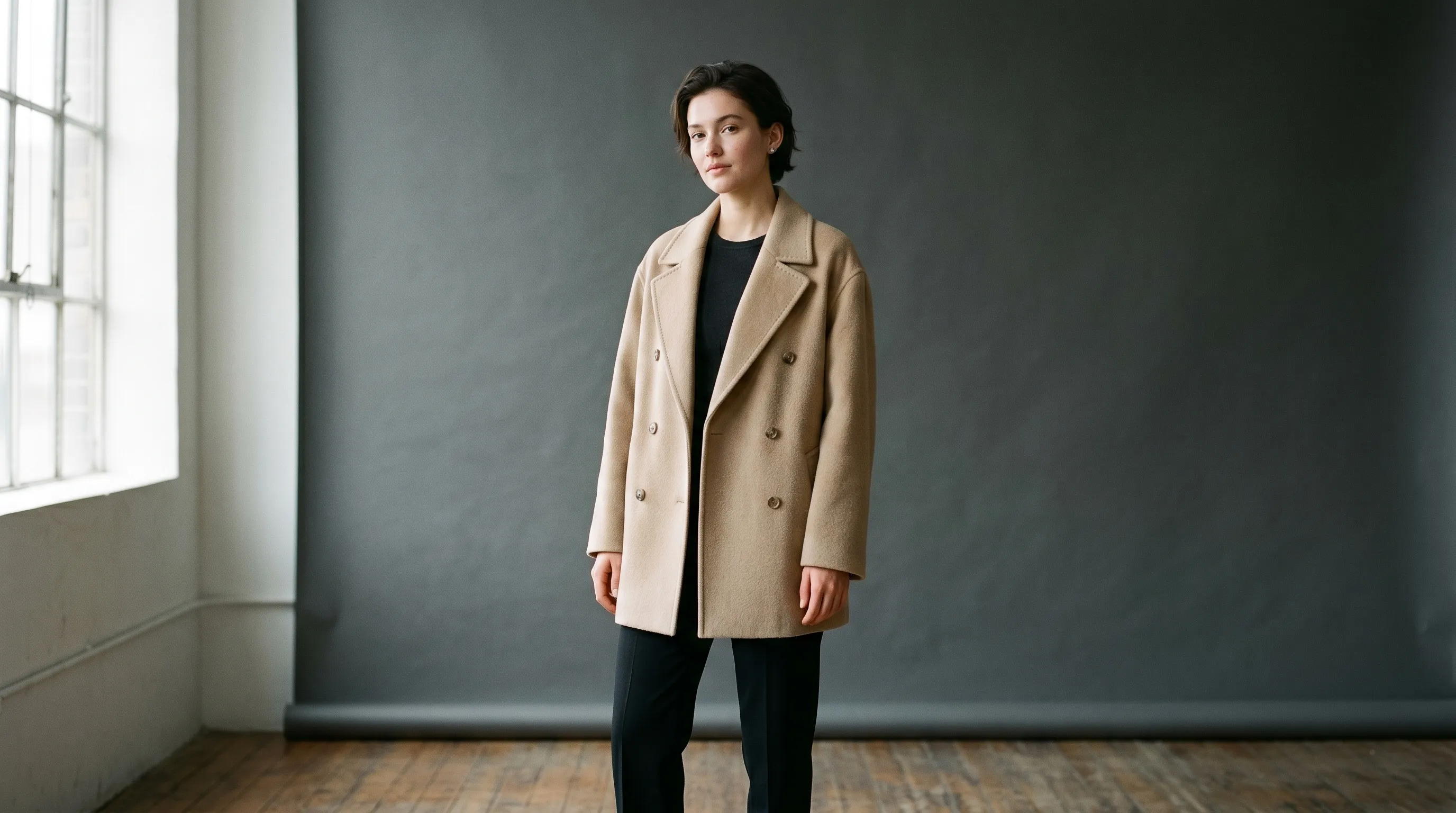
An AI model swap can be a one-image repair or the first shot of a season, and those jobs reward different tools. For an existing photograph that must keep its pose and set, start with a direct-swap specialist. For a catalog that must keep the same person and photography direction across later products, choose a system built for reuse. We reviewed nine current tools by starting input, garment protection, identity reuse, production controls, and public pricing. Nightjar leads for repeatable catalog direction; On-Model and FASHN are stronger fits for a literal in-place swap.
| Tool | Best for | Starting input | Identity continuity | Public entry pricing |
|---|---|---|---|---|
| Nightjar | Repeatable on-model catalog production | Product Photos or existing Assets | Reusable Fashion Models, Products, and Recipes | 6 free Credits; paid from $25/mo for 150 Credits |
| On-Model | Direct swaps across existing PDP sets | Existing on-model photos | Model library or custom identity | Free; paid from €17/mo billed annually |
| FASHN | Fast direct swaps with a face reference | Existing on-model photo | Gallery faces on all plans; custom references on Agency | Free 10 credits; Basic $19/mo |
| Modelia | Low-cost testing with saved characters | Existing on-model photo | One to unlimited characters by paid plan | Free; Project $12 one time |
| Botika | Fashion-specific swaps with managed retouching | On-model, flat-lay, packshot, or mannequin photos | Shared model selection; custom models at enterprise | Pro from $46/mo billed annually |
| Uwear | Pay-as-you-go fashion production | Garment photos or existing images for AI Edit | Saved models and reusable art direction | $0.10/credit; $17 minimum purchase |
| Browzwear | Enterprise digital-product workflows | Digital garments and brand assets | Brand-exclusive parametric models | Contact sales |
| Pic Copilot | Sellers already using its ecommerce suite | Product or on-model photos | Custom model upload advertised | Free tier; paid price not reliably exposed publicly |
| VModel | Developers choosing and running swap APIs | Model-dependent API inputs | Depends on the selected model | $10 free API calls; model-specific pay-as-you-go |
If your actual task is putting a garment onto a person from a flat-lay or product-only image, that is virtual try-on rather than a strict model swap. The AI virtual try-on tools comparison covers that adjacent workflow, while the AI fashion model generator guide compares tools for creating new model imagery.
How should AI fashion model swap tools be compared?
AI fashion model swap tools should be compared first by input route, then by continuity, because a clean direct replacement and a fresh on-model generation solve different jobs. FASHN describes the direct-swap target clearly: “Swap the person while keeping the outfit, pose, lighting, and background the same.” A catalog system may instead rebuild the photograph from the product evidence while preserving the chosen model and production direction across later images.
Five checks expose the practical differences:
- Starting input: Does the tool accept an existing on-model photograph, or does it expect a flat-lay, packshot, garment render, or Product?
- Garment protection: Does it use one source image, multiple product views, factual product details, or an automated review step?
- Identity continuity: Can the same person be selected again, and is that identity shared across a Team or API workflow?
- Production continuity: Can the brand reuse the pose, setting, photographic look, crop, and output settings as well as the face?
- Cost unit: Does one credit buy one swap, one output at a particular resolution, an internal processing step, or a multi-image set?
These checks matter because a face can remain recognizable while the rest of the catalog drifts. Lighting, camera distance, pose, background, and garment details all contribute to whether two images feel like one brand. The broader guide to consistent AI product photography explains how those controls work together.
Which AI tools are best for swapping models in fashion photography?
The nine strongest current options serve three distinct buyers: brands building a reusable catalog system, teams replacing people in existing photos, and enterprises or developers embedding the capability into a larger pipeline. The entries below keep those scopes separate instead of treating every on-model generator as an identical swap tool.
1. Nightjar: best for repeatable catalog direction
Nightjar is the strongest fit when changing the Fashion Model is part of a repeatable product-photography system rather than a single isolated edit. It can edit existing Assets in plain language, but its deeper advantage is rebuilding future on-model imagery from reusable product evidence and production direction.
- Best for: brands that need the same Fashion Model, photographic look, setting, and delivery rules across many products.
- Pricing: 6 free Credits, then paid plans from $25 a month for 150 Credits; higher-volume and custom plans scale beyond the self-serve tiers. See Nightjar.
- Standout feature: Nightjar connects garment evidence to reusable casting and shoot direction. A Product can hold front, back, detail, and on-model Product Photos plus factual details, while a Recipe saves the Fashion Model, Photography Style, Background choice, Pose and Camera Distance, Custom Directions, and output settings. The next garment can use the approved model and production setup without rebuilding the brief.
Nightjar calls its main creation path the Product Photography Workflow. For a controlled model shot, a reusable Pose governs body arrangement and Camera Distance governs crop. Built-in visual review compares outputs with the request and reference images, and can retry obvious failures at no extra Credit cost. Teams can also use Photoshoot, the cohesive four-image output choice inside Product Photography, when they need a connected set rather than four independent swaps. The guide to reusing one AI Fashion Model across a collection covers the identity workflow, while the Photography Styles guide covers repeatable lighting, camera feel, mood, and color.
The same Fashion Models, Products, and Recipes are also available in Claude, Claude Code, and Codex through MCP, the open standard AI assistants use to connect to other tools. A team that already plans collections in an assistant can ask there for the next on-model shot or a plain-language edit, and Nightjar produces it with the Team's Credits and saves it to the same Library. Product photography in Claude covers setup, and the Nightjar MCP guide lists the tools and limits.
2. On-Model: best for direct swaps across existing PDP sets
On-Model is built around replacing the person in existing product-detail-page photography while retaining the source set and pose. Its current product page accepts multiple shots per product, offers library identities or a custom brand reference, and supports batch processing and an API.
- Best for: recasting an already-published fashion photo set without rebuilding each scene.
- Pricing: Free includes 75 credits per month and up to 25 watermarked images. Basic starts at €17 per month billed annually; Pro starts at €89 per month billed annually. See On-Model pricing.
- Standout feature: the direct Model Swap workflow accepts existing on-model photos and can apply one target identity across a batch.
- Trade-off: reusable custom identity uploads and 4K output begin on higher tiers, and Model Swap uses more credits than its flat-to-model workflow.
3. FASHN: best for fast direct swaps with face references
FASHN is a focused direct-swap choice for replacing a person while retaining the source garment, pose, lighting, and background. Its official page reports results in under 30 seconds, and its pricing clearly separates gallery faces from user-created face references.
- Best for: testing a direct replacement quickly on an existing on-model photo.
- Pricing: 10 free credits; Basic is $19 per month for 200 monthly credits, Pro is $49, and Agency is $99. See FASHN pricing and FASHN Model Swap.
- Standout feature: curated FASHN Faces can be reused on any plan; uploading or creating a custom Face Reference requires Agency.
- Trade-off: custom identity continuity is tier-gated, and the product is less focused on saving a complete cross-catalog photography setup.
4. Modelia: best for a low-cost commercial test
Modelia offers a direct Model to Model workflow alongside saved consistent characters, batch generation, and up to 4K export. Its one-time Project tier is unusual in a category dominated by subscriptions.
- Best for: a small commercial test that needs a saved identity without a recurring commitment.
- Pricing: Starter is free with 20 monthly credits and non-commercial, watermarked output. Project is $12 once for 50 non-expiring credits and commercial use; Basic is $35 per month. See Modelia pricing and Modelia Model Swap.
- Standout feature: consistent-character capacity grows from one on Project to three on Basic, six on Pro, and unlimited on Business.
- Trade-off: Model to Model costs three credits per image, or six at 4K, so the advertised credit bundle is not the same as the number of swaps.
5. Botika: best for fashion-specific swapping with retouch support
Botika accepts an existing on-model image, lets the user select a new model and background, and also supports flat-lay, packshot, and mannequin inputs for fresh on-model work. Its paid plans include human retouch rounds, which changes the workflow from self-serve generation alone.
- Best for: fashion teams that want direct model replacement plus a managed correction path.
- Pricing: Pro is listed from $46 per month billed annually for 600 credits per year; Enterprise pricing is custom. See Botika pricing.
- Standout feature: two retouch rounds on Pro and three on Advanced, with custom brand models available through Enterprise.
- Trade-off: annual billing and a correction queue make Botika less suitable for someone who wants an immediate, low-cost one-off.
Botika customer Julius Juul, Creative Director of Heliot Emil, describes the custom-model appeal in brand terms: “It removed some of the usual constraints around casting and production for these visuals.” That is a useful distinction from a generic face swap, because the model becomes part of a planned visual identity rather than a random replacement.
6. Uwear: best for pay-as-you-go production
Uwear combines saved model identities, generation from garment photos, AI editing, batch workflows, and optional review in one pay-as-you-go platform. The direct AI Edit path can replace a model in an existing image, while the broader production path starts from flat-lays, packshots, or supplier photos.
- Best for: seasonal or uneven catalog volume where expiring subscription credits would be wasteful.
- Pricing: $0.10 per credit with a minimum purchase of 170 credits, or $17; credits do not expire. Enterprise pricing is custom. See Uwear pricing.
- Standout feature: one credit pool works across its Studio, Agent, API, and MCP surfaces, with saved models and an optional per-run review step.
- Trade-off: each underlying generation or editing model has its own rate, so $0.10 per credit is not an automatic $0.10 per finished image.
7. Browzwear: best for enterprise digital-product workflows
Browzwear is an enterprise fashion-development platform rather than a lightweight swap app. Its AI model system works with digital garments, client-specific libraries, brand-exclusive parametric models, and Stylezone collaboration.
- Best for: apparel organizations already connecting design, approval, wholesale, and ecommerce imagery.
- Pricing: contact sales. See Browzwear AI models.
- Standout feature: custom AI models can include parametric sizing and approved poses inside a closed client environment.
- Trade-off: the sales-led workflow and digital-product context are excessive for a one-off photo replacement.
8. Pic Copilot: best for sellers inside a broader ecommerce suite
Pic Copilot advertises AI Model Swap inside a larger ecommerce image platform, including changes to age, gender, appearance, and background. It also advertises custom model uploads, mannequin conversion, and adjacent virtual try-on tools.
- Best for: marketplace sellers who already use Pic Copilot’s other ecommerce creative tools.
- Pricing: a free tier and seven-day Pro trial are public, but the current public pricing page does not expose a reliable paid amount without app context. See Pic Copilot pricing and its fashion tools.
- Standout feature: model swap, virtual try-on, footwear try-on, and ecommerce templates sit in one suite.
- Trade-off: public price opacity makes a credible per-image comparison impossible before signup.
9. VModel: best for developers selecting a swap API
VModel is an API marketplace for running many AI models, including swap-style models, rather than a fashion-production application. Its value is deployment convenience for developers who have already chosen the behavior they need.
- Best for: engineering teams that want an API layer and will build their own review, identity, storage, and catalog logic.
- Pricing: $10 in free API calls; thereafter pricing depends on the selected model, and purchased credits do not expire. See VModel.
- Standout feature: one REST API and credit balance can run different community models.
- Trade-off: fashion-specific controls, product evidence, reusable art direction, and quality policy remain the implementer’s responsibility.
How much does AI fashion model swapping actually cost?
AI fashion model swap costs cannot be compared from plan price or credit price alone because each vendor defines a credit differently. The useful calculation is credits per finished output at the required resolution, followed by the cost of the smallest plan or pack that can cover the whole job.
| Workflow | Published unit | Credits for 200 outputs | Important qualification |
|---|---|---|---|
| Nightjar 1K/2K Single shot or Edit Images output | 1 Credit per completed output | 200 | Nightjar charges completed requested outputs, not internal provider attempts |
| Nightjar Photoshoot | 2 Credits per four-image set | 100 | Produces 50 cohesive sets, not 200 exact direct swaps |
| Modelia Model to Model | 3 credits per image | 600 | 4K doubles the requirement to 1,200 credits |
| On-Model Model Swap at 1K | 5 credits per image | 1,000 | 2K uses 7 and 4K uses 10 credits per image |
A 200-image brief therefore does not fit Modelia’s 250-credit Basic plan or On-Model’s 120-credit Basic plan, even though both entry prices look affordable. Nightjar’s four-image Photoshoot can lower the Credit count for a new cohesive set, but it is the wrong comparison when the brief demands 200 one-for-one replacements of existing photographs. Price the exact workflow, resolution, correction policy, and number of usable finals.
Which model swap tool fits each fashion photography job?
The right model swap tool follows from the source material and the need for reuse. A brand should choose the narrowest workflow that still preserves the continuity required by the next image, not only the first one.
| Job | Best-fit shortlist | Reason |
|---|---|---|
| Replace one person in one finished image | FASHN, On-Model, Modelia | Each has a documented direct-swap path from an existing on-model photo |
| Recast an existing PDP set | On-Model, Botika, FASHN Agency | Batch or reusable-identity options matter more than a cheap isolated output |
| Keep one Fashion Model across new catalog imagery | Nightjar, Uwear, Browzwear | The identity sits inside a larger reusable production system |
| Localize campaign casting across many products | Nightjar, On-Model, Browzwear | Persistent identities and repeatable direction reduce person-to-person drift |
| Build a custom swap feature into software | Nightjar API, On-Model API, VModel | Nightjar and On-Model expose product workflows; VModel supplies lower-level model access |
For changes to body type or skin tone, test the full garment range rather than one forgiving source photo. The guides to changing body type or size and changing skin tone or ethnicity explain why fabric texture, hands, necklines, and product fit deserve separate review. If the pose itself must change, use a workflow that treats body arrangement as an explicit control; Nightjar’s Pose workflow guide covers that case.
What should a brand test before choosing an AI model swap tool?
The prettiest first output is a weak buying test for AI model swapping. Run the same small, difficult image set through every shortlisted tool and score repeatability across the set. Include a dark garment, a patterned garment, visible hands, fine straps or jewelry, readable branding, and at least two views that should show the same identity.
Use a simple acceptance sheet:
- Does the garment’s silhouette, print, seams, closures, and branding remain faithful to the source?
- Does the chosen identity remain recognizable across front, side, close, and full-body views?
- Can the team reproduce the approved pose, background, photographic look, crop, resolution, and file format later?
- What happens after a bad output: free retry, paid regeneration, automated review, human retouch, or no correction path?
- Can the same resources be shared across teammates or used through an API?
- Do the source-image license, model release, likeness rights, and channel disclosure rules permit the intended use?
No tool makes a brand automatically compliant. Usage rights and disclosure duties depend on the source photographs, the depicted person, the sales channel, and the market. The legal guide to AI product photography covers those questions separately.
Frequently Asked Questions
Can AI replace a model in a fashion photo without changing the outfit? Yes, direct-swap tools are designed to replace the person while retaining the outfit, pose, lighting, and background. Generated details can still drift, so brands should inspect fabric, hands, necklines, logos, text, and accessories before publishing.
What is the difference between AI model swap and virtual try-on? AI model swap starts from an existing on-model photograph and changes the person. Virtual try-on starts from a garment image plus a target person or model and creates a new depiction of that person wearing the garment.
Can an AI tool keep the same Fashion Model across a whole collection? Yes, if the tool provides a saved identity or reusable Fashion Model rather than generating a new person from a text description each time. Catalog continuity is stronger when the same system also saves pose, setting, photographic look, and output rules.
Which AI model swap tool is best for one image? FASHN, On-Model, and Modelia are the clearest direct-swap options for one existing image. Test all three with the same source because garment complexity and pose can matter more than the plan price.
Which AI model swap tool is best for a full catalog? Nightjar is the strongest fit for new catalog imagery that must reuse the same product evidence, Fashion Model, visual direction, and delivery settings. On-Model is the more direct fit when the job is specifically to recast a large set of finished PDP photographs in place.
How should a brand calculate the cost of model swapping? Multiply the vendor’s credits per output by the number of required finals at the chosen resolution, then include rejected outputs, correction steps, and credit expiry. A cheap credit is not necessarily a cheap finished image.
References
- Nightjar - AI product photography system
- On-Model pricing and Model Swap
- FASHN pricing and Model Swap
- Modelia pricing and Model Swap
- Botika pricing and On-Model Photography
- Uwear pricing and AI Fashion Models
- Browzwear AI Models
- Pic Copilot pricing and Fashion Tools
- VModel - API marketplace and pricing model