
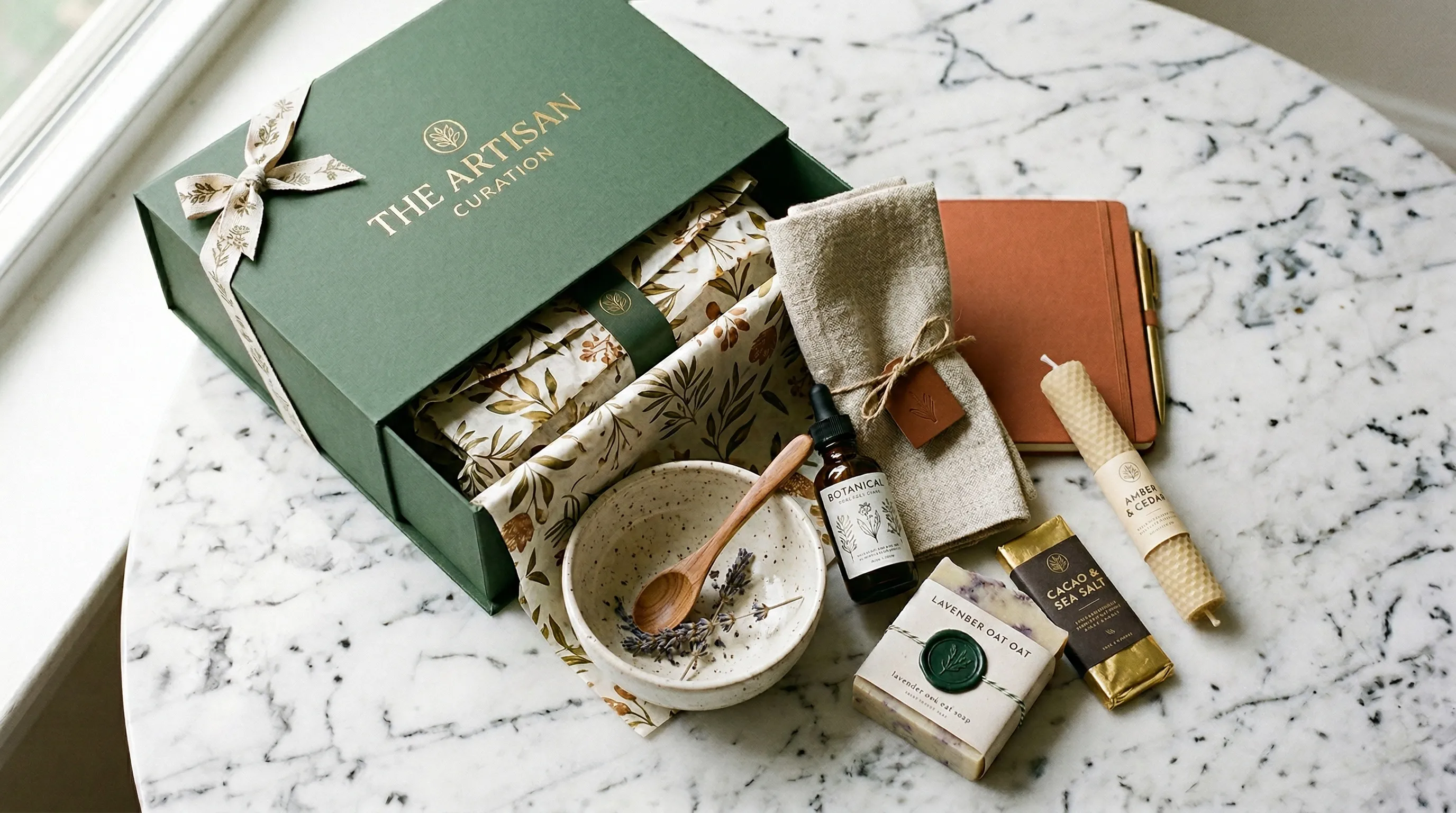
The Subscription Box Photography Problem Nobody Talks About
Some evergreen products can reuse a core image set for a long time. Subscription box brands often cannot. Every month brings an entirely new set of products, and every one of them needs fresh photography.
The math gets uncomfortable fast. As an illustrative planning case, a box with 8-12 items and four individual deliverables per item would create 384-576 files a year. That is not the minimum: group flat lays, reused packaging photos, and channel crops can cover several jobs. Start with a shot list, not a multiplier that charges for the same photograph twice.
And the volume problem is only half of it. Subscription box photography has to sell value without spoiling the surprise. Show too much of next month's box and you lose the reveal; show too little and the offer feels like a gamble. Label past-box examples clearly and disclose any guaranteed items, quantity, or variation in the offer.
Nightjar is useful when the recurring job is turning each month's real product photos into a coordinated set of individual scenes and teasers. Save the direction once, apply it to the new contents, and edit approved full-reveal images into lower-reveal marketing variants. That saves repeated setup without making the contents themselves fictional. The rest of this article explains how.
The Reveal Spectrum Framework: What to Show at Every Funnel Stage
Here's the core insight that most subscription box photography guides miss: the amount you reveal should change depending on where the customer is in your funnel.
Mystery can be part of the value of a subscription, but mystery alone does not establish what the customer is buying. Calibrate disclosure: a hint in a teaser, clear examples and offer details on the landing page, and the actual complete contents in the reveal. For an audience that dislikes spoilers, separate the reveal with an explicit label or link.
The percentages below are creative shorthand for low, partial, and full reveal, not measured conversion thresholds or literal fractions of pixels. Order them around your shipping calendar so a public social post does not spoil a subscriber's box before it arrives.
Here's the framework mapped to specific funnel stages and photography techniques:
| Funnel Stage | Reveal Level | Photography Technique | Purpose |
|---|---|---|---|
| Paid ads | 10-20% | Backlit silhouettes, blurred details, shadow play | Create curiosity gap |
| Pre-shipment email | 20-30% | Texture close-ups, single item teasers, packaging shots | Build anticipation |
| Landing page | 40-60% | Past box flat lays, standout item hero shots | Prove value without spoiling |
| Social media | 60-80% | Unboxing sequences, lifestyle in-use, before/after | Drive engagement and UGC |
| Post-purchase | 100% | Complete flat lay, individual shots, lifestyle images | Celebrate and encourage sharing |
Paid Ads (10-20% Reveal)
At the top of the funnel, your photography should create questions, not answer them. Backlit product silhouettes, extreme close-ups of textures, and selective blur all work here. The viewer should be able to tell the category of what's inside without identifying specific brands or products.
Test whether a teaser earns qualified visits, not just curious clicks. A deliberately vague ad can attract attention while leaving the wrong impression about the contents.
Landing Page (40-60% Reveal)
By the time someone reaches your landing page, they need proof of value. Styled flat lays of past boxes and hero shots of standout items from previous months work well here. You're showing what kind of value subscribers receive without spoiling what's in the current box.
Use enough resolution to inspect packaging and item sizes. The visitor should understand the type and amount of value offered, even if this month's exact mix stays hidden.
Pre-Shipment Email (20-30% Reveal)
The window between order and delivery is underused. Extreme close-ups of one product's texture, a single teaser item partially unwrapped, or branded packaging shots all build anticipation. The goal is to build anticipation while respecting the promised surprise. Keep shipping updates clear; do not let the teaser replace practical order information.
Social Media (60-80% Reveal)
Organic social can show more after the reveal date. Use real unboxing sequences and lifestyle shots of the actual products. Generated campaign scenes are not customer testimonials or evidence of what someone received; label and present them accordingly.
Post-Purchase (100% Reveal)
After delivery and the agreed spoiler window, show the complete box. Flat lays, individual product breakdowns, and real customer photos used with permission help subscribers understand and share what arrived.
Six Shot Types Every Subscription Box Needs Each Month
Each shot type serves a different channel and a different point on the reveal spectrum. Most subscription box brands need all six every month.
1. Knolling / Precise Flat Lay
Objects arranged at parallel or 90-degree angles on a flat surface. The look is clean, geometric, intentional. For subscription boxes it answers the fundamental question: what's in this box?
Use for: "what's inside" content, website product grids, marketplace listings. Knolling communicates order and curation, which signals high value density.
2. Casual / Styled Flat Lay
Organic arrangement with lifestyle props. A coffee subscription might include mugs and a French press around the beans. A beauty box might scatter items on a marble surface with fresh flowers.
A practical tip from Cratejoy: shoot with empty space in the center of your product arrangement so you can overlay your logo or box name digitally later. Use that copy-space composition for eligible marketing placements. Cratejoy's same guide asks listing photos to show actual products and packaging and cautions against digitally created or heavily modified images. Keep real capture for those listings, and make sure props do not imply they're included.
3. Unboxing Sequence
Photograph a real multi-frame narrative: closed box, partially open, contents emerging, full spread. This works as a carousel on Instagram, a sequence in email, or a storytelling element on landing pages. Painter's tape keeps items in place during "spilling out" compositions, which are trickier to stage than they look.
4. Partial Reveal / Teaser Shots
Backlit silhouettes, selective focus, extreme close-ups of textures. These map to the 10-30% range on the reveal spectrum and power your paid ads and pre-launch teasers.
These can be generated from full-reveal photos using AI editing tools. With Nightjar, you'd type something like "blur the product labels" or "darken everything except the outline" to create teaser variants without shooting twice.
5. Individual Product Shots
Each item on a consistent background. These are essential when items are also sold individually, or when you want to break down the box contents in an email. Consistency matters here: lighting, framing, and shadow treatment should stay aligned across all items so they feel curated. In Nightjar, save a Photography Style for the lighting and color direction, then save it with product-only Framing, background, and output settings in a Recipe. That keeps the brief reusable across the new items. For the group-image case, see combining product photos with matched lighting.
6. Lifestyle / In-Context Shots
Products shown in use or in aspirational settings. A skincare box item on a bathroom shelf. A snack box item at a picnic. These communicate "what it feels like to subscribe."
| Shot Type | Primary Channel | Reveal Level |
|---|---|---|
| Knolling flat lay | Website, marketplace listings | 100% |
| Styled flat lay | Instagram, Pinterest, email | 60-80% |
| Unboxing sequence | Social carousels, email series | 40-80% |
| Teaser shots | Paid ads, pre-launch emails | 10-30% |
| Individual product shots | Product pages, email breakdowns | 100% |
| Lifestyle shots | Social media, ads | 60-80% |
Subscription Box Photography Costs: Traditional vs. AI in 2026
The recurring bill matters, but compare the same deliverable scope. A monthly box with 10 items might plan 20 finished images: 10 individual shots, 3 group arrangements, 4 lifestyle scenes, and 3 teasers. This is an example brief, not a category benchmark.
For a studio, an illustrative quote of 20 images at $75 would be $1,500 per month and $18,000 for twelve shoots. Do not add a half-day fee on top if the quote already includes it. A current published alternative is Soona's Studio pass: $149 per booking plus $39 per photo, or $929 base for 20 photos. Models, styling, shipping, premium edits, and tax are separate. Its $93 price is for a video clip, not a photo, and its platform also offers editing tools.
Nightjar's Studio plan starts at $25 per month for 150 Credits. A completed 1K or 2K single image or Edit uses 1 Credit; a 4K result uses 2. Generating 20 completed 2K candidates therefore uses 20 of those 150 Credits, within the $25 plan.
Here is an honestly scoped planning scenario: existing phone and lighting, 1 hour of source capture and preparation plus 3 hours of direction, output review, corrections, and export, valued at an assumed $30/hour. That is $120 labor plus the full $25 subscription, or $145 for the month before tax or new equipment. Allow extra candidates and edits within the credit budget; if the team actually approves 20 files, the total is $7.25 per approved file.
| Path | Example monthly basis | Twelve identical months | Important scope |
|---|---|---|---|
| Illustrative studio quote | 20 x $75 = $1,500 | $18,000 | Get the actual capture, styling, rights, and revision quote |
| Soona Studio pass | $149 + 20 x $39 = $929 base | $11,148 base | Membership may change booking costs; extras excluded |
| Nightjar scenario | $25 subscription + 4 hours x $30 = $145 | $1,740 under the same assumptions | Source work and review included |
| Smartphone DIY | Actual capture/edit hours x your labor rate | Sum each month's recorded hours | Equipment and software are additional |
The reason to choose Nightjar for this job is that the same monthly direction can guide the new individual products, lifestyle scenes, and teaser edits, so the team is not rebuilding all three from scratch. Use the studio-versus-AI cost guide and break-even framework with your own approved-file count.
How to Keep Photos Consistent When Everything Changes Monthly
Visual consistency is hard enough when you're photographing the same products repeatedly. When every single item in the frame changes monthly, it becomes the central challenge of subscription box photography.
Items arrive from different suppliers with different packaging aesthetics, color palettes, and surface textures. Yet every month's imagery has to feel like it came from the same brand. A repeatable photography brief keeps the curation recognizable without pretending the changing items are identical.
A Reusable Photography Style
The solution is to lock in a visual identity and apply it consistently to each month's new products. That means standardizing lighting direction, shadow treatment, color temperature, framing, and background across every shoot.
A repeatable brand brief can carry the same direction across changing contents. AI tools can help apply that discipline. In Nightjar, the photographic look of an image, meaning its camera feel, lighting, color, and mood, is saved as a reusable ingredient called a Photography Style. You can extract one from a set of reference images or pick from 100+ curated Photography Styles that ship with Nightjar, then apply the same one to every new product set.
To go a step further, Nightjar lets you save the whole setup, the Photography Style plus framing, background, and output settings, as a Recipe: a reusable Create-form configuration you apply with one selection. For a subscription box brand, that means defining the monthly photography setup once and reapplying it as each new box arrives, instead of rebuilding the brief twelve times a year. The Recipe carries the same direction into each month; the Product photos and factual details are selected separately, so last month's items are not part of the saved setup.
Building Group Shots from Individual Products
When products arrive from different suppliers at different times, you rarely have the chance to photograph everything together. And even when you do, items shot separately look disjointed when placed side by side due to mismatched lighting and perspective.
Nightjar's multi-image combining can compose separately photographed products into a group. Create uses up to five product-reference images in total, including photos from selected Products.
For a full-box contents image, photograph the complete arrangement and use that as the reference. For smaller campaigns, select a subset of up to five item references, state exactly what belongs in the scene, and check count, packaging, relative scale, and labels. You can also create flat lays from angled photos.
Monthly Workflow: From Smartphone to Content Library
Here's a repeatable process. Budget source capture, generation, review, and export separately.
-
Photograph each item individually. Use a smartphone, plain white or neutral background, natural light from a window. Nothing fancy. You need a clean reference image, not a final product shot.
-
Upload and apply your saved Photography Style. This reuses the lighting, color, and mood direction. Choose the background separately. Save the full setup as a Recipe and apply it every month without rebuilding the brief.
-
Generate individual product shots. Use product-only Framing with a flat background and your saved Recipe for matched-direction images of each item. These become your product pages and email breakdown assets.
-
Generate group flat lay compositions. Use the real full-box photo for complete contents, or combine a smaller subset within Create's five-reference limit. These become your "what's in the box" images.
-
Create teaser variants. Use text-based editing to produce low-reveal versions from your full-reveal shots. "Blur the product labels," "show only the silhouette," "darken everything except the texture." One source image, multiple reveal levels.
-
Export in platform-specific aspect ratios. For example, 1:1 or 4:5 for feed images, 2:3 for standard Pinterest images, and the ratio your email template uses. Use ordinary crops where they preserve the needed information; request a new composition when the crop does not work.
A 20-30-image target can cover the six shot types for this example box; the actual requirement follows your channels and reveal schedule. Review the resulting set against that brief before marking the month complete.
For related workflows, see how other product categories handle similar challenges with electronics photography and dropshipping photography.
Frequently Asked Questions
How do you photograph a subscription box without spoiling the surprise? Use different reveal levels for different channels. Paid ads get 10-20% reveal through silhouettes and blurred details. Landing pages show 40-60% using past box examples. Post-purchase content gets the full 100%. AI editing can create teaser variants from full-reveal photos by blurring labels or darkening details.
What types of product photos do subscription boxes need each month? Six core types: knolling flat lays for listings and "what's inside" content, styled flat lays for social media, unboxing sequences for carousels and email, teaser shots for ads and pre-launch, individual product shots for product pages, and lifestyle images for use and context.
How much does professional subscription box photography cost per month? For the 20-image example, Soona's published Studio pass totals $929 base before extras. Nightjar's Studio subscription is $25/month; the worked scenario adds $120 of assumed source, review, and delivery labor. Compare approved files and the actual capture scope, not a nominal generation rate.
How do you keep subscription box photos consistent when contents change monthly? Lock in a photography style covering lighting, color temperature, framing, and shadow treatment, then apply it to every new month's products. Nightjar lets you create a Photography Style from references and save it with the rest of your direction in a Recipe. Apply it to each month's new product inputs and review the set together.
What is the best layout for flat lay subscription box photography? Knolling, where items are arranged at precise 90-degree angles, works best for marketplace listings because it communicates order and curation. Casual styled flat lays with organic arrangement are a useful option for Instagram and Pinterest. Most subscription box brands need both styles each month.
Is AI product photography good enough for subscription box marketing? Yes, when it starts from photos of the actual contents. Nightjar turns each month's product photos into matched individual shots, lifestyle scenes, and teaser edits, and a saved Recipe carries the same direction from one box to the next. Use your real full-box and unboxing photos where an image shows exactly what subscribers receive.
How many product images does a subscription box need each month? Use the channel and reveal plan. This article's ten-item example targets twenty files: ten individual shots, three group images, four lifestyle scenes, and three teasers. Some can share a source or crop; it is not a universal monthly minimum.
References
- Nightjar - Current pricing and reusable product-photography setup
- Soona pricing - Photo, booking, editing, and membership scope
- Cratejoy: How to take product photos - Subscription-box composition guidance
- Pinterest image specifications - Standard 2:3 image guidance
- Adobe Firefly vs dedicated product tools - Adjacent tool comparison